
Gumroad 101: The Easy Way
If you haven’t heard of it, Gumroad is the new hyped Amazon for your creations. From Ebooks to templates, from courses to even physical goods, you can sell your creations on this platform and it’s super easy.
You’ve been a bunch of you asking HOW TO sell your products on Gumroad, and after exchanging thoughts with The Lion the Bunny and the Bear I’ve finally decided to write an article to help you all out. So let’s start!
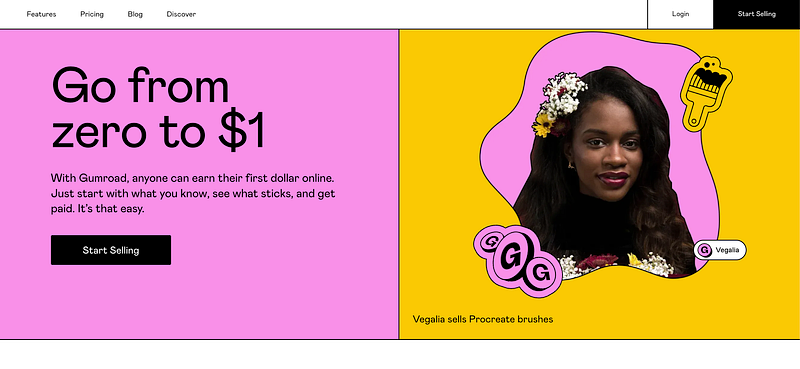
Here is how!
So first of all, you’ll need an account.
So you go to https://gumroad.com/ and you sign in. Do it now, just take One minute to do it. We tend to have the famous bad habit: “I’ll do it later”
Not this time. Do it now, so you’ll have your account ready and won’t have any excuse not to do the following steps!
What are you creating?
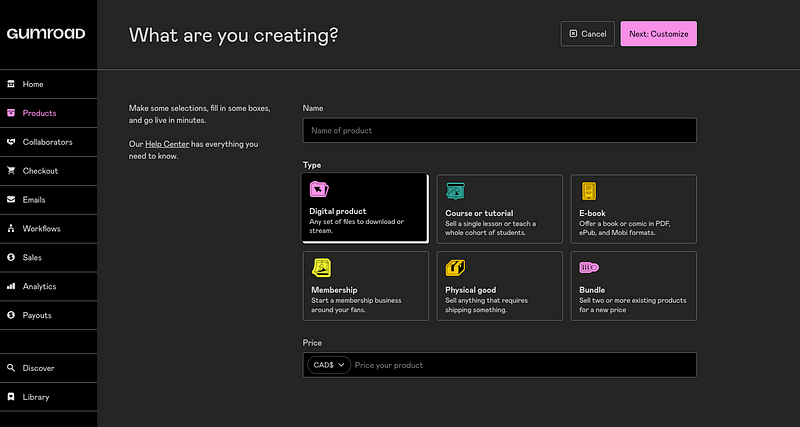
You have different categories:
- Digital products (could be notion templates, excel templates, music, pictures, etc)
- Course or tutorial
- E-book
- Membership
- Physical good
Once you’ve chosen your product, well it’s time to name it, customize it, and price it!
You’ll get to a Dashboard with 3 main parts: Product, Content, and Share.
Product
Name: You want to have a catchy name! Remember what we talked about the power of Headlines? Well, now it’s time to make some magic if you want to bait your audience!
You might have the best product in the world, if its name is not convincing, well, good look I’d say!
Description: Here you want to write the description of your product: Make it spicy, intriguing, and desired.
Go with emotions, they’re your best friends!
And why not add a Free extra? Could be a Free template, or a Free E-book you’ve written?
Cover and Thumbnail: once again, it’s like your Headline, you want your image to be catchy and interesting. And obviously, you want it to be related to your product! Don’t put a cat picture if you’re selling a recipe book. Or at least, if you do, you should have a good reason.
Then there are a lot of features that you can edit, such as price, versions, call to action buttons, and so on.
Once all this is done, let’s talk about the next step!
Content
This is what your clients will see once they’ve purchased your product.
It’s here that you’ll upload your products or your link to your product (for courses for example that are in the cloud)
You also want to give extra value to your client. You could for example give them a promo code for one of your other products.
You don’t want your clients to be touch and go, you want to keep a relationship with them. They might be interested in your other products, in your future ones or they might share your creation with other people.
Do the empathy exercise:
if you were to buy a product, what would you be grateful for? What little extra would make you feel important or valued?
Got it?
Once your product is out there, well there are many features that you can still add, for example, a discount.
Discount
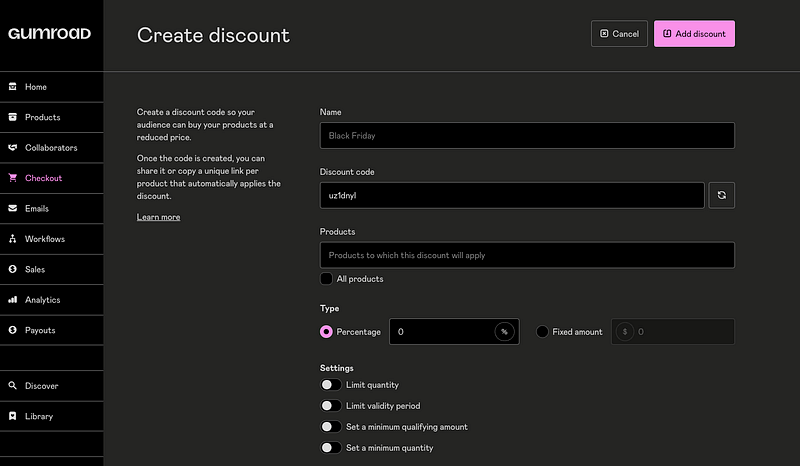
In the Checkout section, you can create a discount for your selected product.
You can edit:
- Name of Discount
- Discount Code
- Type of discount: percentage or amount
- Quantity limit of valid discounts
- Period validity limit
- and so on
Why would you want a discount?
Well, you might have one for launching your product, for calendar special dates (Christmas, black Friday, birthdates of your prospects…), or for your clients that have already purchased one of your products.
The last topic I want to talk about is Gumroad Discovery
Gumroad Discovery
Once you’ve launched your first product, unfortunately for you, it won't show in the Gumorad search which is called Gumroad Discovery.
Why? Because to do so you need to first be validated by their team. To do so you’ll have to meet the following criteria:
- sold a minimum of $10 worth of products
- be verified by their team
This means that when you first use Gumroad you want to have an audience that would already be interested in your product. You want to have an email list, and share your product on social media, forums, or in your articles!
Now you’re ready for your first product launch!
Having said that,
Here are 3 ways that I can help you:
- Follow and be in the game AxGM 🤙
- Leave a comment if you have any questions or suggestions 👏
- Stay tuned and learn every time I post on Medium → Click Here ✍️
Take care,
Ax.
My First Free E-Book on Gumroad and Why You Should Do It Too


