
Flutter Widget Guide — InheritedModel Widget in 5 mins or less.

This is Part 16 in the series where I’ll cover all the Flutter widgets that are in this YouTube playlist. I have created my own widget guide which I believe will help people who are new in this space. Please have a look at this GitHub project to explore all the amazing widgets.
Click here to ⏬ the App available on Google Play Store. 📱
My main motive behind this series is to keep things to the point. Your time is precious, let’s not waste it and get started.
There might come a time when you would want to make changes to one or two widgets depending on the state of another widget. Think of something like an Ancestor — Descendant widget relationship where multiple Descendant widgets are dependent on properties of their common Ancestor Widget. Now, when one single property of the Ancestor changes, you would not want all the decendents to be rebuild, instead you would want only those Descendant widgets to rebuild who care about the changes made to a particular property of the Ancestor Widget.
This is where InheritedModel comes in.
InheritedModel Widget
1 | What?
Widgets (Descendants) in your widget tree would create a dependency on an InheritedModel (Ancestor). The Descendants would specify as to which aspect of the Ancestor they are dependent on, which will determine if and when they will be rebuilt. The two methods to focus on while working with InheritedModel are updateShouldNotify and updateShouldNotifyDependent methods which are used to decide what should be rebuilt.
This widget might seem a bit complicated at first, but as you try and work on an example, the use and implementation becomes more clear.
2 | Wondering how it works?
Have a look at the Code snippet below.
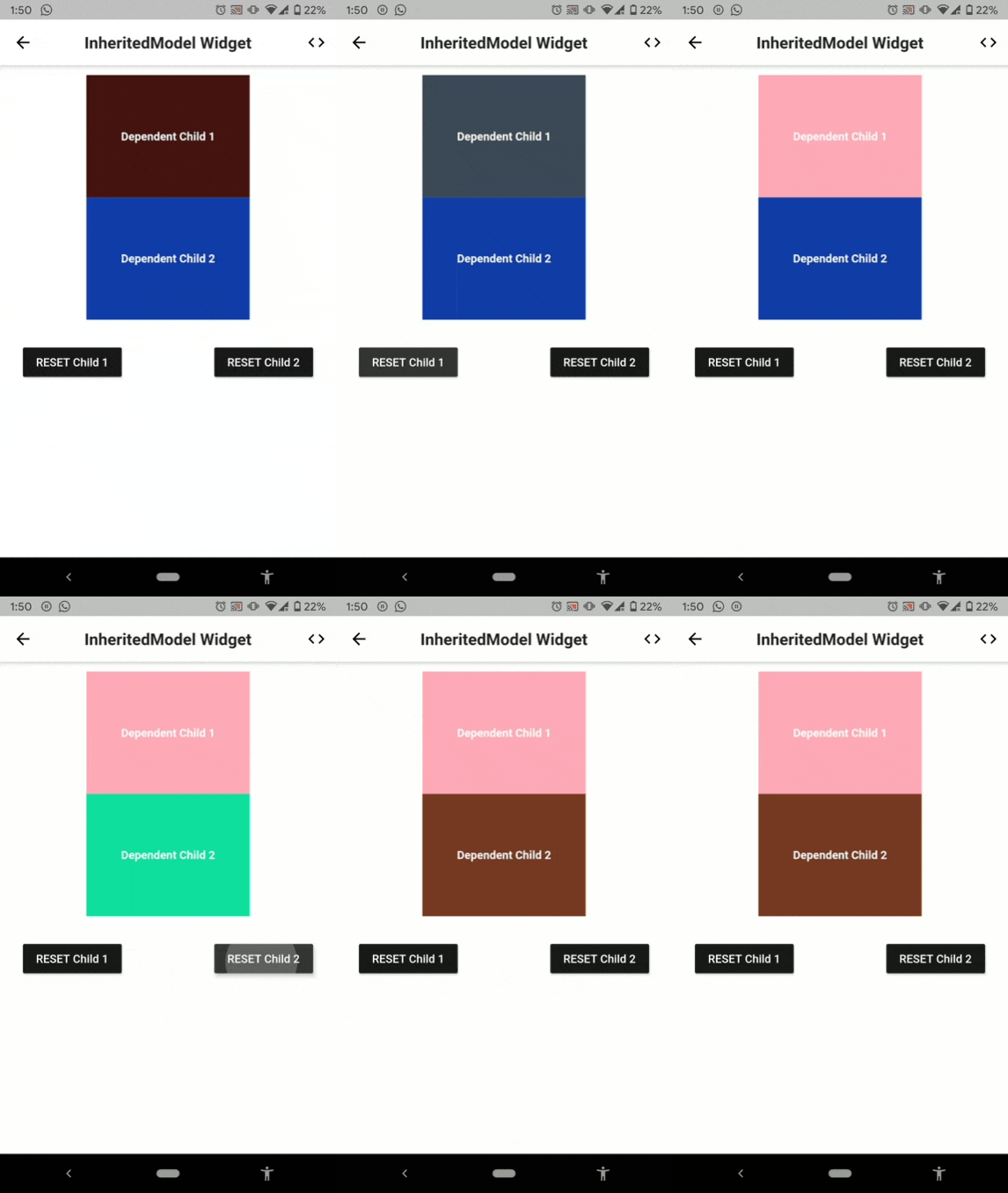
Below is the visual representation of the code above.
3 | Explanation
In above example, we have a widget called AncestorWidget which extends InheritedModel. It has two properties called colorOne and colorTwo. Next, we have two descendant widgets called DependentWidgetOne and DependentWidgetTwo which are dependent on our AncestorWidget and have provided the “aspect” of the model they depend on (‘one’ and ‘two’ respectively).
Dependency is specified as -
/// Code snippet inside the DependentWidgetOnefinal ancestor = AncestorWidget.of(context, 'one');
return Container(
color: ancestor.colorOne,.../// Code snippet inside the AncestorWidgetstatic AncestorWidget of(BuildContext context, String aspect) {
return InheritedModel.inheritFrom<AncestorWidget>(context, aspect: aspect);
}Now, lets understand what happens when you click on RESET Child 1 button.
When you click on the button, the value of _colorOne variable changes. As this change happens, our AncestorWidget observes the change and it’s updateShouldNotify method is called. This method checks if the dependent widgets need to be rebuilt. This is done by checking if the old value is equal to the new value or not.
bool updateShouldNotify(AncestorWidget oldWidget) {
  print("First updateShouldNotify is checked");
  return colorOne!=oldWidget.colorOne||colorTwo!=oldWidget.colorTwo;
}
If this method returns true, which it would if any one of the property changes, then updateShouldNotifyDependent is called. Here, we can read the aspect value of the dependent widgets and can specify the condition on which we want our dependent widgets to be rebuilt.
bool updateShouldNotifyDependent(
    AncestorWidget oldWidget, Set<String> aspects) {
  if (aspects.contains('one') && colorOne != oldWidget.colorOne) {
    print("Only widget one is rebuild");
    return true;
  }
  if (aspects.contains('two') && colorTwo != oldWidget.colorTwo) {
    print("Only widget two is rebuild");
    return true;
  }
  return false;
}
Here, if the aspects contains ‘one’ (which is the aspect of our DependentWidgetOne) and the colorOne property of our AncestorWidget has also changed (which it will when we click on the RESET Child 1 button), then we want our DependentWidgetOne to be rebuilt. Same goes for our DependentWidgetTwo.
This is basically how an InheritedModel controls which of its dependent widgets will be rebuild.
This is the most basic example I could come up with. I would advice you to go through the above example twice and I am sure you would get a clear picture of whats going on and how you can use it in your projects.
Hope this helped 😃.
Previous 👆
Next 👇
How many claps does this article deserve?
If you find this article useful, please click the 👏 button and share to help others find it! Feel free to clap many times (10💥, 20💥 or maybe 50💥 ?) It fuels my focus to write more of it.
Connect with me on LinkedIn or say hi on Twitter, mentioning this article. You can drop an e-mail at [email protected] as well.
See more in the series:
Have a wonderful day 🙂


