
Flutter Widget Guide — StreamBuilder Widget in 5 mins or less.
This is Part 15 in the series where I’ll cover all the Flutter widgets that are in this YouTube playlist. I have created my own widget guide which I believe will help people who are new in this space. Please have a look at this GitHub project to explore all the amazing widgets.
Click here to ⏬ the App available on Google Play Store. 📱
My main motive behind this series is to keep things to the point. Your time is precious, let’s not waste it and get started.
If you are planning to work on an app, then you probably have a part in your app that is dependent on some kind of data. What I mean by this is, that there is a source of data (backend, firebase database etc) that you want to observe and make changes in your app in sync with that data. It can easily be referred to as a continuous Stream of data.
Flutter has a widget to handle this type of data in an asynchronous manner.
StreamBuilder Widget
1 | What?
This widget will listen to events flowing from the Stream and in turn will rebuild itself for every new event. You provide this widget with a Stream. You can provide an initial data as well, so that your widget has something to show while its waiting for the next event (quite helful when it’s network dependent). The builder has a snapshot that you can use to keep track of various states like if it has some data or not, if the connection state is active, done or if its not available yet.
2 | Wondering how it works?
Have a look at the Code snippet below.
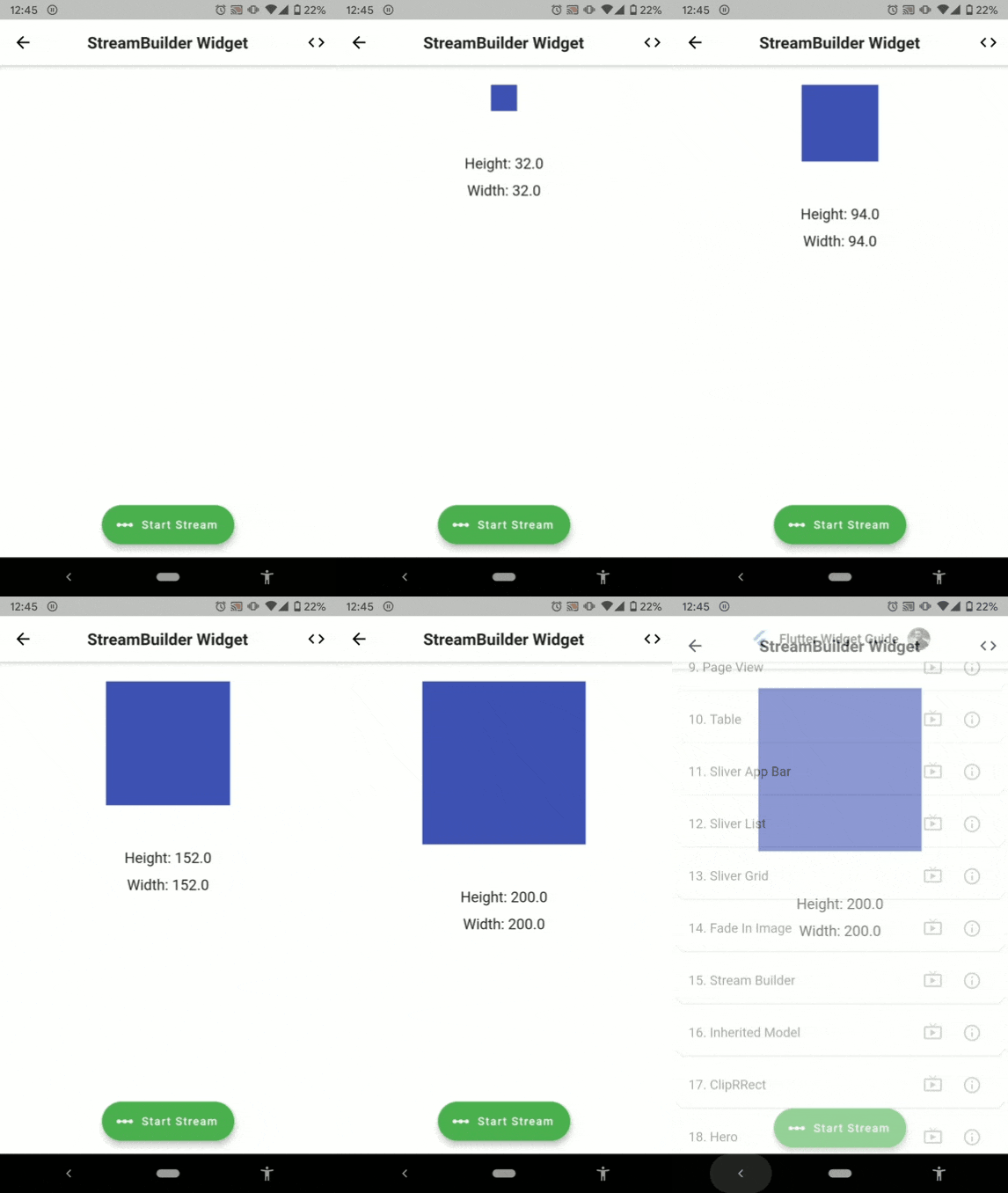
Below is the visual representation of the code above.
3 | Explanation
In the above example, we have a Stream of data that emits a double after every 100 milliseconds till the value reaches 101. So what will happen is that values from 0.0 to 200.0 will be emitted as per the logic specified in the above code. To provide the StreamBuilder with this stream, click on the extended floating action button. Next, you use the snapshot inside the builder to observe various states and the data from the stream as well. In the example above, you can see that we are using snapshot.hasData to check if the Stream has data or not, next we use snapshot.data to get the data (here double values) emitted from the stream to set the height and width of a Container widget.
Previous 👆
Next 👇
How many claps does this article deserve?
If you find this article useful, please click the 👏 button and share to help others find it! Feel free to clap many times (10💥, 20💥 or maybe 50💥 ?) It fuels my focus to write more of it.
Connect with me on LinkedIn or say hi on Twitter, mentioning this article. You can drop an e-mail at [email protected] as well.
See more in the series:
Have a wonderful day 🙂


