Flutter, Whatsapp and Twilio
Flutter, Whatsapp and Twilio
All in one Flutter Resource: https://flatteredwithflutter.com/send-whatsapp-in-flutter/
Devices today are becoming powerful and stronger, not to forget, having a profound impact in our day to day lives. Mobile apps are everywhere for every thing.
I always pondered, when you install a new app, how the providers send you welcome messages / on boarding messages ?
If you did too……, this is the exact article.
Enter Flutter…
Flutter has no-doubt revolutionized the speed of mobile development. For this article, we have a simple Google-Sign In App.

Once we click on Sign in with Google, below actions happen :
- Our entry is logged in Firebase
- Cloud Function onCreate event is triggered
- This function sends the On-Boarding messages via SMS and WhatsApp.
Okay….
First two actions can be handled by programmers, but… what about on-boarding…HMMMMM…
Enter Twilio….
If you haven’t heard about Twilio, you should check out here…
Twilio is a cloud communications platform as a service (PaaS) which allows developers to programmatically make and receive phone calls, send and receive text messages, and perform other communication functions using its web service APIs.
Steps :
- Create Twilio account.
- On the Left Hand side, you will see the menu as below
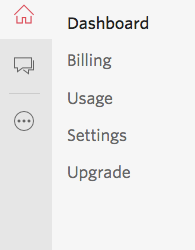
NOTE : You get a $15 USD balance in your trial account after signing up.
Click on the three dots icon, and choose the services which you want to activate.
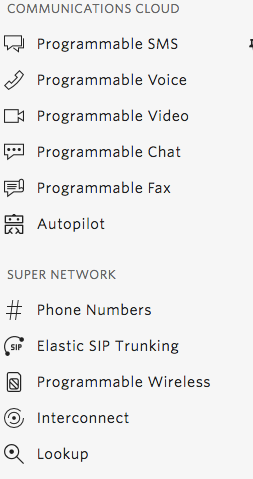
3. In our case Programmable SMS. Click on that
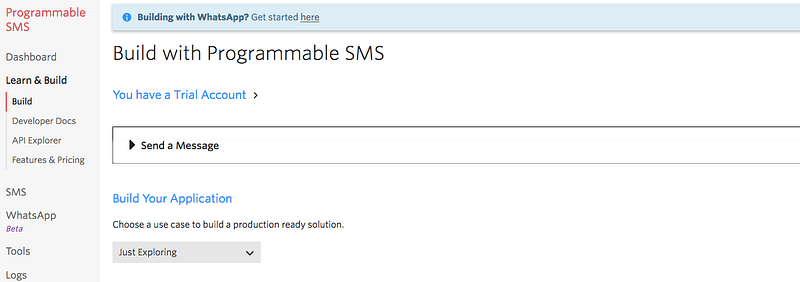
This would prompt you to first assign a phone number, which you need for sending SMS.
Don’t worry the balance is deducted from the $15 and not from your pocket. :)
4. For sending whatsapp messages, simply click on the top notification (above image) which says Get started here.
If everything’s perfect, you should see a screen like below :
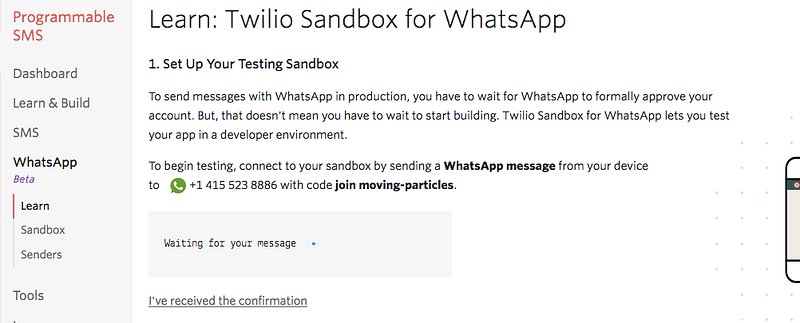
Simply send a whats app message (join moving-particles) to the number (in my case +1 415 523 8886)…..
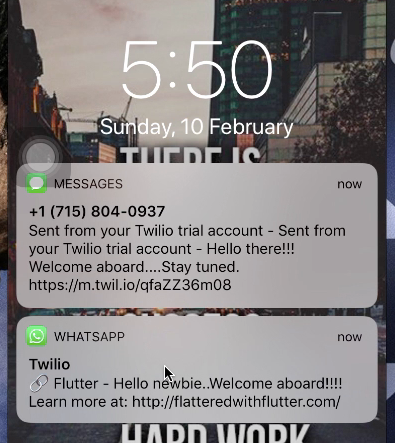
You should receive a ack message from Twilio. :)
Last Step, integrate Twilio in Cloud Functions…
- Get the accountSid and authToken, from your Twilio account.
- Install Twilio from npm.
npm i twilio
3. Initialize twilio in cloud function script as
const client = require('twilio')(accountSid, authToken);4. For sending SMS
client.messages.create({
        body: 'Hello there!!! Welcome aboard....Stay tuned.',
        to: ‘NUMBER TO SEND’,
        from: ‘YOUR TWILIO NUMBER’
})
body : The text of the message you want to send, limited to 1600 characters.
from: Your Twilio Number
to: The phone number to receive the message.
5. For sending Whats App
client.messages
      .create({
        body: 'Hello newbie..Welcome aboard!!!! Learn more at: http://flatteredwithflutter.com/',
        from: 'whatsapp: TWILIO WHATS APP NUMBER’,
        to: 'whatsapp:NUMBER TO SEND’
      })
NOTE : Don’t remove whatsapp: in the from and to params.
body : The text of the message you want to send, limited to 1600 characters.
from: Your Twilio Number
to: The phone number to receive the message.
Articles related to Flutter:

The Flutter Pub is a medium publication to bring you the latest and amazing resources such as articles, videos, codes, podcasts etc. about this great technology to teach you how to build beautiful apps with it. You can find us on Facebook, Twitter, and Medium or learn more about us here. We’d love to connect! And if you are a writer interested in writing for us, then you can do so through these guidelines.