Flutter and OneSignal Notifications
Flutter and OneSignal Notifications
All in one Flutter Resource: https://flatteredwithflutter.com/send-notifications-in-flutter/
Notifications : One of the prime things, which let us know about the happenings around us…Going through my catalogue, I stumbled upon this idea and present you all
For all those, who wonder why not FCM, please refer to this article..
Begin…
For those who have faintest idea about OneSignal, no worries you are reading the correct stuff…
Things required :
- OneSignal Account if you do not already have one.
- OneSignal App ID, available in Keys & IDs
Generate Credentials
Before setting up, you must generate the appropriate credentials for the platform(s) you are releasing on:
iOS — Generate an iOS Push Certificate
Android — Generate a Google Server API Key
In this article, we would look at the Android setup.
Getting Google Server API Key
- Create a Firebase Project.
- Get your Firebase Cloud Messaging token and Sender ID..
2.1 Click the Gear icon in the top left and select “Project settings”.
2.2 Select the “CLOUD MESSAGING” tab.
2.3 Check the red sections:
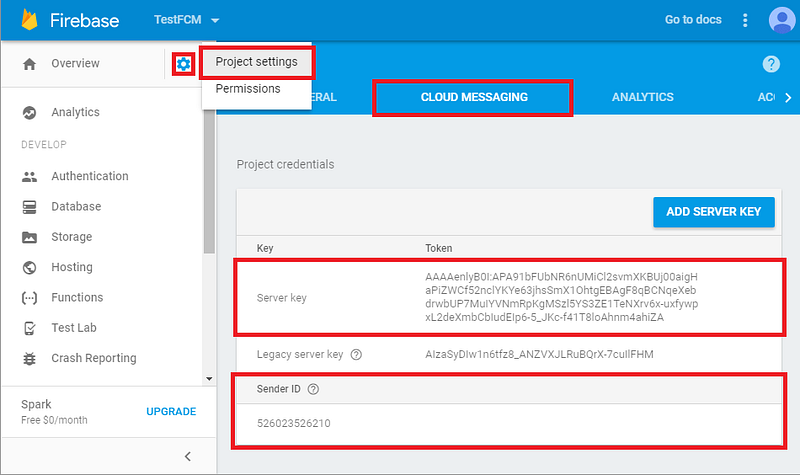
- You’ll need your Server key and Sender ID.
3. Configure your OneSignal app’s Android platform settings
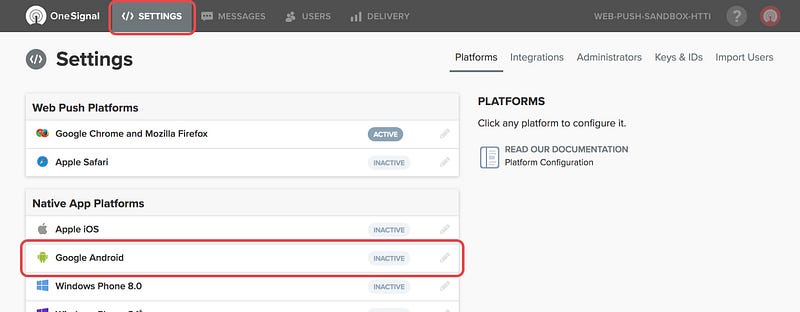
3.1 Go to Settings and press the Configure button to the right of Google Android.
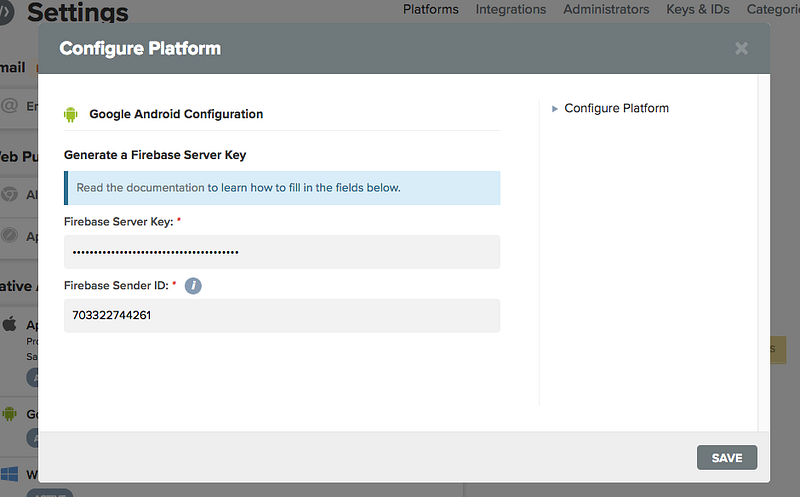
Paste your Server Key and Sender ID in here and press Save.
Setup Android Project
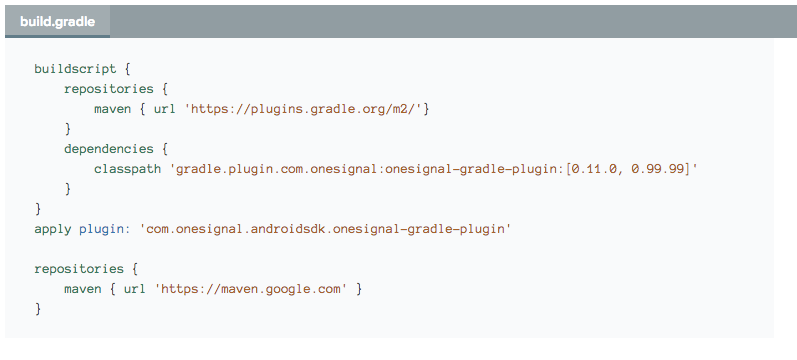
Open your app/build.gradle (Module: app) file, add the following to the very top.
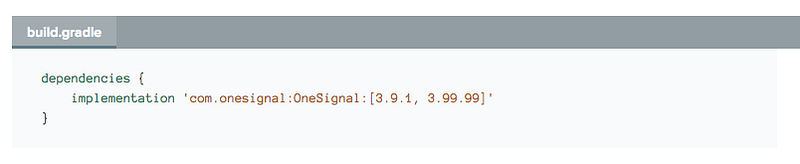
Add the following to your dependencies section.
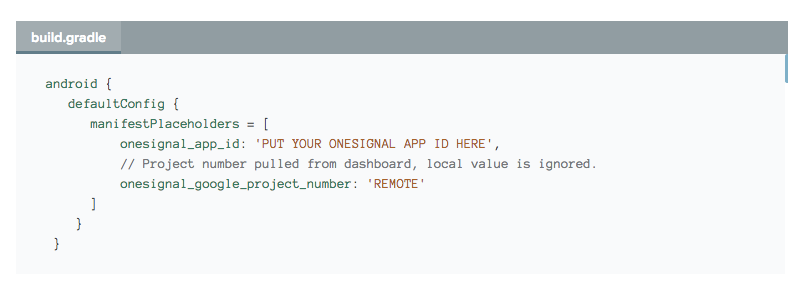
Add the following in your android > defaultConfig section.
Update PUT YOUR ONESIGNAL APP ID HERE with your OneSignal app id
Install the flutter package….
and import 'package:onesignal/onesignal.dart';
Notifications….
Initialize OneSignal using the following code:
OneSignal.shared.init("your_app_id_here");//in case of iOS --- see belowOneSignal.shared.init("your_app_id_here", {
OSiOSSettings.autoPrompt: false,
OSiOSSettings.inAppLaunchUrl : true
});For Notification Receiving Handlers,
OneSignal.shared.setNotificationReceivedHandler((OSNotification notification) {
	// will be called whenever a notification is received
});
and notification.jsonRepresentation() for the JSON format…
For Notification Opening Handlers,
OneSignal.shared.setNotificationOpenedHandler((OSNotificationOpenedResult result) {
  // will be called whenever a notification is opened/button pressed.
});
For Creating notifications, use OSCreateNotification() and to send OneSignal.shared.postNotification(notification);
Creating Push Messages..
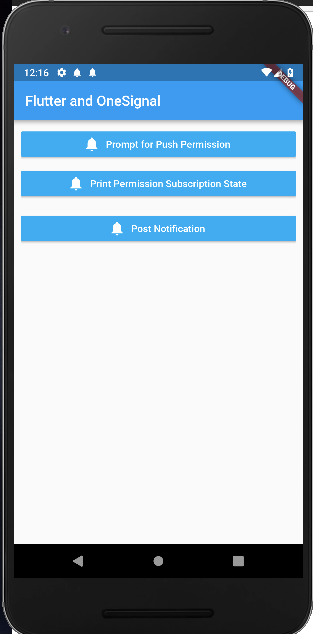
You need to have subscribed users before sending push messages, do that by clicking the Prompt for Push permission button in the app above
Go to OneSignal Dashboard, of your app

Click on Messages…and New Push.
Create a message and at the end click on confirm. It will show you a pop-up for confirmation. Click Send Message

Articles related to Flutter:
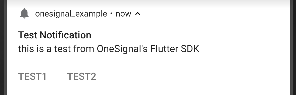
Woo hoo!!!!!! You can see the notification…
The Flutter Pub is a medium publication to bring you the latest and amazing resources such as articles, videos, codes, podcasts etc. about this great technology to teach you how to build beautiful apps with it. You can find us on Facebook, Twitter, and Medium or learn more about us here. We’d love to connect! And if you are a writer interested in writing for us, then you can do so through these guidelines.