avatarAseem Wangoo

Free AI web copilot to create summaries, insights and extended knowledge, download it at here

3430

Abstract

to generate from the Client side using its libraries)…</p><p id="71be">In our case, flutter package handles it internally <b>(when we add card)</b></p><figure id="bf9e"><img src="https://cdn-images-1.readmedium.com/v2/resize:fit:800/1*9qSmfi5TyqN5VPhjTXr4yQ.png"><figcaption>Flutter + Stripe + Firebase— Add card</figcaption></figure><div id="100c"><pre>StripeSource<span class="hljs-selector-class">.addSource</span>()<span class="hljs-selector-class">.then</span>((String token) { <span class="hljs-built_in">print</span>(token); <span class="hljs-comment">//your stripe card source token</span> });</pre></div><p id="7aec">Here, you receive the token, which you need to pass / store for successive transactions with Stripe…</p><p id="4750"><b>Stripe Call 1 :</b></p><blockquote id="8fe1"><p><a href="https://stripe.com/docs/api/cards/create?lang=node"><b>stripe.customers.createSource(customer, { source: token });</b></a></p></blockquote><p id="8a3c">When you create a new card, you must specify a customer or recipient on which to create it.</p><p id="c48d">where <b>token</b> : from above image , <b>customer</b> : your authenticated customer (we are using Firebase Auth by Google)</p><p id="31c2"><b>Stripe Call 2 :</b></p><blockquote id="fb77"><p><a href="https://stripe.com/docs/api/charges/create?lang=node"><b>stripe.charges.create(charge, { idempotency_key: idempotentKey });</b></a></p></blockquote><figure id="dd3e"><img src="https://cdn-images-1.readmedium.com/v2/resize:fit:800/1*lhbywA30vmts6PcCgmiMjQ.png"><figcaption>Flutter + Stripe + Firebase— Buy</figcaption></figure><p id="1bd2">To charge a credit card or other payment source, you create a <code>Charge</code> object.</p><p id="01c8"><b>charge</b> = { amount, currency, customer, description };</p><p id="0b5d"><b>If your API key is in test mode, the supplied payment source (e.g., card) won’t actually be charged</b></p><blockquote id="6bcf"><p>The API supports <b>idempotency</b> for safely retrying requests without accidentally performing the same operation twice. For example, if a request to <a href="https://stripe.com/docs/api/idempotent_requests?lang=node#create_charge">create a charge</a> fails due to a network connection error, you can retry the request with the same <b>idempotency key to guarantee that only a single charge is created.</b></p></blockquote><p id="86b4">For more info on idempotency refer <a href="https://stripe.com/docs/api/idempotent_requests?lang=node">link</a>.</p><p id="ef18"><b>Stripe Call 3 :</b></p><blockquote id="920a"><p><a href="https://stripe.com/docs/api/charges/list?lang=node"><b>stripe.charges.list({// limit: 3,customer: cust_id});</b></a></p></blockquote><figure id="4cfb"><img src="https://cdn-images-1.readmedium.com/v2/resize:fit:800/1*nxF4tIz6GAssV5227sKdQg.png"><figcaption>Flutter + Stripe + Firebase— All charges..</figcaption></figure><p id="03a0">Returns a list of charges you’ve previously created. The charges are returned in sorted order, with the most recent charges appearing first.</p><blockquote id="4d82"><p>where <b>cust_id</b> is the same as the one in Stripe call 1…..</p></blockquote><p id="ebc0"><b>Stripe Call 4 :</b></p><blockquote id="5db7"><p><a href="https://stripe.com/docs/api/refunds/create?lang=node"><b>stripe.refunds.create({ charge: chargeId });</b></a></p></blockquote><figure id="7bf6"><img src="https://cdn-images-1.readmedium.com/v2/resize:fit:800/1*E6lTz3d0zK

Options

SBWHtr4OL35Q.png"><figcaption>Charge ID…</figcaption></figure><p id="37e8">When you create a new refund, you must specify a charge on which to create it. The <b>charge ID is the id which we received for transactions..</b></p><h2 id="4865">Finally…</h2><p id="f273">We did adding card, buying from the card, listing all our payments and refunded some transactions….<b>Phew…</b></p><p id="d8b3">Articles related to Flutter:</p><div id="3628" class="link-block"> <a href="https://readmedium.com/flutter-web-and-paginateddatatable-3779da7683e"> <div> <div> <h2>Flutter Web and PaginatedDataTable</h2> <div><h3>How to use paginateddatatable in flutter web. Check now!</h3></div> <div><p>medium.com</p></div> </div> <div> <div style="background-image: url(https://miro.readmedium.com/v2/resize:fit:320/1*UQkKrClhYJDnWZUYB6ebPw.png)"></div> </div> </div> </a> </div><div id="93f6" class="link-block"> <a href="https://readmedium.com/flutter-and-onesignal-notifications-22bbb706e025"> <div> <div> <h2>Flutter and OneSignal Notifications</h2> <div><h3>Flutter and OneSignal Notifications</h3></div> <div><p> Flutter and OneSignal Notificationsmedium.com</p></div> </div> <div> <div style="background-image: url(https://miro.readmedium.com/v2/resize:fit:320/1*5TJKHdX_uqAv85gsjMjm3g.png)"></div> </div> </div> </a> </div><div id="9a14" class="link-block"> <a href="https://readmedium.com/flutter-webview-and-sharing-apps-79615d7f9a0d"> <div> <div> <h2>Flutter - WebView and Sharing Apps</h2> <div><h3>Flutter — WebView and Sharing Apps. WebView in Flutter</h3></div> <div><p>medium.com</p></div> </div> <div> <div style="background-image: url(https://miro.readmedium.com/v2/resize:fit:320/1*eGAWdV9dlOpX40Z2j4Ayjw.png)"></div> </div> </div> </a> </div><p id="b69f">Source code :</p><p id="765d"><a href="https://github.com/AseemWangoo/flutter_programs/blob/master/Stripe_and_Flutter.zip">https://github.com/AseemWangoo/flutter_programs/blob/master/Stripe_and_Flutter.zip</a></p><p id="a952">The <a href="https://medium.com/flutterpub"><b>Flutter Pub</b></a> is a medium publication to bring you the latest and amazing resources such as articles, videos, codes, podcasts etc. about this great technology to teach you how to build beautiful apps with it. You can find us on <a href="https://www.facebook.com/FlutterPub">Facebook</a>, <a href="https://twitter.com/FlutterPub">Twitter</a>, and <a href="https://medium.com/flutterpub">Medium</a> or learn more about us <a href="https://readmedium.com/welcome-to-flutter-pub-8480678ed212">here</a>. We’d love to connect! And if you are a writer interested in writing for us, then you can do so <a href="https://readmedium.com/how-to-submit-your-article-s-on-flutterpub-7b6bf37dfc43">through these guidelines</a>.</p><figure id="a287"><img src="https://cdn-images-1.readmedium.com/v2/resize:fit:800/1*kCSr9XbxNRLVG5TtTbIWiQ.jpeg"><figcaption></figcaption></figure></article></body>

Flutter + Stripe + Firebase

Flutter + Stripe + Firebase

All in one Flutter Resource: https://flatteredwithflutter.com/flutter-stripefirebase/

Christmas celebrations all over the world. Merry Christmas!!!!

In this festive season, people often spend (be online / shopping etc). This gave me an idea, why not to try payments using Flutter.
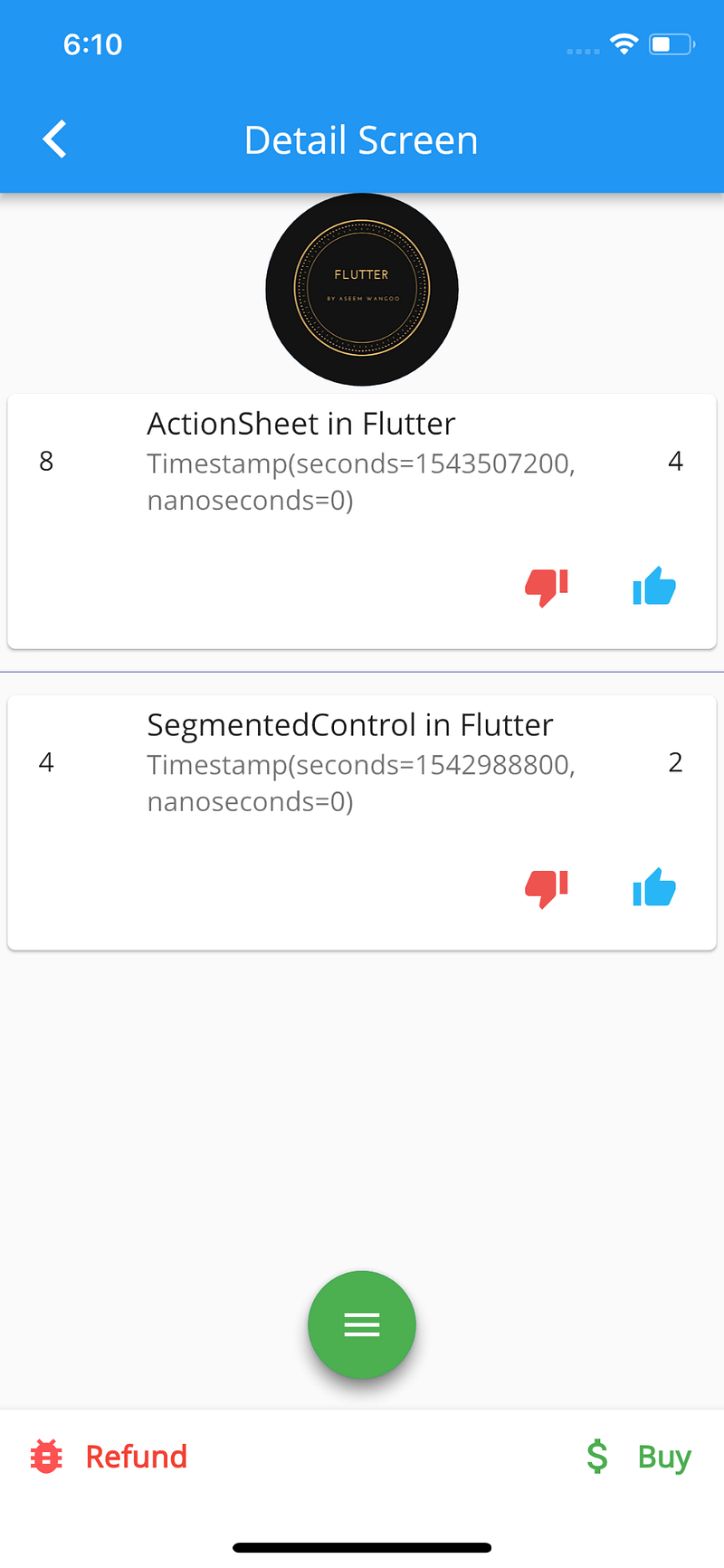
Flutter + Stripe + Firebase

Begin…

This article uses the Stripe SDK and Cloud Firestore for storing the necessary payment information….

For basic information related to Cloud Firestore, please refer my previous article.

Things needed…

  1. Stripe account (obviously free)
  2. Once created go to Developer -> Api keys -> Reveal test key

You need to set this key using the Firebase command…

firebase functions:config:set stripe.token=”Your token here"

This token, you’ll get from Step 2…

3. Add Stripe to the node modules, using

npm install stripe

If necessary, add stripe in package.json

4. For the list of apis provided by Stripe, refer the link.

5. From flutter side, you need the package stripe_payment

import 'package:stripe_payment/stripe_payment.dart';
StripeSource.setPublishableKey("pk_test");

The publishable key is the Publishable key from the API keys (Stripe)….
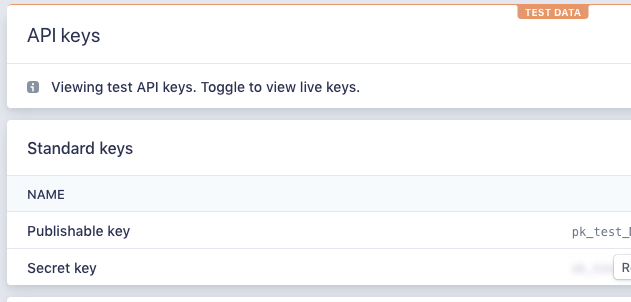
Publishable Key….

In the cloud function side, you need only this :

const stripe = require(‘stripe’)(functions.config().stripe.token);

Next…

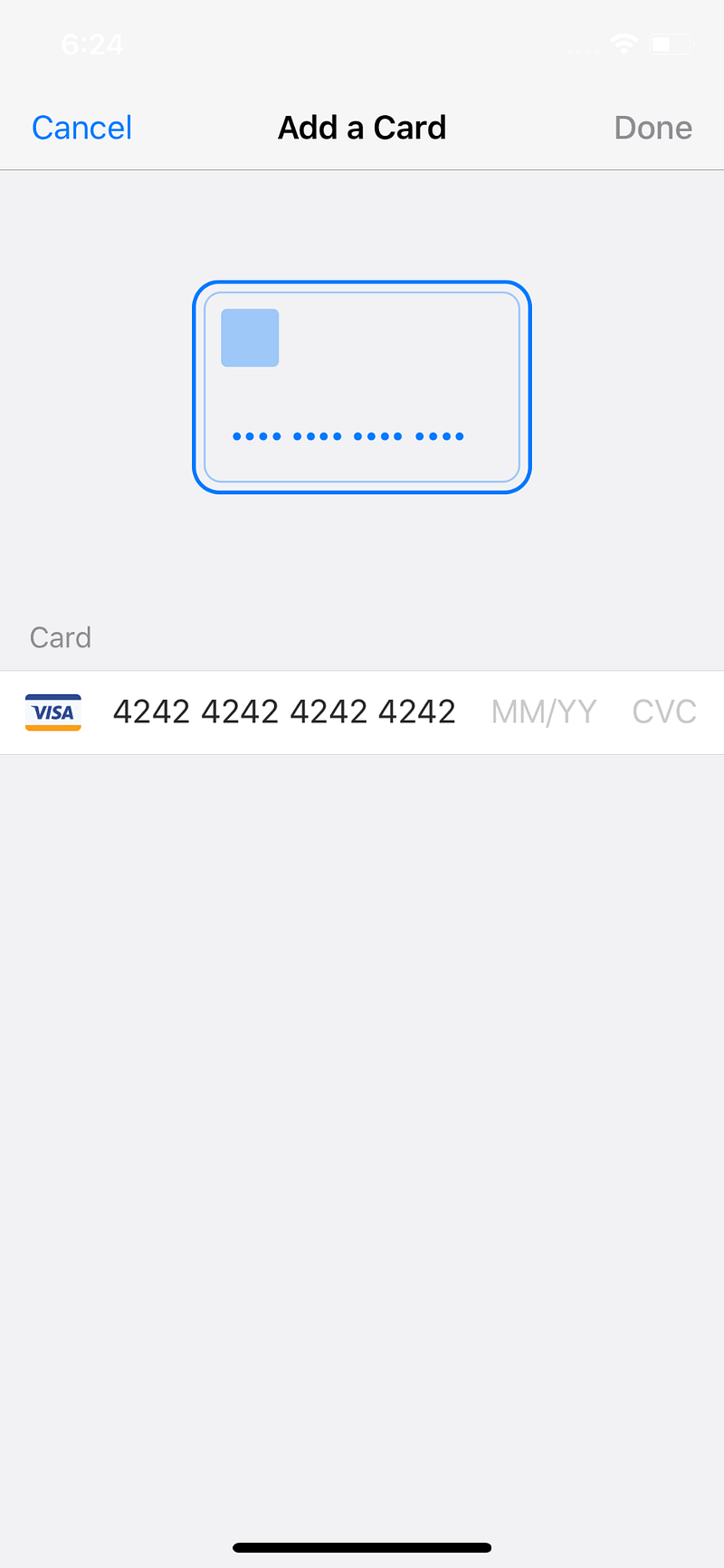
For starting communication with Stripe, you need to have a token…(which Stripe recommends to generate from the Client side using its libraries)…

In our case, flutter package handles it internally (when we add card)

Flutter + Stripe + Firebase— Add card
StripeSource.addSource().then((String token) {
    print(token); //your stripe card source token
});

Here, you receive the token, which you need to pass / store for successive transactions with Stripe…

Stripe Call 1 :

stripe.customers.createSource(customer, { source: token });

When you create a new card, you must specify a customer or recipient on which to create it.

where token : from above image , customer : your authenticated customer (we are using Firebase Auth by Google)

Stripe Call 2 :

stripe.charges.create(charge, { idempotency_key: idempotentKey });
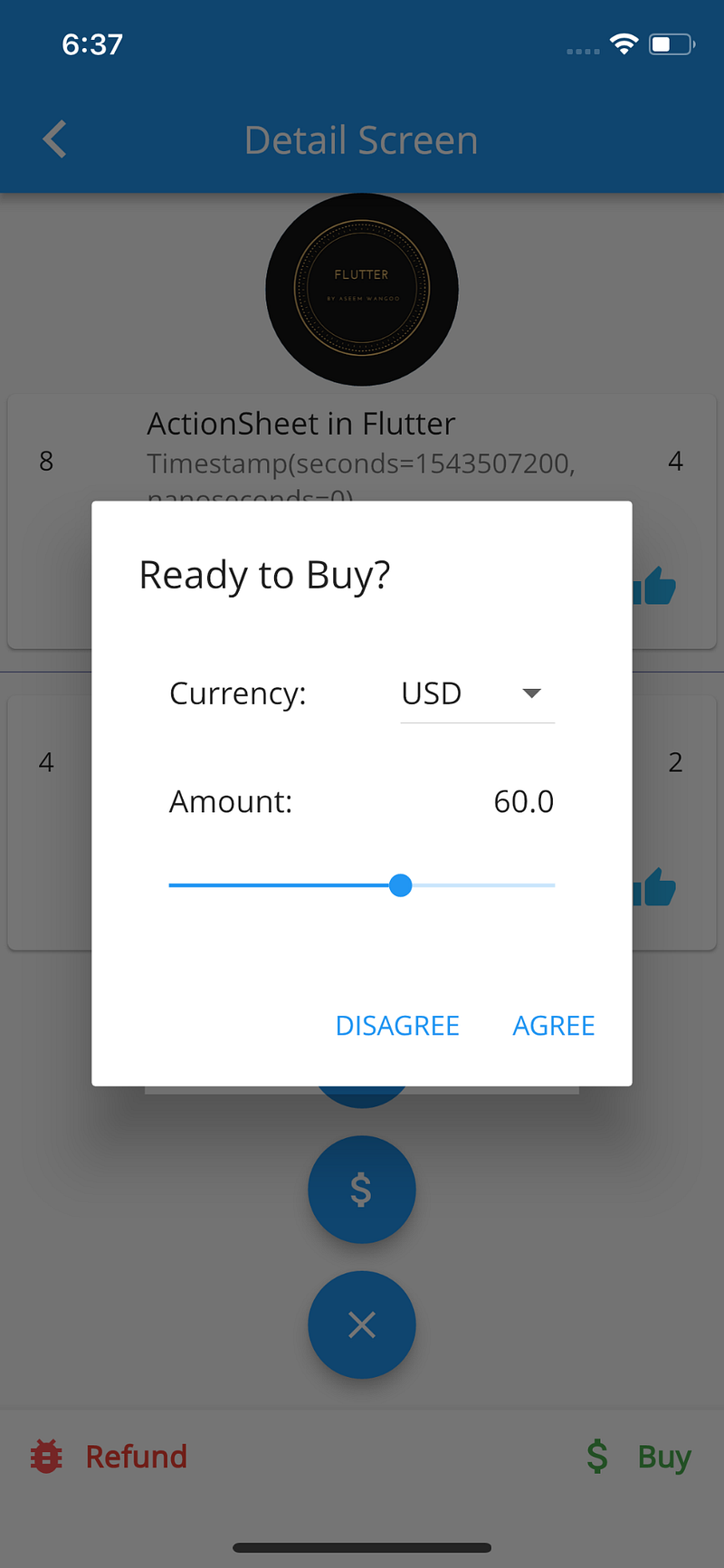
Flutter + Stripe + Firebase— Buy

To charge a credit card or other payment source, you create a Charge object.

charge = { amount, currency, customer, description };

If your API key is in test mode, the supplied payment source (e.g., card) won’t actually be charged

The API supports idempotency for safely retrying requests without accidentally performing the same operation twice. For example, if a request to create a charge fails due to a network connection error, you can retry the request with the same idempotency key to guarantee that only a single charge is created.

For more info on idempotency refer link.

Stripe Call 3 :
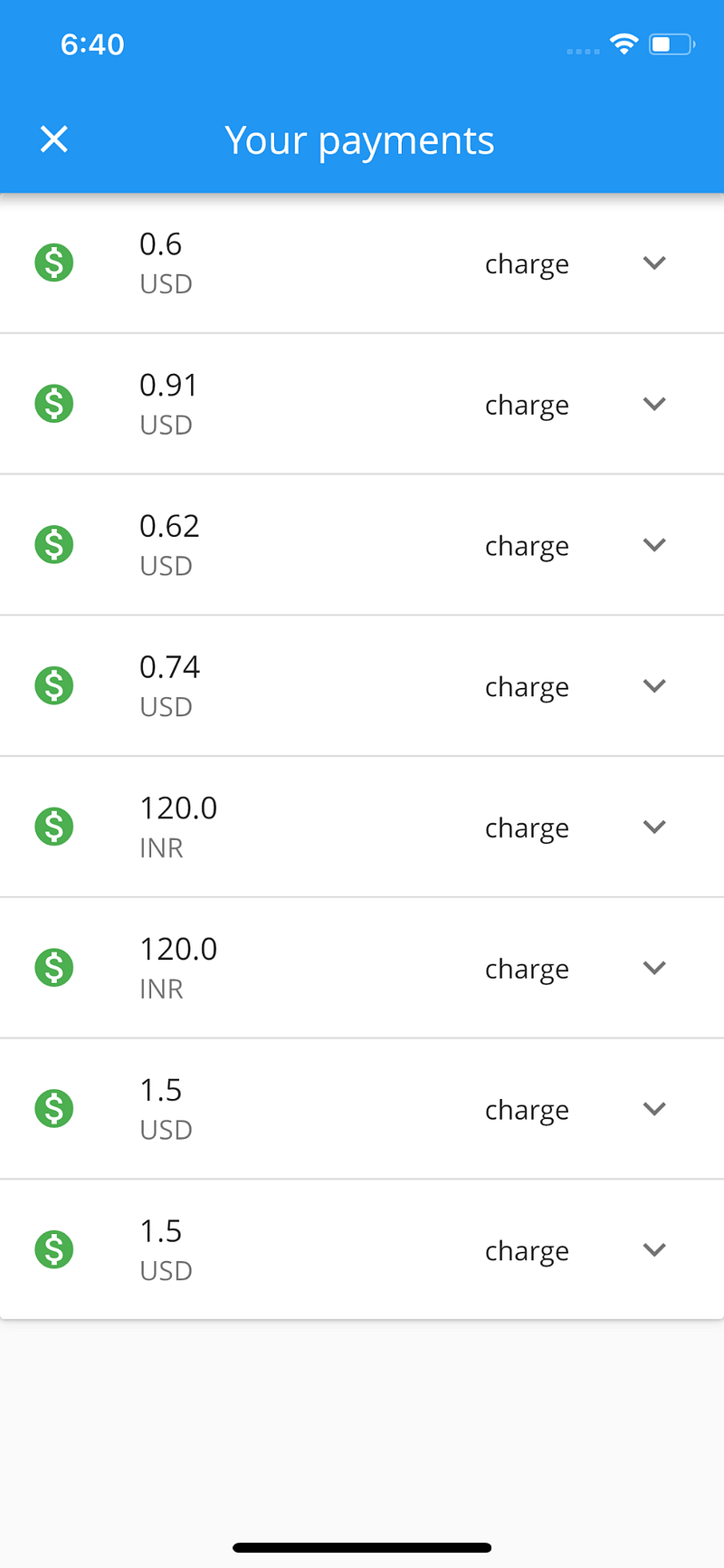
stripe.charges.list({// limit: 3,customer: cust_id});

Flutter + Stripe + Firebase— All charges..

Returns a list of charges you’ve previously created. The charges are returned in sorted order, with the most recent charges appearing first.

where cust_id is the same as the one in Stripe call 1…..

Stripe Call 4 :
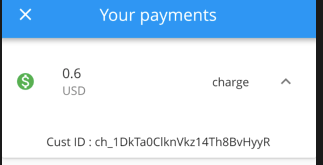
stripe.refunds.create({ charge: chargeId });

Charge ID…

When you create a new refund, you must specify a charge on which to create it. The charge ID is the id which we received for transactions..

Finally…

We did adding card, buying from the card, listing all our payments and refunded some transactions….Phew…

Articles related to Flutter:

Source code :

https://github.com/AseemWangoo/flutter_programs/blob/master/Stripe_and_Flutter.zip

The Flutter Pub is a medium publication to bring you the latest and amazing resources such as articles, videos, codes, podcasts etc. about this great technology to teach you how to build beautiful apps with it. You can find us on Facebook, Twitter, and Medium or learn more about us here. We’d love to connect! And if you are a writer interested in writing for us, then you can do so through these guidelines.

Stripe
Flutter
Cloud Firestore
Mobile App Development
Programming
Recommended from ReadMedium