
Firebase, Firestore and Flutter
Firebase, Firestore and Flutter
All in one Flutter Resource: https://flatteredwithflutter.com/firebase-firestore-and-flutter/
Looking back and surfing through my published articles, one amongst them caught my attention…
Firebase, Google-Sign In and Flutter..
This article used the following packages :
What’s New here…
In this article, we will introduce the following :
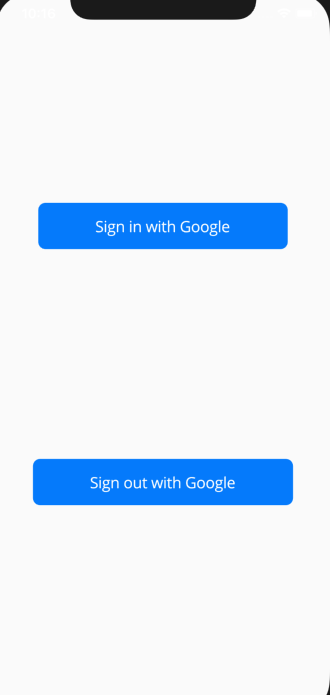
As the user clicks on the Sign In with Google,
- Google authentication pops up and asks the user credentials..
- Once entered, Cloud function triggers..
- Key details of the logged in user gets saved in the Cloud Firestore…
What’s Cloud Firestore…
In simple terms, it’s just a No-SQL database which is provided by Firebase, along with RealTime database..
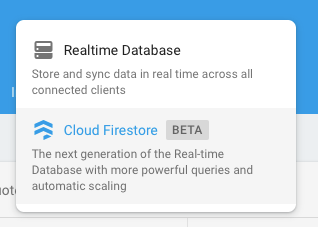
Cloud Firestore / Firestore stores data in documents, which are organized into collections.
Each document contains a set of key-value pairs.
All documents must be stored in collections. Documents can contain subcollections and nested objects, both of which can include primitive fields like strings or complex objects like lists.

For more details, do check out the link
What’s Cloud Function…
Cloud Functions lets you automatically run backend code in response to events triggered by Firebase features and HTTPS requests.
For more details, do check out the link
There are mainly 4 important types of triggers :
- onCreate — Whenever there is any new entry, either in Authentication / Database….(Firestore)
- onUpdate — Triggered when a document already exists and has any value changed.
- onDelete — Triggered when a document with data is deleted.
- onWrite — Triggered when
onCreate,onUpdateoronDeleteis triggered..
How to Write Cloud Functions…
You’ll need NodeJS environment and Firebase CLI…
Don’t worry, we got you covered…
For installing Node.js and npm, Node Version Manager is recommended. Once you have Node.js and npm installed, install the Firebase CLI via npm:
npm install -g firebase-tools
firebase login
Go to your Firebase project directory.
firebase init functions.
Select TypeScript / JavaScript
If everything was correct, you will see the following project structure..
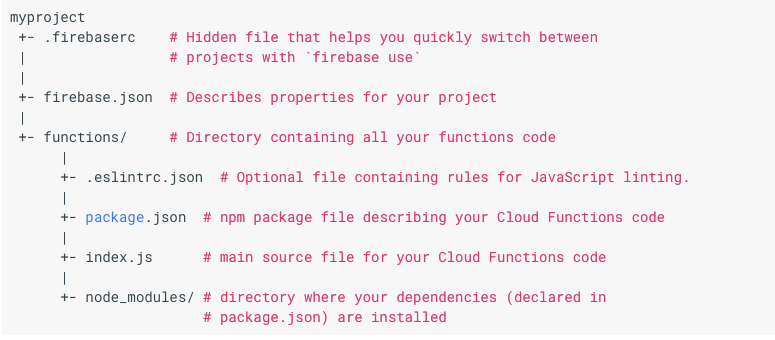
Open index.js and bang!!!!
Below is the link for getting started with Cloud Functions,
Storing the Logged in User…
In the index.js file,
you need to
// The Cloud Functions for Firebase SDK to create Cloud Functions and setup triggers.const functions = require('firebase-functions');// The Firebase Admin SDK to access the Firebase Realtime Database.const admin = require('firebase-admin');admin.initializeApp();
const firestore = admin.firestore();For listening to the creation of users, you only require…
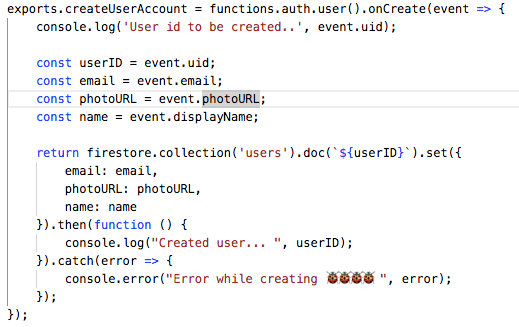
Here, createUserAccount is the name of function which will be triggered as User signs in…
The value fetched (email, photoURL and name) gets saved in the Firestore under Users/{userID}
Where Users — Collection and {userID} — document
Deleting the Logged In user…
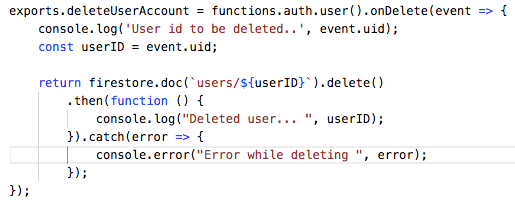
Here, deleteUserAccount is the name of function which will be triggered as we delete the user…
Where Users — Collection and {userID} — document
Articles related to Flutter:
Phew….