
Extracting Features from an Intermediate Layer of a Pretrained VGG-Net in PyTorch
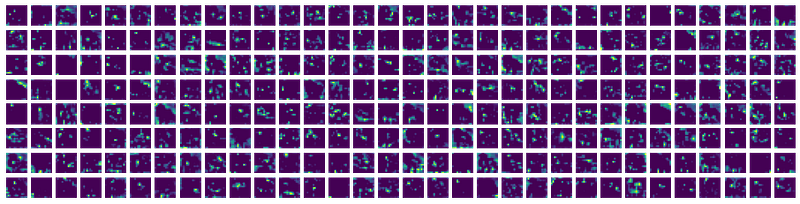
This article is the third one in the “Feature Extraction” series. The last two articles (Part 1: Hard and Part 2: Easy) were about extracting features from intermediate layers in ResNet in PyTorch. In this article, we are going to see how to extract features from an intermediate layer from a VGG Net. As I mentioned in the previous article, one may need to look at the source code first to have an idea about what to import and which functions to modify.
Library Imports
Importing VGG and other required functions
from torchvision.models.vgg import *
from torchvision.models.vgg import model_urls, cfgs‘__all__’ does not contain model_urls and cfgs dictionaries, so those two dictionaries have been imported separately. Otherwise, one can create them in the working file also.
cfgs: Dict[str, List[Union[str, int]]] = { ‘A’: [64,‘M’,128,‘M’,256,256,‘M’,512,512,‘M’,512,512,‘M’],
‘B’: [64,64,‘M’,128,128,‘M’,256,256,‘M’,512,512,'M’,512,512,‘M’], ‘D’: [64,64,‘M’,128,128,‘M’,256,256,256,‘M’,512,512,512,‘M’,512,512,512,‘M’], ‘E’: [64,64,‘M’,128,128,‘M’,256,256,256,256,‘M’,512,512,512,512,‘M’,512, 512,512,512,‘M’],}Create a new VGG class
We will create a new VGG class which will give us the output from the layer we want. We can do this in two ways. We can create a subclass of VGG and override the forward method of the VGG class like we did for ResNet or we can just create another class without inheriting the VGG class.
Main Module
We create another class in which we can pass information about which model we want to use as the backbone and which layer we want to take the output from, and accordingly, a model ‘self.vgg’ will be created. Also, we can add other layers according to our need (like LSTM or ConvLSTM) to the new VGG model. Also, care must be taken that the dictionary kwargs is initialized and there is a key ‘init_weights’ in it otherwise we can get a KeyError if we set pretrained = False.
The make_layers method returns an nn.Sequential object with layers up to the layer we want the output from. The _vgg method creates an instance of the modified VGG model (newVGG) and then initializes the layers with pre-trained weights.
So, how do we initialize the model in this case? The method load_state_dict offers an option whether to strictly enforce that the keys in state_dict match the keys returned by this module’s method torch.nn.Module.state_dict function. We set strict to False to avoid getting error for the missing keys in the state_dict of the model.
To obtain the new models we just have to write the following lines
model = NewModel('vgg13', True, 7, num_trainable_layers = 2)model = model.to('cuda:0')This will give us a VGG-13 model which will give us output from the 7th layer and also if we train this model only the last 2 convolutional layers will be fine-tuned. We can also fine-tune all the layers just by setting
num_trainable_layer = -1Obtaining the output
out = model(x)
out = out.cpu().data.numpy()
Please clap if you like this post. Any sort of feedback is welcome!


