
Extracting Features from an Intermediate Layer of a Pretrained ResNet Model in PyTorch (Easy way)
In the previous article, we looked at a method to extract features from an intermediate layer of a pre-trained model in PyTorch by building a sequential model using the modules in the pre-trained model. But this method will result in 2 almost identical models and will take up double the memory until the pre-trained model was declared None.
So, in this article, we will look at a different method which is easier and also does not have the disadvantages of the previous method.
If obtaining the output predictions is the primary requirement and the intermediate layer outputs are needed only for visualization or debugging purposes, or even for other computations, then it is better to use hooks.
Some extra library imports
The base model we will be using here is the ResNet model. But one can use whatever model one likes and the next line will change according to that.
from torchvision.models.resnet import *from torchvision.models.resnet import BasicBlock, BottleneckThe reason for doing the above is that even though BasicBlock and Bottleneck are defined in ‘torchvision/models/resnet.py’, it is not exported by the module as it is not defined in __all__. Importing using the first line imports only ResNet, resnet18, resnet34 and other such functions. So, we have to import the classes BasicBlock and Bottleneck separately.
Get the model URLs
from torchvision.models.resnet import model_urlsBuilding a new Model
We are creating this class as a subclass of the class ResNet. Since we need an output from an intermediate layer, we just need to override the _forward_impl method, such that it returns the output from the layer we want the output from.
In lines 6–10, we create a list of the layers containing the names of the layers up to the layer we want the output from (let, this layer be called ‘output_layer’). So, in this example the list self._layers is
[‘conv1’, ‘bn1’, ‘relu’, ‘maxpool’, ‘layer1’, ‘layer2’, ‘layer3’, ‘layer4’]as we will be taking the output from ‘layer4’.
In the next line, we create an OrderedDict using the layer names as keys and the attributes with the same names as the corresponding values. For example,
OrderedDict([(‘conv1’, Conv2d(3, 64, kernel_size=(7, 7), stride=(2, 2), padding=(3, 3), bias=False)), (‘bn1’, BatchNorm2d(64, eps=1e-05, momentum=0.1, affine=True, track_running_stats=True)), (‘relu’, ReLU(inplace=True)), (‘maxpool’, MaxPool2d(kernel_size=3, stride=2, padding=1, dilation=1, ceil_mode=False)), . . .Next, we override the _forward_impl method. We pass the input through the layers in the OrderedDict we just created and thus we get the output from the ‘output_layer’, the layer we wanted the output from.
Still not over…
We have to create a function which will create the model and also load the pre-trained weights. Again, this method will depend on the architecture we are using and this function will change accordingly. For this, we may need to look at the PyTorch source code.
Create a Model instance
Printing the model summary
from torchsummary import summary
summary(model,input_size=(3, 224, 224))
— — — — — — — — — — — — — — — — — — — — — — — — — — — — — — — —
Layer (type)                Output Shape                 Param # ================================================================ Conv2d-1                 [-1, 64, 112, 112]              9,408 BatchNorm2d-2            [-1, 64, 112, 112]                128
ReLU-3                   [-1, 64, 112, 112]                  0
                                  .
                                  .
                                  .
Bottleneck-172           [-1, 2048, 7, 7]                    0 ================================================================ Total params: 23,508,032
Trainable params: 23,508,032
Non-trainable params: 0
---------------------------------------------------------------- Input size (MB): 0.57
Forward/backward pass size (MB): 286.54
Params size (MB): 89.68
Estimated Total Size (MB): 376.79
----------------------------------------------------------------
Getting the output
out = model(x)
out = out.cpu().data.numpy()
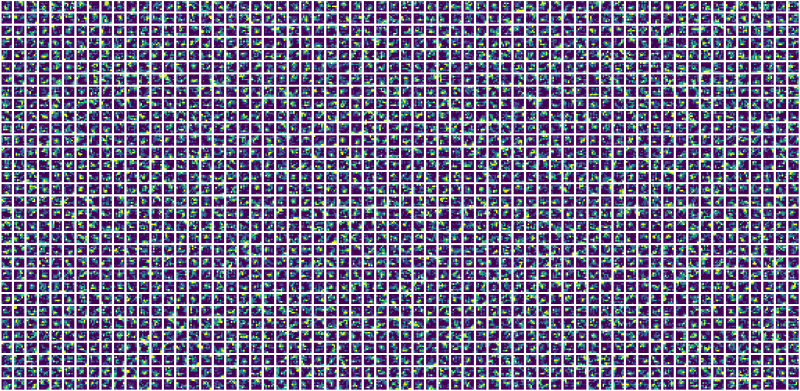
The output obtained from the output_layer (‘layer4’) after passing this image

through the model is shown at the top of this article.
Going one step further
We can modify the code further to provide us with more flexibility in choosing the models
To obtain the new models we just have to write the following lines
model = NewModel(‘resnet101’,’layer4',num_trainable_layers = 2)
model = model.to(‘cuda:0’)
And now we can obtain the output just like in the above example.
Please clap if you like this article and give feedback if any!!


