
Ensuring Your AWS CLI is Really Up To Date
ACM.381 When sudo yum update fails and different CLIs for different architectures
~~~~~~~~~~~~~~~~~~~~~~~~~~~~~~~~~~~~~~~~~~~~~~~~~~~~~~~
⚙️ Check out my series on Automating Cybersecurity Metrics | Code.
🔒 Related Stories: AWS | EC2 OS Security | AWS Security | Application Security
💻 Free Content on Jobs in Cybersecurity | ✉️ Sign up for the Email List
~~~~~~~~~~~~~~~~~~~~~~~~~~~~~~~~~~~~~~~~~~~~~~~~~~~~~~~
Originally this was part of a prior post but I’m pulling it out because it was really a separate topic and a kind of long drawn out explanation of AWS CLI issues.
In the last post I was trying to solve a problem that was calling my cross-account role assumptions to fail with inaccurate error messages. I set out to find out what the real problem was. DNS does not resolve to private IP addresses in alternate regions.
Even if you are in the same region, your DNS may not resolve correctly if you are using an old version of the AWS CLI because older versions defaulted to the global service endpoints (not to be confused with VPC Endpoints) I wrote about in this post:
So I checked my AWS CLI and it was actually out of date? I run an update command regularly. Perhaps I was not paying attaention when it ran because it wasn’t working.
AWS CLI updates may not fully stay on the AWS Network
Here’s my take. Anything offered from AWS should be moved to yum as quickly as possible and be accessible from a private network. I mean, if it’s in the AWS documentation and from AWS…why not? And why would AWS be hosting it’s code on a competitor cloud’s systems?
Since Yum uses AWS S3 if you’re using a VPC Endpoint those packages should come from a private IP address that pulls the code from S3 ultimately. And any code from AWS should be coming from yum and especially SDKs. #awswishlist
Why? Well, colors.js and faker.js breaking things like the AWS CDK for example:
I wrote about third-party code injection through packages here:
So what does this have to do with the AWS CLI? When I run this command I see calls to GitHub and it’s failing because I only allow private traffic in my VPC.
sudo yum updateIs that really updating AWS code? If I try to specifically update the awscli — it’s trying to access GitHub. cli.github.com?
sudo yum update awscli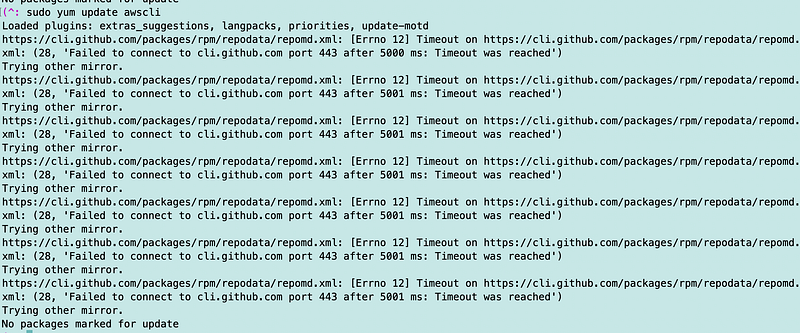
Seems odd that AWS would host its public updates on a cloud platform run by a competitor?? I know I said that before but yes, I’m saying it again.
Please move that to yum on S3 with proper integrity checking. Yes, even for Amazon Linux 2. #awswishlist
So I check out the AWS CLI documentation and follow the instructions to install the AWS CLI.
I can use an alternate version to update the CLI which uses the AWS network. I follow the instructions. But I made a mistake at this point. I copied the command to download the AMI.
curl "https://awscli.amazonaws.com/awscli-exe-linux-x86_64.zip" -o "awscliv2.zip" unzip awscliv2.zip
sudo ./aws/install
Except it’s not working.
I also tried this command:
sudo ./aws/install --bin-dir /usr/local/bin --install-dir /usr/local/aws-cli --updateStill no worky:
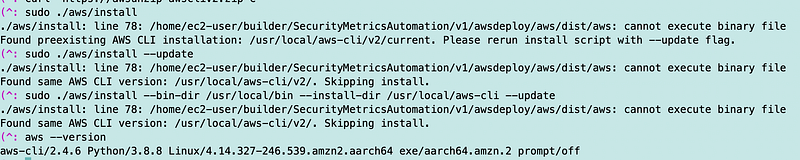
I try to remove the awscli and start over and that also is trying to reach out to GitHub.
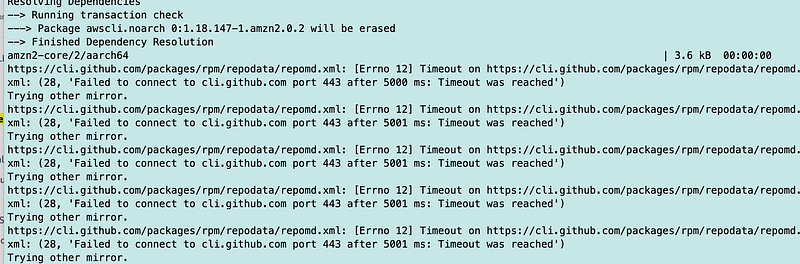
The command to uninstall the AWS CLI also does not work. The AWS CLI is still installed after running the command.

Perhaps this has something to do with the way I installed the AWS CLI in the first place. I used Hashicorp Packer and I remember having various issues along the way which I don’t recall at the moment and it was a long time ago. Right now I just want to get this updated.
I run which to see where it’s installed. Not located??

So I try locate with the following other commands to see where the AWS CLI is located:
locate awscli | cut -d '/' -f1-8 | sort | uniqThis path looks like it could possibly be the source. I can also investigate other sources. Why does documentation for an old version of the CLI still exist after updates? Hmm.
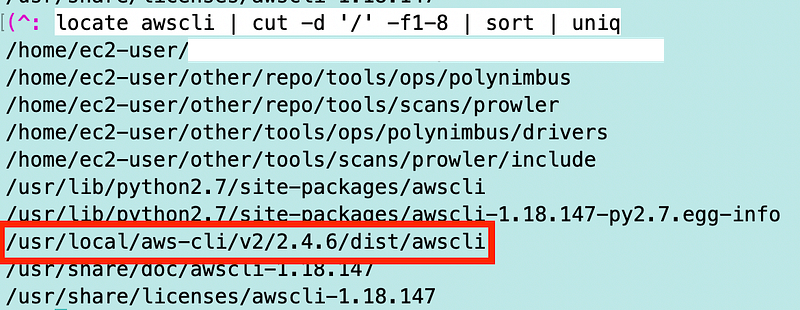
I manually remove the AWS CLI. Hopefully nothing is hardcoded to point to this that breaks…if so I’ll be rebuilding my entire VM (which I need to do anyway).
sudo rm -rf /usr/local/aws-cli/Now when I try to run the aws command it breaks. Yeah.

As I would expect, I still can’t install the AWS CLI with yum without errors. However when I finish installing it, it says it installed something:
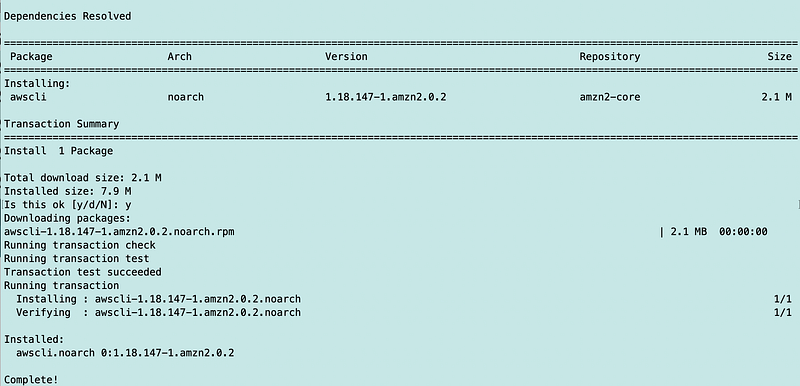
Unfortunately it is a very old version and it is not on the path apparently (which is good I wouldn’t want people to be inadvertently using that, but it’s still kind of a problem.):

OK, back to solving the problem. I realized when I manually installed the awscli above it landed in the directory where I was working. This time I’m going to switch to my home directory and run the command that installs aws in the proper directory.
cd ~
curl "https://awscli.amazonaws.com/awscli-exe-linux-x86_64.zip" -o "awscliv2.zip"
unzip awscliv2.zip
sudo ./aws/install --bin-dir /usr/local/bin --install-dir /usr/local/aws-cli --update
In the end I get this message — cannot execute binary file.

I get this error, even with sudo:

This was not how I expected to be spending this day.
So what’s weird is that suddenly my machine started running very slowly. I ended up shutting it down for a while. I made an image of the machine in case I broke something. After restarting I get this:

Now I’m worse off than when I started. That’s a very old version of the AWS CLI. Here’s what I get from which:
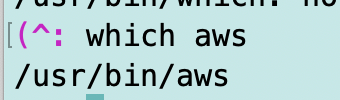
Yikes. This is painful.
So I remove the aws executable in /usr/bin.
I tried some other things but I keep getting an error that I can’t run the executable.

And then I remember………..
AWS CLI for arm
Ok here’s the really dumb thing now. I forgot that this is an arm instance. I’ve written about architectures before and the problems trying to install the wrong software built for the wrong architecture can cause. The executable I’m trying to run is for x86, not arm.
Now I’m wondering why this exe and the Amazon Linux OS can’t just tell you that it’s for x86 not arm and save a lot of people some time.
I head back over to the documentation page I was looking at above.
I swear I looked at the documentation yesteday and there was nothing there about arm so I had to search for this page.
Here are the instructions for installing the AWS CLI on arm.
And they work.

Sheesh.
Today I’m looking at the page I thought I looked at yesterday and I am seeing instructions for both x86 and arm.
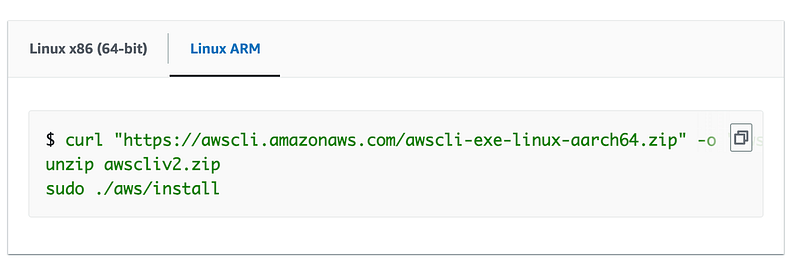
Yesterday when I went to the page I actually searched for arm on the page using CTRL-F and could not find it. I wonder if I was looking at a different page.
Here’s a page that doesn’t have the download option and suggests pip which is likely also going to cause problems on a private network.
Not sure what I was looking at, but in any case, make sure your version of the AWS CLI is the latest and for the correct architecture. 😊
Follow for updates.
Teri Radichel | © 2nd Sight Lab 2023
About Teri Radichel:
~~~~~~~~~~~~~~~~~~~~
⭐️ Author: Cybersecurity Books
⭐️ Presentations: Presentations by Teri Radichel
⭐️ Recognition: SANS Award, AWS Security Hero, IANS Faculty
⭐️ Certifications: SANS ~ GSE 240
⭐️ Education: BA Business, Master of Software Engineering, Master of Infosec
⭐️ Company: Penetration Tests, Assessments, Phone Consulting ~ 2nd Sight Lab
Need Help With Cybersecurity, Cloud, or Application Security?
~~~~~~~~~~~~~~~~~~~~~~~~~~~~~~~~~~~~~~~~~~~~~~~~~~~~~~~~~~~~~
🔒 Request a penetration test or security assessment
🔒 Schedule a consulting call
🔒 Cybersecurity Speaker for PresentationFollow for more stories like this:
~~~~~~~~~~~~~~~~~~~~~~~~~~~~~~~~~~~~~~~~~~~~~~~~~~~~~~~~~~~~~
❤️ Sign Up my Medium Email List
❤️ Twitter: @teriradichel
❤️ LinkedIn: https://www.linkedin.com/in/teriradichel
❤️ Mastodon: @teriradichel@infosec.exchange
❤️ Facebook: 2nd Sight Lab
❤️ YouTube: @2ndsightlab