
The Best Dark Mode Safari Extension I’ve Ever Used
I think you’ll like it, too
As a tech blogger, I sit before my Mac for hours everyday. Unfortunately, all the websites I use for my research have light backgrounds with dark text. Damn. They kill my eyes.
The iOS 15 was a boon for me. It brings support for extensions on my favourite browser — Safari. Ever since, I’ve tried many free dark mode extensions for the safety of my eyes.
They worked well, but it seemed they weren’t much engineered for all test cases. Of course, they’re free apps. Why should I expect much from them?
But finally, I’ve tried Dark Reader — A paid app that’s listed #11 in Productivity and #1 among all dark reader extension apps on the App Store. It’s my first paid app.
It costed me $4.99. Pretty high, but is absolutely worth it. Here’s why.
#1. Collects no data
Back when I used the free dark mode extensions, I always had that anxious suspicion if they’re collecting all my precious login credentials. I could see they collect data, in the App Store’s App Privacy section. However,
The Dark Reader makes me feel secure. It collects no data — Verified by Apple.
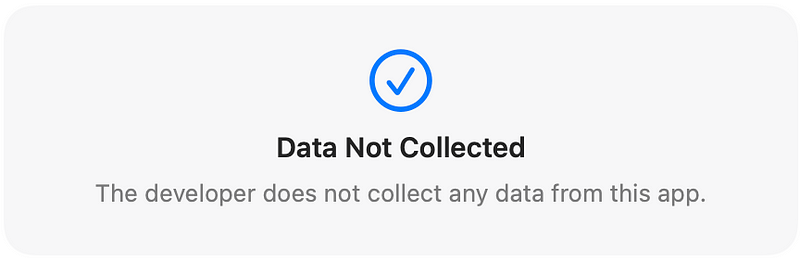
Dark Reader had never collected and will never collect any personal data, browsing history etc.
— The first line of the app’s privacy policy.
#2. Respects default dark mode
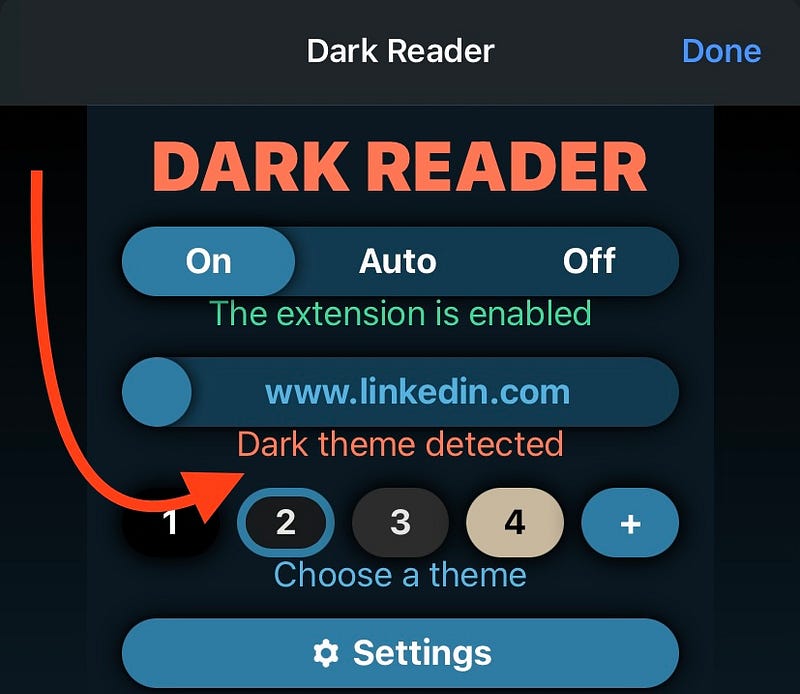
Many websites are already having their own dark themes — like Google, YouTube, & LinkedIn. They’ve made their websites look equally good in dark modes.
However, if you’ve already enabled dark mode there, and then have downloaded third-party apps for it again,
default dark + dark = ugly.
The only exception I’ve seen — Dark Reader. It could detect the website’s own dark mode, and would automatically disable itself there.
Cool thing, right?
#3. Doesn’t refresh the page every time you change colours
The other day, I toggled dark mode in a free app at a payment gateway. What happened was, the page got refreshed!
At the payment gateway..!
I’ve temporarily lost my money. I really didn’t know toggling dark mode in the free app would refresh the page.
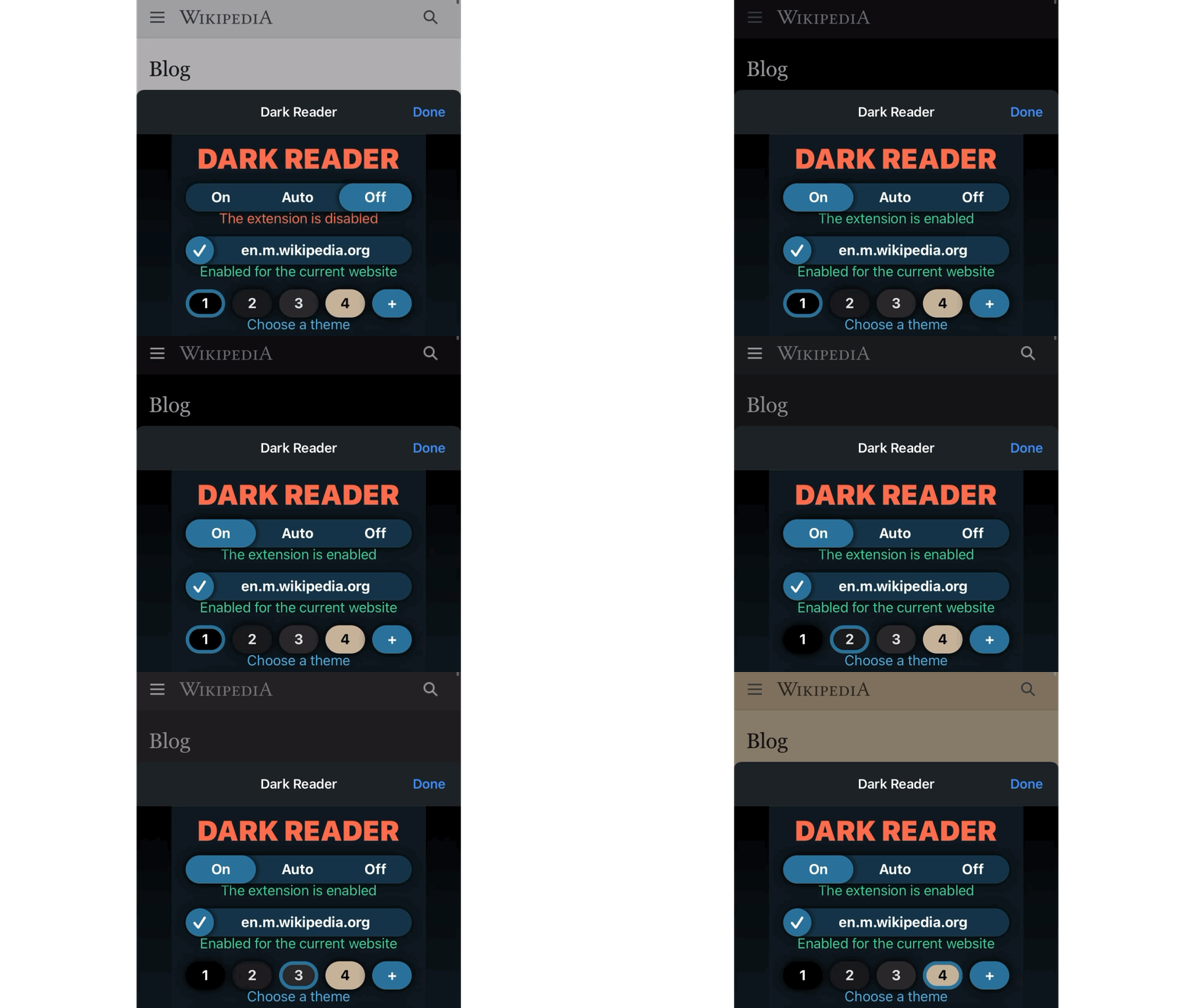
The Dark Reader didn’t do that, fortunately. Every time I toggle it on, the webpage stays intact, and only its colour gets changed. Also, not refreshing the page often saves me significant cellular data.
#4. Can be disabled for specific websites
This is a nice feature.
I use Dark Reader on Instagram.com, but I don’t like to use it on my university website. However, it’s difficult to switch modes on my choice for every website, right?
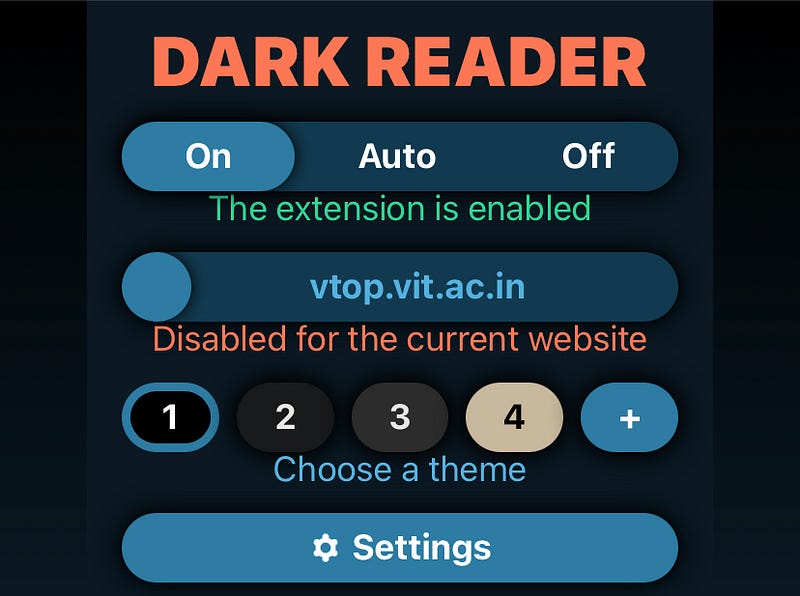
For my comfort, the app remembers my choice for each website, and acts accordingly.
#5. Dark mode support for pdfs, too (Only on Mac)
My default Foxit Phantom PDF reader supports dark mode, for that’s why I use it.
However, Safari opens dowloaded pdfs from the internet by itself, but not by my favourite reader. Previously, the bright glare was too much at nights, that my eyes pained.
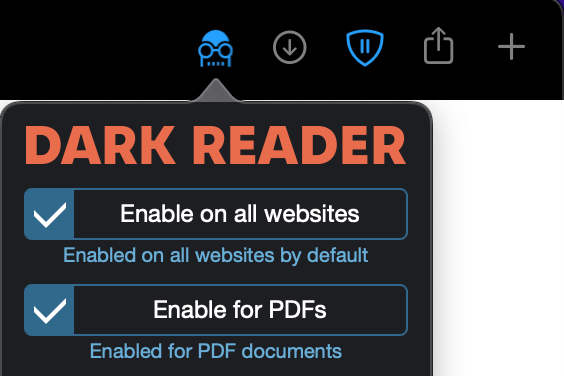
It was much comfortable after I paid for Dark Reader. It not only supports dark mode for webpages, but also for pdfs too.
#6. All the magic happens with a simple shortcut (Only on Mac)
You can toggle Dark Reader with a simple shortcut, of your own.
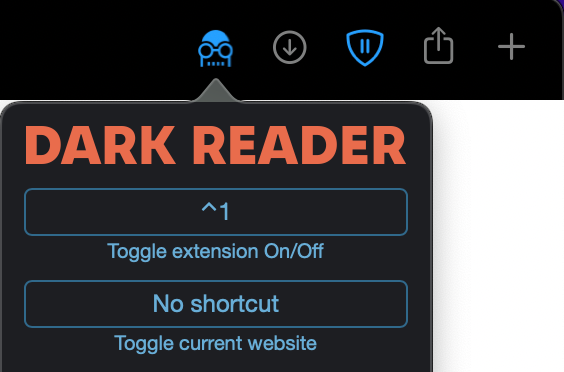
I’ve set it Control ^ + 1 for all websites. What’d be yours?
You can also set a shortcut for toggling it for a specific website.
#7. Buy it once and for all
The app developer is generous. Dark Reader supports all the compatible devices — iPhone, iPad, iPod touch, and Mac, and can be downloaded for free on all your other devices if you purchase it once.
It also supports Family Sharing — i.e., upto six members of your iCloud family can download the app at zero extra cost.
Conclusion
While this isn’t a sponsored post, I just couldn’t stop myself from sharing why I loved this app, and would be using for my life. This proves that — Sometimes, it’s better to pay for apps than to adjust with free ones that don’t work as intended.
Agree?
If you liked this story, you might also like:
Get notified via email whenever I publish. Join 40+ others!
Not a Medium member yet? To get unlimited access to all stories on Medium, Sign up now!
(It’s an affiliate link so I receive a portion of your payment, with zero extra cost for you.)


