
Medium Formatting
Backing up Your Medium Articles
Backing up your Medium article’s on a semi regular basis is a smart idea — luckily Medium has a tool for that
If you’ve read any of my previous articles, it is clear that I am generally very supportive of Medium. That said, I’ve also seen a number of well intentioned platforms collapse or shut down, inadvertently screwing over the content creators that helped make the platform successful to begin with.
Medium’s primary role for most writers is hosting their content. There is of course the hope that they help catapult you to stardom, but the basic service they provide for writers is hosting their content for free.
And this is a great deal for many authors, unless the platform they have trusted fails, their account is erroneously suspended/banned, the platform itself is hacked, or there are any number of possible breaches affecting your data.
While there is no point in worrying about these rare occurrences, it does make sense to keep an archive or back up folder of your Medium articles, especially if this is the only place they are hosted or saved.
While there is no point in worrying about these rare occurrences, it does make sense to keep an archive or back up folder of your Medium articles, especially if this is the only place they are hosted or saved.
Many writers are unaware that Medium gives you the ability to export your personal data and stories as HTML files in a .zip archive. While the data is not beautifully formatted, it would certainly suffice should there be any need to access it.
To download an archive of your Medium personal data and stories:
- Go to your Medium profile Settings:
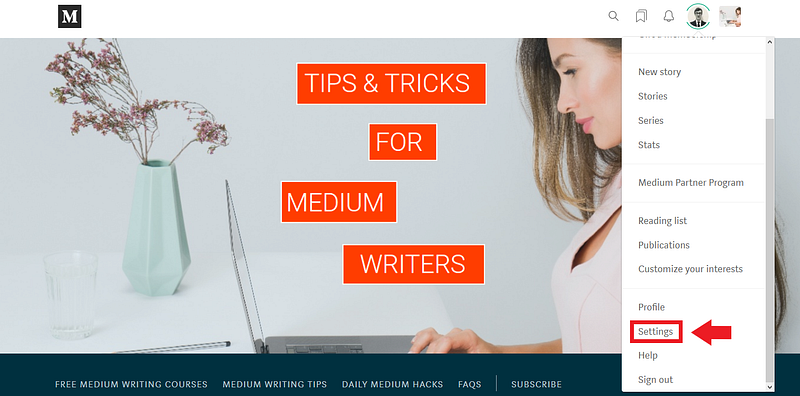
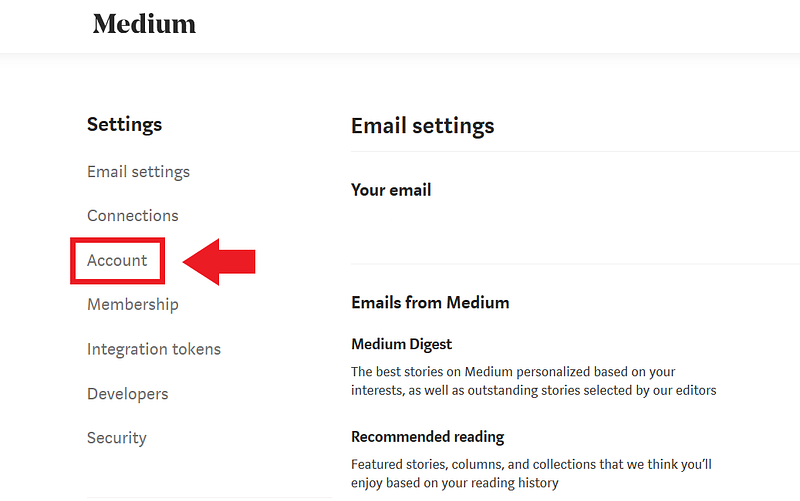
2. Navigate to the Account tab:
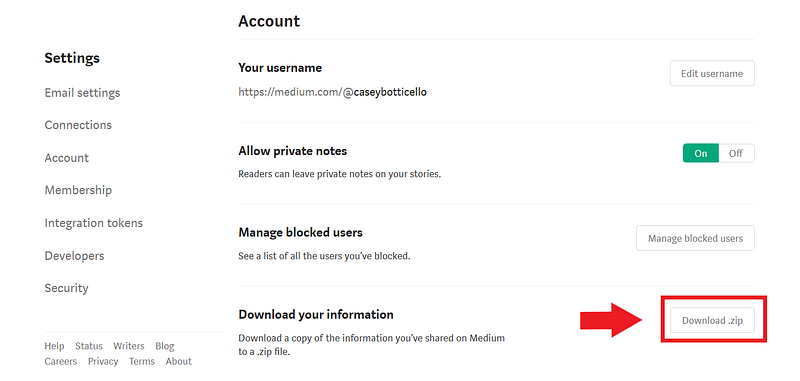
3. Select the option to Download .zip Files:
4. Check your inbox for the following email (there may be a bit of delay depending upon the number of articles you have published on Medium):
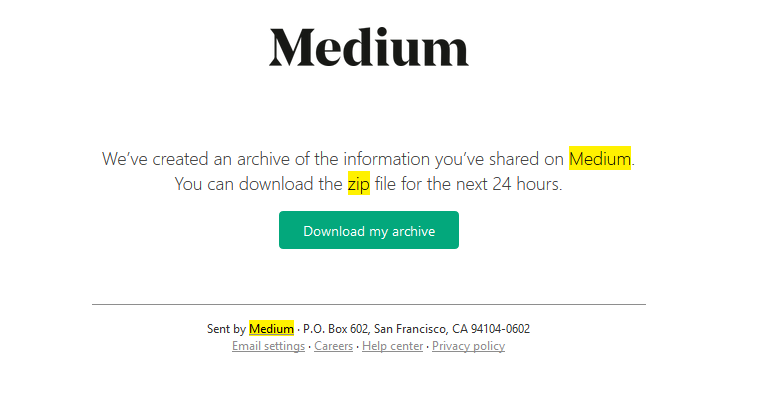
As the email notes, the link Medium send you is only active for 24 hours. If you miss this window, you can always request the files again.
While you don’t need to backup your files on a daily basis using this method, I would suggest taking the 30 seconds every month or two if you are a frequent writer, or once or twice per year if you are a more occasional contributor.

Thanks for reading this article! Leave a comment below if you have any questions. Be sure to sign up for the Blogging Guide newsletter, to get the latest tips, tricks, and news about writing on Medium and to join our Facebook group, Medium Writing, to share your latest Medium posts and connect with other writers.
If you liked this article, here are some other articles you may enjoy:

Casey Botticello is a partner at Black Edge Consulting. Black Edge Consulting is a strategic communications firm, specializing in online reputation management, digital marketing, and crisis management. Prior to founding Black Edge Consulting, he worked for BGR Group, a bipartisan lobbying and strategic communications firm.
Casey is the founder of the Cryptocurrency Alliance, a Super PAC dedicated to cryptocurrency and blockchain advocacy. He is a graduate of The University of Pennsylvania, where he received his B.A. in Urban Studies.
You can connect with him on LinkedIn, Twitter, Facebook, or by visiting his website, Blogging Guide.


