
Create and Manage Your Knowledge Base With Obsidian
This is a completely new approach to note-taking and knowledge management.
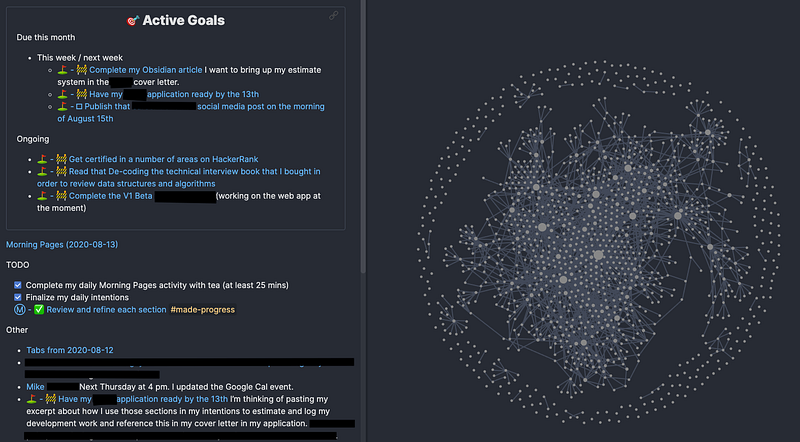
Obsidian is a free application that offers you to back up all your knowledge. Does it sound like something from the future? Yes, kind of. But I spent a few days exploring existing Obsidian knowledge bases and even creating my own using my Medium articles and I have to tell you — the future is here.
Obsidian is not your typical note-taking productivity app. You can still add notes on the fly, add keywords, hashtags, categories, link and unlink pages in any way you like. But how you do it looks like something straight from the science-fiction movie.
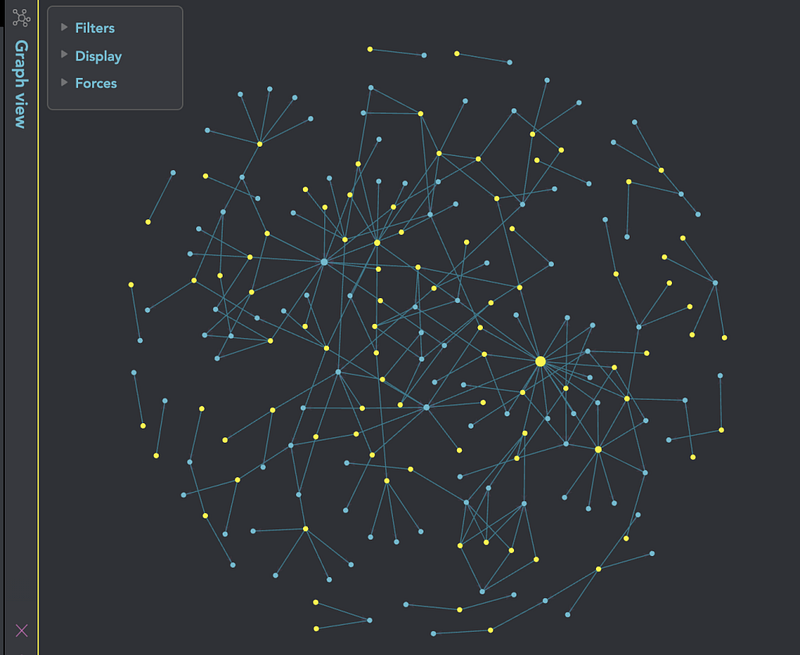
Look at the picture above — what do you see? This graph is a linkable and searchable knowledge database where each node is made of someone’s notes, tweets, articles, Instagram posts… As long as you have your content in a Markdown format, you can add it to your database. You can also add new notes on the fly. And as I will show you in another article, exporting your content to a Markdown format and starting a new Obsidian vault is extremely easy. What can it be used for? Virtually anything. The first things that come to my mind are to organize lecture notes, all your blog posts, or even favorite recipes.
Another thing that I absolutely love about this app is that it uses local storage so you can store all your notes directly on your computer or server. It’s also possible to open notes directly in a browser and do millions of other things that I can’t cover here. But I plan to show you how to create a knowledge base of all your Medium articles so stay tuned!
Why Markdown?
Markdown is a lightweight and easy-to-use markup language for creating formatted text using a simple text editor. Software developers and writers should be quite familiar with Markdown but honestly, it’s not that hard to learn.
For example, here is how the beginning of one of my articles, Amazing YouTube Channels That Will Make You Smarter, looks in a Markdown format:
# Amazing YouTube Channels That Will Make You SmarterEducational YouTube channels are the best. Here is the list of my personal favorites. Feel free to add more!Nothing too fancy, right?
Obsidian in action
The company markets itself as “your second brain” and while it might sound too complicated, it’s actually not. In another article, we will cover all the basics but for now, let’s just explore this curious note-taking app and see what it’s capable of. Shall we?
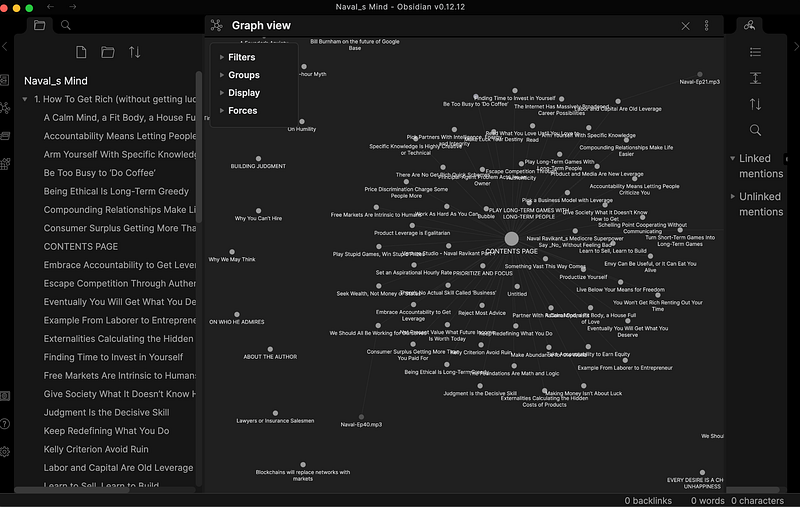
I first heard about Obsidian from a YouTube blogger that I love dearly. Not long ago, Andrew Kirby collected all Tweets, blogs, and articles of Naval, the co-founder, chairman, and former CEO of AngelList, and created an Obsidian database of “his brain” for everyone to use.
In case you don’t know who this guy is, Naval is famous for his “tweetstorms”, blog posts, audios, and videos on various topics from cryptocurrency to productivity and life in general. A lot of people follow him and listen to everything he says almost religiously. Andrew Kirby is one of those people and he even claims that he became a millionaire at 22 only because he was following Naval.
Anyway, let’s get back to Obsidian.
Here is a free download Andrew created for all fans of Naval. To see it in Obsidian, all you need to do is to download the whole folder and choose Open Folder as Vault on your computer. Switch to a graph view using the panel on the left and enjoy. There is a lot of content here! And I must admit, looks like that Naval guy does have a lot of interesting things to say.
Dynalist
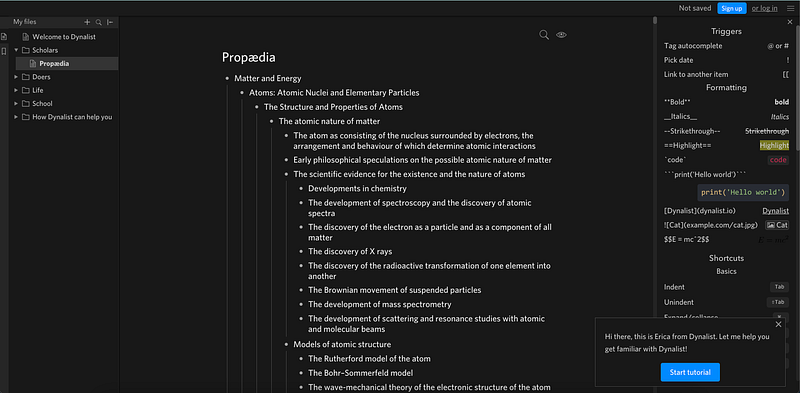
While Obsidian is undoubtedly cool, it’s not the best tool when you need to take unstructured notes and you need to take them fast. In that case, I would recommend checking out Dynalist, a note-taking app created by the same company.
Instead of fancy graph views, it features clean nested lists, triggers, a lot of formatting options, and shortcuts. I would call it a great Productivity app for those hour-long meetings with clients who have no idea what they want so they jump from one topic to another. With Dynalist, it’s easy to capture all key points and then review, organize, and link them in any way you like. Or, you could use it for brainstorming and keep a list of all potential topics for your next blog post. Possibilities are endless.
I tried using it for one week and I have to admit that it’s way easier than using Notes on my iPhone. I also loved the shortcuts, its clean interface, and the dark mode.
If you liked this article, here is another article you may enjoy:
If you love learning about new stuff as much as I do, consider subscribing to my weekly Becoming Better Newsletter.


