
Configuring GitHub With a Personal Access Token and Network Access for a Lambda function
ACM.316 Configuring a fine-grained personal access token and network access to a GitHub organization for an AWS NAT
~~~~~~~~~~~~~~~~~~~~~~~~~~~~~~~~~~~~~~~~~~~~~~~~~~~~~
⚙️ Check out my series on Automating Cybersecurity Metrics | Code.
🔒 Related Stories: Lambda | GitHub Security | Application Security
💻 Free Content on Jobs in Cybersecurity | ✉️ Sign up for the Email List
~~~~~~~~~~~~~~~~~~~~~~~~~~~~~~~~~~~~~~~~~~~~~~~~~~~~~
In the last post I created an AWS Secrets Manager Secret that has a policy that grants a Lambda function read only access to the secret.
In this post, I want to clone a private repository to my container.
Recall that before doing this I did the following in prior posts:
- Setup a private network with outbound access through a NAT.
- Locked down inbound access to invoke the Lambda function to specific IP addresses via an SCP.
- Set up Elastic Container Registry (ECR)and changed the Resource Policy so Lambda can access containers in it.
- Deploy a Lambda function that runs a container.
- Created a custom runtime to execute bash in the container.
- Created a mechanism to test the Lambda container locally outside the container service.
- Deployed a secret for the Lambda function that the Lambda function can read and an administrator can edit.
- Turned on Lambda event logging and enabled CloudWatch for Lambda logs.
All those post are in this sub-series:
The above steps help prevent an attacker from obtaining our Github personal access token that we are going to add to AWS. Nothing is ever foolproof but the attacker would not only have to get credentials but network access. In addition, the PAT will be readonly so they can only read the contents of GitHub repositories for public websites. Why not just go look at the website. 😆
Remaining steps to clone a private GitHub repository in a Lambda function
In order to clone a private repository in GitHub I need credentials and to modify my code to use them.
Here are the remaining steps.
- Add the NAT EIP to the allowed IP addresses for my GitHub organization.
- Create a personal access token with read-only access to the specified repository in GitHub and store that token in AWS Secrets Manager.
- Ensure the Lambda function role includes the statements that allow it to access the Secret deployed in the last few posts.
- Retrieve the token in my Lambda function.
- Test cloning a private repository with the personal access token.
Let’s do it.
Add the NAT EIP to the allowed IP addresses in my GitHub organization
- Log into AWS and navigate to the VCP Dashboard.
- Click on NAT gateways on the left and your NAT Gateway.
- Find the Primary public IPv4 address.
- Login to GitHub.
- Click on Organizations in the left menu (presuming you have one).
- Click on Settings next to the Organization to which you want to grant access.
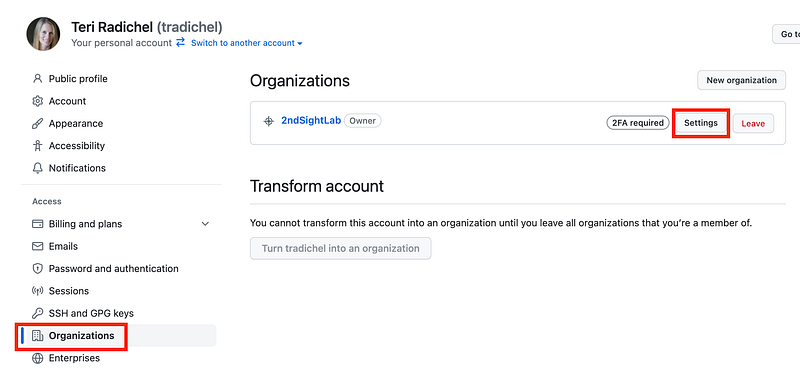
Click on Settings.

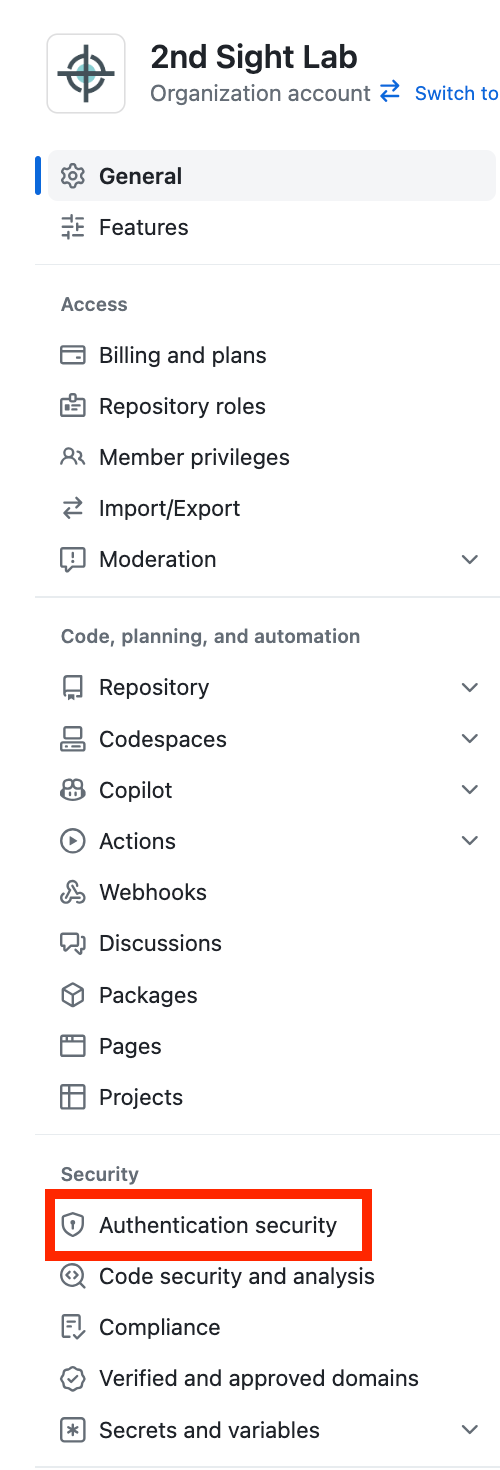
In the left menu click Authentication Security.
Scroll down and add your NAT EIP to the list of allowed IP addresses.
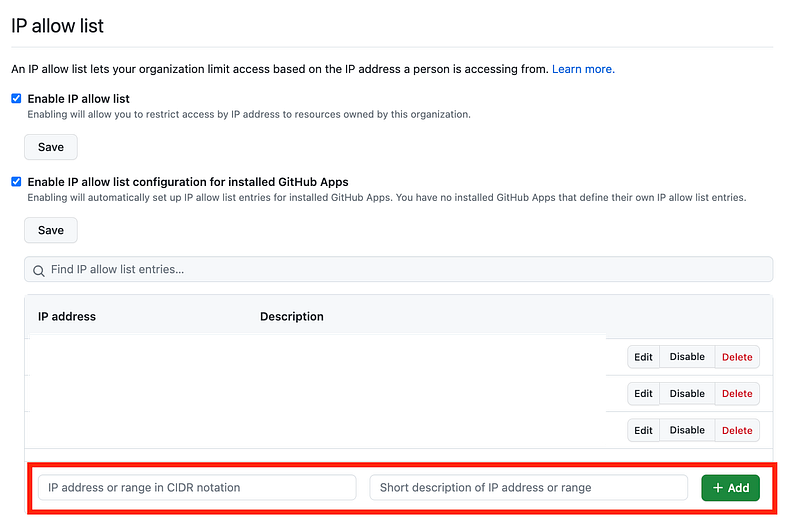
REMEMBER: You need to have any other IP addresses listed here that also need access such as the one that is logging in to make these changes in GitHub. I wrote about this in prior posts and about adding a backup.
Also, if you delete any resources that have access to your GitHub account, remember to delete the associated IP address in GitHub. Otherwise someone might be able to spin up a resource using that IP and gain access.
It is about this time that I really wish GitHub had support for a Private Link to AWS, Azure, and GCP.
We can’t keep the traffic off the Internet to help thwart MITM attacks.
But at least we can restrict by IP.
Create a personal access token with limited permission in GitHub
Next we want to create a personal access token associated with our GitHub account that has read only access to the repo we’ve been working with which is:
dev.rainierrhodendrons.com
By the way, Rainier Rhododendrons tells me that they are not digging rhododendrons out of the ground right now because it’s too hot and they likely won’t live. So hold your calls until the fall when it starts raining again.
But I digress.
First let’s check the settings for Personal Access Tokens by clicking that option in the left menu. Here’s how mine are set. I disable the old, less secure option. I allow them but I require administrator approval.
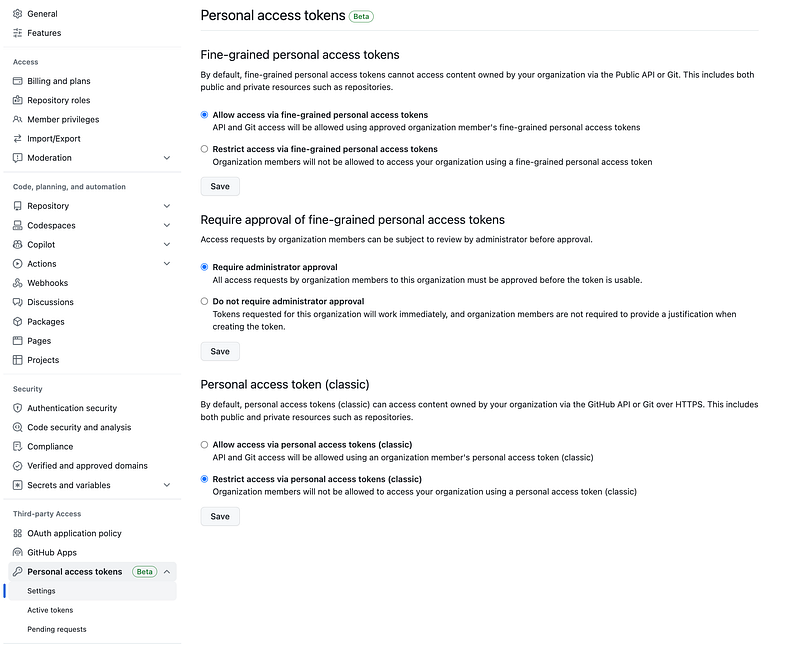
Now I, as a user in the organization, want to create a personal access token (PAT).
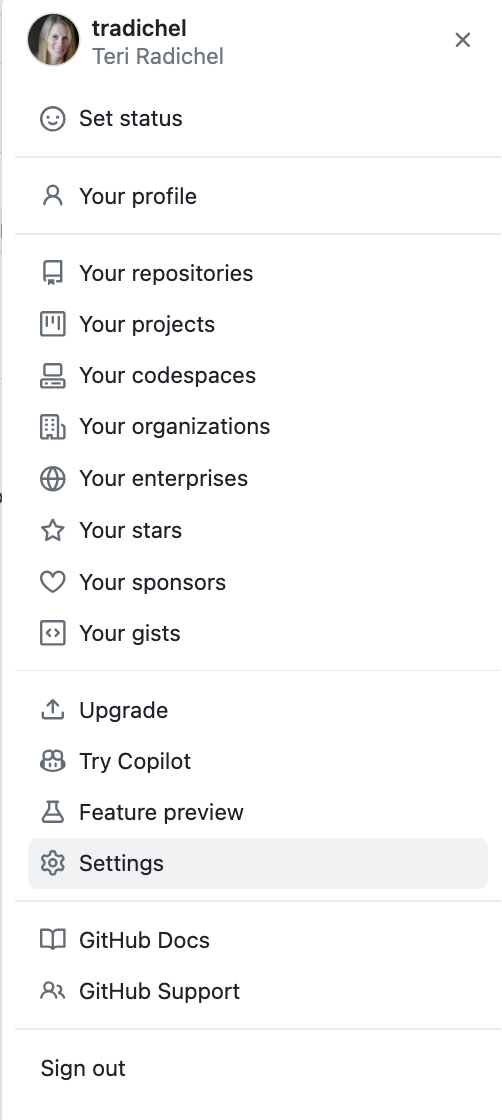
I click on my image for my account in the top right and choose Settings.
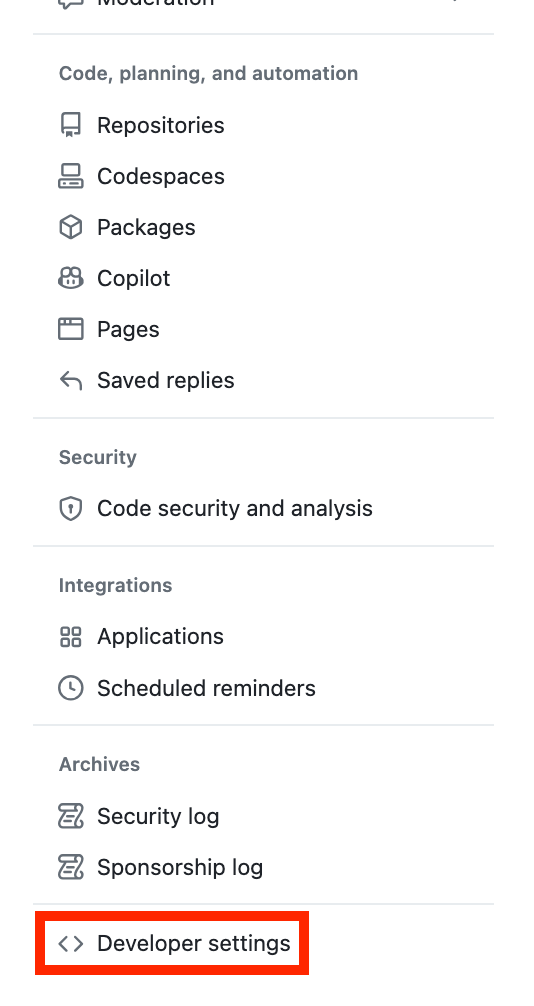
Scroll down and click Developer settings in the left menu.
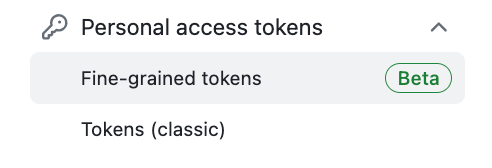
Click on Personal access tokens and Fine-grained tokens.
Click Generate new token.

Enter a Token name.
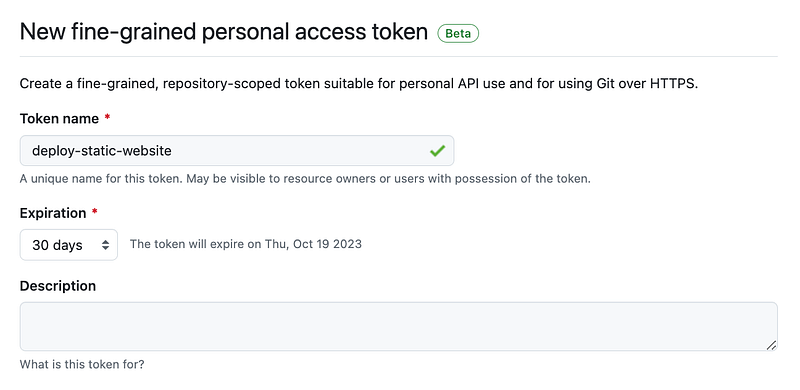
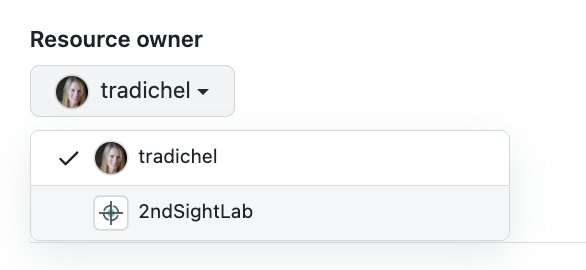
Under Resource owner select your organization.
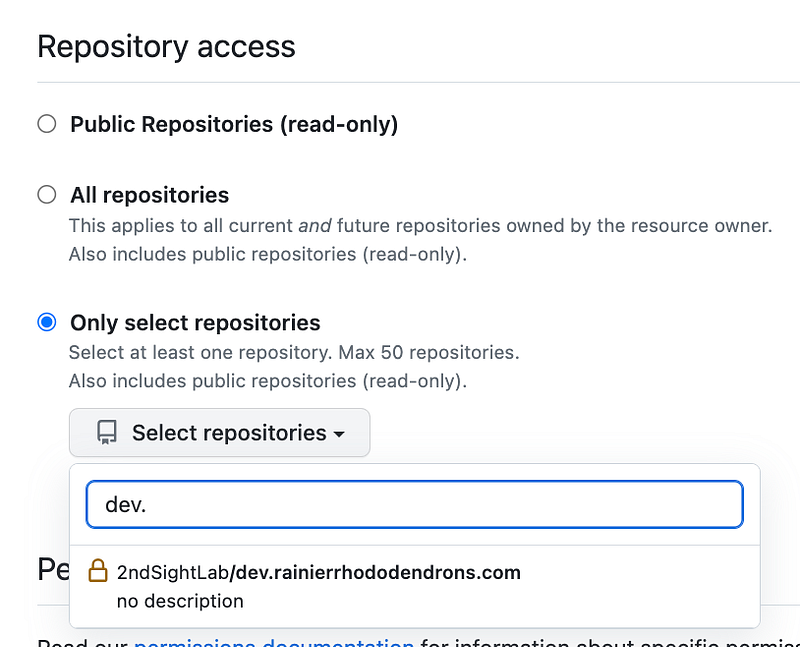
Choose Only select repositories.
Under Select repositories, choose the specific repository or repositories this token can access.
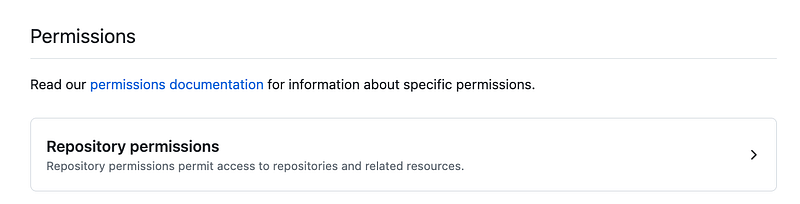
Click on Repository permissions.
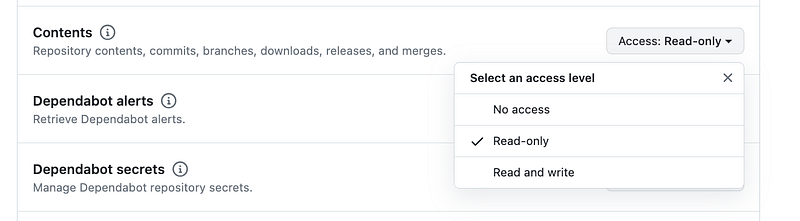
Next to Contents choose Read only.
Copy the token as this is the only time you’ll be able to get the value.
If you need to authorize the token, return to your organization settings.
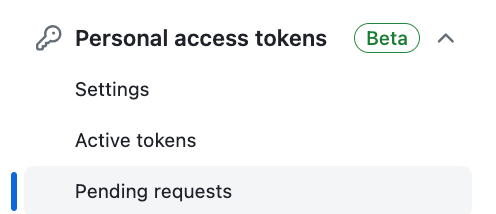
Click on Personal access tokens in the left menu, then Pending requests.
Authorize the token.
Add the PAT to AWS Secrets Manager
In AWS Navigate to the Secrets Manager dashboard.
Click on the secret with the name matching the function — in my case “dockertestSecret” — and then click on Retrieve secret value.

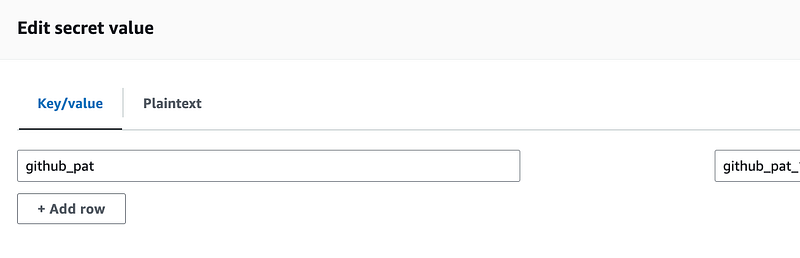
What I realized is that when I created the plaintext value “test” when deploying the secret I couldn’t see this key/value pair screen.
To fix that I added the plaintext value {} for the token (open and close curly braces) and then I saved it.
Then I could see the screen to add a new key/value pair. I named the key github_pat and added the value of the token.
Next up, we will try to use the secret in our Lambda function.
Follow for updates.
Teri Radichel | © 2nd Sight Lab 2024
About Teri Radichel:
~~~~~~~~~~~~~~~~~~~~
⭐️ Author: Cybersecurity for Executives in the Age of Cloud
⭐️ Presentations: Presentations by Teri Radichel
⭐️ Recognition: SANS Award, AWS Security Hero, IANS Faculty
⭐️ Certifications: SANS ~ GSE 240
⭐️ Education: BA Business, Master of Software Engineering, Master of Infosec
⭐️ Company: Penetration Tests, Assessments, Phone Consulting ~ 2nd Sight Lab
Need Help With Cybersecurity, Cloud, or Appication Security?
~~~~~~~~~~~~~~~~~~~~~~~~~~~~~~~~~~~~~~~~~~~~~~~~~~~~~~~~~~~~~
🔒 Request a penetration test or security assessment
🔒 Schedule a consulting call
🔒 Cybersecurity Speaker for PresenationFollow for more stories like this:
~~~~~~~~~~~~~~~~~~~~~~~~~~~~~~~~~~~~~~~~~~~~~~~~~~~~~~~~~~~~~
❤️ Medium: Teri Radichel
❤️ Sign Up For Email
❤️ Twitter: @teriradichel
❤️ Mastodon: @[email protected]
❤️ Facebook: 2nd Sight Lab
❤️ YouTube: @2ndsightlab