
Clearing an IP Blocked by a Suricata or Snort False Positive in pfSense
How to clear an IP that was incorrectly blocked by Suricata or Snort in pfSense
~~~~~~~~~~~~~~~~~~~~~~~~~~~~~~~~~~~~~~~~~~~~~~~~~~~~~~~
⚙️ Check out my series on Automating Cybersecurity Metrics | Code.
🔒 Related Stories: Network Security | pfSense | Cybersecurity
💻 Free Content on Jobs in Cybersecurity | ✉️ Sign up for the Email List
~~~~~~~~~~~~~~~~~~~~~~~~~~~~~~~~~~~~~~~~~~~~~~~~~~~~~~~
I just turned on Suricata in PFSense right before I went out of town.
I turned it on in alert mode in one interface and blocking mode in another.
Before I left, both interfaces were working. Also before I left I blocked HTTP/S traffic on one interface.
When I got back, I couldn’t get to any web sites on the Internet. I checked my firewall logs and saw this blocked traffic. I knew that had something to do with Suricata but I haven’t used it in a while so I forgot how this worked.
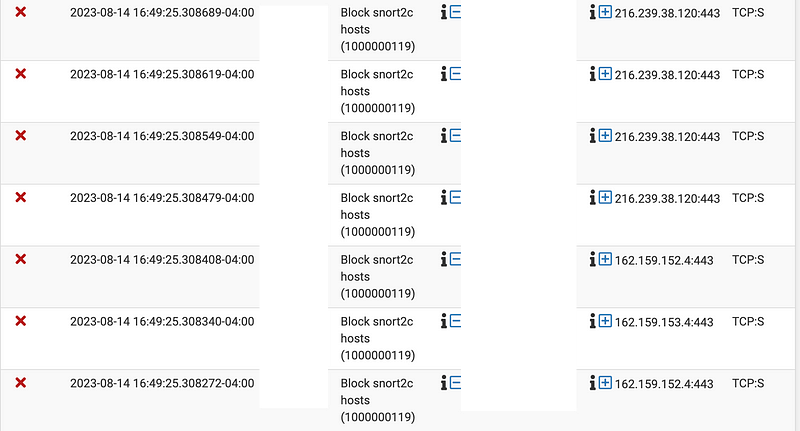
One IP address is for Google and the other is for CloudFlare.
One thing I remembered is that before I left I blocked HTTPS on one of the interfaces, but the above rule was not the one I added. I removed that rule, and as expected, I still could not get to the Internet.
Next, I tried to change Suricata to non-blocking but that didn’t help.
DNS traffic was not blocked because I could use dig to get a Google IP address. The interesting thing is that a curl request said that it could not resolve google.com to an IP address.
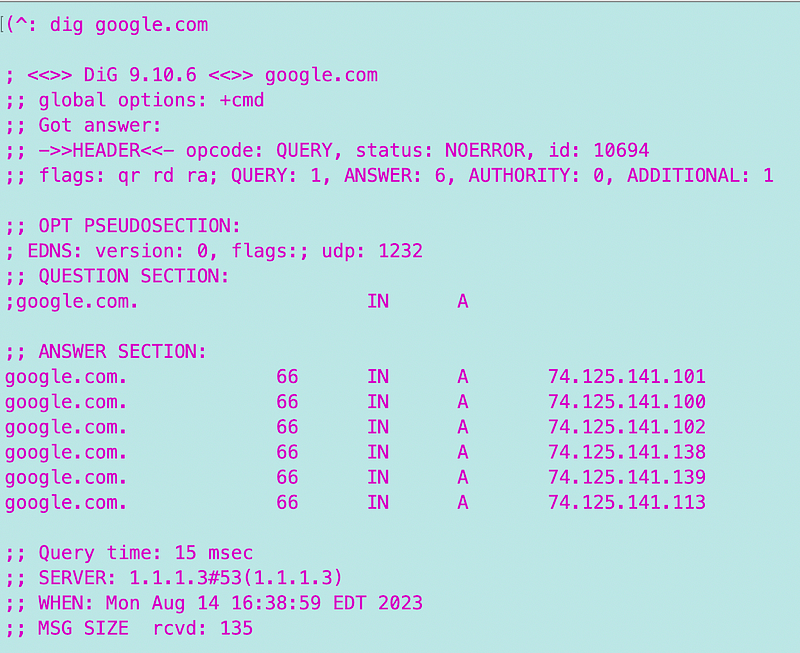
If my IP is blocked, why can I still make DNS requests? I am guessing it is because I have a float rule that comes before the Suricata rule.
Finally I rebooted the firewall using the UI (you can also unplug the device but that’s not recommended and should be used as a last resort) and then I could get to the Internet again. But what was going on?
Aha. Our rule is actually a firewall rule for all Snort or Suricata blocked IP addresses in legacy mode. When Suricata blocked my IP it got added to a table which is used by a firewall rule to block any IP addresses in that table:
Blocking is not done directly by the Snort or Suricata packages. Instead, the underlying binary used in both packages makes a FreeBSD system call to pass the offending IP address (the address to be blocked) to the packet filter (pf) firewall. The pfSense source code includes a section that creates a dedicated pf table during boot up of the firewall. That table is named snort2c. Custom firewall rules are then created very near the top of the firewall rules chain. Those rules reference the snort2c packet filter table. The rules basically tell the firewall to block any IP addresses that are loaded into the snort2c table. The snort2c table is used by both Snort and Suricata.
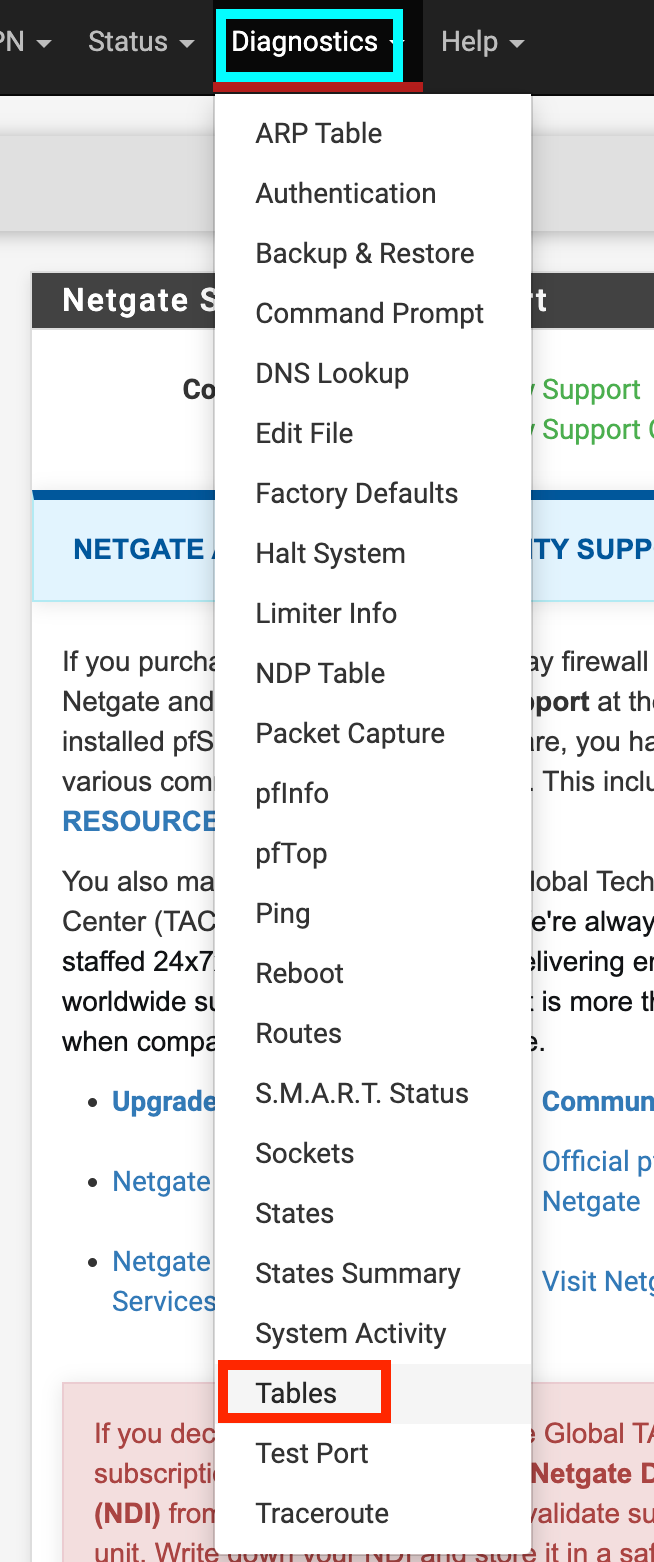
According to that post view the table by navigating to Diagnostics > Tables
Choose snort2c from the list:
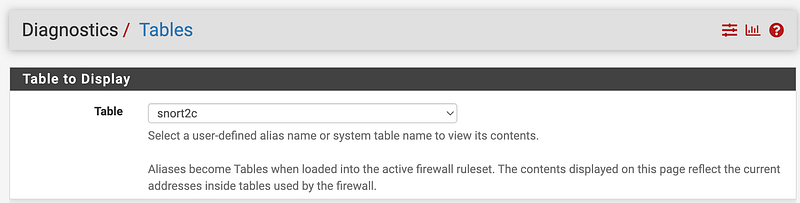
I don’t have anything there at the moment because I turned off blocking and rebooted the firewall.
This explains why initially I was able to remove the IP by rebooting the firewall:
IP addresses stay in that table until they are either deleted by the cron process, by the user manually or until the firewall is rebooted. There is a setting on the GLOBAL SETTINGS tab called “Remove Blocked Hosts Interval”. You can choose there an interval for clearing the table. IP addresses that have not seen “action” within the time period set are removed from the table.
I also found this screen which appears to have something to do with blocked IPs. I don’t have any blocked IPs at the moment so I’ll have to check this out later.
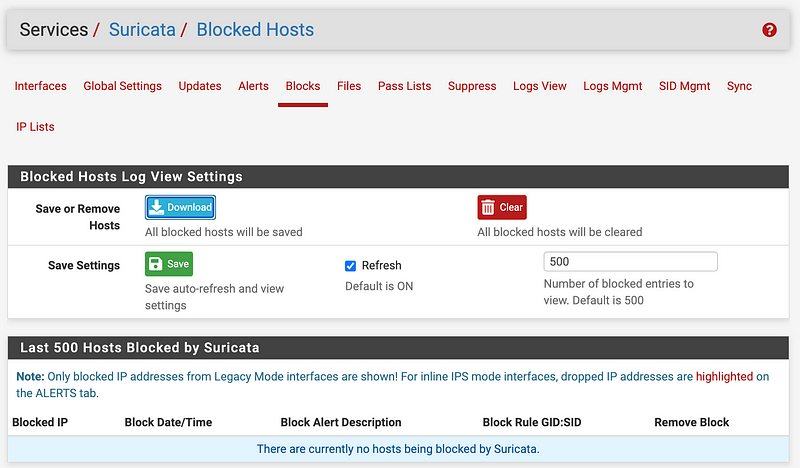
Of course, that fixes the immediate problem but I still have the issue of a rule that blocks traffic it shouldn’t somehow. I’ll still need to look into that.
Follow for updates.
Teri Radichel | © 2nd Sight Lab 2023
About Teri Radichel:
~~~~~~~~~~~~~~~~~~~~
⭐️ Author: Cybersecurity Books
⭐️ Presentations: Presentations by Teri Radichel
⭐️ Recognition: SANS Award, AWS Security Hero, IANS Faculty
⭐️ Certifications: SANS ~ GSE 240
⭐️ Education: BA Business, Master of Software Engineering, Master of Infosec
⭐️ Company: Penetration Tests, Assessments, Phone Consulting ~ 2nd Sight Lab
Need Help With Cybersecurity, Cloud, or Application Security?
~~~~~~~~~~~~~~~~~~~~~~~~~~~~~~~~~~~~~~~~~~~~~~~~~~~~~~~~~~~~~
🔒 Request a penetration test or security assessment
🔒 Schedule a consulting call
🔒 Cybersecurity Speaker for PresentationFollow for more stories like this:
~~~~~~~~~~~~~~~~~~~~~~~~~~~~~~~~~~~~~~~~~~~~~~~~~~~~~~~~~~~~~
❤️ Sign Up my Medium Email List
❤️ Twitter: @teriradichel
❤️ LinkedIn: https://www.linkedin.com/in/teriradichel
❤️ Mastodon: @teriradichel@infosec.exchange
❤️ Facebook: 2nd Sight Lab
❤️ YouTube: @2ndsightlab


