
Checking out the new CloudFormation import-existing-resources option
ACM.424 Can we import the default route table or security group for a VPC?
~~~~~~~~~~~~~~~~~~~~~~~~~~~~~~~~~~~~~~~~~~~~~~~~~~~~~~~~~~~
⚙️ Part of my series on Automating Cybersecurity Metrics. The Code.
💻 Free Content on Jobs in Cybersecurity | ✉️ Sign up for the Email List
~~~~~~~~~~~~~~~~~~~~~~~~~~~~~~~~~~~~~~~~~~~~~~~~~~~~~~~~~~~
In the last post I deployed a VPC that should in theory be able to be used by anyone in the OU.
I have yet to test it. Next I was going to configure my AMIs VPC but my code to fix up the default route table and security group is failing. I decided to fix that once and for all.
In a prior post I showed how to deploy an AWS Organization in CloudFormation, but also if the Organization already exists, how to import it into a CloudFormation stack:
At AWS re:Invent 2023 AWS introduced a new option for the CreatChangeSet command called import-existing-resources which is supposed to make this easier.
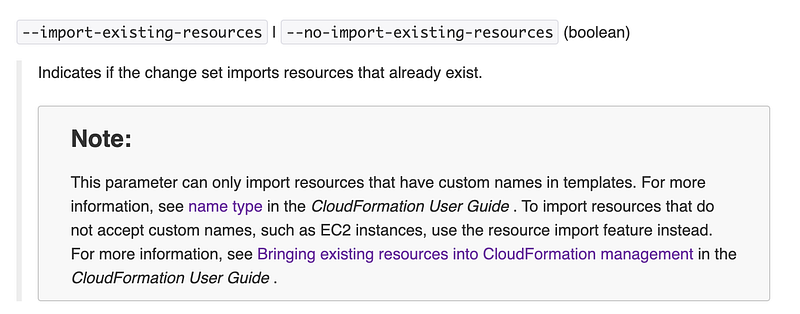
At first glance, I wasn’t sure how it worked but let’s dig in. If you want to import an existing resource using this command, it needs to be a resource that has a custom name option. The resource types that support custom names are listed at the bottom of this page:
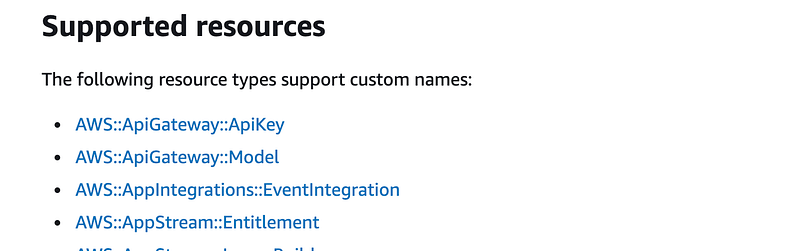
SecurityGroup is in the list, but RouteTable is not:

The custom name for a security group is, I presume, the GroupName property, but I’m not exactly sure. The documentation for this new feature is sparse.
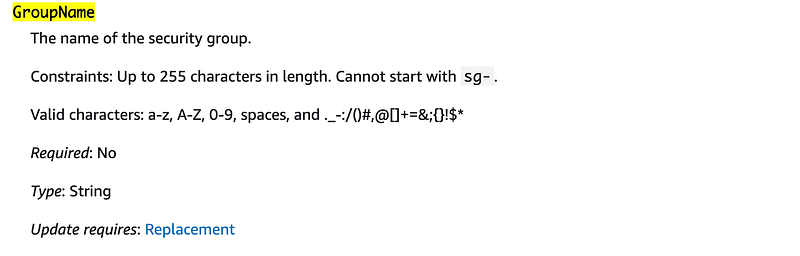
Something to keep in mind:

In other words you will be updating the properties on the existing resource if you update it, not creating a new resource. To create a completely new resource, create a resource with a new name.
Alright so can we import our existing default security group into a stack? Lacking documentation I’m going to try to reverse-engineer how this is supposed to work. I created an account with an existing default VPC and a new public and private VPC. Each VPC has a default security group. Well, none of them have names so I have a catch 22. In order to import the resource using a name, I’d have to manually log in and add a name.
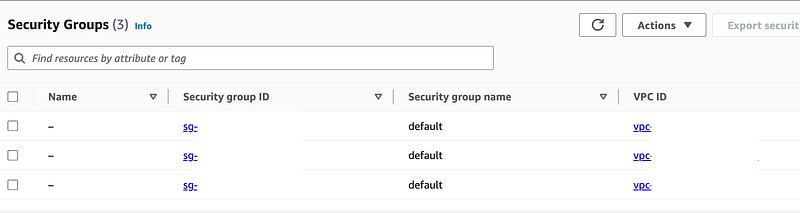
Welp. That nixes that idea but just out of curiosity, let’s see what we can do. I’m going to name the default security group in the account “mysg”.

So I create a file and add the option and guess at what I should possibly pass in.
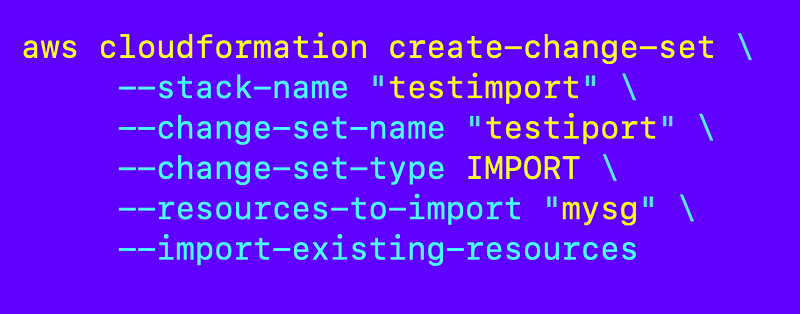
And…it doesn’t exist. Well, this must still be a work in progress I guess.
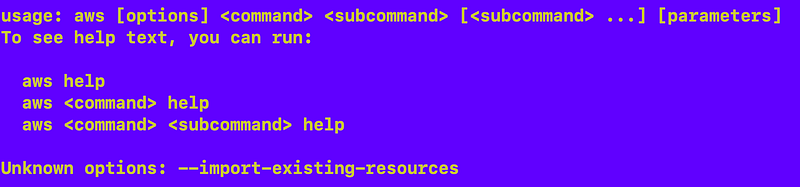
I’ll wait for the documentation and an example which is probably on the way.
For now, I’ll use my existing code and see what comes out of this. Perhaps I’m just using it incorrectly.
Follow for updates.
Teri Radichel | © 2nd Sight Lab 2023
About Teri Radichel:
~~~~~~~~~~~~~~~~~~~~
⭐️ Author: Cybersecurity Books
⭐️ Presentations: Presentations by Teri Radichel
⭐️ Recognition: SANS Award, AWS Security Hero, IANS Faculty
⭐️ Certifications: SANS ~ GSE 240
⭐️ Education: BA Business, Master of Software Engineering, Master of Infosec
⭐️ Company: Penetration Tests, Assessments, Phone Consulting ~ 2nd Sight Lab
Need Help With Cybersecurity, Cloud, or Application Security?
~~~~~~~~~~~~~~~~~~~~~~~~~~~~~~~~~~~~~~~~~~~~~~~~~~~~~~~~~~~~~
🔒 Request a penetration test or security assessment
🔒 Schedule a consulting call
🔒 Cybersecurity Speaker for PresentationFollow for more stories like this:
~~~~~~~~~~~~~~~~~~~~~~~~~~~~~~~~~~~~~~~~~~~~~~~~~~~~~~~~~~~~~
❤️ Sign Up my Medium Email List
❤️ Twitter: @teriradichel
❤️ LinkedIn: https://www.linkedin.com/in/teriradichel
❤️ Mastodon: @teriradichel@infosec.exchange
❤️ Facebook: 2nd Sight Lab
❤️ YouTube: @2ndsightlab