
Chapter 7: CSS Units of Length
A Complete Frontend Developer Textbook for Beginners (2023 Edition)

This is the textbook version of Lesson 7 of 100 from the Udemy video course: A Complete Frontend Developer Course for Beginners
← Chapter 6: HTML Sectioning Tags
Overview
This lesson covers the following HTML tags, CSS properties, and JavaScript commands for the first time:
HTML
None.
CSS
JS
None.
This lesson begins with this Codepen. Code along with me to increase retention!
Lecture
In the last lesson, we learned how to use semantic tags to organize our content.
HTML Window:<html>
<head></head>
<body>
<header></header>
<main></main>
<footer></footer>
</body>
</html>In this lesson, we learn how to add dimensions to those tags using CSS code and make them appear in the UI window.
tags: dimensions => UI WindowFor example, let’s give the header section a width and a height.
header: width x height
To do this, first we need to learn about units in CSS. Units are measurements of lengths and there are 2 types: absolute and relative.
unit: absolute VS relativeAbsolute Units
Let’s begin with absolute units. An example of an absolute unit is a centimeter.
absolute unit = centimeter (cm)For our header, let’s make the width 10 centimeters and the height 5 centimeters.
header {
   width: 10cm;
   height: 5cm;
}
To make it visible in the UI window, let’s make the background red.
header {
   width: 10cm;
   height: 5cm;
   background: red;
}
Centimeter is an absolute unit because everywhere in the world, a centimeter always has the same agreed-upon length.
Another example of an absolute unit is an inch.
absolute unit: inch (in)To make our main section the same size as our header section, the width would be 3.94 inches and the height would be 1.97 inches.
main {
   width: 3.94in;
   height: 1.97in;
}
Let’s make this background green:
main {
   width: 3.94in;
   height: 1.97in;
   background: green;
}
Inch is also an absolute unit because anywhere in America, an inch always has the same agreed-upon length.
In the computer world, an example of an absolute unit is a pixel which is the smallest dot on the computer screen.
absolute unit: pixel (px)To make our footer section the same size as our header and main sections, the width would be 378 pixels and the height would be 189 pixels.
footer {
   width: 378px;
   height: 189px;
}
Let’s make this background blue:
footer {
   width: 378px;
   height: 189px;
   background: blue;
}
As you can see, all three sections have the same lengths even though they use different units. This is because we can convert between any absolute units by multiplying the appropriate conversion factors.
unit 2 = unit 1 x unit 2 / unit 1The finished Codepen:
Relative Units
Relative units, on the other hand, do not always have the same length because they depend on something else.
relative units = actual length variesFor example, vw is a relative unit that depends on the viewport width.
relative unit = vw (depends on viewport width)Here in Codepen, the viewport is the UI window. The viewport width is just the width of this window.
Viewport = UI Windowviewport width = width of UI Window
Let’s demonstrate this with our header section.
header {

}
Let’s make the width 75% of the viewport width, and let’s make the height 25% of the viewport width:
header {
   width: 75vw;
   height: 25vw;
}
To make it visible, let’s make the background red:
header {
   width: 75vw;
   height: 25vw;
   background: red;
}
Now, try changing the viewport width by stretching and shrinking the UI window horizontally:
See that? 👀
The width and height of our header section grows and shrinks to maintain the same proportions relative to the viewport width.
This is why vw is a relative unit!
Likewise, vh is also a relative unit because it depends on the viewport height.
relative unit = vh (depends on viewport height)Let’s demonstrate this with our main section.
main {

}
Let’s make the width 75% of the viewport height, and let’s make the height 25% of the viewport height:
main {
   width: 75vh;
   height: 25vh;
}
Finally, let’s make the background green:
main {
   width: 75vh;
   height: 25vh;
   background: green;
}
Again, try changing the viewport height by stretching and shrinking the UI window vertically:
See that? 👀
Like before, the width and height of our main section grows and shrinks to maintain the same proportions relative to the viewport height.
Like vw, vh is a relative unit because 1vh does not always have the same length.
It depends on the length of the viewport height!
Percentages
Another popular relative unit is the percentage.
relative unit = percentage (%)It is very useful because its length is relative to its parent.
percentage => depends on the parentLet’s demonstrate this with our header section as the parent, and a nav section as its child.
<html>
   <head></head>
   <body>
      <header>
         <nav></nav>
      </header>
   <main></main>
   <footer></footer>
   </body>
</html>
Let’s give the parent a width of 75vw, and a height of 75vh, and a background of red.
header {
   width: 75vw;
   height: 75vh;
   background: red;
}
As for its child, let’s make its width and height 50% of its parent. Finally, let’s make its background orange:
nav {
   width: 50%;
   height: 50%;
   background: orange;
}
When it appears, we expect its dimensions to be exactly half of its parent:
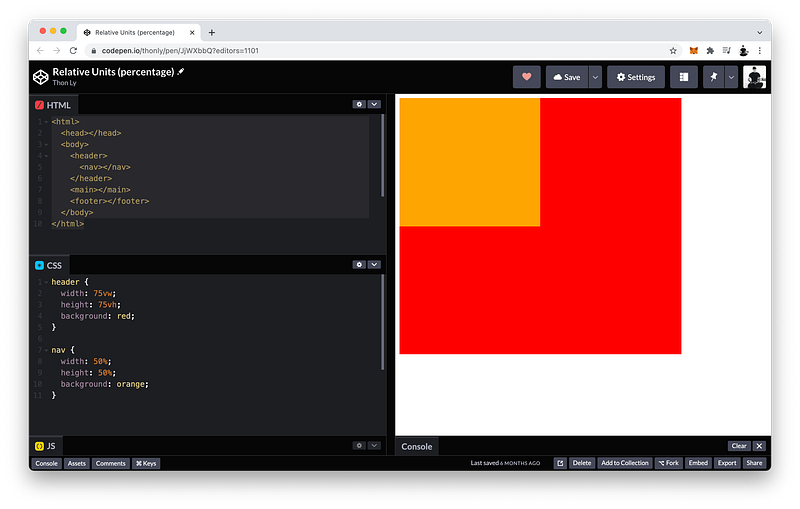
Perfect! 😁
What do you think will happen if we adjust the viewport width?
Try stretching and shrinking the UI window in the horizontal direction!
Notice the child is still 50% of its parent!
What if we adjust the viewport height?
Now try stretching and shrinking the UI window in the vertical direction!
Still 50%! 😄
Summary
In CSS, there are two types of units: absolute and relative.
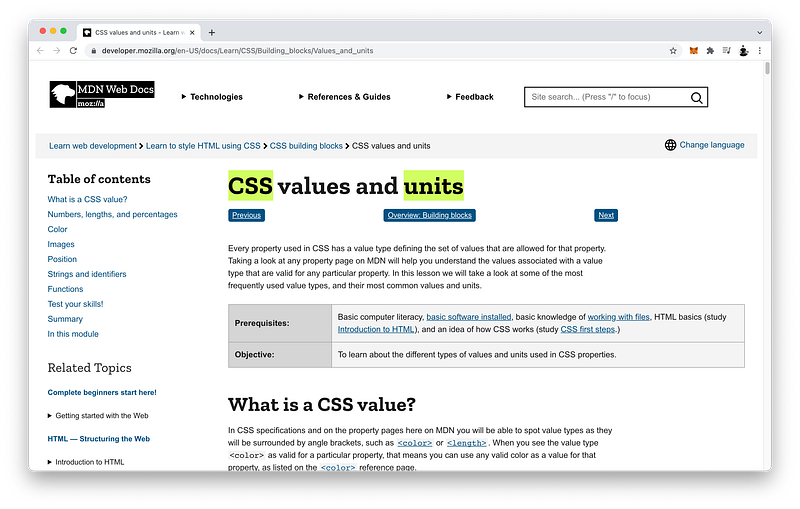
Absolute units are not relative to anything and therefore always have the same length.
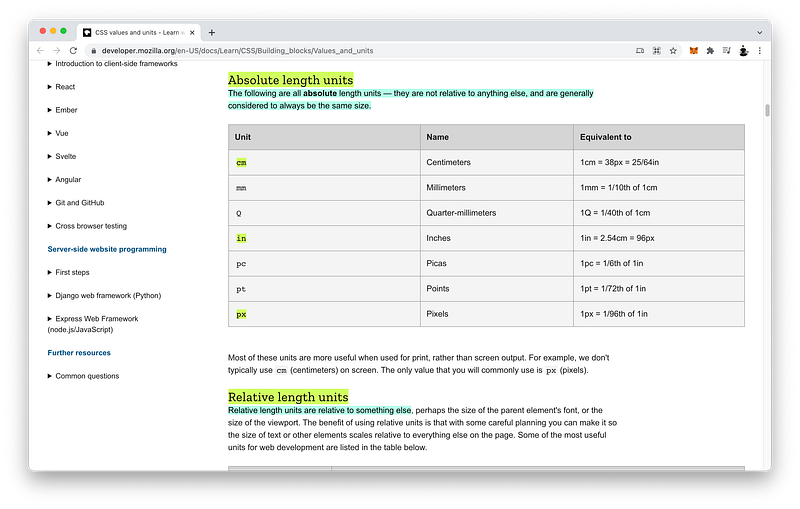
Examples of absolute units are centimeter, inch, and pixel.
absolute units: cm, in, pxRelative units are relative to something and therefore do not always have the same length.
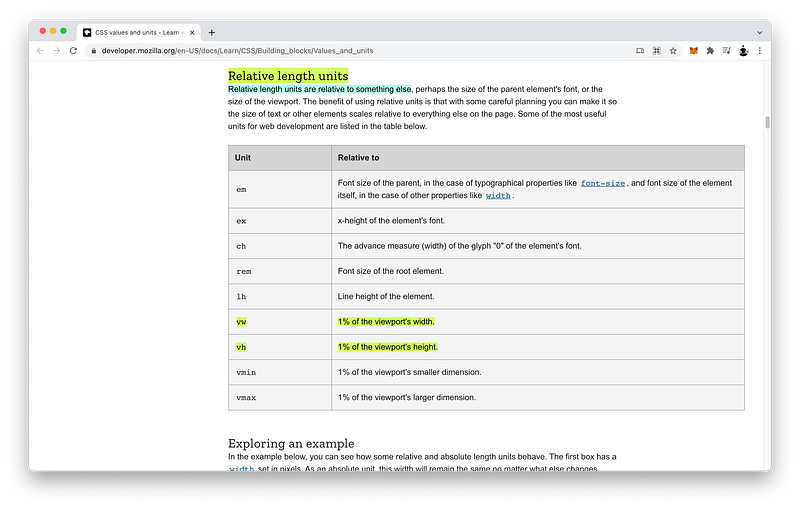
Examples of relative units are vw and vh where 1 unit is equal to 1 percent of the viewport width and height, respectively.
relative units: vw, vhAnother very useful relative unit is the percentage where 1 unit is equal to 1 percent of the parent’s dimension.
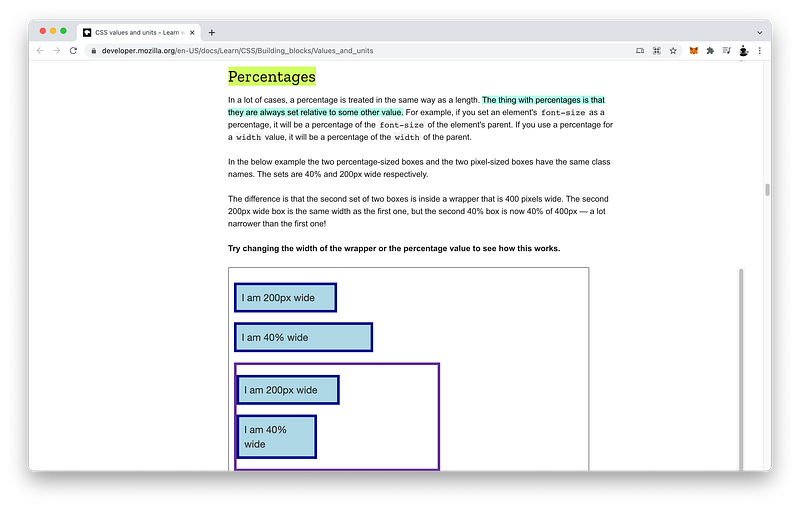
relative unit: %Concept Quiz
Take my Programming Concept Quiz to check your understanding! For every correct choice, you will earn SW Coins which you can redeem for coupons towards the purchase of any of my Udemy courses!
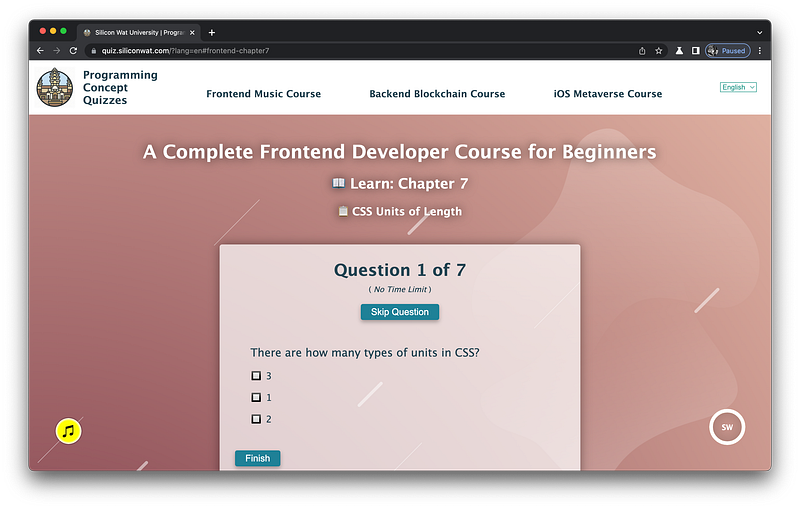
Sample Quiz Questions for Lesson 7:
Question 1:
There are how many types of units in CSS?
- 1
- 2
- 3
Question 2:
Absolute units are relative to something.
- True
- False
Question 3:
Relative units are relative to something.
- True
- False
Question 4:
Which is NOT an absolute unit?
- cm
- in
- vw
- px
Question 5:
Which is NOT a relative unit?
- vw
- vh
- px
- %
Question 6:
1vw is equal to 1% of the viewport height.
- True
- False
Question 7:
1% is equal to 1% of the parent’s dimension.
- True
- False
→ Programming Concept Quiz for Chapter 7
Coding Exercises
Check out my Interactive Coding Exercises to put to practice what you have learned! There, you will also find interactive hints to help you understand each line of code. Likewise, for every correct solution, you will earn SW Coins which you can redeem for coupons towards the purchase of any of my Udemy courses!
→ Interactive Coding Exercises for Chapter 7
Syntax Flashcards
Review what you have learned by playing my Syntax Flashcard Game! These flashcards are designed to help you commit to memory all the new code syntaxes you learned in this lesson.

Likewise, for every correct answer, you will earn SW Coins which you can redeem for coupons towards the purchase of any of my Udemy courses!
→ Syntax Flashcard Game for Chapter 7
Next Steps
Congrats on completing Unit 2: Lesson 2 of 13! 🎉
Unit 1: 100% Completed
Unit 2: 15% Completed
Unit 3: 0% Completed
Unit 4: 0% Completed
Unit 5: 0% Completed
Bonus Unit 6: 0% Completed
Bonus Unit 7: 0% Completed
Overall Progress: 7% Completed→ Join Remote Frontend Cohort Program
Next Lesson
Now that we know how to add dimensions to any sectioning tags, we’re ready to learn about the Box Model! In the next lesson, we will dissect this important concept to understand how we can completely control the appearance of any HTML element!
When you use my referral link above 👆 to become a Medium member, all proceeds will be donated towards the construction of the Silicon Wat Campus for children in Ukraine and Cambodia ❤️


