<div>
<div>
<img class="ratio" src="http://placehold.it/16x9">
<iframe class="" src="https://cdn.embedly.com/widgets/media.html?src=https%3A%2F%2Fcodepen.io%2Fthonly%2Fembed%2Fpreview%2FjOyRwMg%3Fdefault-tabs%3Dhtml%252Cresult%26height%3D600%26host%3Dhttps%253A%252F%252Fcodepen.io%26slug-hash%3DjOyRwMg&display_name=CodePen&url=https%3A%2F%2Fcodepen.io%2Fthonly%2Fpen%2FjOyRwMg&key=a19fcc184b9711e1b4764040d3dc5c07&type=text%2Fhtml&schema=codepen" allowfullscreen="" frameborder="0" height="600" width="800">
</div>
</div>
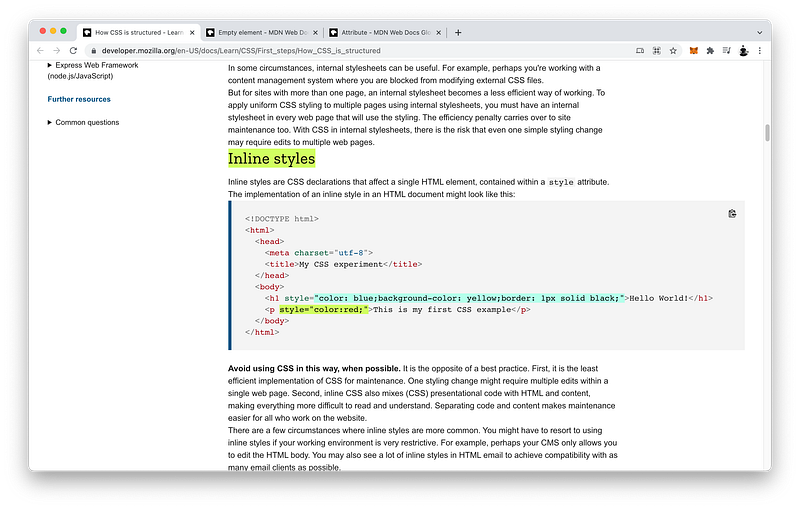
</figure></iframe></div></div></figure><h2 id="3f19">Inline CSS</h2><p id="28b8">The <b>third</b> and final method to include CSS code in our document is called <b>inline</b>.</p><div id="ea5b"><pre><span class="hljs-keyword">Method</span> 3: <span class="hljs-keyword">Inline</span> CSS</pre></div><p id="5bbb">On the tag that we want to include CSS code, we can simply add an <b>attribute</b> called <code>style</code>:</p><div id="f561"><pre><span class="hljs-selector-tag">HTML</span> Window:</pre></div><div id="c6b1"><pre><span class="hljs-section"><html></span>
<span class="hljs-section"><head></span><span class="hljs-section"></head></span>
<span class="hljs-section"><body style ></span><span class="hljs-section"></body></span>
<span class="hljs-section"></html></span></pre></div><p id="b858">Then, we set it equal to the CSS <b>declarations</b> we want to apply to the said <code><b>body</b></code> tag.</p><p id="d8df">For example:</p><div id="0786"><pre><span class="hljs-selector-tag">HTML</span> Window:</pre></div><div id="d996"><pre><span class="hljs-tag"><<span class="hljs-name">html</span>></span>
<span class="hljs-tag"><<span class="hljs-name">head</span>></span><span class="hljs-tag"></<span class="hljs-name">head</span>></span>
<span class="hljs-tag"><<span class="hljs-name">body</span> <span class="hljs-attr">style</span>=<span class="hljs-string">"background: skyblue;"</span>></span><span class="hljs-tag"></<span class="hljs-name">body</span>></span>
<span class="hljs-tag"></<span class="hljs-name">html</span>></span>?</pre></div><blockquote id="2db9"><p>Don’t forget to surround the declarations with <b>quotes</b>!</p></blockquote><p id="7bfe">The CSS <code>body</code> <i>selector</i> is not necessary here because it’s already implied by its presence inside the <code><b>body</b></code> bag.</p><div id="33fe"><pre><<span class="hljs-keyword">body</span> style=<span class="hljs-string">"background: skyblue;"</span>></<span class="hljs-keyword">body</span>></pre></div><p id="f630">Notice that there are now <i>three</i> different locations where the CSS rulesets want to set the color of the background, yet in this case, priority is given to our inline CSS code.</p><div id="6e73"><pre>UI <span class="hljs-built_in">Window</span>:</pre></div><div id="dc77"><pre>[<span class="hljs-built_in">background</span> changed to sky <span class="hljs-built_in">blue</span>]</pre></div><p id="54c1" type="7">Why is that?</p><p id="3d07">The answer is called <b>CSS Specificity</b> which basically states that priority will be given to the CSS property that is <i>more specific</i>.</p><p id="d353">You may have guessed it by now: <i>inline</i> CSS is more specific than <i>internal</i> CSS which is more specific than <i>external</i> CSS.</p><div id="448a"><pre><span class="hljs-keyword">Inline</span> CSS > <span class="hljs-type">Internal</span> CSS > <span class="hljs-keyword">External</span> CSS</pre></div><p id="a96e">In other words, <i>inline</i> CSS is the most specific and has the <i>highest</i> priority.</p><div id="627d"><pre><span class="hljs-keyword">Inline</span> CSS > <span class="hljs-type">Internal</span> CSS > <span class="hljs-keyword">External</span> CSS</pre></div><p id="c772">While <i>external</i> CSS is the least specific and has the <i>lowest</i> priority.</p><div id="9f45"><pre><span class="hljs-keyword">Inline</span> CSS > <span class="hljs-type">Internal</span> CSS > <span class="hljs-keyword">External</span> CSS</pre></div><blockquote id="b068"><p><b>CSS Specificity</b> has many other nuances which we will study in detail in Unit 3.</p></blockquote><p id="6478">The finished <a href="https://codepen.io/thonly/pen/MWJRova">Codepen</a>:</p>
<figure id="deb8">
<div>
<div>
<img class="ratio" src="http://placehold.it/16x9">
<iframe class="" src="https://cdn.embedly.com/widgets/media.html?src=https%3A%2F%2Fcodepen.io%2Fthonly%2Fembed%2Fpreview%2FMWJRova%3Fdefault-tabs%3Dhtml%252Cresult%26height%3D600%26host%3Dhttps%253A%252F%252Fcodepen.io%26slug-hash%3DMWJRova&display_name=CodePen&url=https%3A%2F%2Fcodepen.io%2Fthonly%2Fpen%2FMWJRova%3Feditors%3D1111&key=a19fcc184b9711e1b4764040d3dc5c07&type=text%2Fhtml&schema=codepen" allowfullscreen="" frameborder="0" height="600" width="800">
</div>
</div>
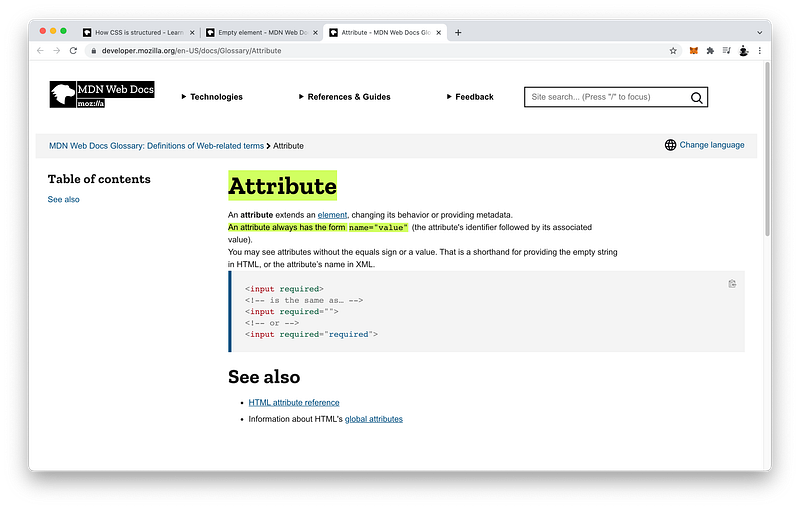
</figure></iframe></div></div></figure><h1 id="83aa">Summary</h1><p id="fdaf">There are <b>three</b> ways to include CSS code in our HTML document.</p><div id="f903"><pre><span class="hljs-keyword">Method</span> 1: <span class="hljs-keyword">External</span> CSS
<span class="hljs-keyword">Method</span> 2: Internal CSS
<span class="hljs-keyword">Method</span> 3: <span class="hljs-keyword">Inline</span> CSS</pre></div><h2 id="eeae">External CSS</h2><p id="0fcf">The <b>first</b> method is called <b>external</b> which uses the <code><b>link</b></code> tag inside the <code><b>head</b></code>.</p><figure id="5283"><img src="https://cdn-images-1.readmedium.com/v2/resize:fit:800/1*sYgVoeTe5mX3CcukP0KDaQ.png"><figcaption><a href="https://developer.mozilla.org/en-US/docs/Learn/CSS/First_steps/How_CSS_is_structured#external_stylesheet">https://developer.mozilla.org/en-US/docs/Learn/CSS/First_steps/How_CSS_is_structured#external_stylesheet</a></figcaption></figure><p id="24db"><code><b>link</b></code> tags do not have content so a closing tag is not necessary.</p><div id="40fb"><pre><span class="hljs-tag"><<span class="hljs-name">link</span>></span><span class="hljs-tag"></<span class="hljs-name">link</span>></span> => <span class="hljs-tag"><<span class="hljs-name">link</span>></span></pre></div><p id="4ea8">Formally, they are known as <b>empty</b> elements because they do not have any children.</p><figure id="925d"><img src="https://cdn-images-1.readmedium.com/v2/resize:fit:800/1*Tyd2n86wiODuJimNsNWlcA.png"><figcaption><a href="https://developer.mozilla.org/en-US/docs/Glossary/Empty_element">https://developer.mozilla.org/en-US/docs/Glossary/Empty_element</a></figcaption></figure><p id="2317">In other words, we can think of empty elements like parents who cannot have children.</p><div id="75e8"><pre>Empty elements <span class="hljs-operator">=</span>> Cannot have children</pre></div><p id="62ea">Instead, <code><b>link</b></code> tags have <b>attributes</b> that we can specify.</p><figure id="7c69"><img src="https://cdn-images-1.readmedium.com/v2/resize:fit:800/1*UmBDOPNzIrCbX7UWkxynKg.png"><figcaption><a href="https://developer.mozilla.org/en-US/docs/Glossary/Attribute">https://developer.mozilla.org/en-US/docs/Glossary/Attribute</a></figcaption></figure><p id="b10e">Attributes always have the form:</p><div id="e71c"><pre><span class="hljs-attribute">name</span><span class="hljs-operator">=</span><span class="hljs-string">"value"</span></pre></div><p id="2753">And are always written inside of <i>opening</i> tags:</p><div id="2579"><pre><tag <span class="hljs-attribute">name</span>=<span class="hljs-string">"value"</span>></pre></div><p id="fdba">For example, to import an external CSS file, we specify a <b>relationship</b> <i>attribute</i> and a <b>hypertext reference</b> <i>attribute</i>:</p><div id="3f0b"><pre><link <span class="hljs-attribute">rel</span>=<span class="hljs-string">"stylesheet"</span> <span class="hljs-attribute">href</span>=<span class="hljs-string">"styles.css"</span>></pre></div><h2 id="0d16">Internal CSS</h2><p id="76b3">The <b>second</b> method to include CSS code is called <b>internal</b> which uses the <code><b>style</b></code> tag inside the <code><b>head</b></code>.</p><figure id="6a55"><img src="https://cdn-images-1.readmedium.com/v2/resize:fit:800/1*TJrlX8QkN0MdRs2RfQMDQQ.png"><figcaption><a href="https://developer.mozilla.org/en-US/docs/Learn/CSS/First_steps/How_CSS_is_structured#internal_stylesheet">https://developer.mozilla.org/en-US/docs/Learn/CSS/First_steps/How_CSS_is_structured#internal_stylesheet</a></figcaption></figure><p id="e2d5">Unlike the <code><b>link</b></code> tag, the <code><b>style</b></code> tag has <i>content</i> and therefore must include a <i>closing</i> tag.</p><div id="7cc1"><pre><span class="hljs-tag"><<span class="hljs-name">style</span>></span><span class="hljs-tag"></<span class="hljs-name">style</span>></span></pre></div><p id="6ac7">The <i>content</i> is CSS code.</p><div id="2474"><pre><span class="hljs-tag"><<span class="hljs-name">style</span>></span><span class="language-css">
CSS <span class="hljs-selector-tag">code</span> goes here
</span><span class="hljs-tag"></<span class="hljs-name">style</span>></span></pre></div><p id="6c04">In other words, we can think of <i>non-empty</i> elements like parents who can have children.</p><div id="c4e9"><pre>Non-<span class="hljs-keyword">empty</span> elements => Can have children</pre></div><h2 id="f0ba">Inline CSS</h2><p id="ead1">Finally, the <b>third</b> method to include CSS code is called <b>inline</b> which uses the <code>style</code> <i>attribute</i> on the tag that we want to style.</p><figure id="e677"><img src="https://cdn-images-1.readmedium.com/v2/resize:fit:800/1*1NgUKQnKHCJ0H66zubaXug.png"><figcaption><a href="https://developer.mozilla.org/en-US/docs/Learn/CSS/First_steps/How_CSS_is_structured#inline_styles">https://developer.mozilla.org/en-US/docs/Learn/CSS/First_steps/How_CSS_is_structured#inline_styles</a></figcaption></figure><p id="f49d">The <b><i>value</i></b> of this attribute is CSS <b>declaration</b> <b>statements</b>.</p><div id="01d6"><pre><p <span class="hljs-built_in">style</span>=<span class="hljs-string">"color:red;"</span>>This <span class="hljs-built_in">is</span> my <span class="hljs-built_in">first</span> CSS <span class="hljs-built_in">example</span></p></pre></div><h2 id="d772">CSS Specificity</h2><p id="7146">When all three methods want to set the same CSS properties, priority will be given to the ruleset that is <i>more specific</i>.</p><div id="c15f"><pre>More <span class="hljs-keyword">Specific</span> Ruleset <span class="hljs-operator">></span> Less <span class="hljs-keyword">Specific</span> Ruleset</pre></div><p id="f2b5">For example, <i>inline</i> CSS is more specific than <i>internal</i> CSS.</p><div id="eda5"><pre><span class="hljs-keyword">Inline</span> CSS > <span class="hljs-type">Internal</span> CSS</pre></div><p id="1076">And <i>internal</i> CSS is more specific than <i>external</i> CSS.</p><div id="e9cc"><pre><span class="hljs-type">Internal</span> CSS > <span class="hljs-keyword">External</span> CSS</pre></div><p id="7969">This is called <b>CSS Specificity</b>.</p><figure id="d980"><img src="https://cdn-images-1.readmedium.com/v2/resize:fit:800/1*m7bzVTPvmMH-COROiQu-KQ.png"><figcaption><a href="https://developer.mozilla.org/en-US/docs/Web/CSS/Specificity">https://developer.mozilla.org/en-US/docs/Web/CSS/Specificity</a></figcaption></figure><blockquote id="9cc9"><p>Again, we will study <b>CSS Specificity</b> in great detail in Unit 3.</p></blockquote><p id="3209" type="7">Why would we use one method over another?</p><p id="5bef">The answer is that each method has both <b>pros</b> and <b>cons</b>.</p><p id="4a15"><b>External</b> CSS is great because we can contain all the CSS code in <b><i>one</i></b> <b>file</b>.</p><div id="2e8e"><pre>External CSS => <span class="hljs-keyword">Separate</span> <span class="hljs-keyword">File</span></pre></div><p id="1273">Which we can give to the Designers in our team.</p><div id="05ad"><pre>CSS <span class="hljs-keyword">File</span> => Designers</pre></div><p id="d9fa">Our Designers can simply focus on and edit this one CSS file while our Copywriters can focus on and edit the HTML file and nothing else.</p><div id="f5d4"><pre>Designers: CSS <span class="hljs-built_in">File</span>
Copywriters: HTML <span class="hljs-built_in">File</span></pre></div><p id="f155">The <i>drawback</i> is that because it’s a separate file, it’s <i>slower</i> for the browser to go fetch the extra CSS file.</p><div id="066a"><pre><span class="hljs-attribute">Browser</span> <span class="hljs-operator">=</span>> fetching... <span class="hljs-operator">=</span>> CSS File</pre></div><p id="e0a6"><b>Inline</b> CSS is great because we can style each tag <i>individually</i> in our HTML document.</p><div id="11ec"><pre><span class="hljs-keyword">Inline</span> CSS => can style each HTML tag</pre></div><p id="40ce">However, the <i>drawback</i> is that our CSS code <i>commingles</i> with our HTML code which can be confusing for both our Designers and our Copywriters to edit.</p><div id="f359"><pre>Inline CSS: CSS <span class="hljs-keyword">code</span> commingles <span class="hljs-keyword">with</span> HTML <span class="hljs-keyword">code</span></pre></div><p id="61f4"><b>Internal</b> CSS is great because it’s similar
Options
to external CSS in that all the CSS code is located in <i>one</i> place.</p><div id="fd1a"><pre><span class="hljs-tag"><<span class="hljs-name">html</span>></span>
<span class="hljs-tag"><<span class="hljs-name">head</span>></span>
<span class="hljs-tag"><<span class="hljs-name">style</span>></span><span class="language-css">
CSS <span class="hljs-selector-tag">code</span>
</span><span class="hljs-tag"></<span class="hljs-name">style</span>></span>
<span class="hljs-tag"></<span class="hljs-name">head</span>></span>
<span class="hljs-tag"><<span class="hljs-name">body</span>></span><span class="hljs-tag"></<span class="hljs-name">body</span>></span>
<span class="hljs-tag"></<span class="hljs-name">html</span>></span></pre></div><p id="5fc6">Yet, it still exists within the same HTML file.</p><p id="ccd4">Therefore, it’s faster than external CSS.</p><div id="80f7"><pre>Speed: <span class="hljs-type">Internal</span> CSS > <span class="hljs-keyword">External</span> CSS</pre></div><p id="162e">However, similar to inline CSS, internal CSS is in the <i>same</i> file as our HTML code.</p><div id="ba99"><pre><span class="hljs-selector-tag">HTML</span> <span class="hljs-selector-tag">File</span>: <span class="hljs-selector-tag">HTML</span> <span class="hljs-selector-tag">Code</span> + <span class="hljs-selector-tag">CSS</span> <span class="hljs-selector-tag">Code</span></pre></div><p id="251f">Hence, our Designers and our Copywriters will have to edit the <i>same</i> file when making changes. This can cause confusions and bugs.</p><div id="d1b5"><pre>HTML <span class="hljs-built_in">File</span>: Copywriters + Designers</pre></div><p id="56dd">The best practice, therefore, is actually <i>external</i> CSS because it creates <b>“separation of concerns”</b> which minimizes team members from editing <i>the</i> <i>same files at the same time</i>.</p><figure id="7314"><img src="https://cdn-images-1.readmedium.com/v2/resize:fit:800/1*wznRhVTCfIj_HJG1Z1QTiQ.png"><figcaption><a href="https://developer.mozilla.org/en-US/docs/Glossary/MVC">https://developer.mozilla.org/en-US/docs/Glossary/MVC</a></figcaption></figure><h1 id="0980">Concept Quiz</h1><p id="d04c">Take my <a href="https://frontend.siliconwat.com/#learn-chapter4"><b>Programming Concept Quiz</b></a> to check your understanding! For every correct choice, you will earn <b>SW Coins</b> which you can redeem for <b><i>coupons</i></b> towards the purchase of any of my <a href="https://siliconwat.com">Udemy courses</a>!</p><figure id="3927"><img src="https://cdn-images-1.readmedium.com/v2/resize:fit:800/1*oxvm0B3lKD_FP7YTgCoKMw.png"><figcaption><a href="https://quiz.siliconwat.com/?lang=en#frontend-chapter4">https://quiz.siliconwat.com/?lang=en#frontend-chapter4</a></figcaption></figure><p id="dfad"><b><i>Sample</i></b> Quiz Questions for <b>Lesson 4</b>:</p><h2 id="f55b">Question 1:</h2><p id="051c">Which is NOT a method to include CSS code in the HTML document?</p><ol><li>inline</li><li>online</li><li>internal</li><li>external</li></ol><h2 id="015e">Question 2:</h2><p id="1674">What tag is used to import an <i>external</i> CSS file?</p><ol><li><code><head></head></code></li><li><code><link></link></code></li><li><code><link/></code></li></ol><h2 id="60c7">Question 3:</h2><p id="8200">A <code><b>link</b></code> tag is always a child of:</p><ol><li><code><head></head></code></li><li><code><body></body></code></li></ol><h2 id="0ad7">Question 4:</h2><p id="fa09">A <code><b>link</b></code> tag can have content.</p><ol><li>True</li><li>False</li></ol><h2 id="8d9c">Question 5:</h2><p id="42da">A <code><b>link</b></code> tag can never have children tags.</p><ol><li>True</li><li>False</li></ol><h2 id="a768">Question 6:</h2><p id="b621">A <code><b>link</b></code> tag can have a <i>closing</i> tag.</p><ol><li>True</li><li>False</li></ol><h2 id="86cb">Question 7:</h2><p id="a165">Which tag is a self-closing tag?</p><ol><li><code><link></code></li><li><code><link/></code></li></ol><h2 id="b5f1">Question 8:</h2><p id="e762">A <code><b>link</b></code> tag must be a self-closing tag.</p><ol><li>True</li><li>False</li></ol><h2 id="ebd7">Question 9:</h2><p id="6fef">Which attribute is NOT required by a <code><b>link</b></code> tag to import an external CSS file?</p><ol><li><code>rel</code></li><li><code>href</code></li><li><code>style</code></li></ol><h2 id="a249">Question 10:</h2><p id="e54c">The <code>rel</code> attribute should equal to:</p><ol><li><code>“style”</code></li><li><code>“stylesheet”</code></li><li><code>“CSS”</code></li></ol><h2 id="53a6">Question 11:</h2><p id="e6dd">The <code>href</code> attribute should equal to:</p><ol><li><code>“CSS”</code></li><li><code>“stylesheet”</code></li><li><code>“[URL to an external CSS file]”</code></li></ol><h2 id="11d9">Question 12:</h2><p id="35e2">What tag is used to include an <i>internal</i> stylesheet?</p><ol><li><code><link></code></li><li><code><style></style></code></li><li><code><head></head></code></li></ol><h2 id="fa2d">Question 13:</h2><p id="a19d">The <code><b>style</b></code> tag is always a child of:</p><ol><li><code><head></head></code></li><li><code><body></body></code></li><li><code><link></code></li></ol><h2 id="1c86">Question 14:</h2><p id="3f1b">A <code><b>style</b></code> tag must have a <i>closing</i> tag.</p><ol><li>True</li><li>False</li></ol><h2 id="8557">Question 15:</h2><p id="9dab">What kind of content is written inside a <code><b>style</b></code> tag?</p><ol><li>any text</li><li>CSS code</li><li>children tags</li></ol><h2 id="ea0a">Question 16:</h2><p id="06c5">What <b>attribute</b> is used to add <i>inline</i> CSS to any tags?</p><ol><li><code>rel</code></li><li><code>href</code></li><li><code>style</code></li></ol><h2 id="2353">Question 17:</h2><p id="caad">The <code>style</code> attribute should equal to:</p><ol><li><code>"css"</code></li><li><code>“stylesheet”</code></li><li><code>“[CSS declaration statements]”</code></li></ol><h2 id="d611">Question 18:</h2><p id="bede">Which is an empty element?</p><ol><li><code><head></head></code></li><li><code><style></style></code></li><li><code><link></code></li></ol><h2 id="81db">Question 19:</h2><p id="cb13">Attributes always have the form:</p><ol><li><code>name=value</code></li><li><code>name=”value”</code></li></ol><h2 id="9603">Question 20:</h2><p id="edf9">What is CSS Specificity?</p><ol><li>Priority is given to the CSS property that is <i>least</i> specific.</li><li>Priority is given to the CSS property that is <i>most</i> specific.</li></ol><h2 id="5bf7">Question 21:</h2><p id="b42d">Which method has the <i>highest</i> CSS priority?</p><ol><li>external</li><li>internal</li><li>inline</li></ol><h2 id="1517">Question 22:</h2><p id="d731">Which method has the <i>lowest</i> CSS priority?</p><ol><li>external</li><li>internal</li><li>inline</li></ol><h2 id="2a88">Question 23:</h2><p id="1be5">Which is NOT a benefit of an <i>external</i> stylesheet?</p><ol><li>All the CSS code is located in one file.</li><li>It is slower for the browser to fetch the external file.</li></ol><h2 id="de1e">Question 24:</h2><p id="a60e">Which is NOT a benefit of an <i>internal</i> stylesheet?</p><ol><li>All the CSS code is located in one place.</li><li>Designers and copywriters will need to edit the same file.</li></ol><h2 id="368e">Question 25:</h2><p id="b06b">Which is NOT a benefit of <i>inline</i> CSS?</p><ol><li>We can style each HTML tag individually.</li><li>The CSS code commingles with the HTML code.</li></ol><h2 id="e2d2">Question 26:</h2><p id="5e54"><b>Separation of concerns</b> minimizes team members from editing the same files at the same time.</p><ol><li>True</li><li>False</li></ol><h2 id="9a60">Question 27:</h2><p id="8030">Which method achieves the <i>most</i> separation of concerns?</p><ol><li>inline</li><li>internal</li><li>external</li></ol><h2 id="0e5d">Question 28:</h2><p id="345b">Which method has the <i>least</i> separation of concerns?</p><ol><li>external</li><li>internal</li><li>inline</li></ol><h2 id="1406">Question 29:</h2><p id="1935">In practice, what is the best method for a development team?</p><ol><li>external</li><li>internal</li><li>inline</li></ol><figure id="65ab"><img src="https://cdn-images-1.readmedium.com/v2/resize:fit:800/1*Twlkcbwl6ilLRaXucZbk1w.png"><figcaption><a href="https://quiz.siliconwat.com/?lang=en#frontend-chapter4">https://quiz.siliconwat.com/?lang=en#frontend-chapter4</a></figcaption></figure><p id="30c3">→ <a href="https://frontend.siliconwat.com/#learn-chapter4">Programming Concept Quiz for Chapter 4</a></p><h1 id="5a6f">Coding Exercises</h1><p id="28d1">Check out my <a href="https://frontend.siliconwat.com/#practice-chapter4"><b>Interactive Coding Exercises</b></a> to put to practice what you have learned! There, you will also find <b><i>interactive hints</i></b> to help you understand<i> each line of code. </i>Likewise, for every correct solution, you will earn <b>SW Coins</b> which you can redeem for <b><i>coupons</i></b> towards the purchase of any of my <a href="https://siliconwat.com">Udemy courses</a>!</p><p id="b26c">→ <a href="https://frontend.siliconwat.com/#practice-chapter4">Interactive Coding Exercises for Chapter 4</a></p><h1 id="da70">Syntax Flashcards</h1><p id="ebac">Review what you have learned by playing my <a href="https://frontend.siliconwat.com/#review-chapter4"><b>Syntax Flashcard Game</b></a>! These flashcards are designed to help you <b><i>commit to memory</i></b> all the <b><i>new</i></b> <b>code</b> <b>syntaxes</b> you learned in this lesson.</p><figure id="56cb"><img src="https://cdn-images-1.readmedium.com/v2/resize:fit:800/1*LM2bVcZ0grBo_cz_jfA1eQ.png"><figcaption><a href="https://flashcard.siliconwat.com/?lang=en#frontend-chapter4">https://flashcard.siliconwat.com/?lang=en#frontend-chapter4</a></figcaption></figure><p id="4d35">Likewise, for every correct answer, you will earn <b>SW Coins</b> which you can redeem for <b><i>coupons</i></b> towards the purchase of any of my <a href="https://siliconwat.com">Udemy courses</a>!</p><figure id="f5f1"><img src="https://cdn-images-1.readmedium.com/v2/resize:fit:800/1*RnVoy-t5s6aCzKeD7cYebA.png"><figcaption><a href="https://flashcard.siliconwat.com/?lang=en#frontend-chapter4">https://flashcard.siliconwat.com/?lang=en#frontend-chapter4</a></figcaption></figure><p id="20ad">→ <a href="https://frontend.siliconwat.com/#review-chapter4">Syntax Flashcard Game for Chapter 4</a></p><h1 id="2ded">Next Steps</h1><p id="b323">Congrats on completing <b>Unit 1:</b> <b>Lesson 4 of 5</b>! 🎉</p><div id="9f05"><pre><span class="hljs-attribute">Unit</span> <span class="hljs-number">1</span>: <span class="hljs-number">80</span>% Completed
<span class="hljs-attribute">Unit</span> <span class="hljs-number">2</span>: <span class="hljs-number">0</span>% Completed
<span class="hljs-attribute">Unit</span> <span class="hljs-number">3</span>: <span class="hljs-number">0</span>% Completed
<span class="hljs-attribute">Unit</span> <span class="hljs-number">4</span>: <span class="hljs-number">0</span>% Completed
<span class="hljs-attribute">Unit</span> <span class="hljs-number">5</span>: <span class="hljs-number">0</span>% Completed
<span class="hljs-attribute">Bonus</span> Unit <span class="hljs-number">6</span>: <span class="hljs-number">0</span>% Completed
<span class="hljs-attribute">Bonus</span> Unit <span class="hljs-number">7</span>: <span class="hljs-number">0</span>% Completed</pre></div><div id="5403"><pre><span class="hljs-attribute">Overall</span> Progress: <span class="hljs-number">4</span>% Completed</pre></div><p id="4da0">→ <a href="https://frontend.siliconwat.org">Join Remote Frontend Cohort Program</a></p><h2 id="b9c2">Next Lesson</h2><p id="6832">In the next lesson, we will learn how to <b>import</b> JavaScript code via <b>three</b> different methods as well. To import <b>external</b> JavaScript code, we use the <code><b>script</b></code> tag and the <code>src</code> attribute. To include <b>internal</b> JavaScript code, we use the <i>content</i> of the <code><b>script</b></code> tag. To include <b>inline</b> JavaScript code, we can add <b>event listeners</b> as <i>attributes</i>. This lesson will go over these methods in detail!</p><p id="53ec"><b>→ <a href="https://readmedium.com/chapter-5-importing-javascript-code-e53b86d2e8b6">Chapter 5: Importing JavaScript Code</a></b></p><p id="f20a"><b>← <a href="https://frontend.siliconwat.com">Table of Contents</a></b></p><div id="f916" class="link-block">
<a href="https://medium.com/@thonly/membership">
<div>
<div>
<h2>Join Medium with my referral link — Thon Ly</h2>
<div><h3>As a Medium member, a portion of your membership fee goes to writers you read, and you get full access to every story…</h3></div>
<div><p>medium.com</p></div>
</div>
<div>
<div style="background-image: url(https://miro.readmedium.com/v2/resize:fit:320/0*gOmGdkmkAHn0xYBV)"></div>
</div>
</div>
</a>
</div><blockquote id="0a07"><p>When you use my <a href="https://medium.com/@thonly/membership">referral link</a> above 👆 to become a Medium member, <b>all proceeds</b> will be donated towards the construction of the <a href="https://siliconwat.org">Silicon Wat Campus</a> for children in <b>Ukraine</b> and <b>Cambodia</b> ❤️</p></blockquote></article></body>
Chapter 4: Importing CSS Code
A Complete Frontend Developer Textbook for Beginners (2023 Edition)
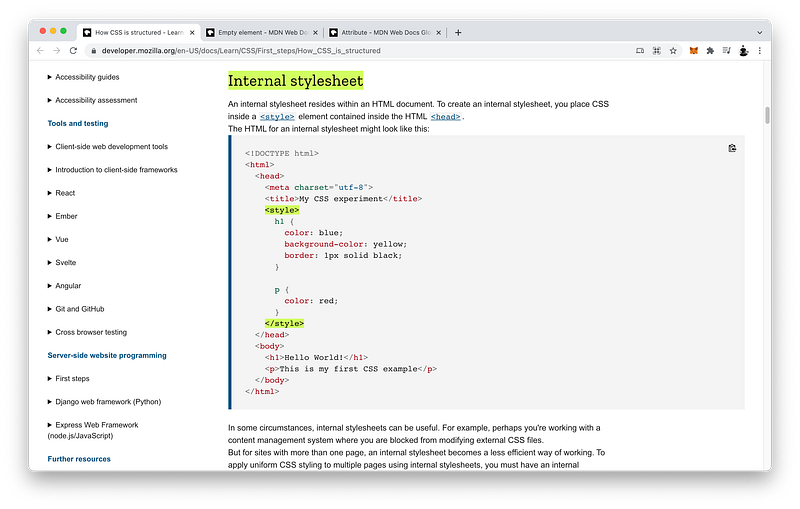
Unlike the link tag, the style tag has content and therefore we must include a closingstyle tag.
<style></style>
What is its content?
CSS code.
For example, let’s change the background to yellow.
<style>body {
background: yellow;
}
</style>
There it is:
UI Window:
[background changed to yellow]
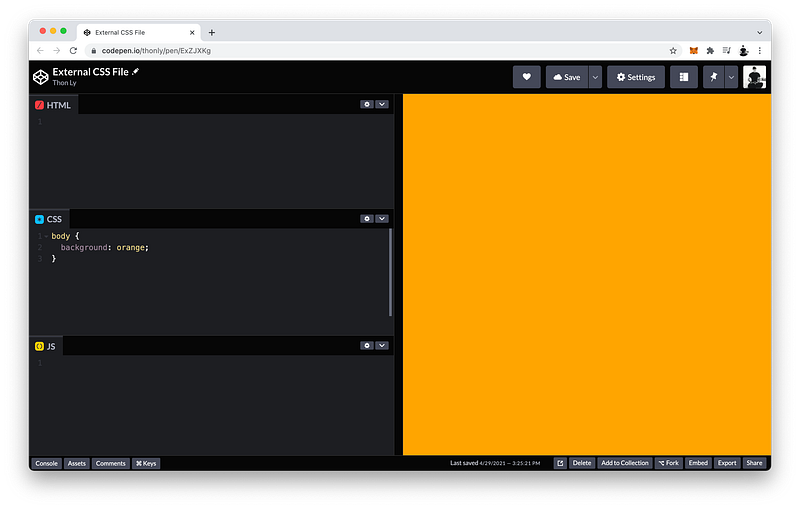
Notice that our external CSS code and our internal CSS code both want to set the color of the background, but priority is given to a background of yellow instead of orange.
Don’t forget to surround the declarations with quotes!
The CSS bodyselector is not necessary here because it’s already implied by its presence inside the body bag.
<body style="background: skyblue;"></body>
Notice that there are now three different locations where the CSS rulesets want to set the color of the background, yet in this case, priority is given to our inline CSS code.
UI Window:
[background changed to sky blue]
Why is that?
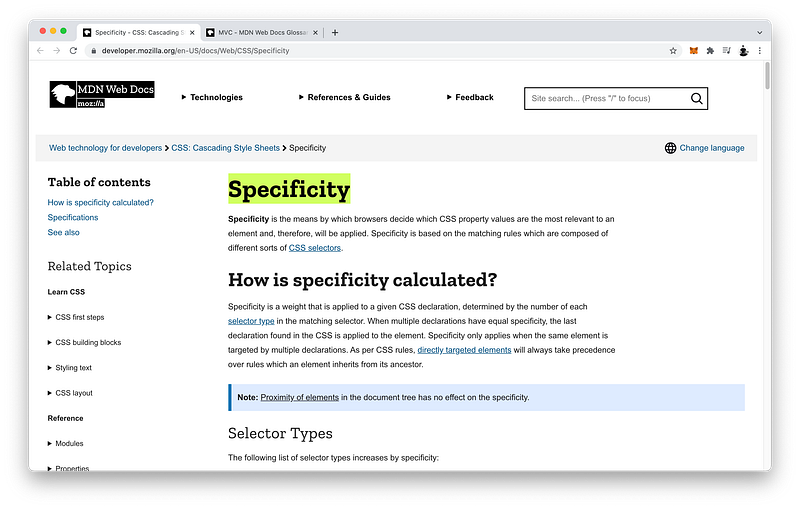
The answer is called CSS Specificity which basically states that priority will be given to the CSS property that is more specific.
You may have guessed it by now: inline CSS is more specific than internal CSS which is more specific than external CSS.
Inline CSS > Internal CSS > External CSS
In other words, inline CSS is the most specific and has the highest priority.
Inline CSS > Internal CSS > External CSS
While external CSS is the least specific and has the lowest priority.
Inline CSS > Internal CSS > External CSS
CSS Specificity has many other nuances which we will study in detail in Unit 3.
However, similar to inline CSS, internal CSS is in the same file as our HTML code.
HTMLFile: HTMLCode + CSSCode
Hence, our Designers and our Copywriters will have to edit the same file when making changes. This can cause confusions and bugs.
HTML File: Copywriters + Designers
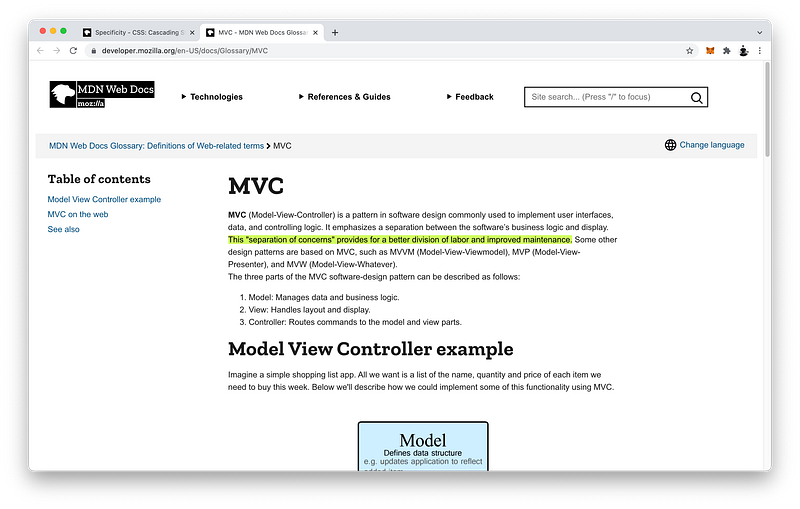
The best practice, therefore, is actually external CSS because it creates “separation of concerns” which minimizes team members from editing thesame files at the same time.
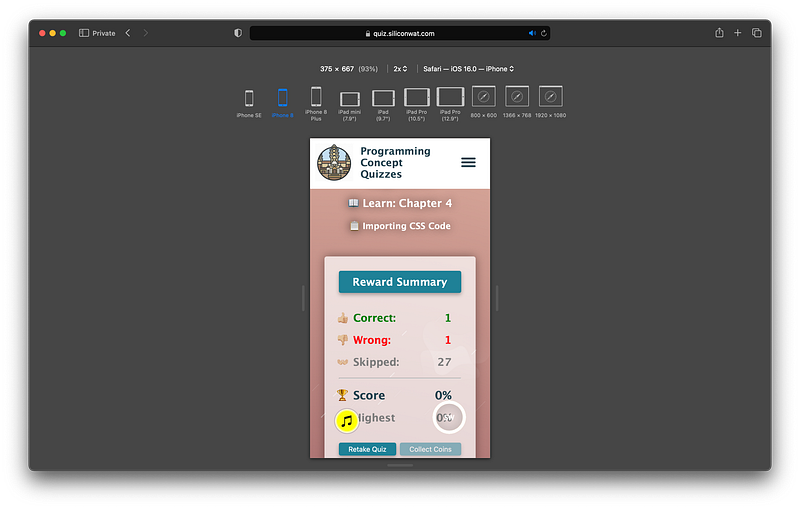
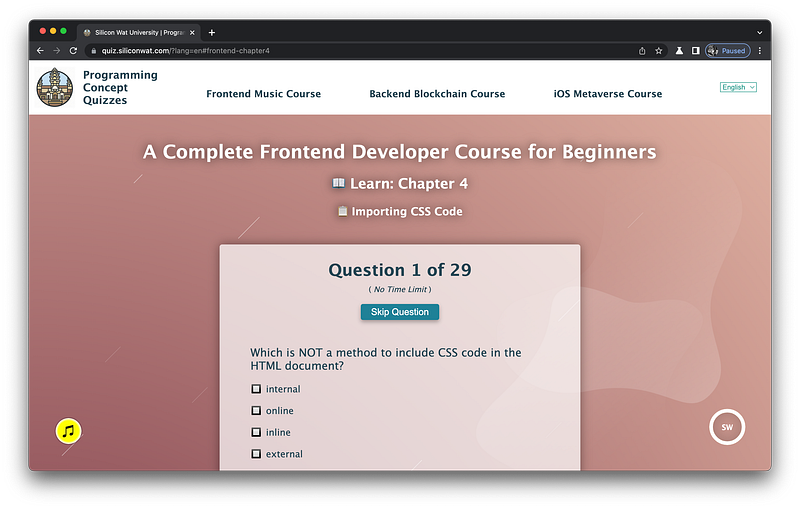
Take my Programming Concept Quiz to check your understanding! For every correct choice, you will earn SW Coins which you can redeem for coupons towards the purchase of any of my Udemy courses!
Check out my Interactive Coding Exercises to put to practice what you have learned! There, you will also find interactive hints to help you understand each line of code. Likewise, for every correct solution, you will earn SW Coins which you can redeem for coupons towards the purchase of any of my Udemy courses!
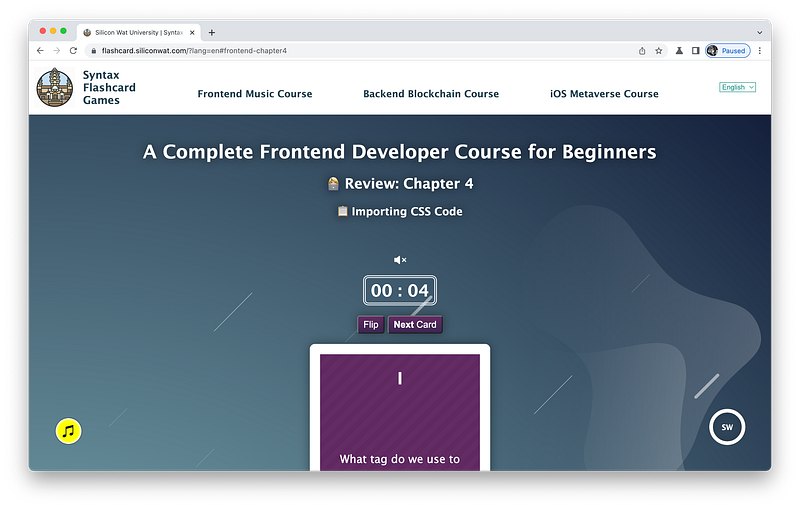
Review what you have learned by playing my Syntax Flashcard Game! These flashcards are designed to help you commit to memory all the newcodesyntaxes you learned in this lesson.
In the next lesson, we will learn how to import JavaScript code via three different methods as well. To import external JavaScript code, we use the script tag and the src attribute. To include internal JavaScript code, we use the content of the script tag. To include inline JavaScript code, we can add event listeners as attributes. This lesson will go over these methods in detail!
When you use my referral link above 👆 to become a Medium member, all proceeds will be donated towards the construction of the Silicon Wat Campus for children in Ukraine and Cambodia ❤️