
Building a Container for AWS Batch vs. AWS Lambda
ACM.332 Also trying to figure out which IP ranges are required for trusted downloads
~~~~~~~~~~~~~~~~~~~~~~~~~~~~~~~~~~~~~~~~~~~~~~~~~~~~~~~
⚙️ Check out my series on Automating Cybersecurity Metrics | Code.
🔒 Related Stories: Lambda | Secure Code | Container Security | Batch
💻 Free Content on Jobs in Cybersecurity | ✉️ Sign up for the Email List
~~~~~~~~~~~~~~~~~~~~~~~~~~~~~~~~~~~~~~~~~~~~~~~~~~~~~~~
In the last post I explored what changes I would need to make to move my container from Lambda to Batch because it’s not working in Lambda and I’m curious about using Batch long term anyway.
In this post I’m going to make some changes to my container so it works with AWS Batch. Now you may recall that I added some network restrictions to my EC2 network where I’m running docker to build my container. I did that after I built most of my initial Lambda function. That means my Dockerfile is now running from a private network with additional network restrictions that did not exist before. Let’s see what happens. And by the way I’ll address this further in a future post.
Base image
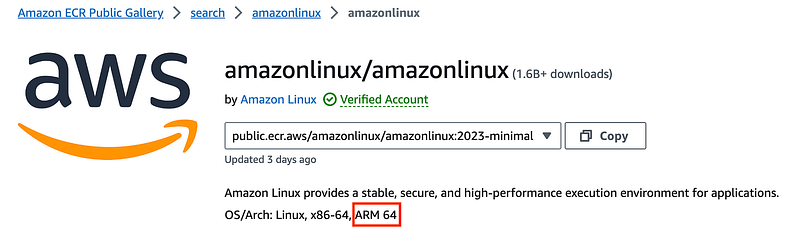
Let’s find a new base image from the public ECR repository:
I want to use the latest — Amazon Linux 2023 — and I need support for ARM. The minimal version is a multi-platform build and will work.
Dockerfile
I’m not sure if I need the full version or if the minimal will work for us. Let’s try it.
- Created a new container folder called batchtest.
- Copied over my Dockerfile from my prior dockertest folder.
- Created an include folder
- Added a run.sh file which simply echoes “hello” for now.
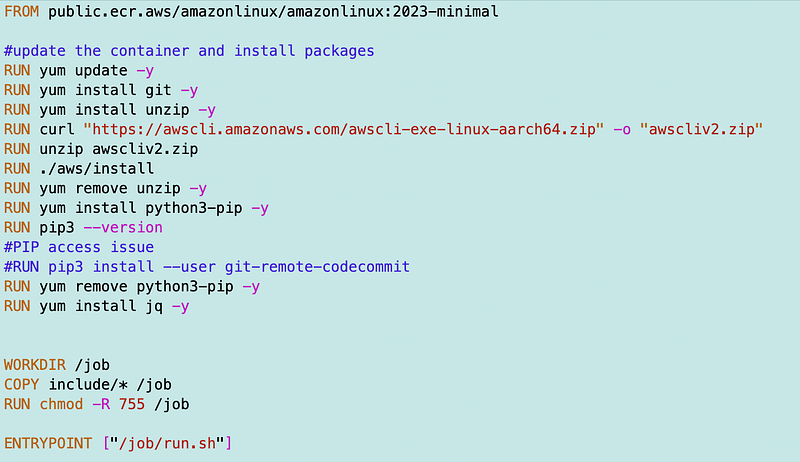
Here’s my updated Dockerfile.
- Removed the Lambda specific code.
- Point the workdir to a folder called “jobs”.
- Copy the include directory files to the workdir.
- Change the permission (chmod) of the files in the jobs directory.
- Set the entry point as the run.sh file in the jobs directory.
Generic build script
Modified my build script to work for any image name:
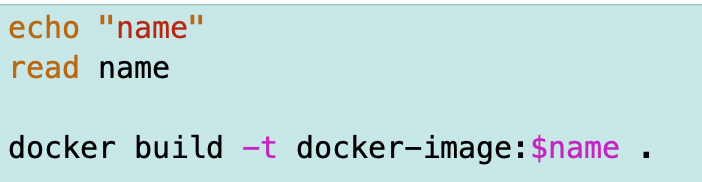
I moved it into my general container directory and can run it like this:
../../build.sh

from

/Containers/images/batchtest
Network issues
When I attempt to run my build script now I get a timeout trying to reach the ECR repository:

Once again I’m having to hit public IPs to pull down this container:
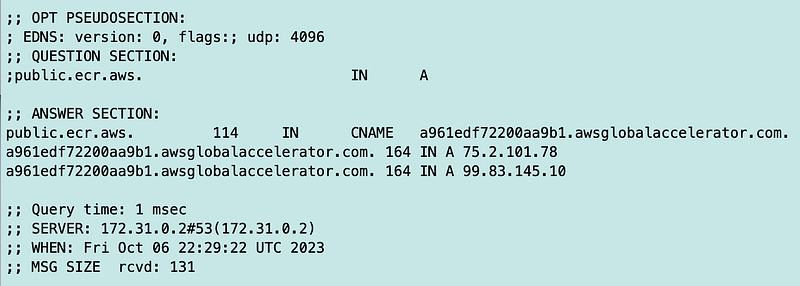
AWS doesn’t seem to provide a way to get these privately. The solution would be to retrieve the public containers and push them to the private repository, performing a checksum and a scan on the container. For now, I will open up my network to those two IP addresses.
Closer:

But no…

Hmm. ecr.aws resolves to something different:
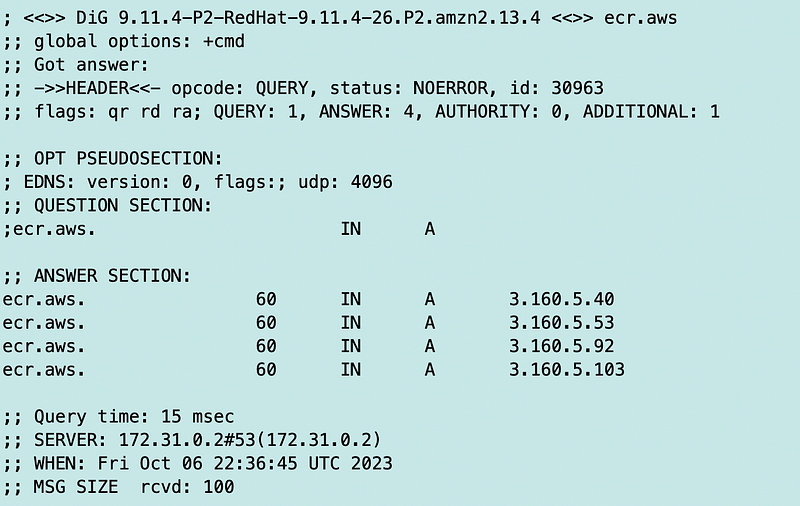
That IP resolves to CloudFront.
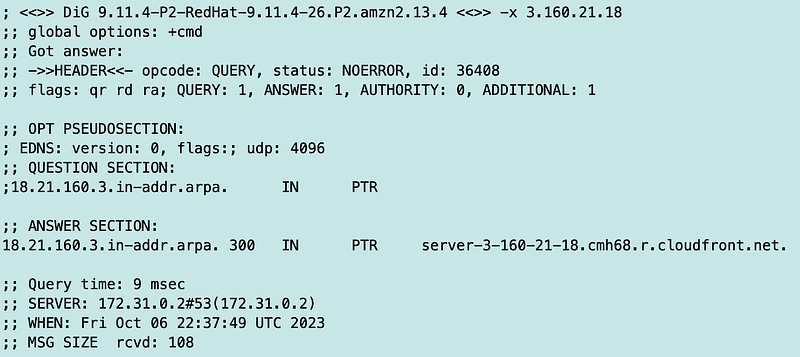
Well, I’ll add that too.
Now this:
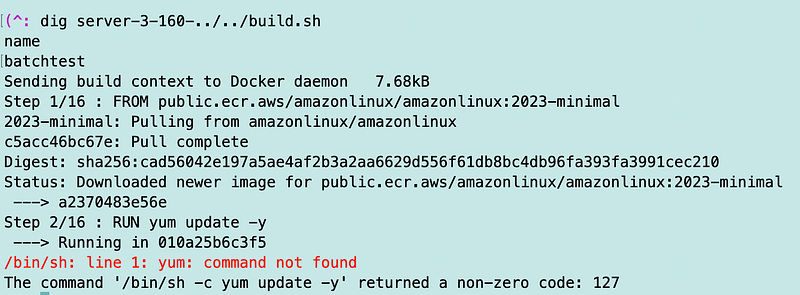
So perhaps the minimal container doesn’t have Yum. I’ll try the full Amazon Linux 2023 image.
While searching around I stumbled across this:
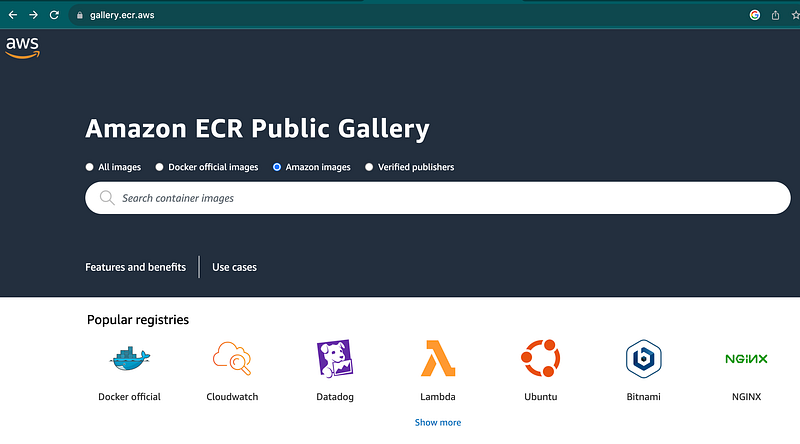
Searching there leads me to the link I provided earlier.
I updated the FROM statement as follows:

Got a bit further but still blocked at this point:
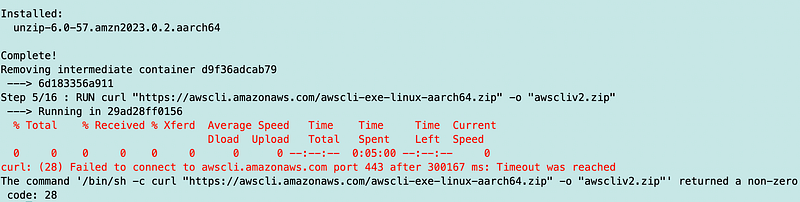
That leads me to these IP addresses:
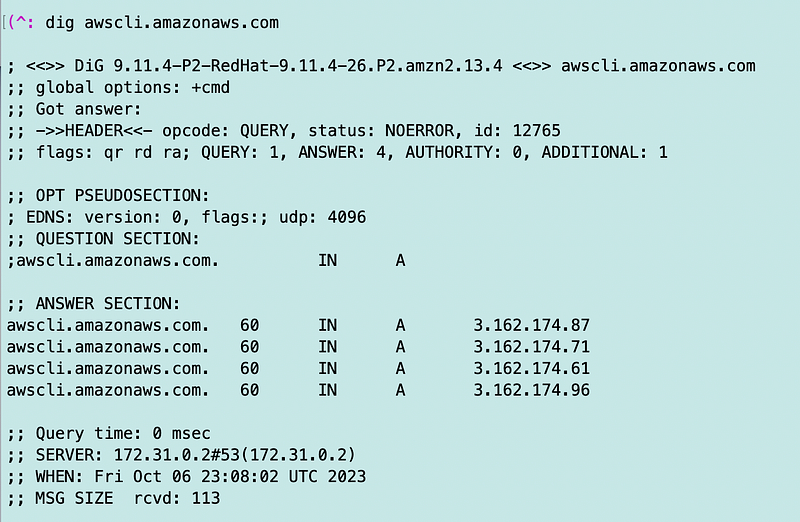
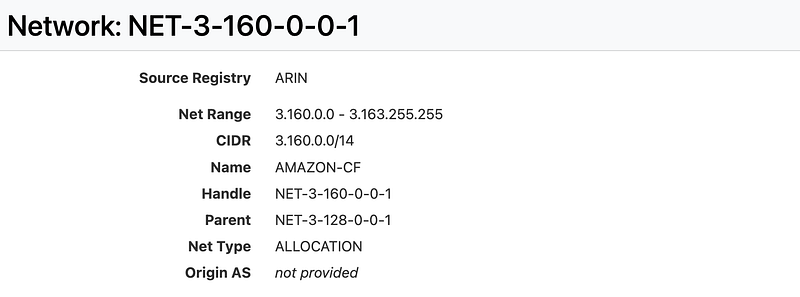
Looks like that is also in this CloudFront range. I’m going to add this range for now. Not ideal but will get past any more downloads blocked in that range.
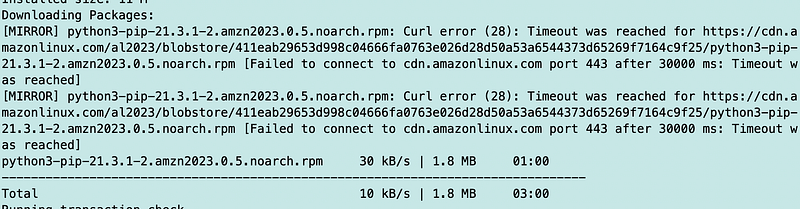
Next I get these errors, but the pip install eventually succeeds:
And my container builds.
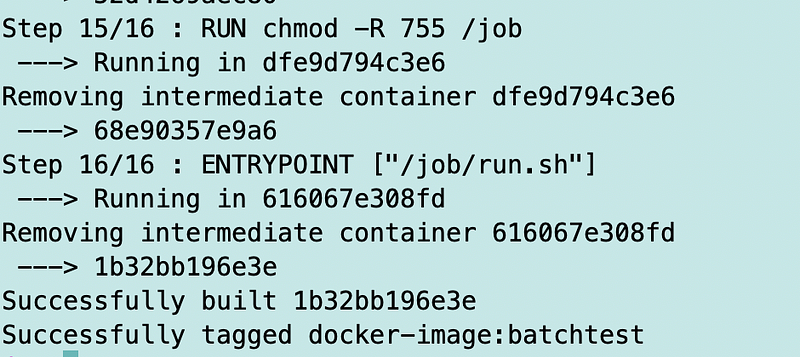
Now one thing I left out was this package for accessing CodeCommit:
git-remote-codecommit

I wrote about using that package here and why we need it.
Since I’m figuring out my networking I’ll go ahead and try that one again. Last time I tried it, the package was coming from the Fastly CDN. I would rather have it come from an AWS network at least, better yet, a private IP address via a VPC endpoint. Let’s see what happens.
Yes this still hosted at the public Python repository: pypi.org

Which resolves to:
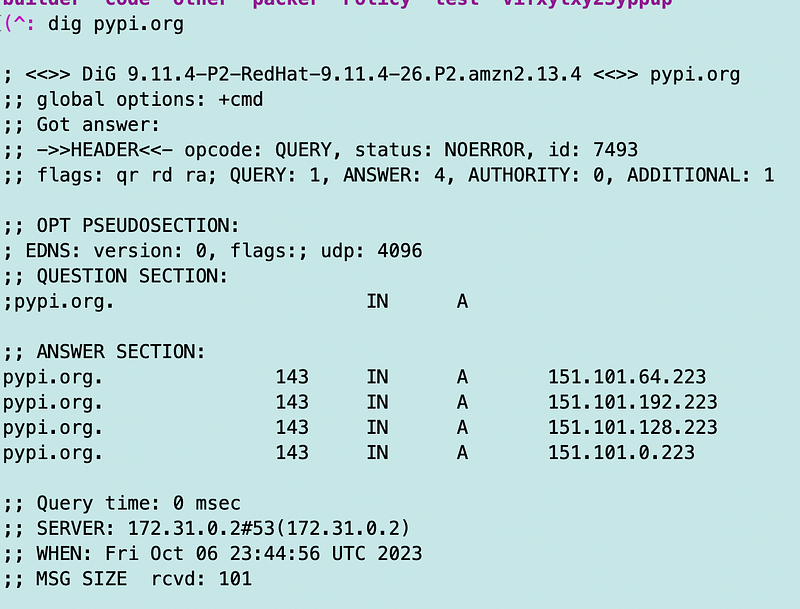
Next error:
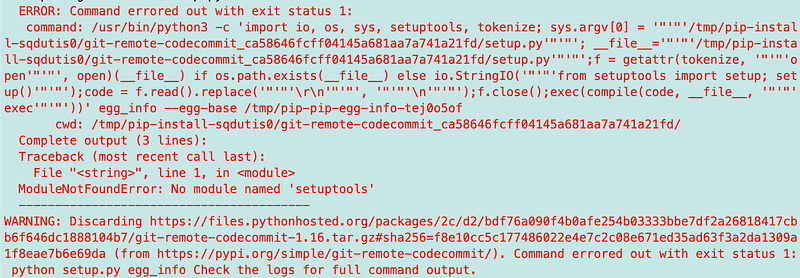
I add the setup tools to the Dockerfile:
RUN pip install --user setuptoolsThat works:

Soapbox Time — we need secure packages from private networks
We need a better way to install packages from trusted sources. I’ll hopefully get to a solution for that in a future post. But for the moment I at least wish that all AWS tools and all AWS provided compute images pulled packages from the AWS network and better yet, the region in use.
For example, when I try to update Ubuntu it’s reaching out to addresses in the UK. How do I know if those addresses are legitimate? I have to do some research to try to pin that down.
What would be even better is if there was a trusted registry of packages that you could download from AWS via a VPC endpoint that used only private IP addresses. For example, any python packages installed via pip that are provided by or recommended by AWS should be in that repository, along with yum packages, AWS Machine Images, and AWS provided containers.
Hopefully AWS is working on something like that for any customers, even if not using their package repository product.
Back to testing
Next up I want to run my container and see if it works.
I can check to see that the image exists:

I run my container and it works as expected:

I noticed that I’m reusing the image name docker-image above and changing the tag to batchtest. I’ll fix that later so the image name is batchtest and the tag is the version (I think).
Now my container runs the script as the entry point instead of waiting to be triggered by AWS Lambda.
Here’s my Dockerfile after the changes:
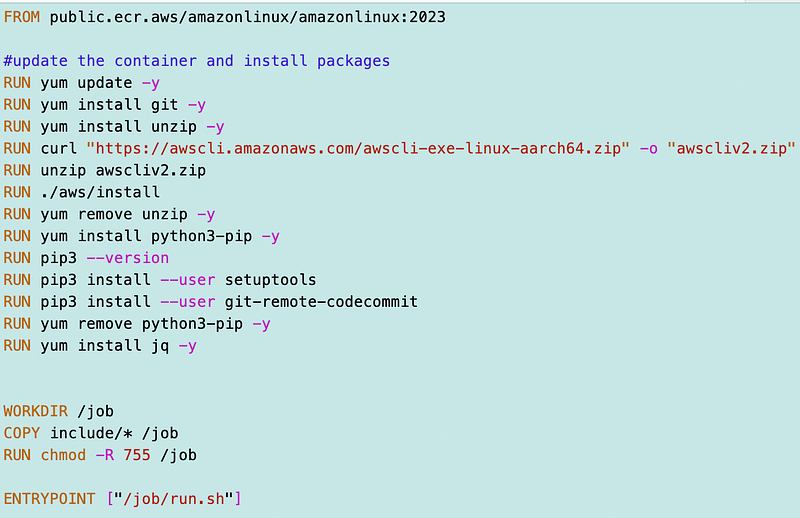
Note that I’m not done evaluating my container security:
Next I’m going to create the IAM roles and policies and move the code from my Lambda function into the container, making the necessary adjustments.
Follow for updates.
Teri Radichel | © 2nd Sight Lab 2023
About Teri Radichel:
~~~~~~~~~~~~~~~~~~~~
⭐️ Author: Cybersecurity Books
⭐️ Presentations: Presentations by Teri Radichel
⭐️ Recognition: SANS Award, AWS Security Hero, IANS Faculty
⭐️ Certifications: SANS ~ GSE 240
⭐️ Education: BA Business, Master of Software Engineering, Master of Infosec
⭐️ Company: Penetration Tests, Assessments, Phone Consulting ~ 2nd Sight Lab
Need Help With Cybersecurity, Cloud, or Application Security?
~~~~~~~~~~~~~~~~~~~~~~~~~~~~~~~~~~~~~~~~~~~~~~~~~~~~~~~~~~~~~
🔒 Request a penetration test or security assessment
🔒 Schedule a consulting call
🔒 Cybersecurity Speaker for PresentationFollow for more stories like this:
~~~~~~~~~~~~~~~~~~~~~~~~~~~~~~~~~~~~~~~~~~~~~~~~~~~~~~~~~~~~~
❤️ Sign Up my Medium Email List
❤️ Twitter: @teriradichel
❤️ LinkedIn: https://www.linkedin.com/in/teriradichel
❤️ Mastodon: @teriradichel@infosec.exchange
❤️ Facebook: 2nd Sight Lab
❤️ YouTube: @2ndsightlab


