
A Notchless iPhone Isn’t Going to Solve the Real Issue
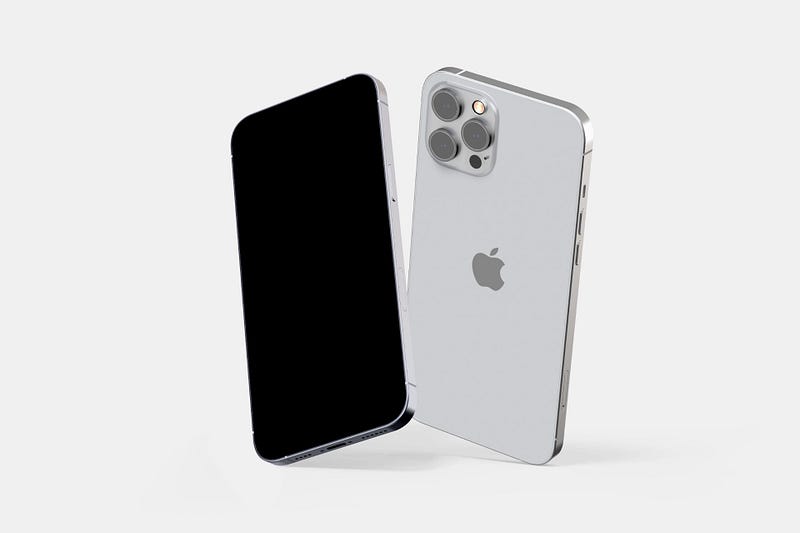
The smartphone revolution has not happened yet. As a result, smartphones aren’t really smart. To understand my argument for this story, I will discuss what makes a phone “smart,” but before that, let’s look at what smartphones did for us.
Hardware Limitations
When I think about smartphones, my memories bring back moments when the iPhone 4 was released. I loved to own an iPhone back then, but I couldn’t afford one, so I purchased an iPod Touch. It was a fantastic experience. I saw the world of apps and games, some of which showed a glimpse of what the future will hold for humanity.
The fact that such a thin device could help me with my education and entertain me with games was phenomenal. I remember watching the Apple conference in which Mr. Jobs introduced the new iPod Touch, and the geek inside me was having the time of his life.
It was the end of 2016, close to Christmas. I was finally able to work. I received my first paycheck and got myself an iPhone 7.
What a beauty! A new design with an improved Taptic engine meant a more durable smartphone from Apple. I loved the camera, took many selfies, and recorded videos in 4K. I played games, designed iOS apps, and read as much as I could about Apple A10 Fusion which powered the device.
I was amazed by how well the SoC handled complex and heavy tasks. The ARM architecture in Apple iPhones has proved to be a workhorse.
Using my iPhone 7, I planned my life, received timely notifications, and became more productive. As years passed, most changes I saw in iPhones were having a larger display, less screen bezels, and more powerful processors. Granted, the SoCs have improved drastically, but the rest of the iPhone lineup slowly received any major upgrade.
I started to form an opinion about the state of technology in smartphones. I saw the competitors struggling to introduce new and improved changes, whether design or engineering.
Eventually, I realized that the lack of upgrade was mainly due to hardware limitations.
Looking back at the iPhone lineup, the significant changes were:
- iPhone 7 Portrait photography, upgraded finish, and materials, A10 Fusion chip
- iPhone 8 Wireless charging, A11 Bionic, More RAM
- iPhone X More screen real-estate, Face-ID Authentication, New navigation gestures
- iPhone XS A12 Bionic, HDR, and Dolby Atmos support
- iPhone 11 A13 Bionic, Larger screen, U1 Chip
- iPhone 12 A14 Bionic, Ceramic shield, More usable design, MagSafe, and 5G Support
- iPhone 13 A15 Bionic, Improved camera, Better screen, improved battery
Looking at these changes, I can’t see many significant improvements to the smartphone lineup. Instead, the SoC changes are the most noticeable upgrades in each generation of iPhones.
Speaking of Apple’s SoCs, we all know how good Apple makes their custom chips. Their Apple Silicon on Macs is phenomenal. For example, the performance of the Apple M1 SoC is top-notch, and the battery life is highly optimized, making them better than any competitor in the industry.
All that said, I haven’t seen any real smartness in smart devices, whether that is a Mac, iPhone, or iPad. Instead, marketing teams mostly use the term “Smart” to advocate powerful devices limited by hardware advancements.
Let’s take a look at AirPods. They are incredibly convenient with decent sound quality and come with microphones to communicate with people or ask Siri questions. I own a pair of AirPods (2nd Gen), and I love them, but I never consider them smart.
A smart earphone must be like an assistant to me. It should have its operating system and set of software. It should only recognize my voice and should be able to connect to the internet without the presence of a smartphone. That is why I say the technology for these “smart” devices is limited. The hardware advancements have not progressed enough to minify their large components, and the software still can’t provide a personalized experience for you.
In the world of smartphones, we count on iPhones to help us navigate, check the weather, read news, plan life, work, play games, and entertain, amongst many other use cases. But in each area, smartphones don’t provide an experience that I would count as helpful or life-changing.
Here are five of my most used use-cases on an iPhone and how they could be:
1. Navigation
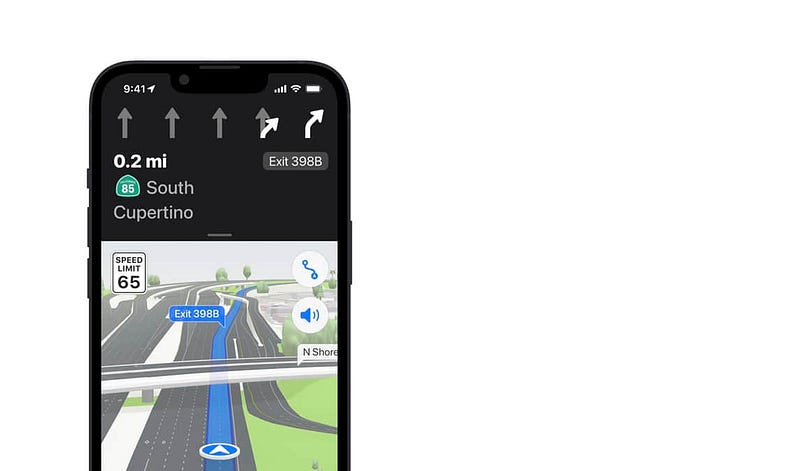
Naturally, when I want to drive to work, I use the Maps app. It is a visually appealing app that brings extra information for my need, but so does many other competitors out there. Competitors like Google Maps, Nokia Here, and Waze do the same.
What I want from Maps is not only the direction or when I should move, so I don’t get stuck in traffic (even though it is pointless because there is always traffic), but I want a personalized experience. A contextually aware experience of not just me, but the world we live in.
Suppose I want to drive to work. Well, Maps could not only help me with navigation but know about my condition. If I was at the dentist yesterday and I’m still under the effect of medications, it should suggest that I take an Uber or Lyft rather than simply drawing directions on the map.
Or suppose I want to go to the dentist. Then, the Maps app should use the information in the Apple Health app, read the list of my medications and tell me if it is safe to go to the dentist based on my current condition.
All I’m saying is that context matters, and our “smartphones” are not contextually aware.
2. Personal Assistance
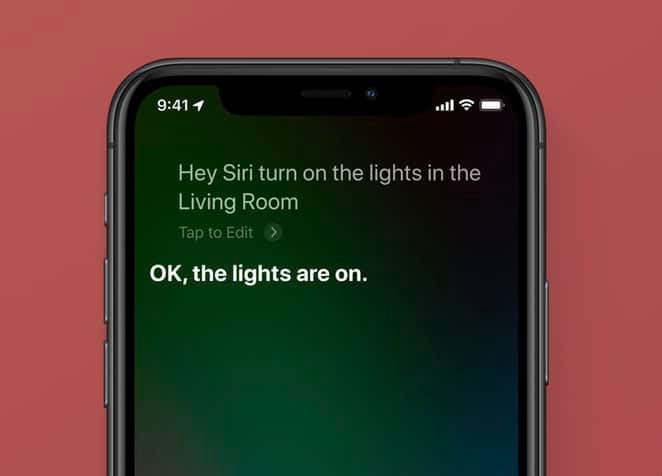
Using Siri at this stage is not what I would call a convenience. Sure, you can trigger it by using the word “Hey, Siri” followed by your command, but this is as primitive as it can get.
In an ideal situation, Siri should know when you talk with her without requiring any trigger words. It should only and accurately recognize your voice. For example, it should identify accents, different tones of voice.
Apple is famous for designing products with privacy in mind. I believe that we are more than capable of creating a future in which Siri works entirely offline without the need to gather data on Apple’s servers. Once the hardware advancements are up to the level in which a large SoC can fit in an AirPod, I think the AI can understand much more about our life and work and suggest convenient shortcuts for our digital life.
Many people need to remove their wisdom teeth. Imagine talking to your doctor and asking for an appointment. Siri should be intelligent enough to recognize the content and the context of your phone call (all offline) and suggest creating calendar events. It should also offer a couple of notes to prepare for before and after the surgery. In addition, it should already prepare a plan near your dentist’s office to locate nearby drugstores and pin them in your maps app. Lastly, it should inform a close friend or family member to accompany you during the doctor’s office trip.
These are the things that people generally forget and have to deal with when it necessitates them. Imagine being in pain of teeth surgery and then realizing that you should have asked a friend to accompany you.
3. Planning Events
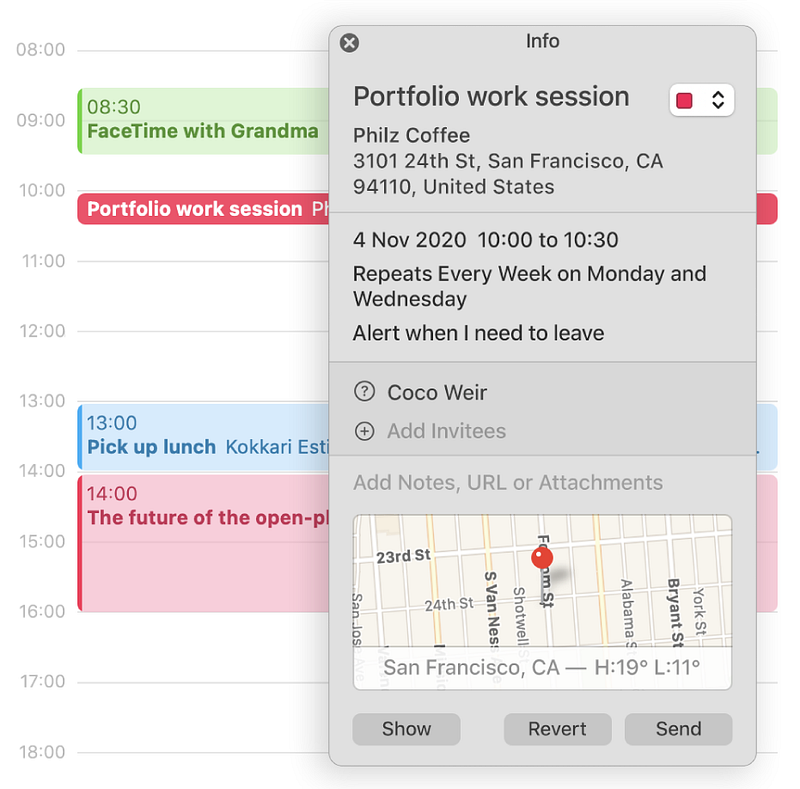
As our world is getting more digital, and AI is automating many tasks in our lives, having an organization system is plenty helpful. Many people use calendars to set appointments and events as a way to remember and not forget. But, what if your calendar was more than that?
- What if your iPhone could intelligently look at your events and suggest preparations?
- What if your iPhone recognized the content of your calendar event and automatically performed some tasks?
As an Apple enthusiast, I get way too excited for their conferences and love the new iterations of their software and hardware. So when Apple says that a specific OS will arrive at a particular time, I create a calendar appointment, so I don’t forget to update my device. What I wish happened was for the calendar app to do the following tasks:
- Turn on some state like do not disturb mode, so whenever someone contacts me, they would know I’m busy with a software complication.
- Automatically recognize when I’m not using my device and update it.
- Pushes a series of notifications from the Tips app and introduce me to the new update.
- Suggest sharing my initial experience with Apple.
Of course, not everyone wants that, and it is my preferred use case. Each app and service on your iPhone should recognize you and your needs. It should suggest shortcuts and reduce friction from my workflow.
4. Recording Events
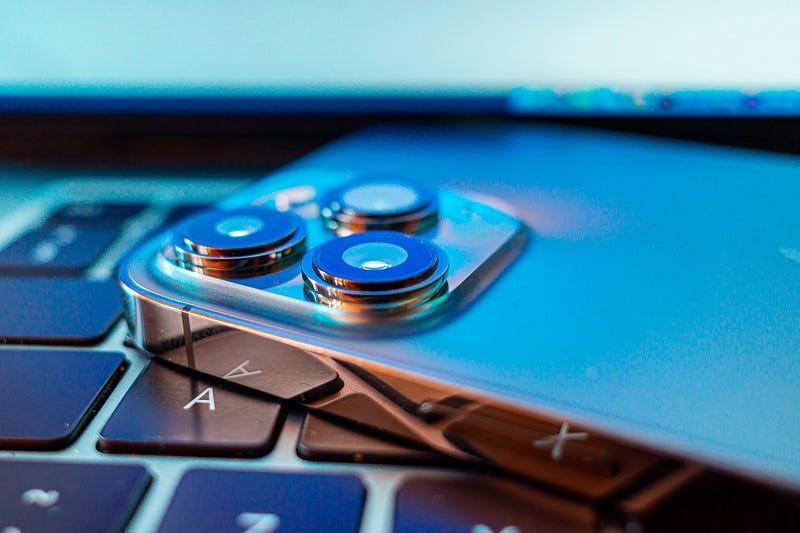
There are many moments we like to keep as digital memories. What happens when we take photos, record videos, record audio, and take notes. We got plenty of apps and services to do that. Many of which are unique. But, again, they are not smart.
The most common issue I have seen from people recording a video is doing it in portrait orientation. As a result, their videos lack detail and look weird, especially looking at them on a larger screen. What if our phones could show what we are recording in portrait view but always record in landscape orientation. A simple option to enable landscape video record in the Camera app Settings will benefit many users.
Now let’s think bigger. Imagine protesting to create a law to push more companies to use green technologies and reduce their carbon footprint. Then, the police comes, and some people get hurt. It is imperative for that protestor to record video footage of what is happening, so the world is informed. They should record and post the footage on social media. Of course, for many people, police confiscate them by the time they want to upload or use their smartphone. What if your iPhone knew about the protest and let people record the footage and leave the phone to do the rest.
What if while you were recording the video, your iPhone was simultaneously uploading the footage and sharing it on social media with proper hashtags? It would make protesting a little more convenient and practical.
5. Reading
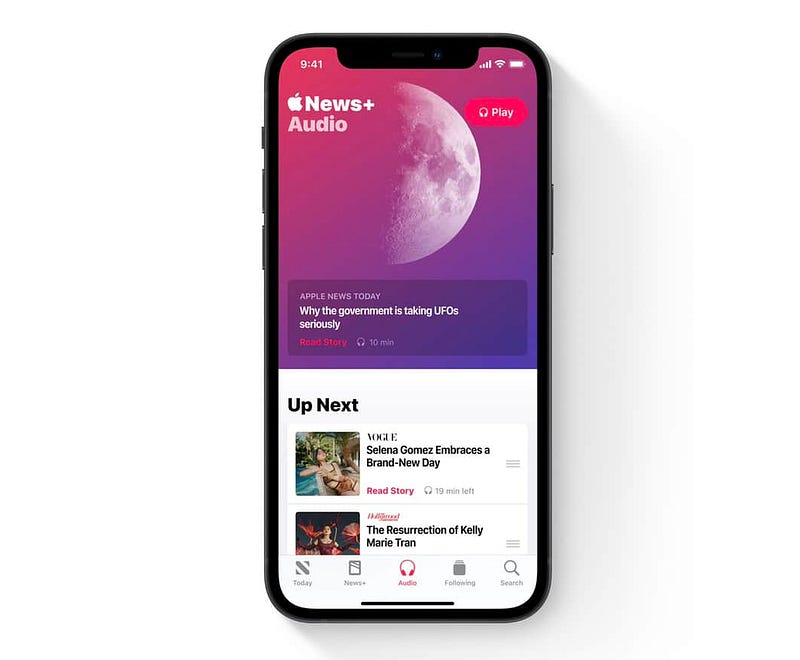
Our iPhones come with a feature that allows setting different profiles for working, driving, and many others. It is a good starting step, but it is not enough.
Based on my habit and a look at my calendar, the iPhone should know that I dedicate at least an hour reading the latest articles online. My media of use is the Medium publications and NNGroup. Using the Siri Suggestion widget on the home screen, my iPhone should recommend opening those sources and providing me with options to choose what suits me best.
Again, my iPhone should know about my habits and reduce friction from my workflow.
In moments when I’m reading the news, Not only should I see an abstract, a summary of the most relevant news, but also receive a personalized experience based on the current status of my mental health.
Reading negative news to some extend can be informative, but the current state of Apple News feeds off of negative news from political sources and questionable news agencies. In addition, I deal with anxiety, and if my morning starts with a negative vibe, then the rest of my day is doomed.
If someone has a history of severe depression, Safari should be smart enough not to allow websites with negative and depressing news to open.
Obstacles of Technology
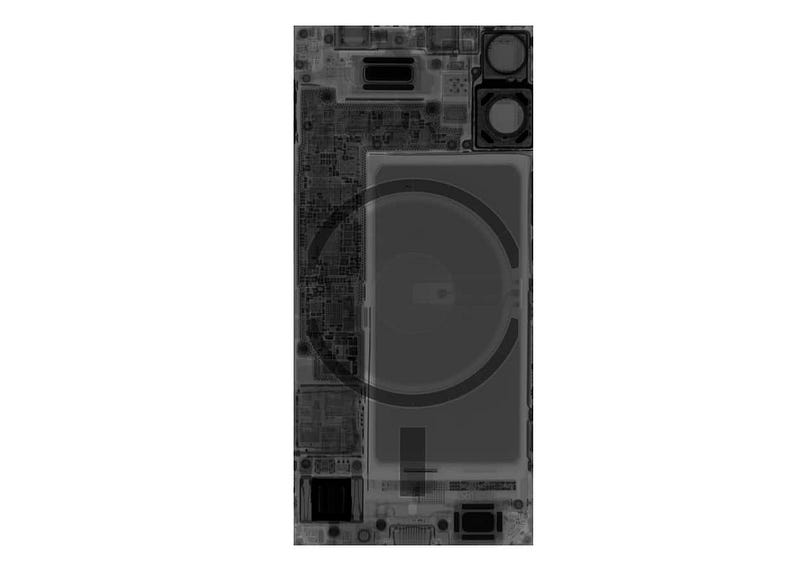
The current state of technology has limited our possibilities. We still haven’t minified various components on our iPhones. The battery takes much of the space and hasn’t seen minor or significant improvements. The mainboard has gotten smaller, but it still occupies some space within the iPhone’s frame. The lightning connector (which is slow and outdated) occupies much space, and we still depend on wired connections to perform tasks such as restoring our iPhones or copying heavy files.
I believe the advancements will come once the SoCs accompany as many technologies and chipsets as possible. I am optimistic. I think we will see significant SoC changes, and technology will be more personalized.
This story was a description of my challenges with the smartness of our iPhones. I’m sure Apple has great designers and researchers who will improve the features of iPhones based on thousands of hours of user research and iterations. Nevertheless, I am optimistic that the future for iPhone users is going to be great. The fact that we live in a time where technology is rapidly advancing is mind-blowing and super exciting.
If you liked this story, please give a few claps and share it with your friend. You can comment in the response section, and I will be happy to read them.
I would appreciate it if you support me by becoming a Medium member using the link below:
Here are my previous stories you might want to read: