
A Generic S3 Bucket Policy for Applications
ACM.350 Granting access to Lambda in an S3 bucket policy
~~~~~~~~~~~~~~~~~~~~~~~~~~~~~~~~~~~~~~~~~~~~~~~~~~~~~~~
⚙️ Check out my series on Automating Cybersecurity Metrics | Code.
🔒 Related Stories: AWS Security | S3 | Application Security
💻 Free Content on Jobs in Cybersecurity | ✉️ Sign up for the Email List
~~~~~~~~~~~~~~~~~~~~~~~~~~~~~~~~~~~~~~~~~~~~~~~~~~~~~~~
In the last post I modified the generic application policy used by our Lambda functions to handle S3 read and S3 write buckets.
In this post, I am going to try to modify our existing S3 bucket template to allow applications to access S3 buckets.
Recall that I have a generic bucket template. I have plans to change some things in this template later. I don’t like that it’s using account numbers in bucket names but was a work around for another issue for testing purposes. We don’t really need to change this bucket template. We already used it to deploy the S3 bucket in a prior post that will host our test website.
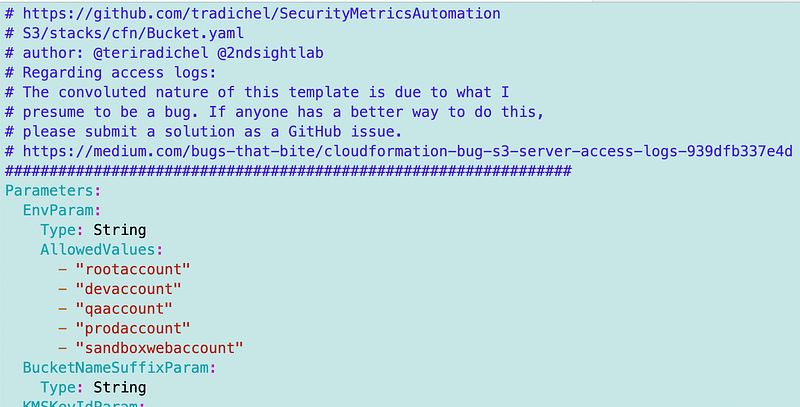
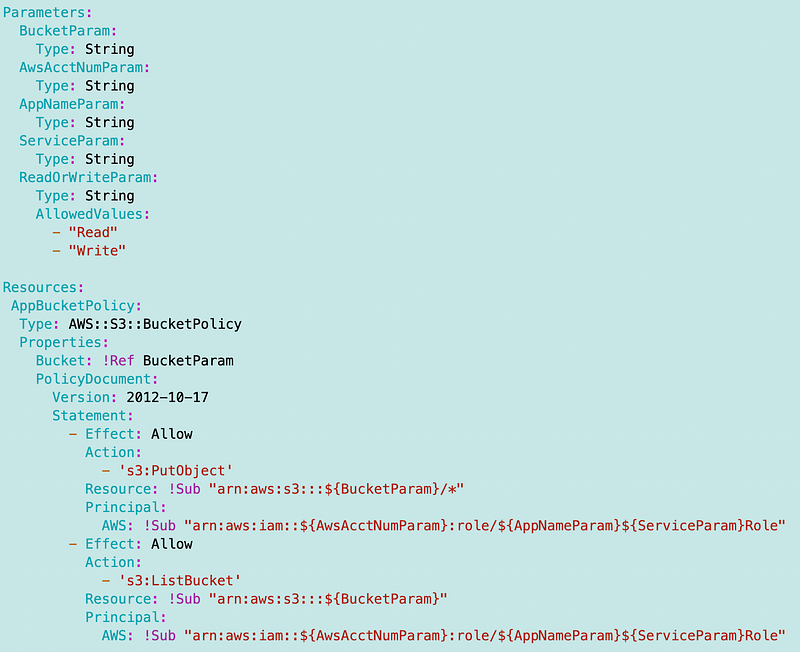
What we need to add is an AWS Bucket policy. The CloudFormation for that looks like this:
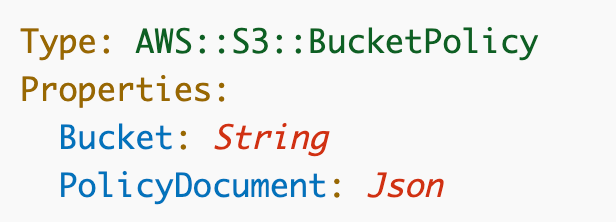
https://docs.aws.amazon.com/AWSCloudFormation/latest/UserGuide/aws-resource-s3-bucketpolicy.html
Note that I’m getting an error going to this page at the moment but I’m sure AWS will fix it shortly. I’m using the page cached in Google at the moment.
Here’s the sample bucket policy on the page:
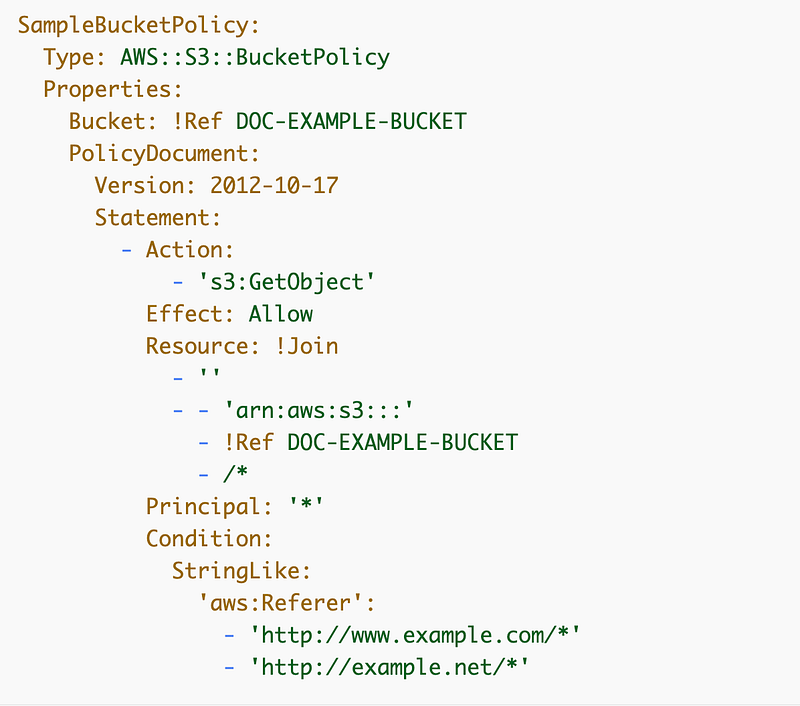
We explored what we need to add to this policy to allow cross account access to a user. We can do the same with a role ARN.
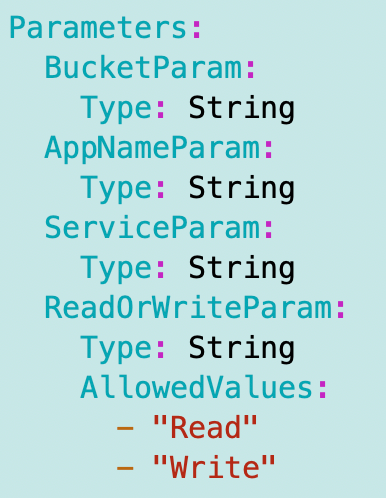
I’m hoping I can use parameters like this where I calculate the name of the Application ARN, and notice that here is where I can restrict a bucket to either read or write access for an application.
Why does it matter if a bucket has read and write access?
I’ve written about this before but a best practice is to set up an FTP endpoint with either read or write access, not both. I have a story to share as to why that matters. I had a friend who worked in IT set up an FTP site for my first business, Radical Software, back in like 1999 or 2000. Note that this site is currently not using an SSL certificate so you can only get to it with http but I’m fixing it with this latest sub-series where I’m going to redeploy all my static websites.
Anyway, back to my story. He set up the FTP site with both read and write access. It was hosted on some services that some guys working for me hosted in their basement. Yeah crazy right? But back then not as much. They had a T1 line to their basement if you know what that is and ran a mini ISP for all the neighbors. I hosted our company’s email server in my condo. Yes, we were geeks with a startup in the 90’s and early 2000's.
So one day the guys with the T1 in the basement call me up and ask me why I’m using up all the bandwidth on their T1 line and I’m like, “Uh, what?” So we looked into it and someone had set up a Warez site in that FTP folder. They were serving up a whole bunch of pirated software free on the Internet…among other things…And that was probably one of my most popular websites ever from that e-commerce business unfortunately and we didn’t even intend to host it! We shut it down and reconfigured the FTP folder to prevent the issue in the future.
Those were the days…
An S3 bucket is like a modern FTP folder. If someone can obtain access to use your bucket they will. If you expose it to the Internet that obviously is the bigger problem.
But let’s say an application has both read and write access to a bucket. Some ransomware actors get ahold of those credentials by one of the myriad of ways they can do that. If they could somehow write malware like a malicious script to that file and your application executes it, the malware may be able to capture data and exfiltrate it back through the same bucket if they can write to a bucket hosting a website.
They still might find another way to exfiltrate data — but don’t make it easy. That’s just one example off the top of my head. I could probably think of others.
A Generic S3 Bucket Policy Document for Applications
Here’s a really simple version of an S3 bucket Policy document for applications.
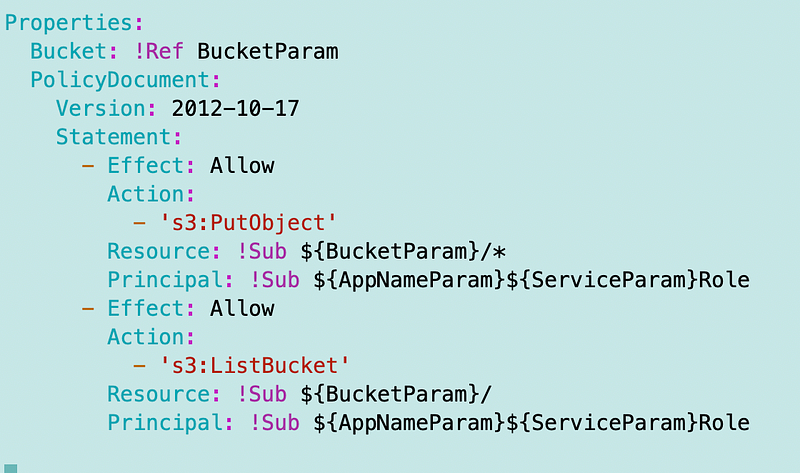
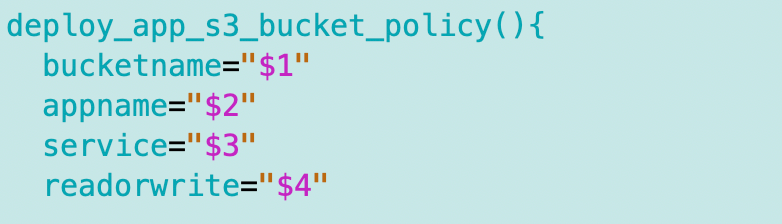
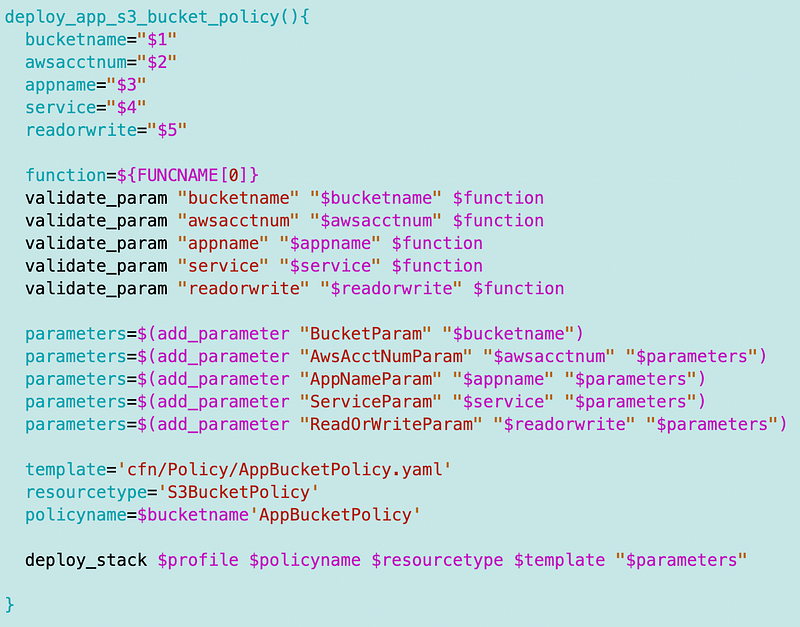
Now I need a function in my s3_functions.sh file to deploy the policy using the common framework.
Create the function and the parameters.
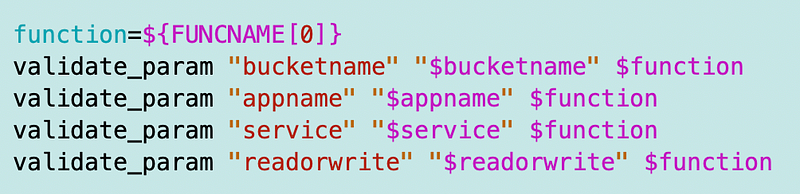
Validate the parameters:
Add the parameters:

Define the template, resource type, policy name, and deploy the policy:

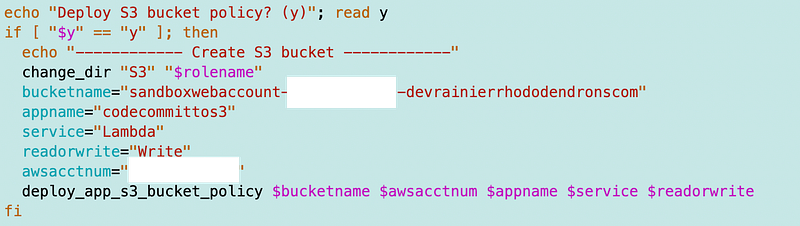
Next I call the function from the script I’m using to deploy the static website. I wrote about this in earlier posts and I’ll be upgrading this a bit to a newer and better method in the future. This was just for testing purposes.
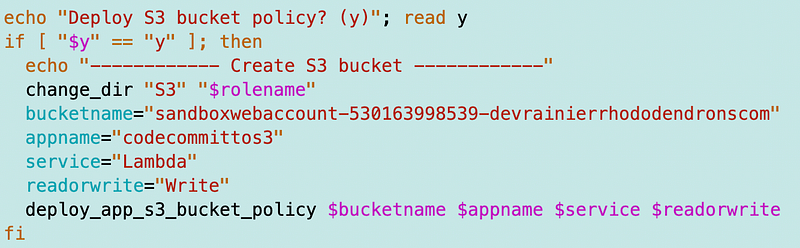
Now at this point I realized I was calculating ARNs wrong and had to pass in some additional values. Here is my final code:
Bucket Template:
Bash Function:
Deployment script:
I still have more to do with this bucket policy but for now I want to see if my Lambda function can push files to it.
That’s next.
Follow for updates.
Teri Radichel | © 2nd Sight Lab 2023
About Teri Radichel:
~~~~~~~~~~~~~~~~~~~~
⭐️ Author: Cybersecurity Books
⭐️ Presentations: Presentations by Teri Radichel
⭐️ Recognition: SANS Award, AWS Security Hero, IANS Faculty
⭐️ Certifications: SANS ~ GSE 240
⭐️ Education: BA Business, Master of Software Engineering, Master of Infosec
⭐️ Company: Penetration Tests, Assessments, Phone Consulting ~ 2nd Sight Lab
Need Help With Cybersecurity, Cloud, or Application Security?
~~~~~~~~~~~~~~~~~~~~~~~~~~~~~~~~~~~~~~~~~~~~~~~~~~~~~~~~~~~~~
🔒 Request a penetration test or security assessment
🔒 Schedule a consulting call
🔒 Cybersecurity Speaker for PresentationFollow for more stories like this:
~~~~~~~~~~~~~~~~~~~~~~~~~~~~~~~~~~~~~~~~~~~~~~~~~~~~~~~~~~~~~
❤️ Sign Up my Medium Email List
❤️ Twitter: @teriradichel
❤️ LinkedIn: https://www.linkedin.com/in/teriradichel
❤️ Mastodon: @teriradichel@infosec.exchange
❤️ Facebook: 2nd Sight Lab
❤️ YouTube: @2ndsightlab