avatarKP_the_writer

Free AI web copilot to create summaries, insights and extended knowledge, download it at here

3177

Abstract

ative/narrative non-fiction, or fiction as a planner. A planster writing fiction (like myself) is likely to be lenient on the planning discipline and more flexible on the creative flow (closer to a 25% assumption of change).</p><p id="0b8a" type="7">Have the discipline to stick to your plan yet the flexibility to change when creativity and necessity calls.</p><h1 id="aaad">Let’s Begin With Preparing to Create</h1><p id="3083">So, let’s start creating a book. The first thing to do is to take all of the planning that you did and create a skeleton for your book. This is an exciting step because your book begins to take shape and you can start to see the bones develop and life begin to take hold. But wait, before you can do that, where are you going to build this skeleton?</p><h2 id="b02a">Software:</h2><ul><li>Personally, I use Scrivener. It allows you to plan and organize your work. Scrivener offers a non-consecutive 30-day trial. The price is very reasonable and I highly recommend it if you plan on writing more than one book.</li></ul><div id="60ab" class="link-block"> <a href="https://www.literatureandlatte.com/scrivener/overview"> <div> <div> <h2>For writing. And writing. And writing.</h2> <div><h3>Scrivener is the go-to app for writers of all kinds, used every day by best-selling novelists, screenwriters…</h3></div> <div><p>www.literatureandlatte.com</p></div> </div> <div> <div style="background-image: url(https://miro.readmedium.com/v2/resize:fit:320/0*Evp16D8Gu_v2x6UB)"></div> </div> </div> </a> </div><figure id="7b66"><img src="https://cdn-images-1.readmedium.com/v2/resize:fit:800/1*8UV6eMI3d7ap4EyEdZi9ZQ.png"><figcaption></figcaption></figure><figure id="8910"><img src="https://cdn-images-1.readmedium.com/v2/resize:fit:800/1*LOTPojDrbMRq4YkheRyTxQ.png"><figcaption></figcaption></figure><ul><li>Google Docs is a fantastic option as it automatically saves your work as you write, you can use voice to text directly into your doc, and you can easily share your work with others (for example, an editor).</li><li>Microsft Word is a basic option that is readily available.</li></ul><h2 id="ac6f">Choose a Trim</h2><p id="e7bd">Whichever method you use, it is best to download or create a template for your book so that you know it will meet the requirements for later publication (and so that you don’t spend time formatting a book only to have to reformat it into your trim size). Start by choosing a trim size based, of course, on what your audience wants. When in doubt go with 5” by 8” or 6" by 9". You can find a template online by simply Googling ‘5” x 8” book template’ or visit Kindle Direct Publishing to download a selection of ready formatted trims:</p><div id="ba2e" class="link-block"> <a href="https://kdp.amazon.com/en_US/help/topic/G201834230"> <div> <div> <h2>Paperback and Hardcover Manuscript Templates</h2> <div><h3>Decide what kind of template you want and find your trim size. You can

Options

download blank templates or templates with…</h3></div> <div><p>kdp.amazon.com</p></div> </div> <div> <div style="background-image: url(https://miro.readmedium.com/v2/resize:fit:320/0*70Rw0A0pRKdxtW3Z)"></div> </div> </div> </a> </div><p id="2247">Be aware that if you choose to change your trim size, you can simply copy and paste your document into the new trim, though it will affect the page count. Of course, this is only applicable to hardcopy books. You will not need to worry about the trim for your e-Book — we have another great tool for that.</p><h1 id="e616">Let’s Create</h1><p id="9709">In this section, we will start with creating a skeleton, we will discuss drafts and when to send copies of your book external. Plus, we will discuss editing and potentially hiring professional services. Your first draft will not look pretty, and that’s a good thing — this is why we do a self-edit and then we employ professionals (if we can) to help us with the stuff we’re not so good at or experienced with. So, get yourself set up, and we’ll jump right in.</p><p id="aca8" type="7">YOUR TASK: Decide where you will create, and if needed, choose your trim.</p><div id="b705" class="link-block"> <a href="https://readmedium.com/chapter-guide-10-minute-author-bd21d13ccdd3"> <div> <div> <h2>Chapter Guide: 10 Minute Author</h2> <div><h3>How I wrote a book in 10 minutes a day</h3></div> <div><p>medium.com</p></div> </div> <div> <div style="background-image: url(https://miro.readmedium.com/v2/resize:fit:320/1*s-pQ5t-5lWX3uI4THOqFBA.jpeg)"></div> </div> </div> </a> </div><figure id="e362"><img src="https://cdn-images-1.readmedium.com/v2/resize:fit:800/0*u2b5XAk99EorYA8D.jpeg"><figcaption>Cover design by author</figcaption></figure><p id="ba2a"><i>Copyright © 2020 Writer’s World</i></p><p id="4708"><i>All rights reserved. No portion of this book may be reproduced in any form without permission from the publisher, except as permitted by Australian copyright law.</i></p><p id="4ee5"><b>This book was written a few years ago and published in 2020; however, since then, I have closed the program and website that it refers to so, I need to update it. What better way than to share it on here? <a href="https://www.amazon.com/dp/B08F37NK9N">You can purchase the full <i>original </i>copy on Amazon here.</a></b></p><div id="bb88" class="link-block"> <a href="https://readmedium.com/about-me-kp-the-writer-f56a5e65ea7e"> <div> <div> <h2>About Me — KP-the-Writer</h2> <div><h3>Podcaster, writer, and queer, oh my</h3></div> <div><p>medium.com</p></div> </div> <div> <div style="background-image: url(https://miro.readmedium.com/v2/resize:fit:320/1*AvkZXKJwYz32rb73N6D1Tg.png)"></div> </div> </div> </a> </div></article></body>

BOOK CHAPTER

#9. 10 Minute Author — Create

Task: Decide ‘where’ you will create
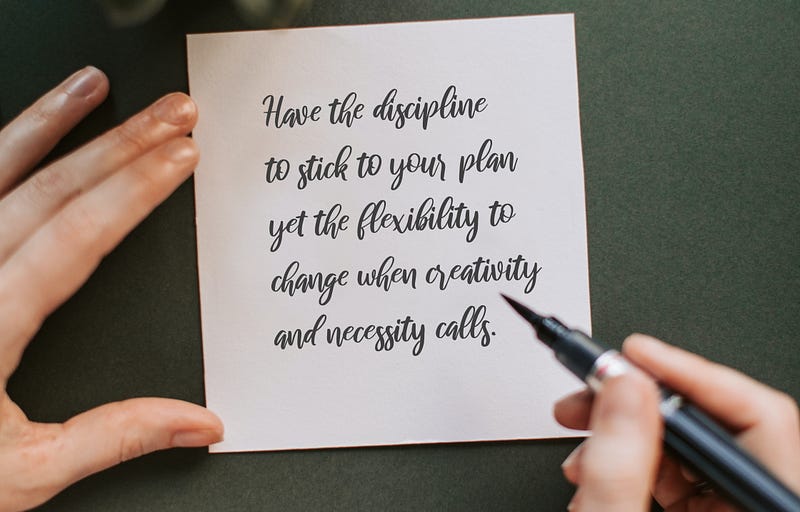
Adapted by author from photo by Vlada Karpovich from Pexels

I wrote a book in 10 minutes a day, so I wrote another book about how I did that. 10 Minute Author shares the steps I took so that others can too. Click here for the Chapter Guide for easy access to find the section you need. This special Medium adapted version includes additional resources not available elsewhere. Get unlimited access to everything by joining Medium (this is an affiliate link and I receive financial compensation if you join from it. Thanks for feeding a writer).

PART 2: CREATE

Welcome to Part 2 of 10 Minute Author. This is where we take all of the planning that we’ve done, we get out of the way, and we allow creativity to flow through us as we create this book and bring it to life. 10 minutes a day does not seem like much time at all to create, yet with certain strategies to optimize your productivity, you’ll be surprised at what you can achieve in that 10 minutes. In this section, we will go through some strategies and we will dive deep into the 10-minute strategy which is exactly how I wrote my book in 10 minutes a day.

As we travel this section, have the discipline to stick to your plan yet the flexibility to change when creativity and necessity calls. Allow the awareness to know that when you are in flow and allowing creativity, things are going to change and that’s okay. I work on a ~10% assumption of change. If I’m changing significantly more than 10%, I know that something is missing from the planning stage and I’ll stop, and reflect on my planning before continuing to create. I recommend this is held to as a strong standard for non-fiction work.

Fiction is its own beast and my assumption is that if you are reading this, you are probably more aligned with writing a work of non-fiction, creative/narrative non-fiction, or fiction as a planner. A planster writing fiction (like myself) is likely to be lenient on the planning discipline and more flexible on the creative flow (closer to a 25% assumption of change).

Have the discipline to stick to your plan yet the flexibility to change when creativity and necessity calls.

Let’s Begin With Preparing to Create

So, let’s start creating a book. The first thing to do is to take all of the planning that you did and create a skeleton for your book. This is an exciting step because your book begins to take shape and you can start to see the bones develop and life begin to take hold. But wait, before you can do that, where are you going to build this skeleton?

Software:

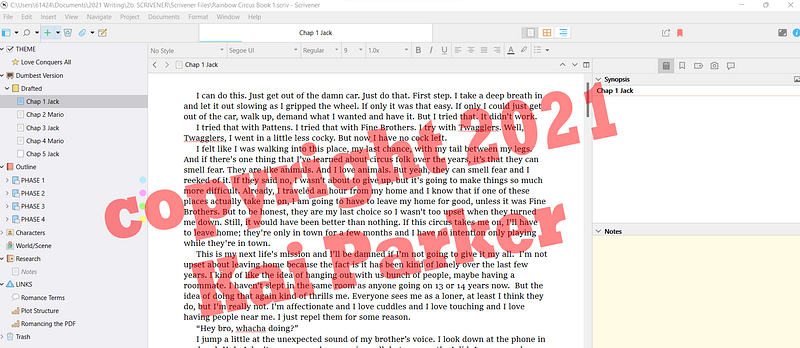
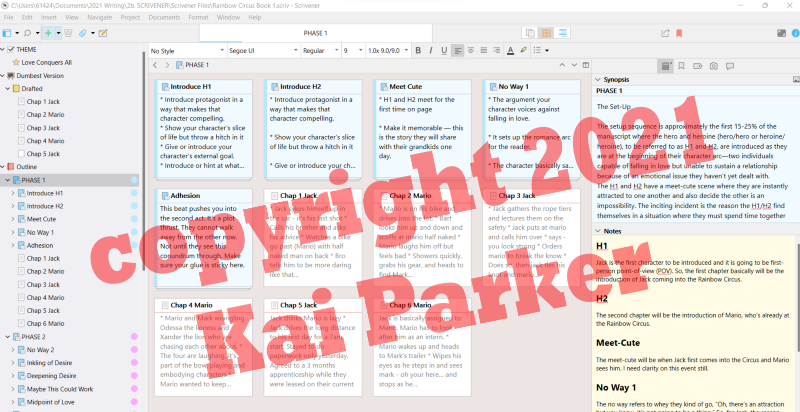
  • Personally, I use Scrivener. It allows you to plan and organize your work. Scrivener offers a non-consecutive 30-day trial. The price is very reasonable and I highly recommend it if you plan on writing more than one book.
  • Google Docs is a fantastic option as it automatically saves your work as you write, you can use voice to text directly into your doc, and you can easily share your work with others (for example, an editor).
  • Microsft Word is a basic option that is readily available.

Choose a Trim

Whichever method you use, it is best to download or create a template for your book so that you know it will meet the requirements for later publication (and so that you don’t spend time formatting a book only to have to reformat it into your trim size). Start by choosing a trim size based, of course, on what your audience wants. When in doubt go with 5” by 8” or 6" by 9". You can find a template online by simply Googling ‘5” x 8” book template’ or visit Kindle Direct Publishing to download a selection of ready formatted trims:

Be aware that if you choose to change your trim size, you can simply copy and paste your document into the new trim, though it will affect the page count. Of course, this is only applicable to hardcopy books. You will not need to worry about the trim for your e-Book — we have another great tool for that.

Let’s Create

In this section, we will start with creating a skeleton, we will discuss drafts and when to send copies of your book external. Plus, we will discuss editing and potentially hiring professional services. Your first draft will not look pretty, and that’s a good thing — this is why we do a self-edit and then we employ professionals (if we can) to help us with the stuff we’re not so good at or experienced with. So, get yourself set up, and we’ll jump right in.

YOUR TASK: Decide where you will create, and if needed, choose your trim.
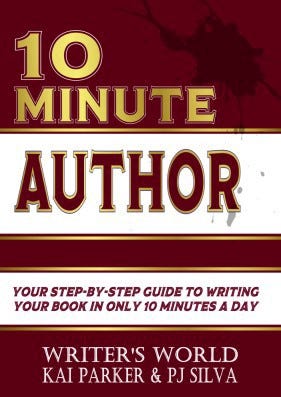
Cover design by author

Copyright © 2020 Writer’s World

All rights reserved. No portion of this book may be reproduced in any form without permission from the publisher, except as permitted by Australian copyright law.

This book was written a few years ago and published in 2020; however, since then, I have closed the program and website that it refers to so, I need to update it. What better way than to share it on here? You can purchase the full original copy on Amazon here.

Writing
Writer
Nonfiction
Books
Writing Tips
Recommended from ReadMedium