
Writing
8 Online Writing Tools I Can No Longer Live Without
The articles practically write themselves.

I’ve been writing for a long time.
I’ve been writing since MySpace was Facebook. I’ve been writing since the days that computer monitors still looked like big, clunky boxes. I’ve been writing since flip phones were the peak of technology.
For most of that time, my writing all came from me. It still does, don’t get me wrong, but now I have a little help for the little things that I always sucked at. Little things like grammar and how to correctly capitalize my titles and how to finish a particular colloquialism that conveniently fell out of my brain.
Maybe you haven’t heard, but there’s a whole schwack of tools available online these days that go way beyond a thesaurus and stylebook.
These are tools I am no longer willing to write without; tools that make it easier to say what I mean to say and publish with confidence. These tools can make your writing experience so much more enjoyable, allowing you to focus on the best parts and to leave the doldrums to a program that’s likely a lot smarter than you.
Let me show you.
#1 — AnswerThePublic
Quite literally answering the public’s questions, AnswerThePublic is a free(ish) keyword research tool that takes a topic you’re mulling over, such as “parenting toddlers,” and provides you with a few fancy — and beautiful — charts that are mined using Google and Bing searches. I’m not sure how many free searches you get, but generally I only use one, and I’m good to go.
That might have been a lot to unpack in two sentences. Let me show you with pictures!
Using the above example of “parenting toddlers,” I got 185 results. These are broken down into 3 categories: questions, prepositions, and comparisons. For the sake of this demonstration, I’ll pull the prepositions chart, which came back with the most results (42.)
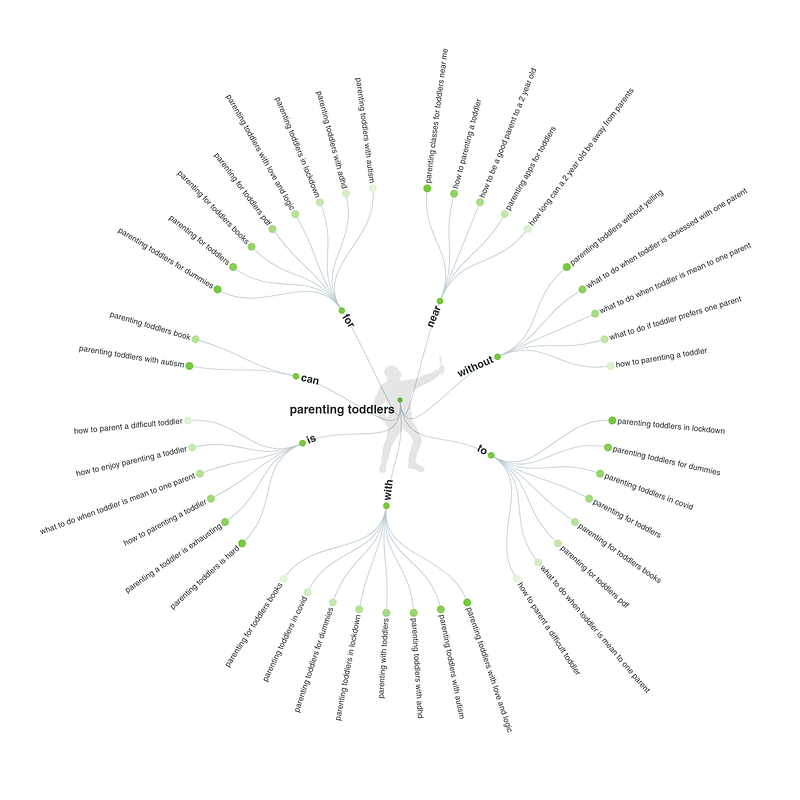
There are some gems in there that you could write entire articles on just from this search, such as “parenting toddlers with love and logic” and “what to do if your toddler prefers one parent.”
I use this tool a lot if there’s a particular topic I want to write about but I don’t know what I want to say.
It’s a great brainstorming tool that I have used for almost every article I write.
#2 — Capitalize My Title
Once you’ve nailed down your topic and what you want to say, you might be one of those amazing writers who nails their headline right away.
I’m not, for what it’s worth, and I kind of hate you if you are. Just a little.
I’m in the “let’s write 15 versions of the same title” camp, rearranging and doubting my title until I’m satisfied. When that finally happens, I turn to Capitalize My Title to do just that.
It just helps to know that you’re getting it all right; it’s more professional, especially when self-publishing on a blogging platform. This tool also has a headline analyzer, although I would caution against leaning too hard on that kind of tool.
You’ll note that I don’t recommend any of that type of SEO tool here, and that’s because it gets a bit “meta” for my taste. From what I have found, focusing too much on ensuring your title has the right number of words (but not too many) or the right power words (and none of the negative ones) stifles your creativity just a tad too much.
Obviously you want people to click on your article — it won’t get read otherwise. I get it. But a better way to do just that is to simplify the whole thing and consider one thing: would you click on your own headline?
Some of Medium’s top writers use headlines that would fail miserably using any of the headline analyzers found online. I don’t think I need to qualify that any further, do you?
#3 — Unpaywall
Another tool to use as you’re just getting into the meat of your article is Unpaywall.
There are often pay barriers preventing you from accessing some amazing scholarly articles, and that’s a tough pill for writers to swallow — it’s hard enough to find compelling research for your work. That’s where Unpaywall comes into play.
Unpaywall is a chrome extension that legally harvests its content from universities, governments, scholarly societies and so on, and makes it easy to access.
That doesn’t mean that any article you come across will magically become free, and while you can access many articles trapped behind a paywall illegally through pirating sites, Unpaywall sources its free articles legally and directly from over 50,000 journals and open-access repositories.
Personally, I prefer accessing information that is legal — but you do you. And with so many articles available through Unpaywall, that’s no issue. You just have to find them!
For instance, I often search for studies for my articles using Google Scholar, which is a great way to find the articles you’re looking for. You can arrange these by date or relevance, which is good, because when I search for my topic, “parenting toddlers,” the first hit is an article from 2002:
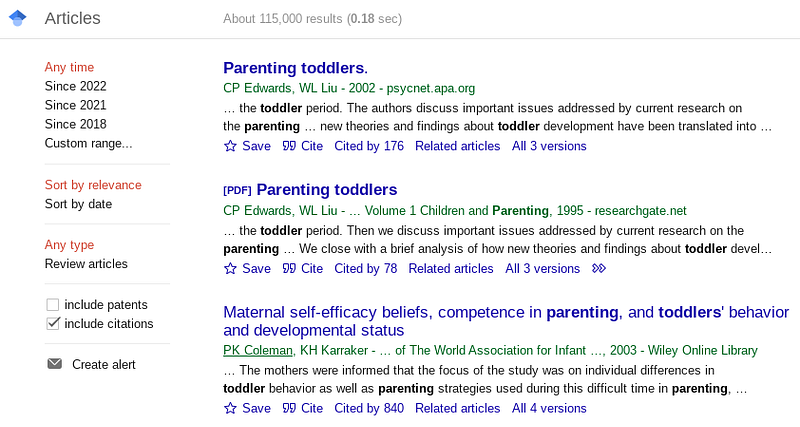
Sorting is helpful! For the sake of this article, I’ve decided to view only scientific articles from 2021 and later. In doing so, I found one that sounds pretty promising for some interesting content: “An Online Mindful Parenting Training for Mothers Raising Toddlers: Assessment of Acceptability, Effectiveness, and Personal Goals”
This looks like a neat study, and it covers some great stuff on mindful parenting and the effect of parental stress on toddlers.
I could definitely use a bunch of that in my writing. Thankfully, Unpaywall makes it easy for me to see that it is free with this little doohicky:
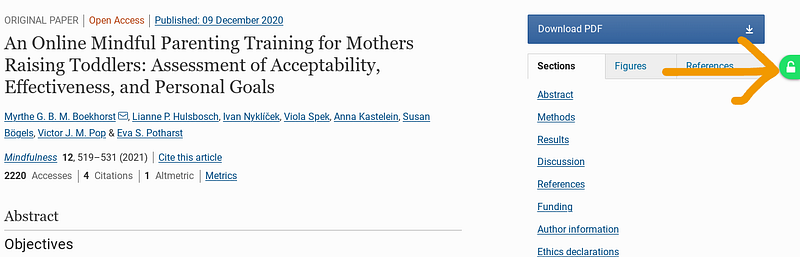
I just need to click on the green lock symbol and it either takes me directly to the full article or allows me to download it. Easy! And now that I’ve got the data I need, I can get write into writing my super awesome article.
#4 — Ludwig
Sometimes you literally cannot find the right words.
I discovered Ludwig after searching for a portion of a phrase I couldn’t quite remember — the brain-mushing effects of motherhood, I suppose.
I was searching for a better ending to the phrase, “it’s as easy as pie” and Ludwig delivered. Using that very example, this is what happens when you search for “it’s as easy as *” in Ludwig:
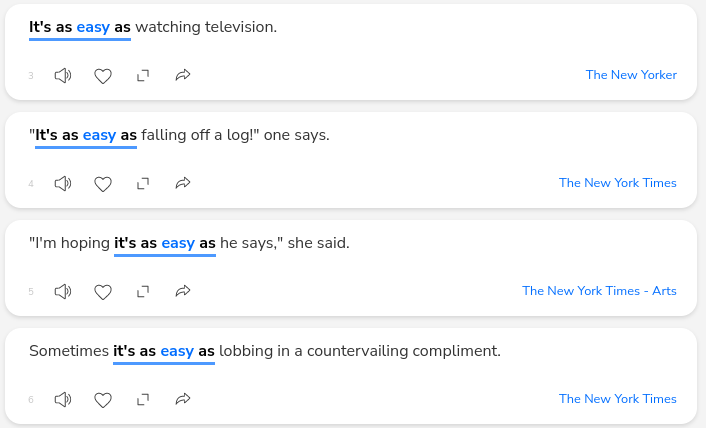
Adding the “*” indicates to Ludwig that’s the word or phrase you are missing, and it accommodates that need accordingly. Beyond the examples it gave me, it also gave me a series of related searches, with options like “it’s as comfortable as” and “it’s as sweet as.” That’s useful if I’m not sure I’m using the most effective beginning of my sentence, too, and not just the end of it.
I love that I don’t have to think about this. At all. It’s all right there, and I don’t even have to wrack my poor, overtaxed brain for the words. Ludwig has me covered.
#5 — YourDictionary
Not just a dictionary, YourDictionary also gives you some great tools like the sentence finder, which gives you sentences containing your word, like this:
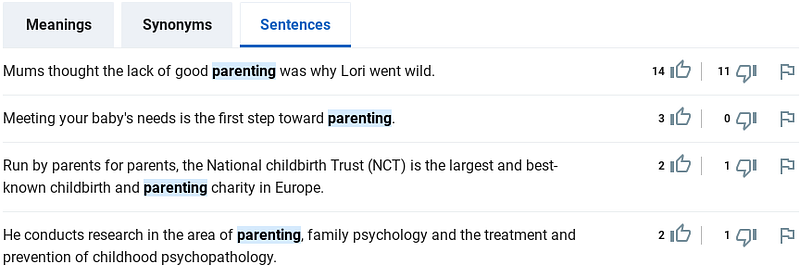
This could be useful to jostle your brain if you’re having trouble formatting a sentence in a readable way.
YourDictionary also offers a few other tools, such as a thesaurus and that’s great! But for that purpose, I personally prefer the functionality of Power Thesaurus.
#6 — Power Thesaurus
I really love this tool. Power Thesaurus is (obviously) a thesaurus, which is great on its own because we all need to switch up our vocabulary sometimes.
Sometimes. Don’t be one of those writers who uses obscure words to describe an ice cream cone, because you’ll lose your audience in a nanosecond.
Anyway, Power Thesaurus also gives you a great image download, which looks like this:
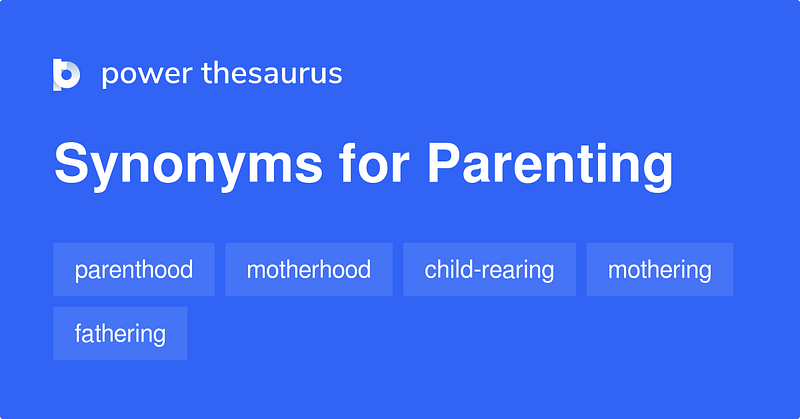
Visuals are always great for article writing, since most people skim through articles and pictures are a great way to break them — when used appropriately, of course. You wouldn’t want to spam your work with pictures just for the sake of it.
Power Thesaurus also shows tags, though, which can bring up a whole bunch of other words and ideas for you to include in your writing:
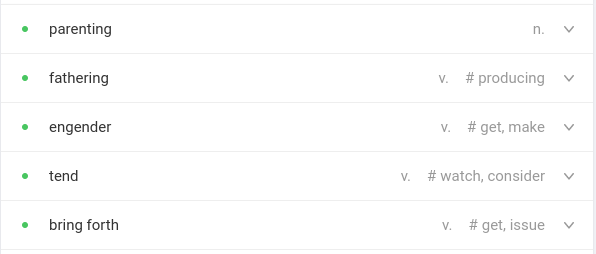
This is another one of those moments where I’ll catch myself and realize I’m using the wrong word entirely, or that another word might be more effective.
A thesaurus is nothing new. This one though, is like a regular thesaurus with an over-achievement complex, and I’ll happily take advantage of that.
#7 — Grammarly
If you’re not already using Grammarly, you really should be.
Grammarly has a fairly sophisticated AI tool that reads through and offers suggestions beyond what your spellchecker might, and it’s extremely useful in that way. It also offers a Canadian English option which probably only matters to me, but wow, does it ever matter to me.
It has a chrome extension that can be useful for your documents if you write online as I do, however you can simply copy/paste your work into the app online. When you do, it will show you a few things — the free version will only show you “correctness” and “clarity,” as follows:
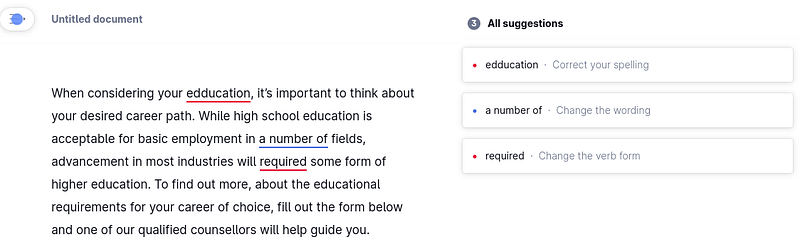
The free version is stellar on its own, but I need to clarify that this is not the sole authority you want to rely on for your work — take Grammarly’s recommendations with a grain of salt.
Sometimes it’s off its damn rocker.
You need to think, too, about the tone of your writing and how it sounds when you read it aloud — that’s often the best way to edit your own work if, like me, you don’t have an actual person available to edit. Use Grammarly with that in mind, and don’t rely on it as an absolute authority — remember who your readers are.
They’re the only ones that matter.
#8 — Natural Readers
I try to read each piece aloud when I’ve finished, but I’ve found a few errors on occasion by using Natural Readers.
Natural Readers is a text-to-speech tool that claims to have natural sounding voices and speech, and it’s…well. It’s all right.
It’ll do. In a pinch.
I still think being able to hear your text in speech form is extremely helpful, however. What’s more, Medium has started to use a text-to-speech tool for their audience as well, so it’s something that seems to be improving as time goes on and tech advances.
Medium uses Speechify, which I think works so well — until it doesn’t. I have tried this page as well as the chrome extension no less than 9 times, and every time I’ve uninstalled it or reverted back to Natural Readers because Speechify is so buggy in its current state. Speechify also has a cap on the number of words it will read for free, and there’s even a cap on the number of words it will read with a premium membership…for some reason.
Whatever text to speech tool you choose to use, though, it’s a great way to hear your writing in a different voice and inflection to pick out unnatural sounding phrases or doubles of sight words, which is a surprisingly common error.
Don’t forget about the best tool in your toolbox
No matter what tools you use for your writing, the best is still the ol’ noggin.’ You’re the contractor — these are all just tools.
I haven’t always had these tools rattling around in my toolbox, but now that I have them, I can’t imagine writing without them. I could, of course — that’s how I’ve managed to write online for so many years.
But having tools that help me with my keyword research and SEO before I’ve even started writing shaves off so much time. Having editing tools to help me say what I want to say shaves off so much time. Having text-to-speech software and grammar checks to check over my work after I’ve finished editing shaves off so much time. These tools do exactly what tools are supposed to — they make your work more effective and they save you time.
More than that, it’s value that you can add to your own writing and it’s all free. You may be the contractor, but your tools are needed to make you do your best work. So use what’s available to become better, to fine-tune your craft.
You’re the contractor — you have all the tools you need to create the beautiful things you want to create.