
7 Free Writing Tools That Will Make You a Better Writer
A glimmer of hope for non-native English writers
Hello everyone! If you want to improve your writing and attract more readers, this article is for you. I’ve compiled a list of free tools and resources that can help you out, and I use these tools to accomplish my daily tasks as a writer.
Now you can glance through the list below, and choose the ones that suit your needs. Interestingly, these tools are free and can help you identify common errors in your articles. So, if you are ready to learn more, let’s get started.
Chatbot: My Favorite Tool for Brainstorming Ideas
As writers, we are often faced with challenges of coming up with topics ideas, and important points to include in our stories to keep our audience engaged.
Whether you are working on a personal story or a research paper, you’ll probably face the same issue. Ideally, I spend several hours researching and brainstorming topic ideas for my article, but I don’t know about you.
But, what if there was a faster way? What if you could simply feed a chatbot with a relevant prompt and get ideas within a few minutes? That would be amazing, right? This is where I use ChatGPT.
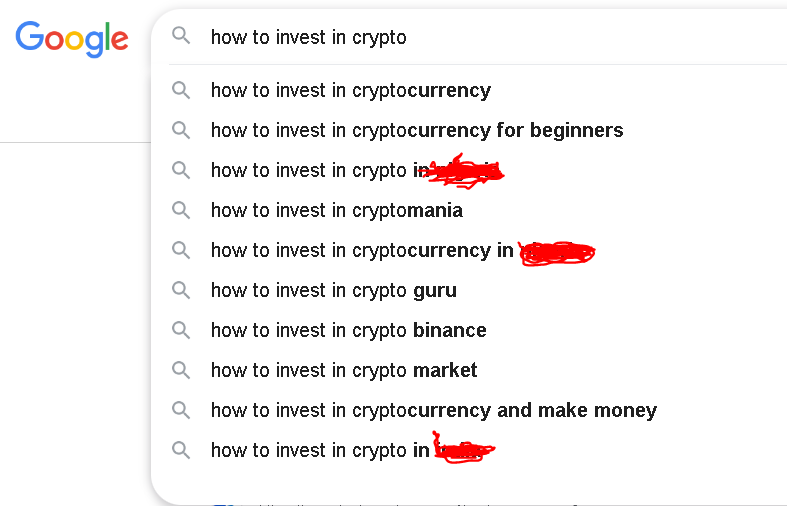
First, I search Google to find related keywords to my topic of interest, then compile a list and submit it to the Chatbot. Woo-hoo, just wait and watch the Chatbot come up with brilliant ideas.
While you may not prefer using Artificial Intelligence (AI) as an assistant tool, you must accept the fact that it is here to stay.
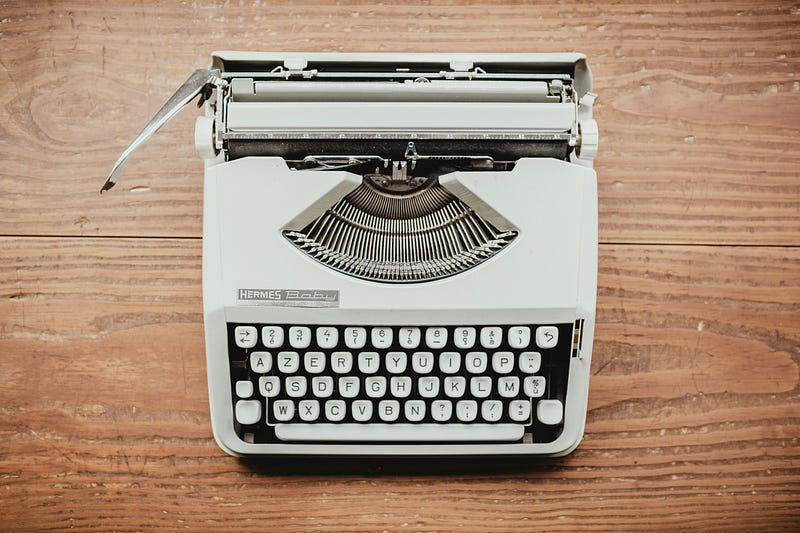
So, swallow the bitter pills and learn how to use AI to your advantage so you don’t end up like my grandma, who refused to advance her typing skills when personal computers took over her industry because she was used to typewriters.
You may argue that people are using ChatGPT to generate content
Well, that’s a lazy idea. In my experience, ChatGPT is not the best writing tool for generating complete articles that capture human emotions. You can use it to brainstorm topic ideas and expand your research.
For example, you can use the prompt below, modify it to suit your needs, and get refined results while brainstorming ideas.
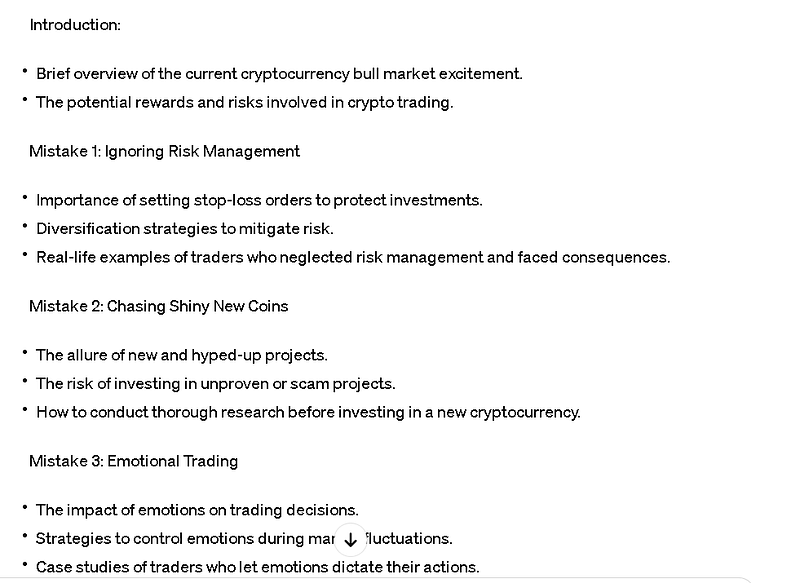
Prompt #1: Hello there. I need your help brainstorming some ideas for my story outline. Here is the topic (Enter your topic) and a few points I came up with (Add the related keywords you found on Google).
Now I want you to expand on the idea and add more key points and subtopics to make the article interesting, informative, and entertaining. Do you understand?
In a jiffy, the Chatbot will come up with topic ideas and important key points beyond your imagination. See the screenshot below.
Language Translator
Google Translate is a powerful tool that can help improve your writing in English. This is a free tool, and you can access it as long as you have a Gmail account.
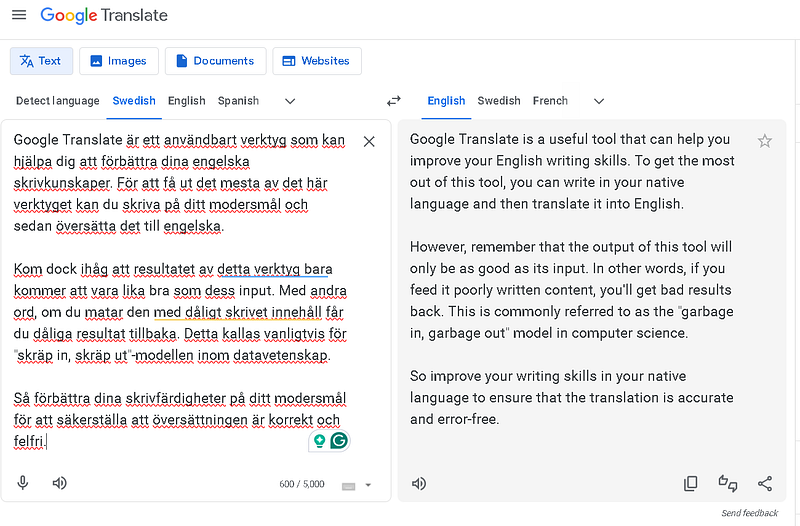
So to get the most out of this tool, first write in your native language and then copy and paste the article into “Google Translate” and translate it into English.
But there’s a secret to getting a better result with this tool — the quality of your draft will determine the outcome. In other words, if you feed the machine with poorly written content, you’ll get poorly translated results. This is what we call the “garbage in, garbage out” model of computer science.
Therefore, improve your writing skills in your native language to ensure that the translation is accurate and error-free. See the screenshot below.
My Favorite AI Editing Tool
Bing Copilot is another useful tool for editing and improving your writing. You can access it in the new Microsoft Edge browser and use it to edit your translated articles.
Recently I have been using the Microsoft Edge browser, and I must say that it is slowly becoming my favorite.
One reason I love this browser is that it allows me to access the free version of ChatGPT 4.0. With this feature, I can use Bing Copilot as an editor, and research tool to improve my translated articles.
To get started, simply paste the article into the chatbot, choose a conversation style, select ‘More Creative’ for a 4,000-character feature, and provide it with a prompt to edit.
Again, I understand that some people may not like the idea of using AI for editing, but I find this tool helpful.
So, use the prompt below and twist it to fit your needs.
Prompt #2: Hello, I need you to act as an editor to correct any grammatical and structural errors in the paragraphs below of my (blog) article.
Also, improve clarity and remove unnecessary wording, unclear sentences, complex text, and punctuation in compound/complex sentences.
Finally, add transitions and connectors to improve the flow and coherence of the article, and synchronize the paragraphs to make them interrelated for easy understanding. Do you understand?
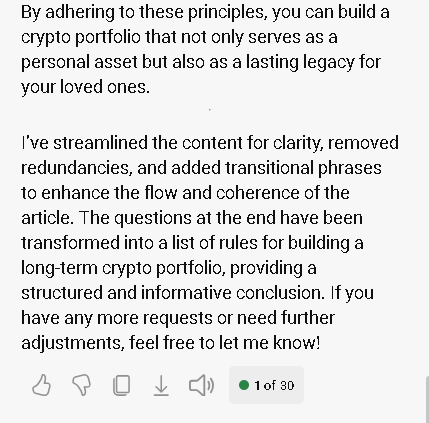
After receiving your request, the chatbot will respond with something like “Certainly, I understand your request. Here’s the edited version of your article:”. The screenshot below reveals the changes that were made.
Grammarly-AI
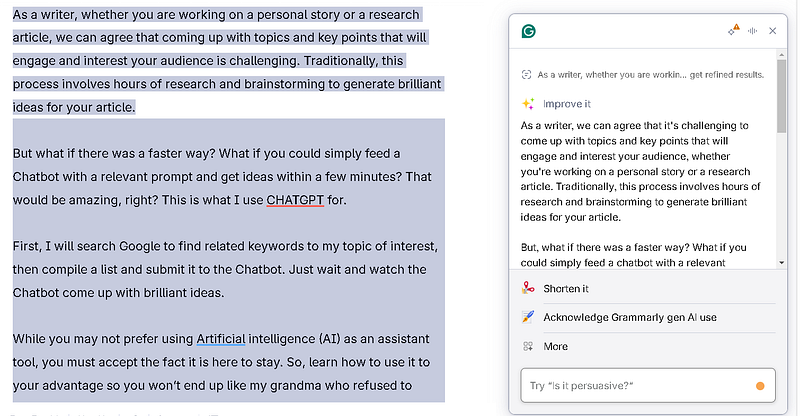
Grammar is another tool that can help you improve your writing. As a free user, you can access the AI-powered feature to improve and correct grammatical and structural errors in your article. I love this new feature on Grammarly.
All you have to do is highlight the parts of the article and click on the first feature to improve it. You can use Grammarly before or after using Bing Copilot to ensure your writing is clear and concise. See the example below.
ProWritingAid
ProWritingAid ProWritingAid is a digital writing tool that I use to improve my writing. Honestly, ProWritingAid is just as cool as Grammarly, but I find it more useful because it helps me eliminate complex sentences that require the premium version of Grammarly to correct.
After running my text through Grammarly, I would then paste it into ProWritingAid to see what else needs to be improved and take note of the suggestions and recommendations it gives me.
Hemingway Editor
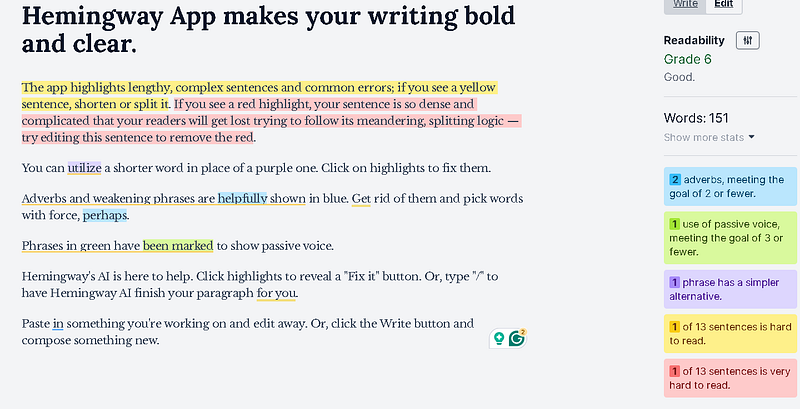
Hemingway editor is great for breaking down complex sentence structures into simpler ones.
It highlights the areas that need improvement and offers various functions to make my articles easy and interesting to read. See the example below.
Medium
Medium is a writing app that has helped me discover amazing writers like Becca Brooks, Eve Arnold, Paul Rose, and many more. By consuming their content, I have improved my journey as a writer, and the results are amazing.
Besides being a writing tool, Medium has also become a source of income, helping me create multiple streams of revenue. Currently, Medium is my favorite mobile app and the most used one on my phone.
As an author, I am proud of my journey so far, and I have garnered over 11,600 followers on Medium within six months.
Occasionally, I share tips that have helped me grow fast on Medium. So if you desire to replicate my success, you can read the articles below, follow me, and subscribe to receive email notifications when I publish new stories.
Related articles:
How I Gained Over 6,000 Followers in One Month
Why Do You Write on Medium
How I Grew My Medium Account From 0 to 2,000 Followers in 100 Days
Thank you for reading.