
6 more ChatGPT mind-blowing extensions to start using today
Discover six essential Chrome extensions to revolutionize your daily tasks

Following the great reception of my first article called 6 ChatGPT mind-blowing extensions to use it anywhere, I’m back with another six features that you simply cannot miss!
These innovative and practical extensions will allow you to integrate ChatGPT even more seamlessly into your daily life.
I don’t know about you… but in my case, anything related to integrating ChatGPT directly on my Chrome sounds every time better.
From workflow automation to brainstorming, these tools are designed to help you maximize the potential of ChatGPT.
Let’s discover them all together! 👇🏻
#1. Enhance your browsing experience with ChatGPT for Google Chrome
ChatGPT for Google Chrome is a browser extension that integrates OpenAI’s powerful language model into your browsing experience, enhancing communication and productivity.
It provides AI-assisted writing, summarization, translation, and content analysis for emails, social media, and documents.
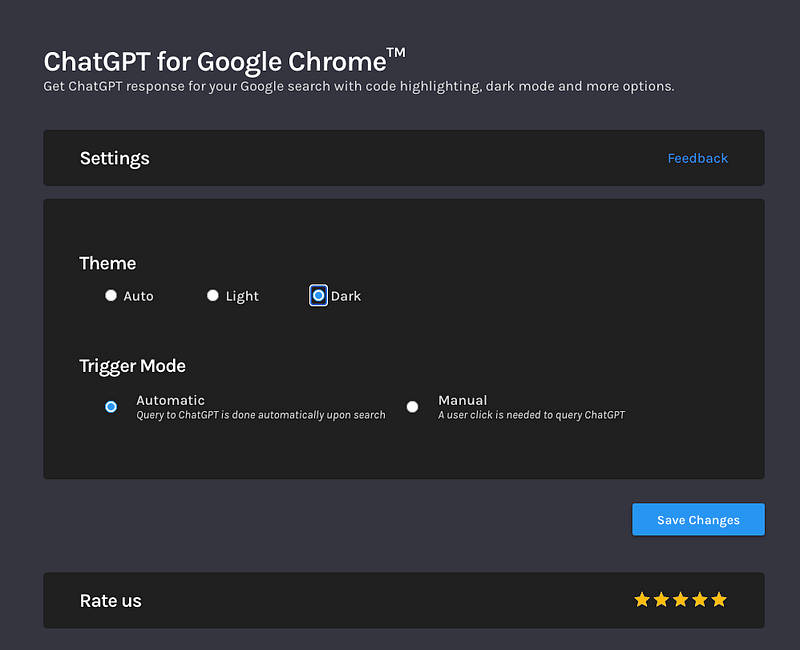
Once you have installed it, the extension will ask you to choose between different themes — in my case, I ALWAYS choose the dark mode — and to choose between automatic and manual triggers.
I chose the latter option.
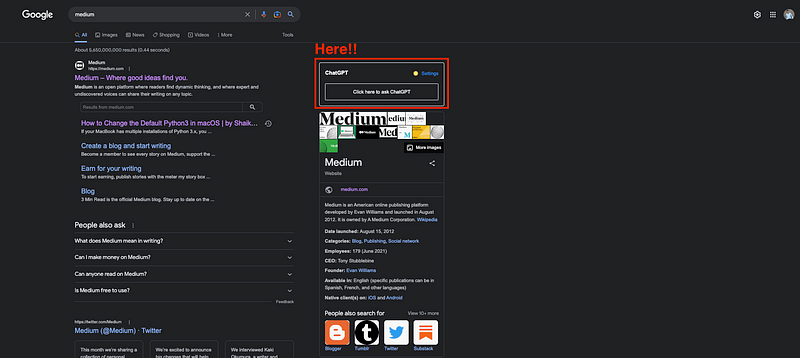
And once it is added, it will appear right away in google, enhancing any searching result with ChatGPT answers.
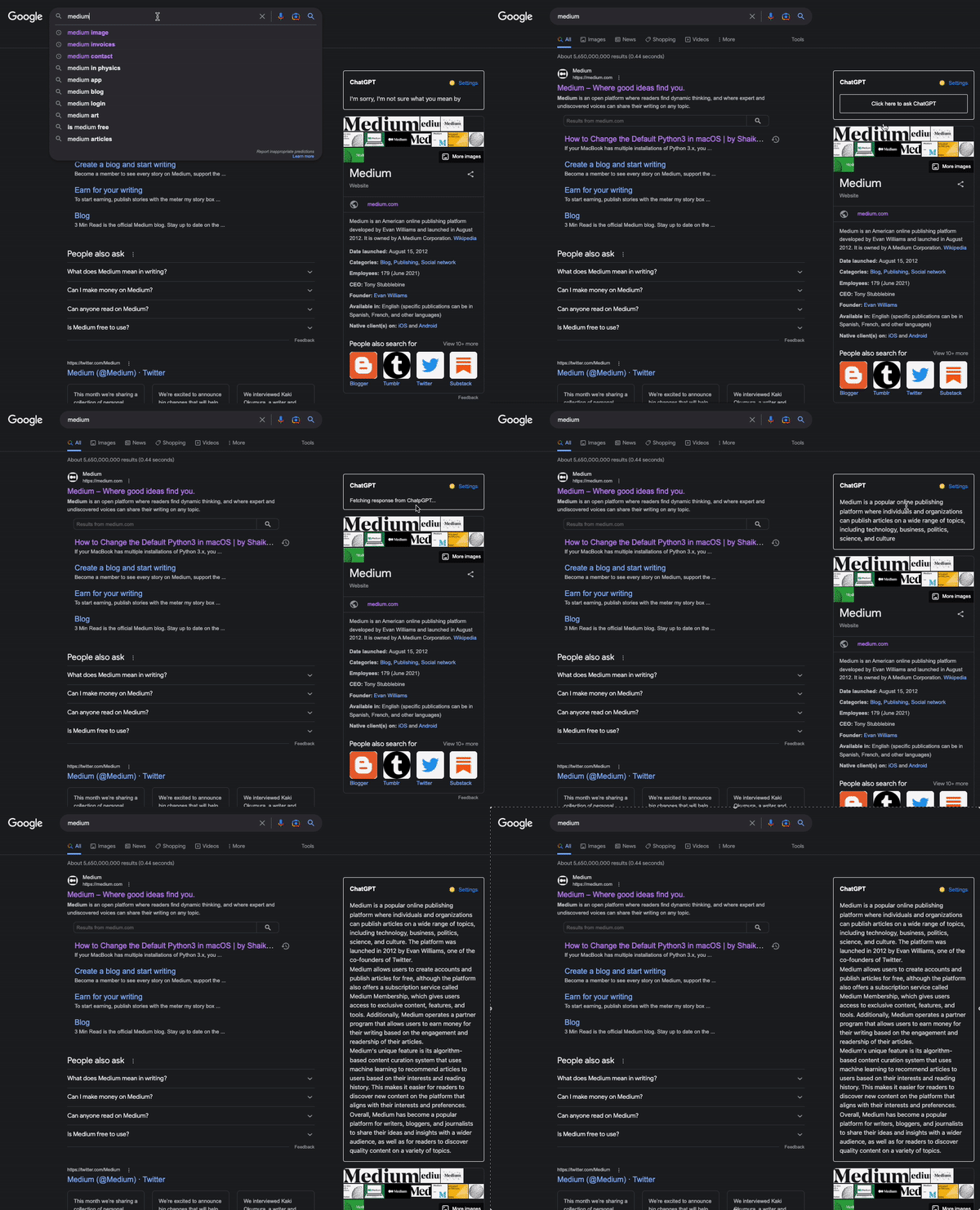
And it works as follows:
#2. Put some order to your ChatGPT history with Superpower ChatGPT
Supercharged ChatGPT offers local sync/search history, folders, chat export, pinned messages, and access to thousands of prompts.
Enhancements include language/style options, model switching, copy/paste functionality, keyboard shortcuts, GPT-4 support, and an integrated AI newsletter.
Prioritizing privacy, user data remains local.
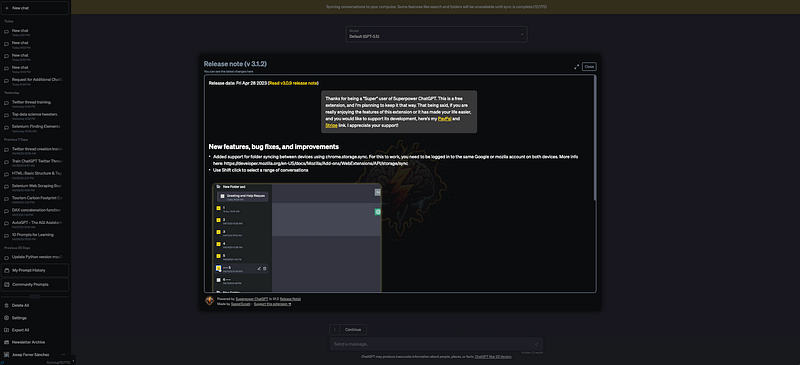
As you can observe in the image above, the plugin integrates directly with ChatGPT.
#3. Having a personal AI assistant with Merlin AI
Merlin AI is a ChatGPT extension for any website. Merlin ChatGPT Assistant is a Chrome extension that offers AI-powered assistance for drafting emails, writing content, and answering questions.
It provides real-time suggestions, helping users create well-structured and coherent text, streamlining communication and enhancing productivity in various tasks:
- Get website summaries
- Create Twitter replies
- Generate content ideas
Merlin AI will always be in your browser helping you out with anything you need!
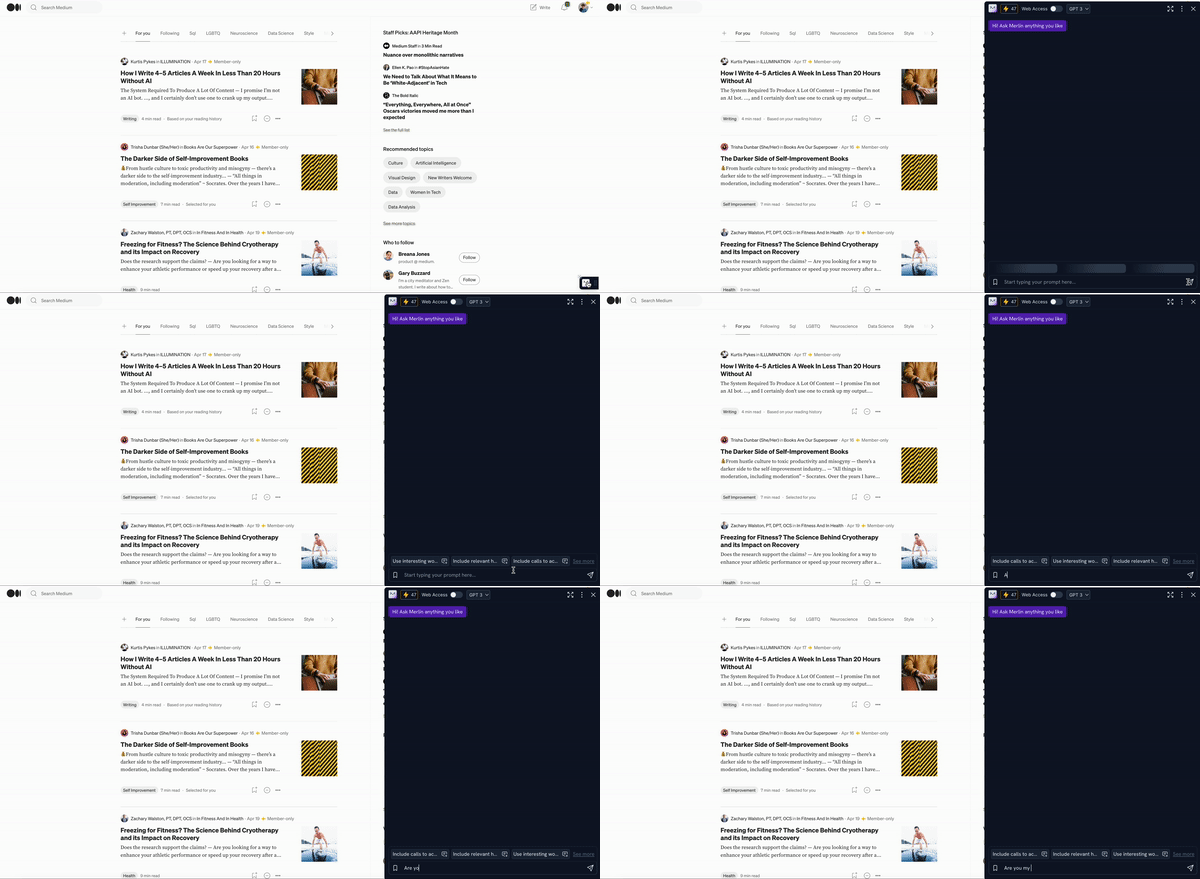
Just like summarizing our favorite dog Wikipedia website — sounds great, right?
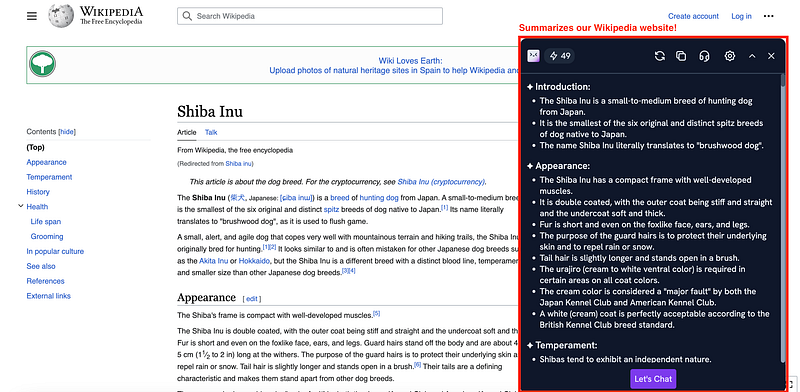
#4. Getting contextualized using Wiseone
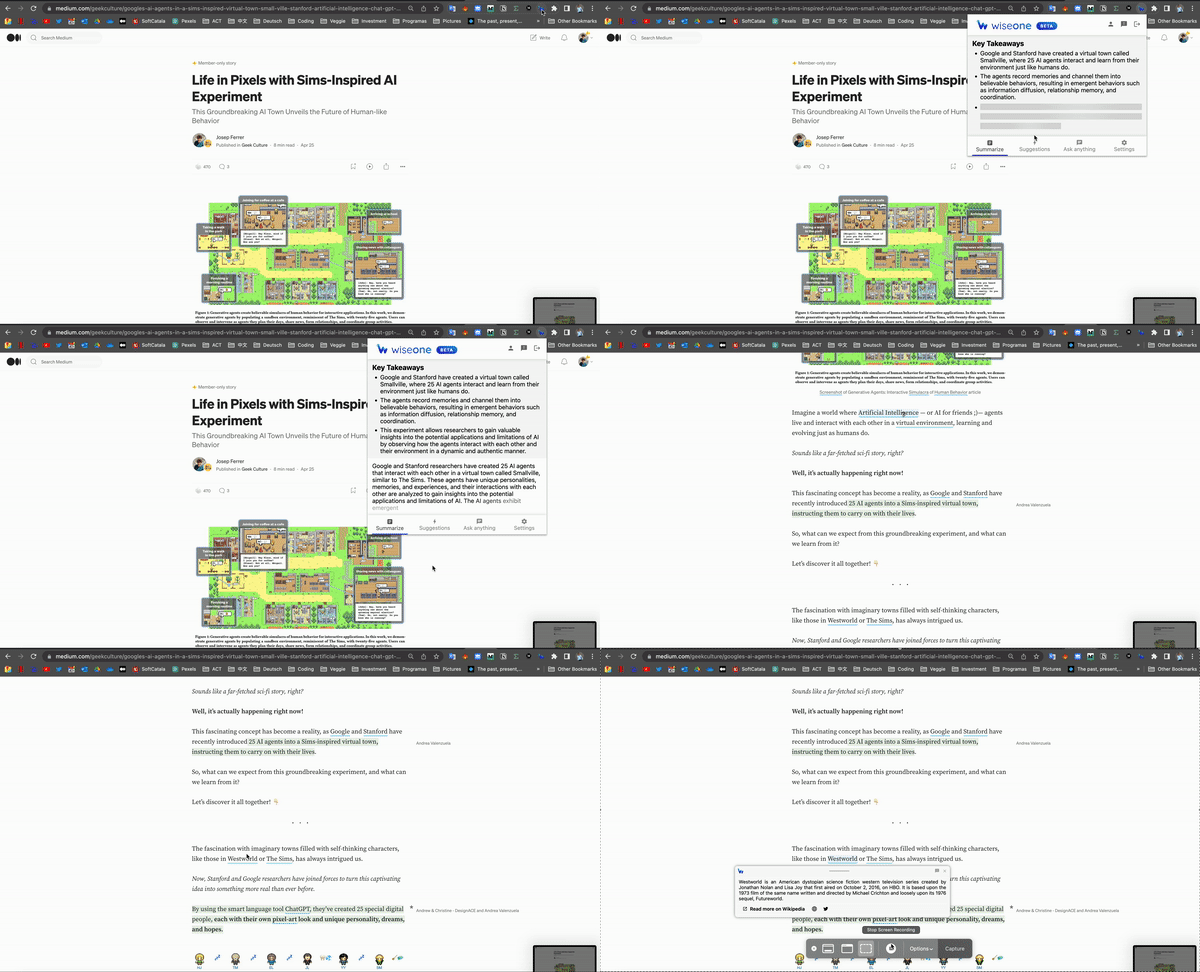
Wiseone lets you easily summarize the articles you are reading online. Ask it any question and it’ll give you an accurate answer.
Let it simplify the text for you, so you can understand it faster.
WiseOne AI-Powered Reading Assistant is a Chrome extension that enhances online reading by providing personalized content summaries, keyword extraction, and in-depth explanations. It helps users quickly grasp essential information and understand complex topics, making it a valuable tool for efficient learning and research.
For instance, it can contextualizeterms of any written content.
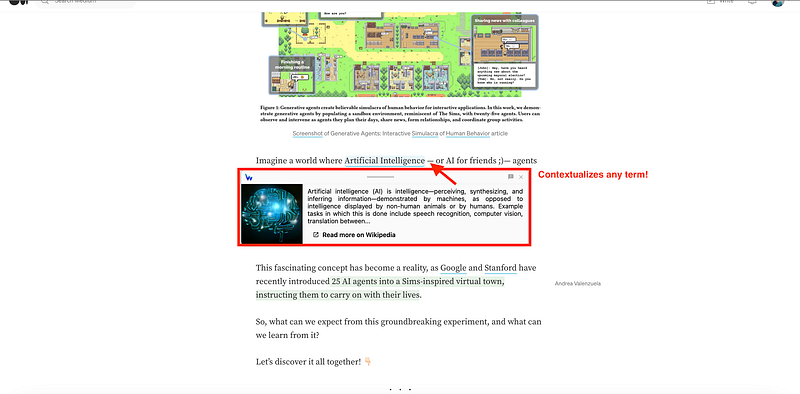
And can help us summarizing too! We can even ask it whatever we want! :)
#5. Having your own writing assistant with UseChatGPT AI
UseChatGPT AI is the ultimate writing assistant. It integrates ChatGPT AI technology to provide real-time writing assistance. It improves communication by offering suggestions, corrections, and enhancements for various writing tasks, including emails, social media posts, and other professional or personal content.
It can help you with:
- Rewrite emails
- Change your writing tone
- Create instant translations
- All that directly in your browser.
#6. Transcribing your meets using Fireflies
Fireflies is an AI meeting assistant that records, transcribes, and summarizes Google Meet meetings directly from Chrome.
It generates transcripts, summaries, notes, and action items, and leverages AskFred, a GPT-4-powered AI assistant, to summarize articles, videos, and more. With features like speaker identification and sentiment analysis, Fireflies streamlines research and content consumption.
Hope you find those ChatGPT extensions useful! :)
And you? Have you tried any ChatGPT extensions? I’ll read you in the comments!
If you have any further questions, or you know any other extension, feel free to comment!
Do you want some mind-blowing news about AI and ChatGPT?
Just give a look at the following article!
You can subscribe to my Medium Newsletter to stay tuned and receive my content. I promise it will be unique!
If you are not a full Medium member yet, just check it out here to support me and many other writers. It really helps :D
You can find me on Twitter and LinkedIn as well!
Some other nice medium related articles you should go check out! :D