
6 ChatGPT mind-blowing extensions to use it anywhere
And how to make make ChatGPT our daily assistant using them

Today, I want to demystify ChatGPT — a fascinating new AI application that has been recently released and is generating a lot of buzz. It is an AI chatbot developed by OpenAI that specializes in dialogue and its main goal is to make AI systems more natural to interact with — and it literally knows everything!
I am pretty sure you have already given it a shot… Am I right?
However, today I want to talk about different ways to enhance our interaction with this brand-new tool.
The internet has already been flooded with new tools and extensions powered by this freshly launched service that can make our daily tasks way easier — and improve our final output.
This is why I summarize here 6 tools that can make ChatGPT your daily assistant or even go beyond that!
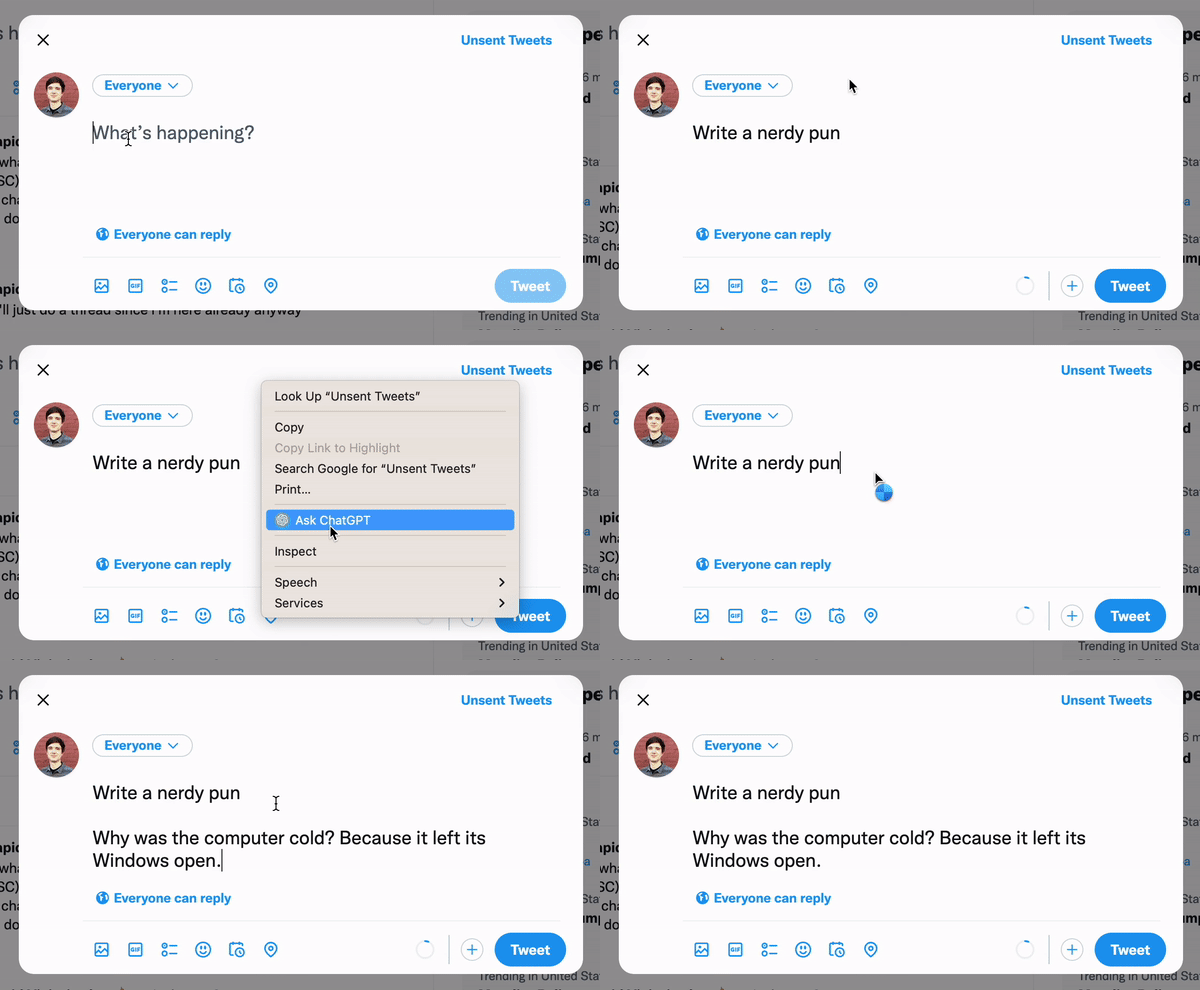
#1. Use ChatGPT anywhere — Google Chrome Extension
Do you want to use ChatGPT anywhere with ease? Today is your lucky day, there is a great Chrome extension you can use to write tweets, check emails, find code bugs… literally, anything you can imagine!
#2. Combining ChatGPT with search engines
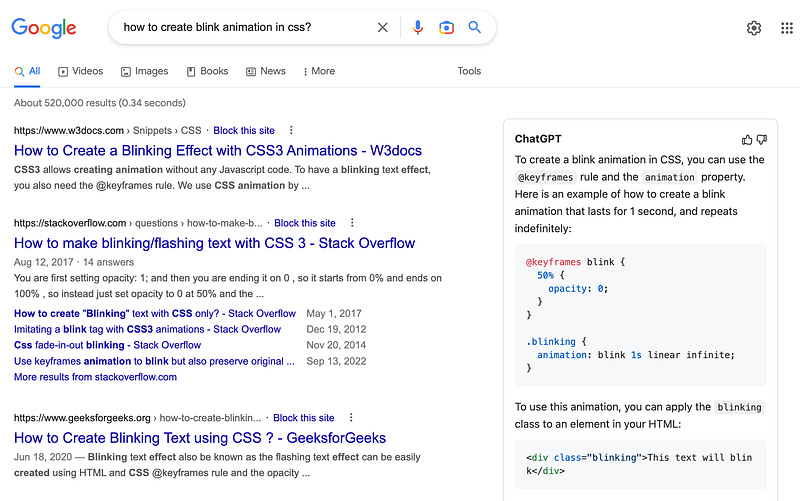
If you would rather integrate ChatGPT in your usual search engine, so you have direct answers without having to use its own interface, you can do so as well!
You just need to add this extension for both Chrome and Firefox to obtain direct ChatGPT responses directly in your google searches.
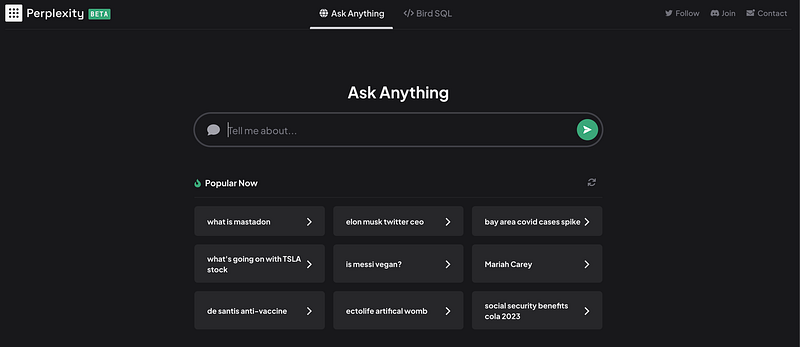
If you would rather visit a pre-integrated searching engine, you can check this searching engine that combines both OpenAI ChatGPT and Bing to answer directly your questions.
#3. Using voice commands with ChatGTP
Are you an Alexa or Siri fan? Then I bet you usually like commanding out loud your questions and needs. There’s already an extension that allows you to talk directly to ChatGPT using your Chrome. You can check how it works directly in the following video.
#4. Integrating ChatGPT in Telegram and Whatsapp
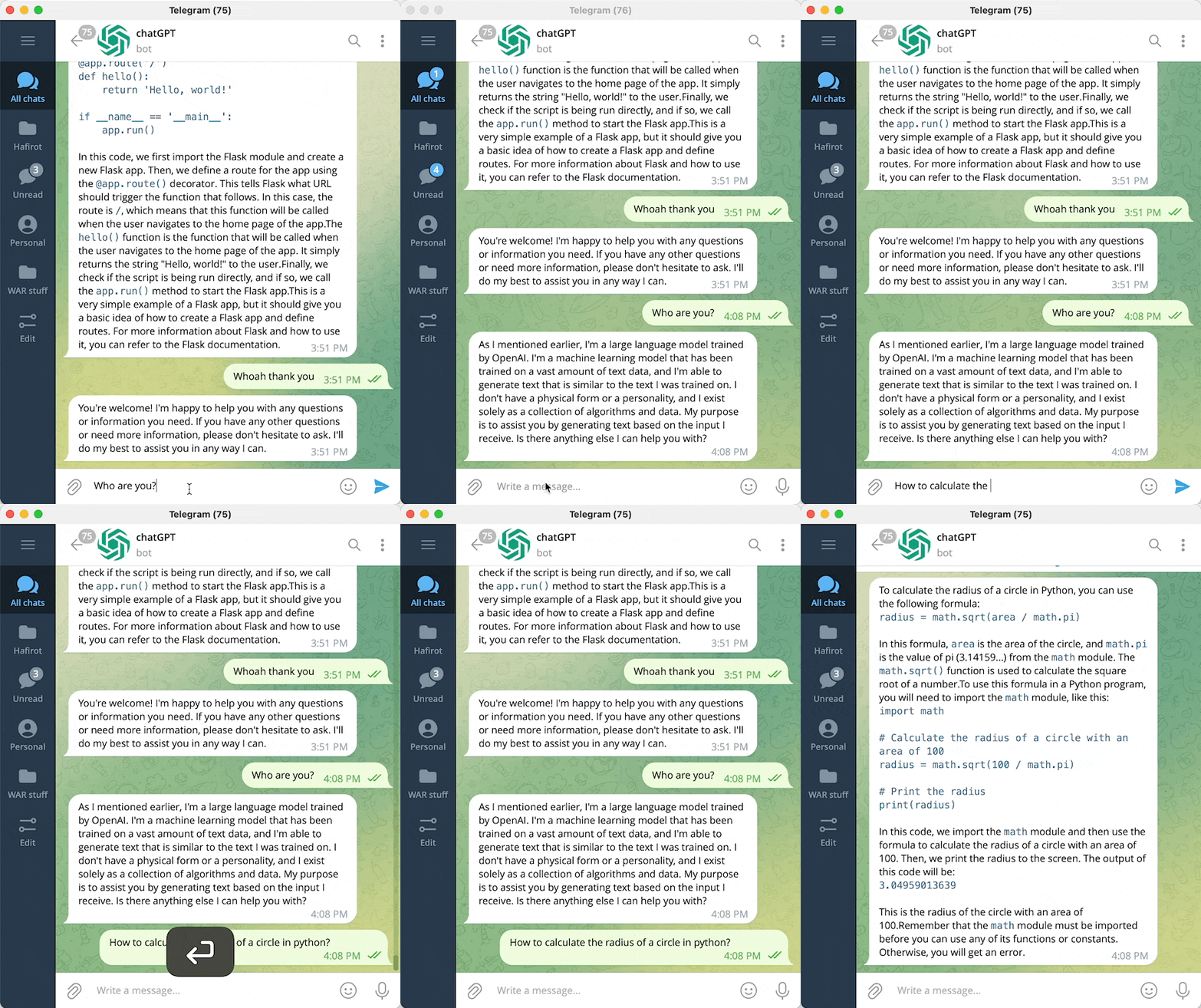
You can create a bot in Telegram powered by ChatGPT following these github instructions and talk to it — or should I say him or her?? 🤔
Do you prefer better Whatsapp? Good news!! You can integrate ChatGPT in WhatsApp as well. You can follow this GitHub to do so.
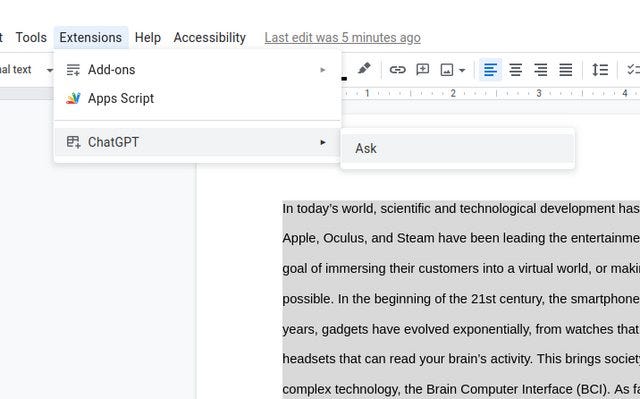
#5. Integrating ChatGPT in Google Docs or Microsoft Word
You can integrate ChatGPT in both Google Docs and Microsoft Word to have all its power in your preferred text editor using the following GitHub.
#6. Save everything you have generated in ChatGPT
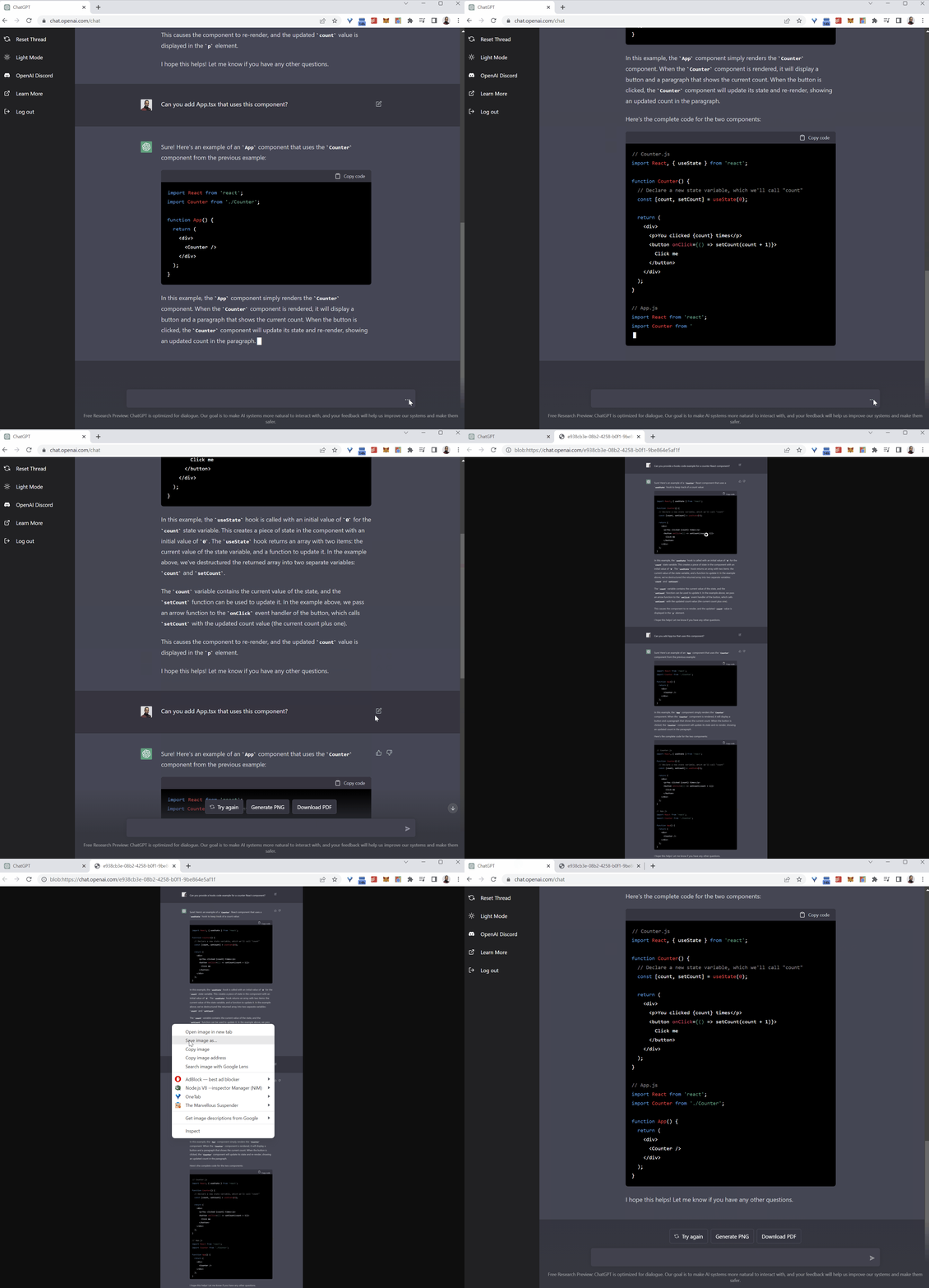
Do you have deep and interesting conversations with ChatGPT and you would prefer saving them for re-reading — or maybe writing a book with alls its knowledge?
Then you can save all your conversations into a PDF, PNG, or HTML link using the following extension for Chrome, Edge, or Firefox.
#7. Additional feature — Twitter ChatGPT accounts.
Twitter has been flooded with bots that allow you to ask ChatGPT anything when you mention them instead of having to ask directly on the openAI webpage.
Some examples are:
https://mobile.twitter.com/chatwithgpt
https://twitter.com/ChatGPTBot/with_replies
Do you think 6 extensions are not enough?
Then just give a look at the following article where I share 6 MORE ChatGPT mind-blowing extensions!
Hope you find those ChatGPT extensions useful! :)
If you have any further question, or you know any other extension, feel free to comment!
You can subscribe to my Medium Newsletter to stay tuned and receive my content. I promise it will be unique!
If you are not a full Medium member yet, just check it out here to support me and many other writers. It really helps :D
You can find me on Twitter and LinkedIn as well!
Some other nice medium related articles you should go check out! :D


