3 Tips on How to Research a Website
Discover what and who lies beneath any website
As an eCommerce professional, I regularly encounter amazing websites. I often spend my spare time researching websites, seeking out Entrepreneurs behind online trade, particularly those who exhibit Innovation.
This article is an extension of Design Thinking, Innovation and Value Proposition discussed in my previous articles. My aim is to share three simple tools (free version) that reveal a lot about a website — research — the what and who behind any website.
Why? Because market research should be part of any project you and I undertake in 2020 and beyond.
Volunteer
To demonstrate each tool I need a volunteer — A website owner?
Oh, Dr. Mehmet Yildiz, I see you raised your hand. Are you willing to be the guinea-pig for the benefit of ILLUMINATORS?
“Yes, Paul”
“Wonderful Dr. Yildiz”.
What is your URL? — https://digitalmehmet.com
Fantastic, let’s begin.
PS — didn’t actually get approval … but … what the hell!
1. Built With
To begin, allow me to introduce Built With, a website profiler. A free (version) tool that can reveal a great deal of information:
- Competitor analysis
- Business intelligence, and
- lead generation
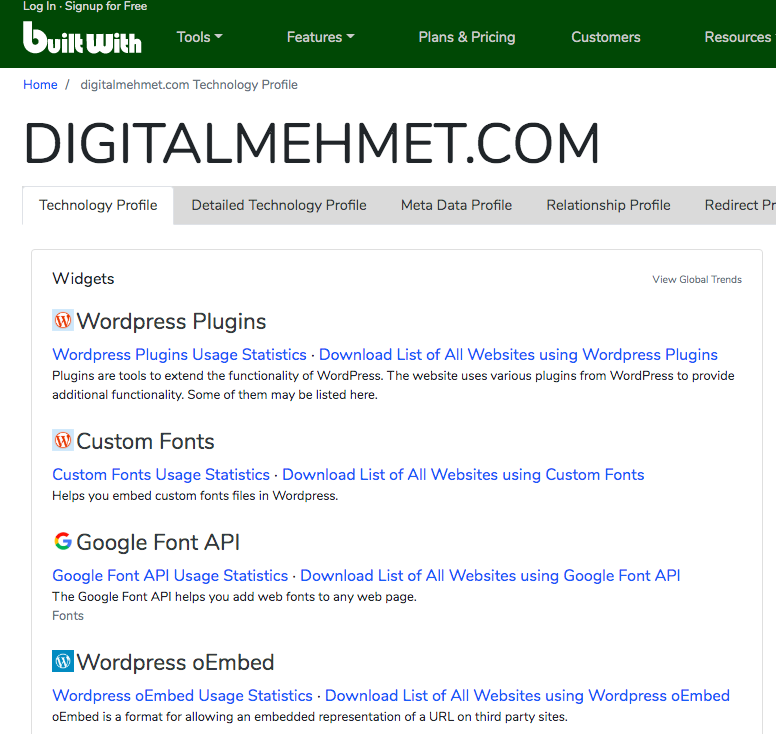
The tool offers insights into technology adoption, eCommerce data, and web analytics. For example, looking at the site that Dr. Mehmet Yildiz put together we can quickly learn:
- Platform — Built on Wordpress
- Social plugins — Facebook, Linkedin, Twitter etc.
As shown below:
Also, when you click into the “Detailed Technology Profile” you can see the exact timeline:
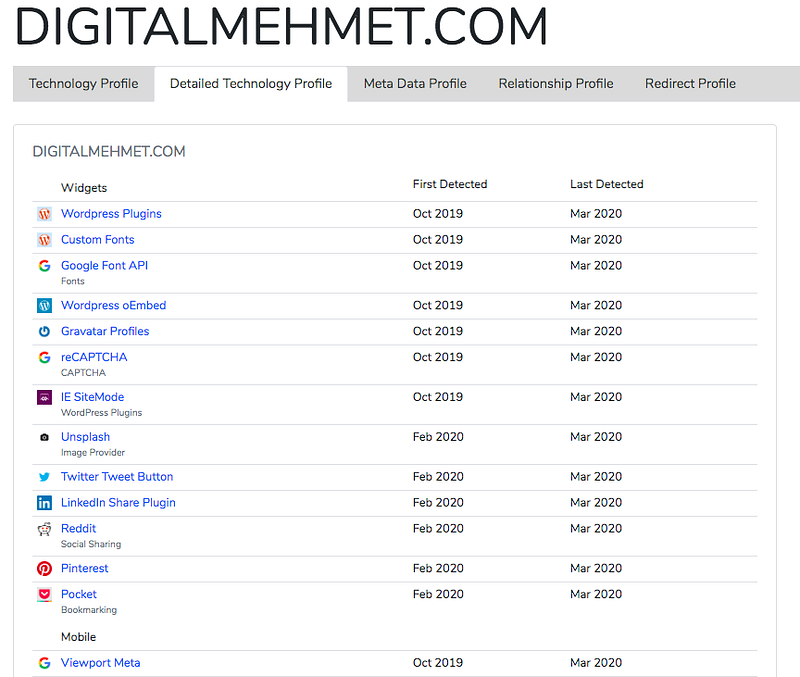
To expand on the features noted above, Built With offers:
- Lead Generation — list of websites “from a database of 38,663+ web technologies and over a quarter of a billion websites showing which sites use shopping carts” and hosting. By “location, traffic and vertical.”
- Intelligence — “Know your prospect's platform before you talk to them. Improve your conversions with validated market adoption.”
- Market — “Get advanced technology market share information and country based analytics for all web technologies.” — Built With
2. Who Is
Who.is can unveil a website owner, host, and date of registration. That said, owners can remain anonymous too, as Dr. Mehmet Yildiz opted to do.
Which I’d recommend.
So, excluding the readers of this article, nobody knows who actually owns the domain: digitalmehmet.com.
Ooops — Apologies Dr. Mehmet Yildiz!
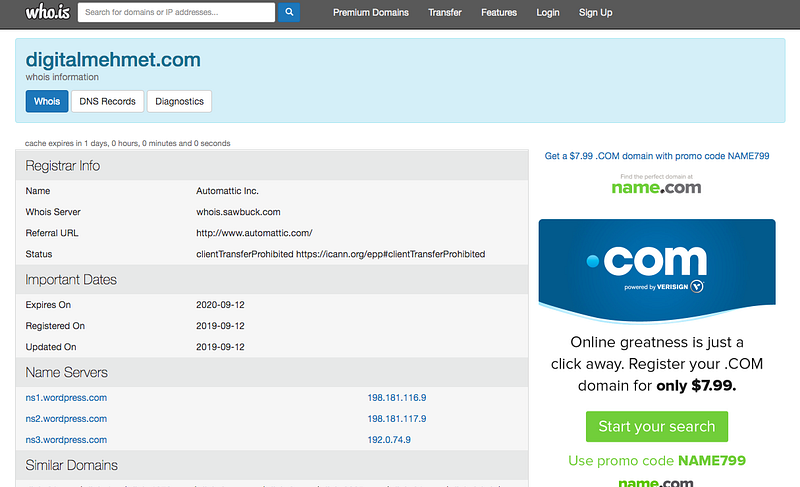
Who.is is a good way to check-in on competitors and domain squatters.
3. Alexa
A great function of Alexa (free version) is how it illustrates a website’s popularity, by rank. As you can see below the site that Dr. Mehmet Yildiz created, ranks a touch over 8-millionth in the world.
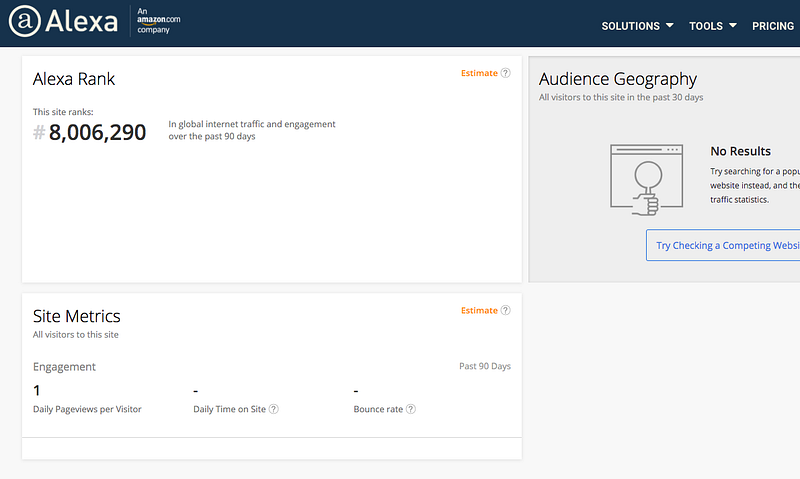
What we’ve learned from Built With, is that Dr. Mehmet Yildiz’s site is relatively new, so for Alexa to rank it at all is a commendable milestone.
Congratulations Dr. Mehmet Yildiz!
Final Thoughts
Free online tools are useful in so many ways, from a personal, professional or business perspective.
On that note, below is a list of some of the benefits:
- General website insights
- Domain availability
- Global rank (keywords in paid version)
- Technology used and when
- Owner
- Competitor analysis
- Traffic (rank)
- Location
- Plugins
- Backlinks
I could go on folks. My point is that if you operate in the digital world do your research. Snoop on your competitors, find out what they’re doing and either replicate or improve.
“Innovation is taking two things that exist and putting them together in a new way.“ — Tom Freston, Co-founder of MTV