
ChatGPT
10 things you can do with ChatGPT as a Machine Learning Engineer to make your work more efficient.
How to get your work faster and more efficiently with the help of OpenAI’s ChatGPT
A few lines about GPT3.5 and ChatGPT
A couple of days ago Elon Musk-Sam Altman backed OpenAI (founded 2015) released its latest release of the GPT LLM — now called GPT3.5 and along with it ChatGPT ( or sometimes called GPTChat ) .
GPT3.5 is trained on ‘a blend of text and code’ published prior to Q4 2021. It is the predecessor to the much anticipated GPT4 ( which will probably be released later in 2023 and the promised model will have around 100 trillion parameters !!! ( a six times increase from the current models )
To test out the demo version of GPTChat — head to this link .
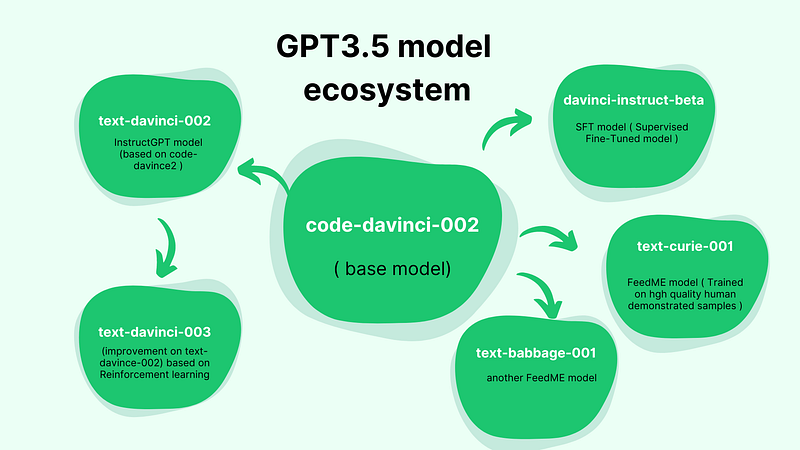
Here’s a quick look at the GPT3.5 models involved to appreciate the interactions and training methods.
How can the ChatGPT be useful for the machine learning engineer /Data Scientist ?
We tried a few things with ChatGPT and these were some of the good use-cases we thought were useful. (some were hits , some were misses … try what works for you ! )
Here are 10 things you can, as a Data Scientist / ML engineer do with ChatGPT.
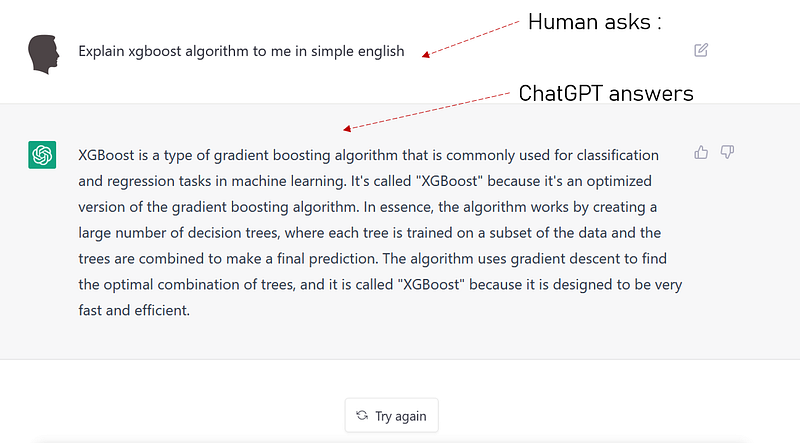
1️⃣ Explain Machine Learning algorithms in simple words
In case you want a quick recap of what an algorithm does/how it works, ask ChatGPT to do it for you.
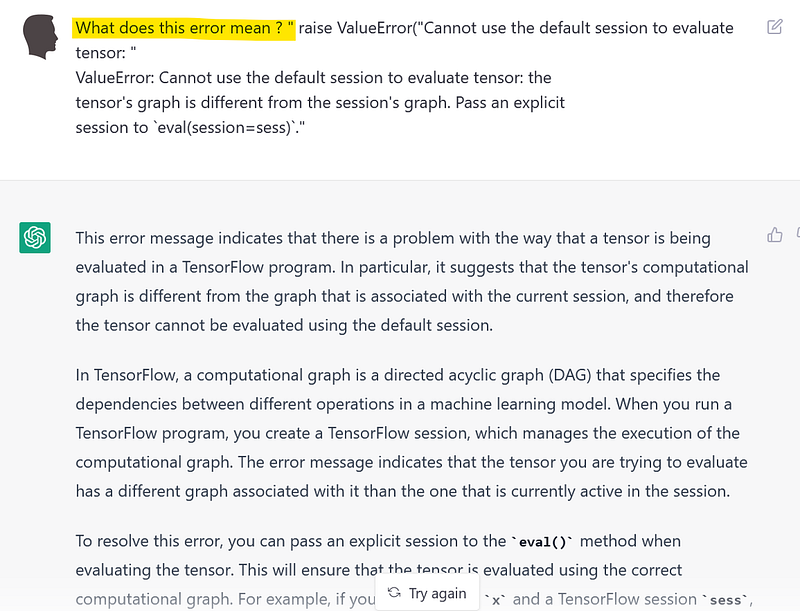
2️⃣ Help you debug some complex error messages in your machine learning code .
Remember those times when you used to have trouble understanding what an error message means, only to head over to stackoverflow to find even more obscure explanations ? Not anymore.
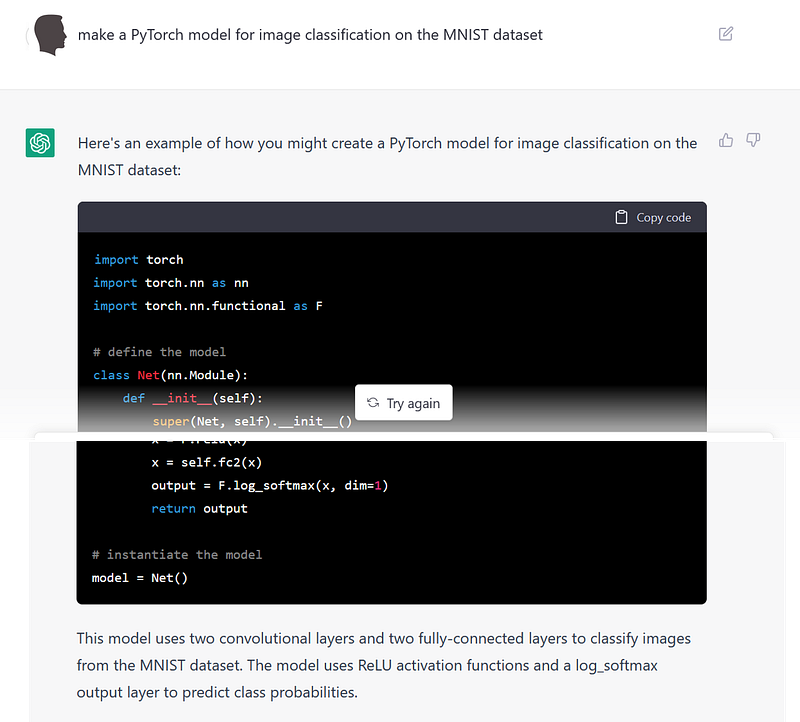
3️⃣ Get a starter code generated for simple tasks/ functions ( And also code completion / autocompletion )
We didn't stop at simple tasks and functions — but wanted to see if we can make it write an ML code for building an image classifier using PyTorch on the MNIST dataset .
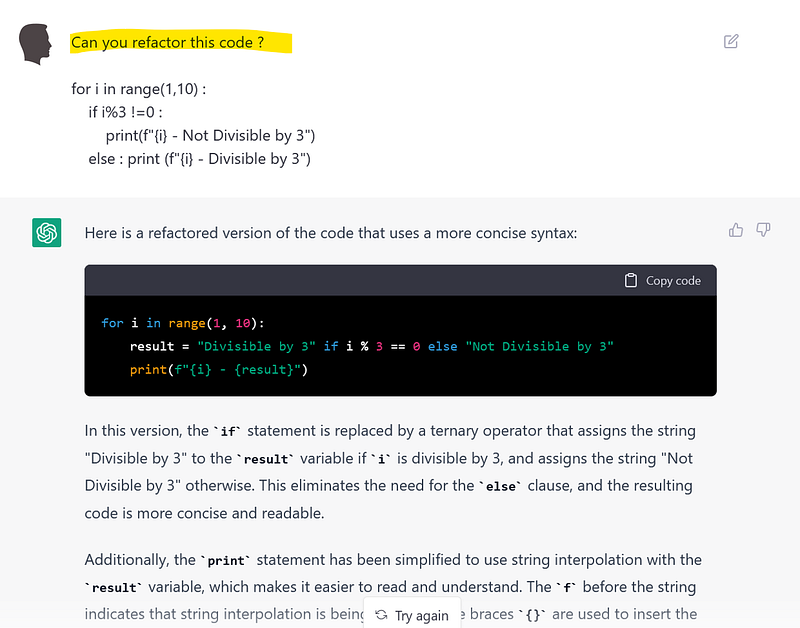
4️⃣ Refactor your code.
Make some good looking code by just pasting it in the chat box and ask the AI to do it for you!
👉 Word of caution : Make sure you test the results from the generated code)
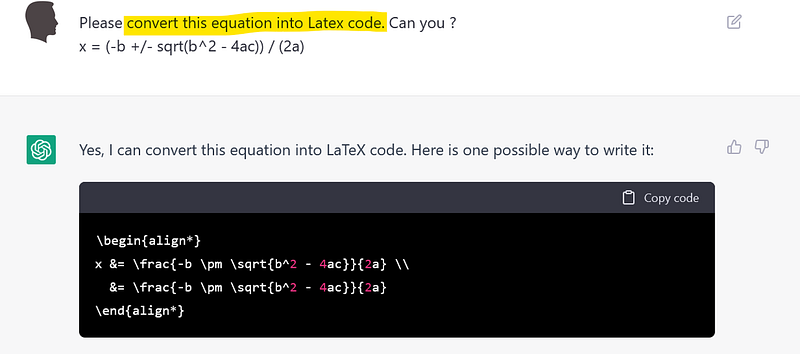
5️⃣Convert equation to latex code
At some point in time, you might have to write a technical paper and chances are, you need to convert your equations into Latex code.
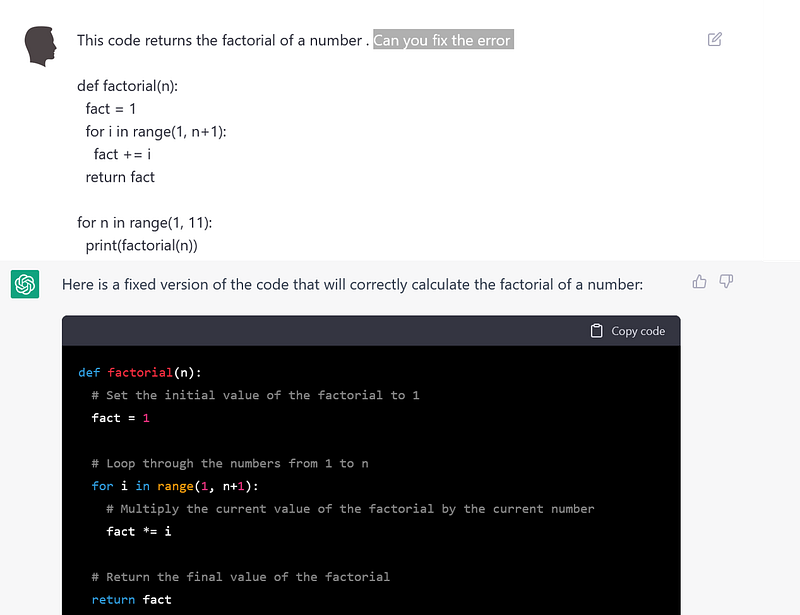
6️⃣ Identify and fix common coding errors and bugs.
Struggling with some logical errors in your code ? Or just don't want to spend time debugging a short piece of code ? Think AI !
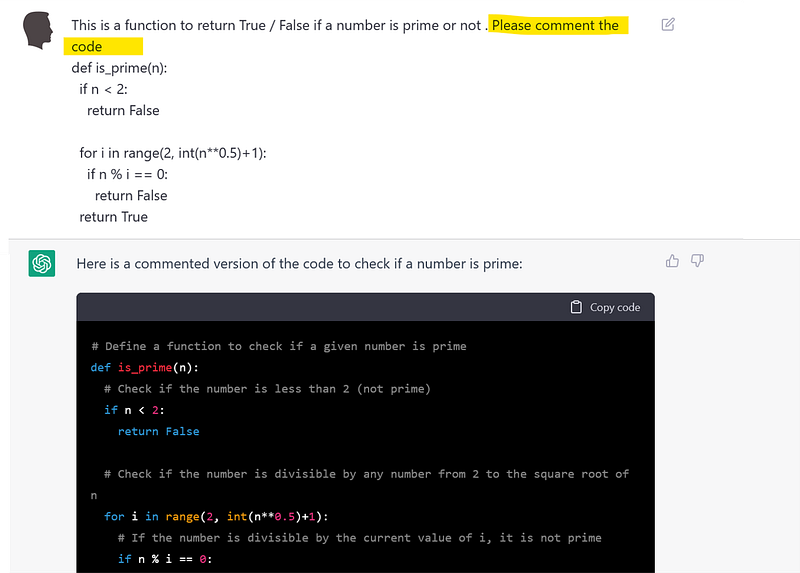
7️⃣Comment your code / Create documentation
Tired or lazy to write explicit comments and create documentation for all the code you have written ? ChatGPT can do it for you, explain the code and even create a documentation for you.
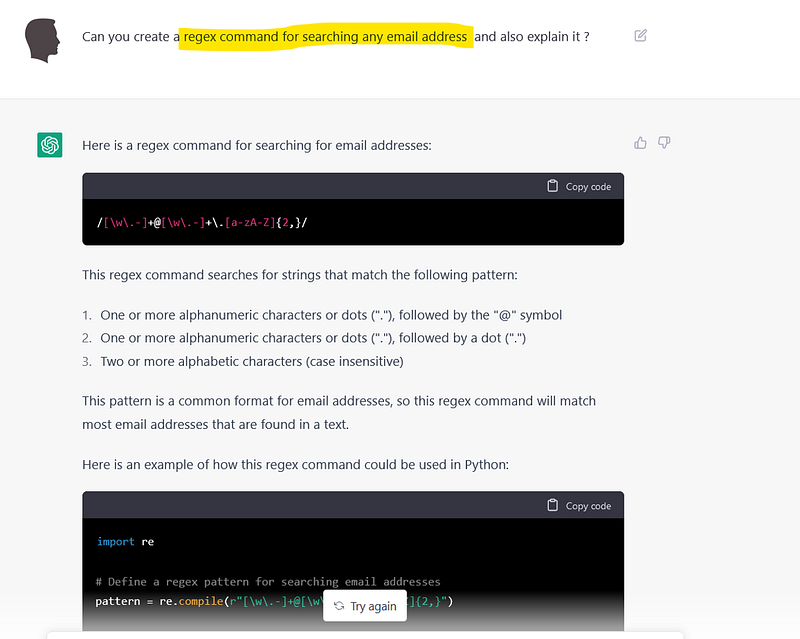
8️⃣Create regex commands and explain it !
You want to to build a dataset by mining tons of text with some regex ? But don't know the syntax ? — Here’s it fixed for you !
9️⃣ Write your resume !
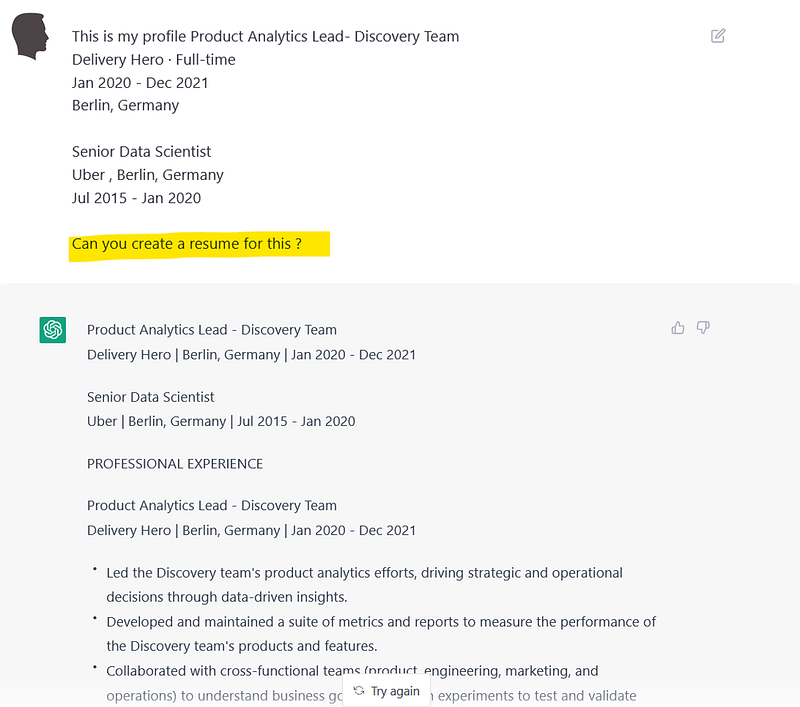
Finally .. you want help with creating your resume .. just put in your role, organization and the duration of work … and the rest is taken care !!
🔟 Create a formal letter and .. yeah send the resume you just got created !
You are almost done in your preparation and you have created your resume too ! All that is left is to write a formal covering letter and send it to your potential employer !

Reference
[1] GPT documentation — https://beta.openai.com/docs/model-index-for-researchers
[2] Demo to ChatGPT — https://chat.openai.com/
Interested in some similar topics ?
- Here is the complete list of ChatGPT-4 plugins available today . ( Updated as on August 2023 )
2.Are you following the rave about AI generated Images ? Here are some tips on how to write prompts for mid-journey .
3. How to get more control over the images generates in Stable Diffusion