
Zero Indexed Arrays
A basic programming concept, but an essential one
An array is store of the same type of data. Now, not every programming language is zero indexed, but pretty much every one that you might use is. So if you’re not sure what a zero indexed array you’re in the right place, and this article even explain what they mean for you as a programmer.

Difficulty: Beginner | Easy | Normal | Challenging
Prerequisites:
The article is supported by a video
Terminology
Array: An ordered series of objects which are the same type
Contiguous: Connected or touching
Equality: The state of being equal
Integer: A number that has no fractional part, that is no digits after the decimal point
String: A collection of Characters
Subscript: A shortcut for accessing the members in an array (or any collection or list, depending on the language)
Type: A representation of the type of data that can be processed, for example Integer or String
Arrays
In this tutorial we store Strings into an array (although you could store different data types and the same principles below would apply).
Say we want to add four elements: a, b, c, and d into an array of String.
We will call the following array arr

represented here are four elements in sequence (sometimes elements are stored in contiguous regions of memory, for example in Swift you can specify this).
By definition adding elements to an array isn’t a problem in most languages, that is you can add elements either at the time you create the array or one at a time after the array has been created.
However, accessing the elements can be more tricky. True, we can print array and typically get a nicely formatted output. However there will be many, many situations in which we need to access a single object within the array.
This tutorial will help you to understand why the first of these elements is 0, that is — zero indexed.
One-based indexed
When we have a calendar, the first day is the first of the month (I seriously hope I’ve not lost you at this point).
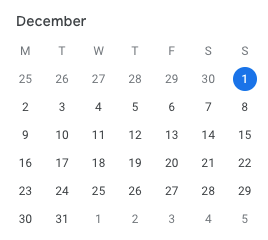
To make an appointment on the 1st December 2019 (today’s date), we would be making an appointment on the first possible day of the month.
No surprise there.
A clock — Zero indexed
Analogue clocks are old-school, but it is analogy that helps some people. Clocks.
It is midday. What time will it be after 5 minutes have passed?

So we can take an in-depth look at this.
When we measure how many minutes are past we can either take into account the Start of each minute or the end of each minute.

We are interested in each minute being started rather than ended.
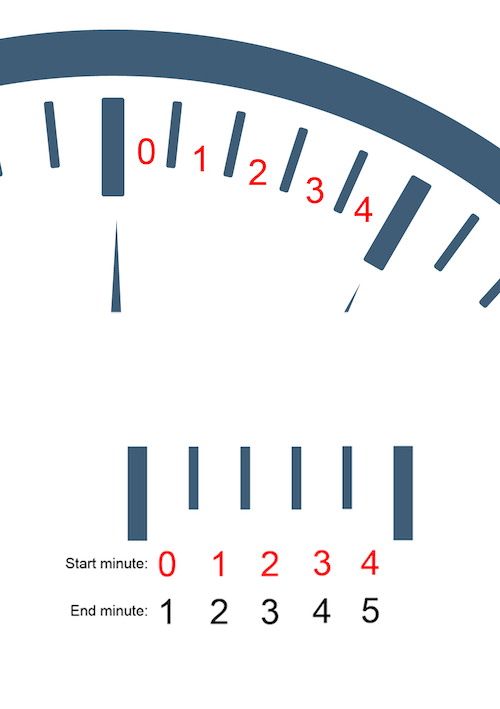
We can mark each “Start minute” in red. That is, it takes 60 seconds for a completed minute to pass (you must wait a full minute to be at minutes passed = 1.
This start minute starts at zero.
This is useful since digital clocks work this way.
Don’t believe me?
We start with the time 0:00
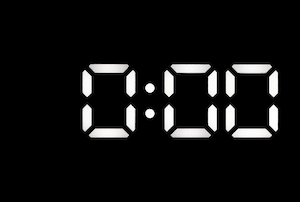
Not that this is zero minutes and zero seconds. We are going to focus first on the minutes.
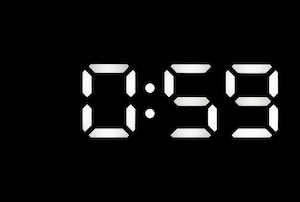
After 59 seconds, we have 0: 59 displayed on the clock. That is, we still don’t have a full minute — we are on zero minutes until we have completed 60 seconds, 59 is not quite enough.
After the 60th second we have a full minute (yay!).
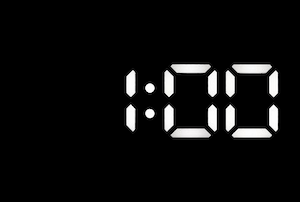
At no point before 60 seconds do we have any minutes. Now this makes sense, because the “minutes” part of the clock always displays 0 until we have 60 seconds racked up. During all of this time we are on the zero’th minute, that is 0 displays on the clock from 0 to 59 minutes. When we have 60 seconds we have a complete minute, and move to the first minute.
To make this clear, this is how a clock works — with Minutes and Seconds labelled on the clock:
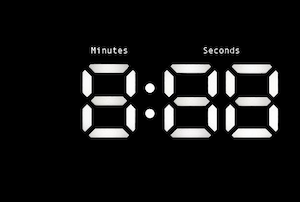
Now ponder this: you only have an minute when you have 60 seconds. But when you enter the first second, you are still in the 0th second until it is complete.
All of these time measures start at 0.
An array
We take our array containing a, b, c and d. Like in a clock where the first minute is the zero’th our array arr is exactly the same.
We use subscript to make this easy to access:

Meaning that we following are all true (where == denotes equality)
arr[0] == "a"
arr[1] == "d"
arr[2] == "c"
arr[3] == "b"
Showing the position of elements in an array
We can simply number the elements of our array starting at zero:

So if we wanted to create a new array with the following letters: h, e, l, l, o we would have the following:

here the array starts with a zero’th element too.
Here is the thing.
All arrays are zero’th indexed.
Thinking as an offset from the beginning
Some languages actually allow you to specify an offset from the first element in array when performing a calculation.
This can be thought of how measurement tools work: for instance here is a set square:
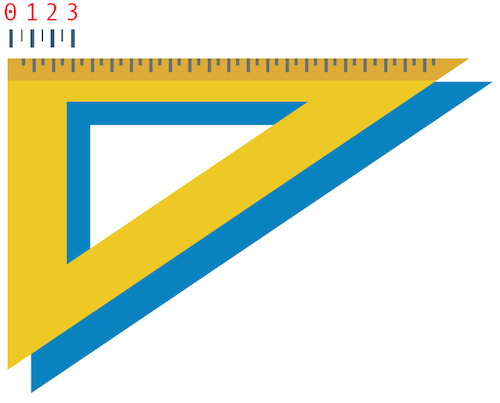
Now the question is what happens before you reach 1 (I’d posture that it should be 1). Yes; the gap between zero and 1

The answer is this: The gap between these two is known as zero cm.
Measurement tools, tapes, setsquares and others are zero indexed.
Zero index in Computing and Arrays
For technical reasons in the history of computing this actually makes alot of sense, and is a perfectly acceptable way to think about an element in an array and we can actually set that up in our array below.

In any case the result is the same, that the following statements would be true
arr[0] == "h"
arr[1] == "e"
arr[2] == "l"
arr[3] == "l"
arr[4] == "o"
Appending to arrays
Appending is really just adding a single element to the end of an array. This will extend any particular array by one element. So if we wish to append “e” to “a”,”b”,”c” and “d” we have the following resultant array.

It should be recognised that essentially the element is stuck to the end of the existing array — that is this is the same array but with an extra element on the end (a new array is not created).
Concatenation
You can join two arrays together through concatenation. That is, one array is placed after another using the addition operator. Adding an Array containing “a”,”b”,”c” and “d” added to “e”,”f”,”g” and “h” can be graphically represented as the following:

the index of “a”,”b”,”c” and “d” is unchanged through concatenation. The result leads to the following array.

Which is actually a whole new array, stored in a new memory location on your machine.
Replace values
You can replace values in arrays by updating the array “a”,”b”,”c” and “d” as shown below
and we can change the element at index 2 (if the array is called arr the element at arr[2] happens to be c) by assigning it with a new value.
arr[2] = “z”

The video covering this material
Conclusion…
Arrays are 0th indexed. Now part of the reason for this is that it actually makes calculations with arrays easier than they otherwise would be.
Want to get in contact? Try the link here:


