
Your first Python Application (Mac)
Installing and using Python on your mac is essential. Now, don’t be IDLE.
It is common for tutorials think you can already use Python. Do you? If you don’t, this tutorial is exactly the right place to start!

This tutorial uses Python 3 which is usually installed on a Mac by default, so we take this from exactly the point of opening a new freshly purchased Mac.
Difficulty: Beginner | Easy | Normal | Challenging
Terminology
Character: A written character, usually associated with a letter of the alphabet
Console: A simple window for programming that can display output and (usually) process input
“Hello, World!”: A program or script that outputs “Hello World” to the console or has some other way of displaying the appropriate message
Integrated Development Environment (IDE): An application that provides a set of features that are used by software developers to create computer software
Idle: An IDE which is bundled with the default Python
Python: A high-level programming language. Claimed to be the third most popular language (which changes over time, and depends on your measurement system). Frequently used in schools and universities to teach beginners, and used for web development as well as AI programming
String: A collection of Characters
Why Hello World!?
Simple tutorials usually begin with a “Hello world” tutorial. Those outside the programming community can feel that this is an unusual thing to choose, as it seems to have been picked simply because it is a simple word String (or just String) to print to the screen.
But why would anyone choose that particular String?
We can start at the beginning. There is a book about C programming which used a “Hello, World!” example — although this was actually lifted from a Programming in C: A Tutorial (1974) book.
The actual “Hello, World!” application that tutorials ask you to produce vary in sophistication and implementation, but the basic idea is that you print “Hello, World!” in some form.
With that settled, let us move on.
IDLE
Python is installed by default on a Mac (YES!), but IDLE is not. IDLE makes it easier to interact with Python, so we will install and use it within this tutorial. The link on python.org will update Python to a newer version.
Once we have Python installed you can open IDLE up, perhaps by traversing to your application folder and opening IDLE. My recommended technique is to use spotlight by pressing ⌘- Space on your keyboard
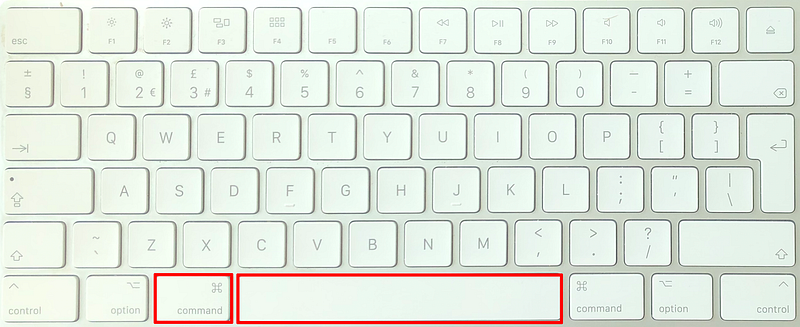
Which then opens the Spotlight window

Which then allows you to type “IDLE” which will then launch the IDLE IDE!
Using the IDLE console without saving
You can use the IDLE console like a calculator. This is pretty easy and in reality involves you typing print (“Hello, World!”) into the terminal window.
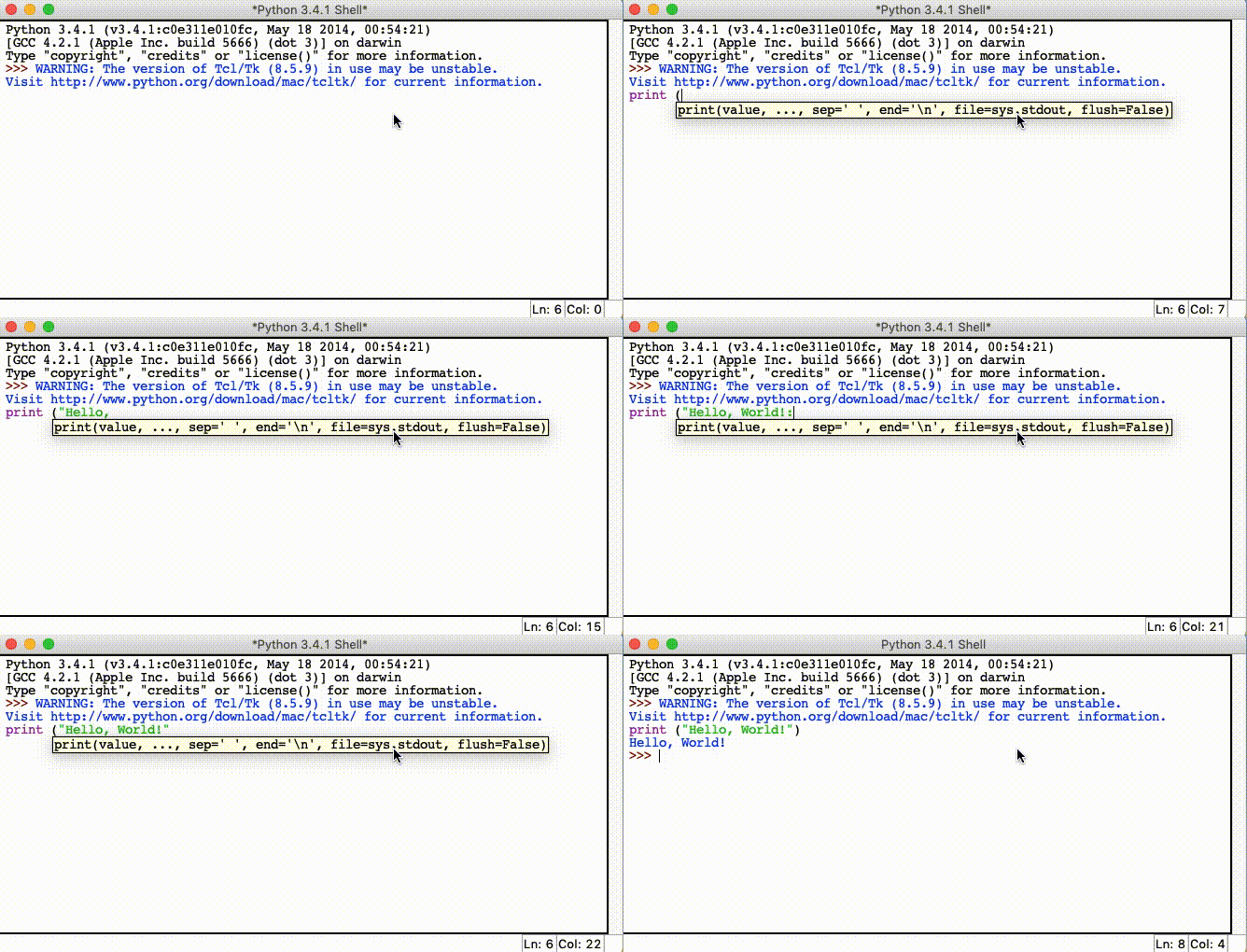
Equally you can type print (1+2). Now in this ⌘
Using the IDLE console to save your programs
You really need to write more complex programs in a programming career. To do so, you need to save your work as you go!
In order to do so, IDLE has you covered.
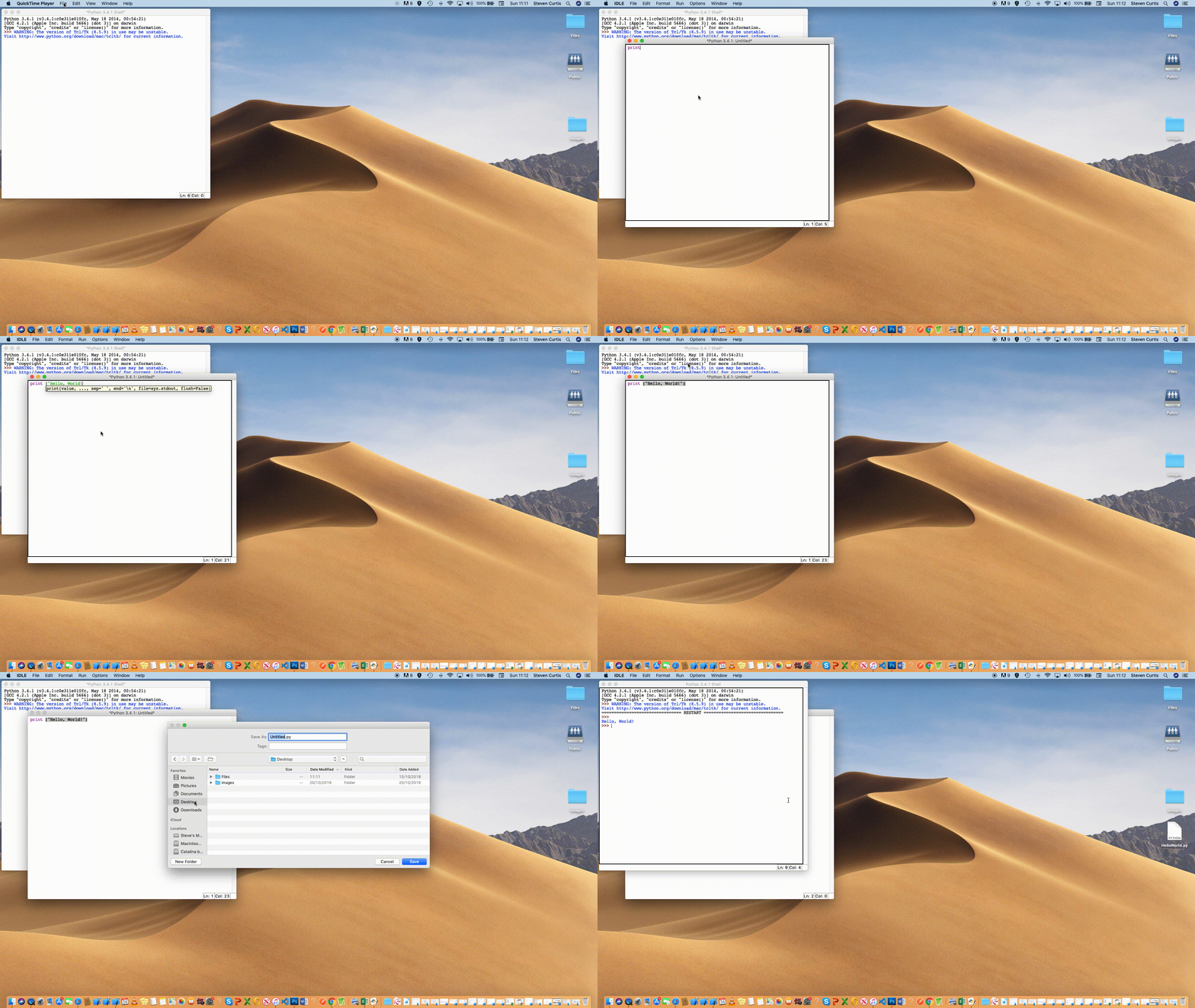
File>New File or (⌘-N) to create a new file window.
You can then type
print ("Hello, World!)
into the new file.
Then to Run the file we through the menu Run>Run Module Module (or F5 ). You’ll be asked to save the file somewhere, but this should not be a problem for you!
The video guide
You can watch the whole video from start to finish!
Conclusion…
Writing your first program in Python is not too much of a challenge. However, it is the first building block on a programming journey that many people have started.
References
You can read something about getting Python working on a Mac, although the link is quite complex to follow it is useful to have here as a reference.
The Twitter contact:
If you’ve got questions I’d love for you to get in touch with me. https://twitter.com/stevenpcurtis is a great channel for communication. Say HI!


