
How to Find a User Name on Medium.com
Many writers are unknowingly making it difficult to give shoutouts to them

I like to comment and have written a decent amount of articles these past two months. When I write about Medium, or when I respond and make comments, it’s often useful to give shoutouts to people. One thing I often come across is finding a name that isn’t searchable on Medium. I always let out a tiny sigh when I see this.
For those that are unsure what I’m referring to, I mean the username search function of Medium, example below:
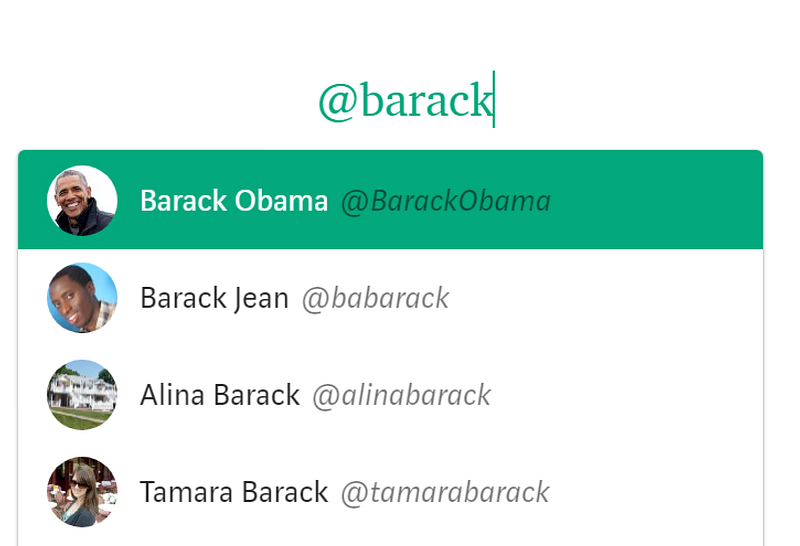
If you selected the name, (yes it’s the real President), the result will look like this: Barack Obama
On Medium.com, this is called a ‘mention’ — as it sends a notification to that user (if they don’t have it turned off).
Shout it out loud
If I’m using an author’s work as an example in a Medium article, it’s a great way to give credit and drive traffic to them. If I’m replying to an article, it gets the author’s attention and also gives a link to other people reading my comment to that author’s profile page.
In short, it helps spread the author’s work around, even if its just a little.
I hate seeing great articles and writers post stuff and not be able to search their names on here. They’re likely missing out on a decent amount of sharing and viewership just because of that.
What do I mean? Let’s look at one of my recent story-clappers:

Go ahead and try to search for it using the Medium ‘@’ tool in a comment or article. You can’t find Banana Mañana, can you?
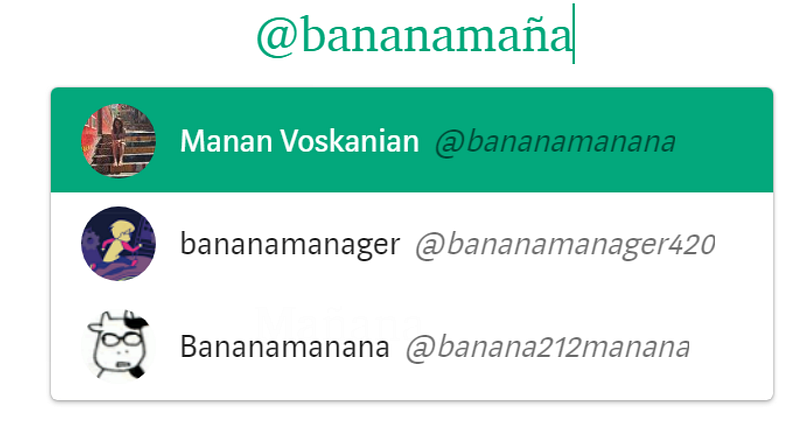
That’s likely because the user name is different from the display name. Let’s look at the profile:
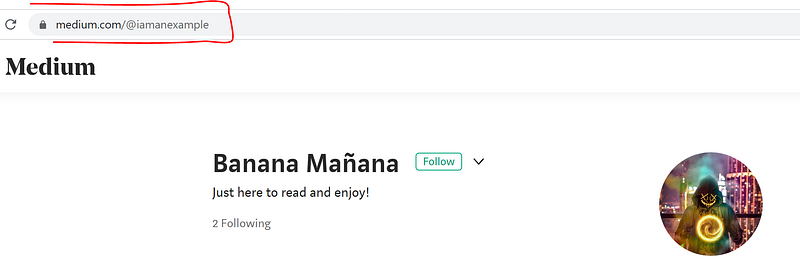
You can see his display name ‘Banana Mañana’ is different from the user name. Where’s the user name? Look at the address bar, its ‘medium.com/@iamanexample’
Now if we search for ‘@iamanexample’, we can find him:
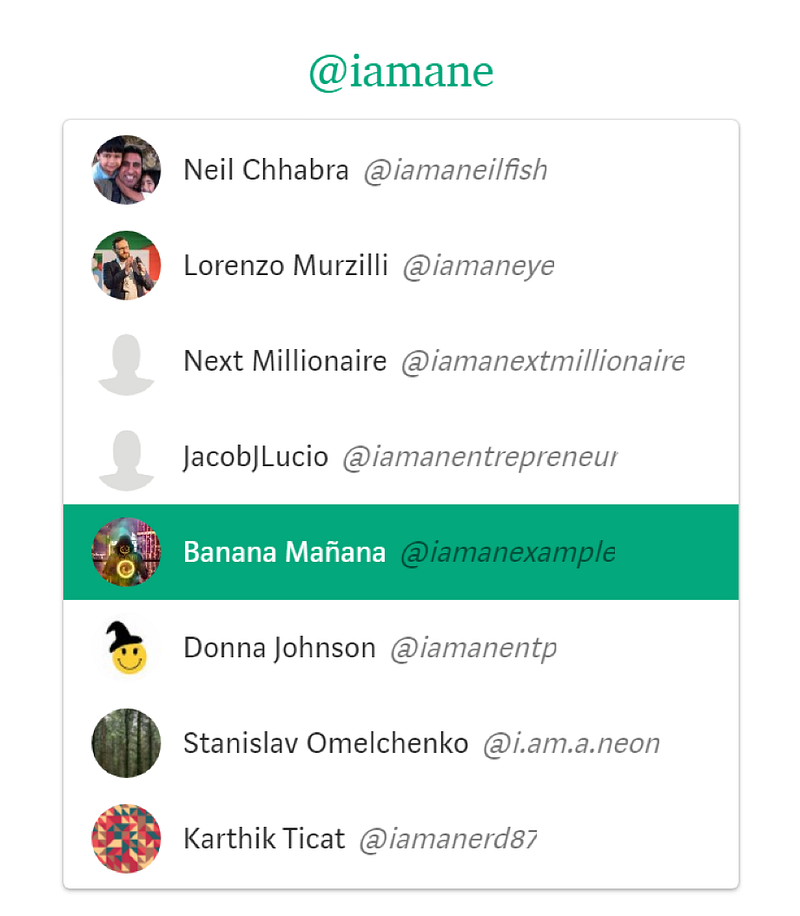
Nice and easy that way right? I don’t even have to search the entire username.
Do you have this problem?
A quick way to check if you are in this scenario is to just go to your profile. Is the name in the website address bar different from the name on your profile page? If so, then you might have missed out on a bunch of shout outs and traffic!
Very fixable
Don’t fret though, as we can fix it. You have two options, you can change either the user name or the display name.
The big con of switching the user name (the website address one) is that all of your previous article shout outs and links to your account will no longer work.
If you’re a new author, or just recently started, this probably isn’t a big deal and it might be easier to change this. If you’re well established though, it can be a lot of work to change and downright impossible if its 3rd party shoutouts.
How to fix it?
The below shows how to change either the user name or the display name to match the other.
Option 1: Change user name
To change the user name, just go into your profile and go down to the ‘Settings’ tab.
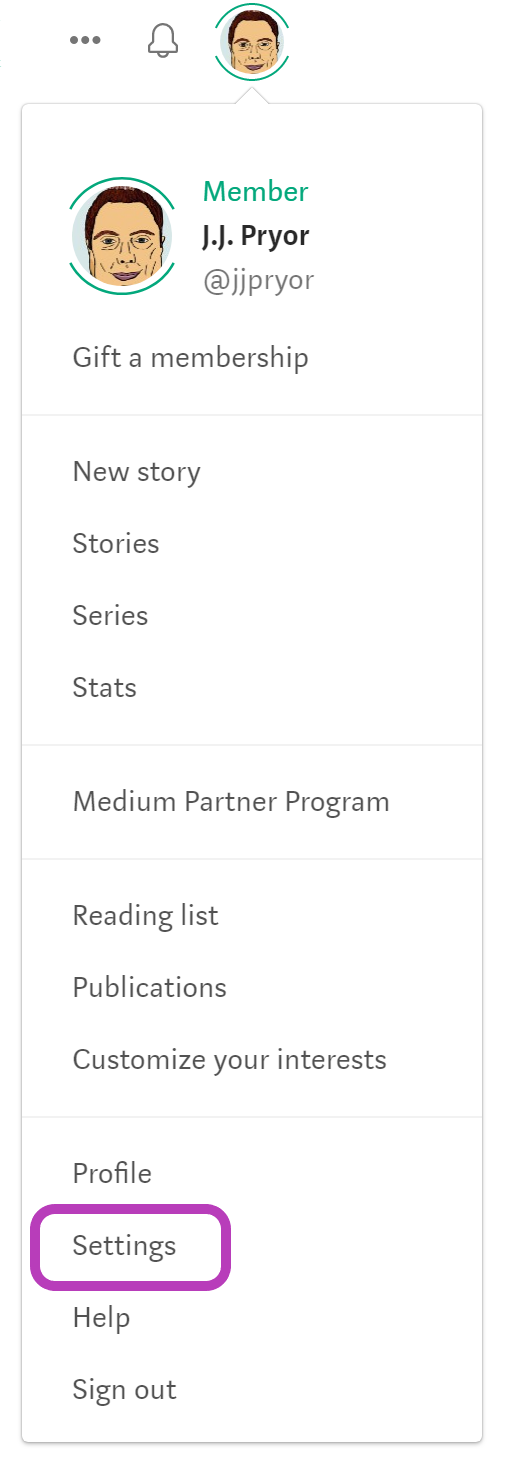
In the settings screen, scroll down to the ‘Account’ section, and click ‘Edit username’.
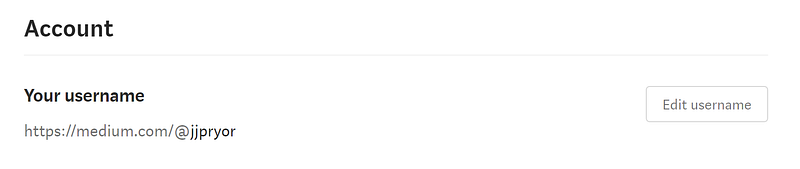
You can then change the ‘Medium.com/XXXXXXX’ part to show the same as your display name — thus making it easily searchable.
Option 2: Change the display name
Changing the display name is an easier option for established writers that already have lots of articles. It automatically changes your display name to links around Medium, as the website address is not changed in this instance.
To change the display name, just go to your profile page (click your profile picture), then you’ll see this familiar page, with all the stories listed below.
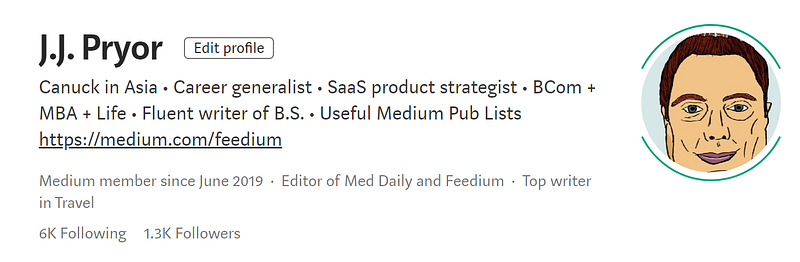
Click on the ‘Edit profile’ button you see at the top, beside your display name.
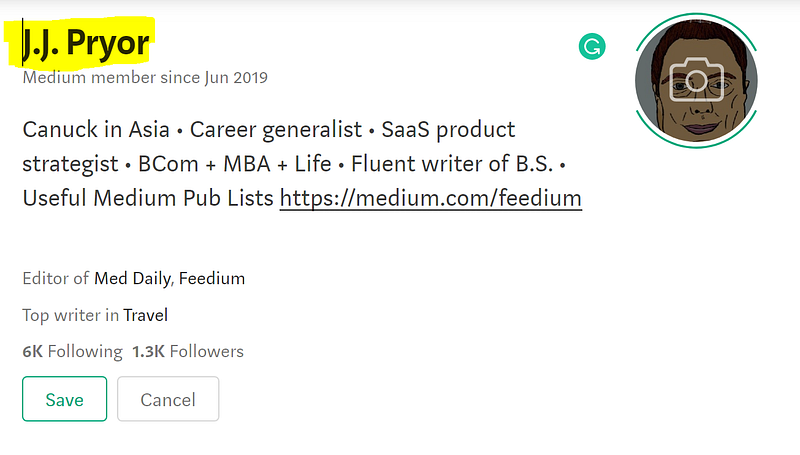
It then lets you change your display name to whatever you want.
Wrapup
The main issue here is that people will naturally search for your display name and not the user name when using the ‘@’ function in Medium. But the ‘@’ function works by searching for the user name.
You’ll notice that my own name mostly matches, but it works perfectly in the search function so that’s all that matters. My user name is ‘@jjpryor whereas my display name is ‘J.J. Pryor’, close but not quite the same.
Still works though!
You don’t have to make the names match either, just put yourselves in a reader’s shoes, what would you search for (from seeing the display name). When that lines up with the Medium ‘@’ algorithm which searches the user name, bam, you’re gold!
When they don’t match, it’s hard to find, and people give up searching very quickly.
So, have a quick check to see if your names match, and if they don’t, go fix it!
Don’t miss out on those extra shares and views!
P.S. I should also mention, if you type a user name often, it will remember that you did it and mostly negate the above rules. But that’s only if you shout out to the same person often or recently. Still worth the change in my books.
If you enjoyed this article, you might be interested in my free newsletter as well!


