
You Know This Tiny Trick To Promote Your Stories On Medium?
Or am I the only idiot who dismissed it so far?

Ok, it may be inappropriate to call myself a nincompoop, but what can I say?
After being on Medium for over seven months and reading countless articles on how to succeed on the platform, I still forget to use the simplest way to promote my stories.
“Embed” them into my latest post.
I know. Are we all thinking the same? What a genius!
I feel like a simpleton for even writing about it. But if you haven’t been around on Medium for a long time, you may be missing out on this, too.
If that’s the case, stop wasting precious time. Read on, and I’ll tell you how to fix it.
Here’s what I did before
When I wrote a new post, I simply created links to previous articles whenever I found them fit.
This is one way to promote earlier posts, but readers might dismiss the underlined words and carry on reading if they’re engrossed in your story.
That’s an opportunity missed.
However, I’ll continue to do this when I refer to Internet sources because that’s the correct way.
But to get more eyeballs on my older articles, I’ll whip things up and finally join the thousands of switched-on writers who have already been doing it forever.
Duuh…
Here’s what I’ll do going forward
I’ll “embed” previous posts in the new ones. That’s if they’re relevant or link to the context in some way.
Humans are visual creatures. Most of us, anyway. Displaying the title and the photo will hopefully prompt the readers (you) to click on the article.
It’s an aesthetically more pleasing way than creating a link, and I’m curious to see if it’ll make a difference.
Had I done the same with the tender saga of my badger rescue, it might’ve got more attention instead of getting lost in the bottomless abyss of the platform.
It’s not nice.
So, how do you “embed” a story? My quick guide for dummies
You bring up the post you want to embed in a new window and copy the link.
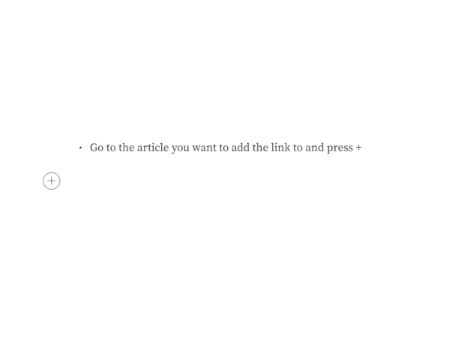
- Go to the article you want to add the link to and press +
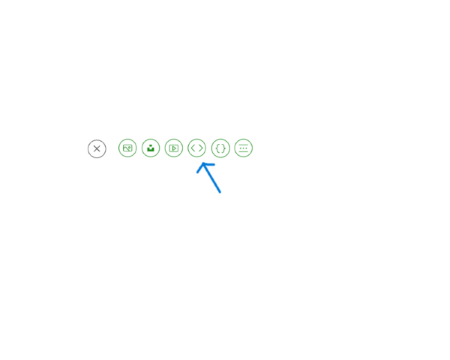
- You should see the “embed” icon as below.
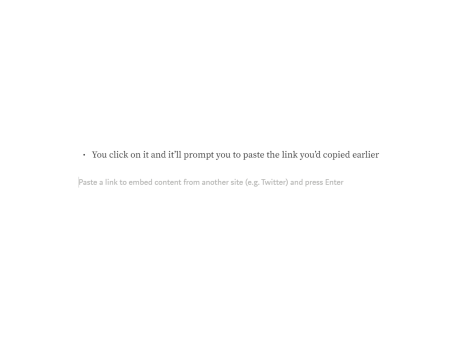
- You click on it, and it’ll prompt you to paste the link you’d copied earlier
- And voila, your post should now appear like this.
It’s no rocket science, and it may increase your views
Why not leverage this easy tool to get more eyeballs on your older pieces?
If readers like your work, they’ll binge-read what’s already in front of them.
I know I do this a lot. So effortless, just a simple click.
Your audience will be delighted, plus you’ll have more time to inspire them with your stories.
Isn’t it a win-win?


