
You Can Now Change Faces On An Image with Midjourney!
Create A Personalized Portrait with InsightFace
Unless you’re a celebrity, creating your own portraits with Midjourney isn’t practical for most individuals due to the lack of readily available photos online. For 99% of people, this won’t be achievable.
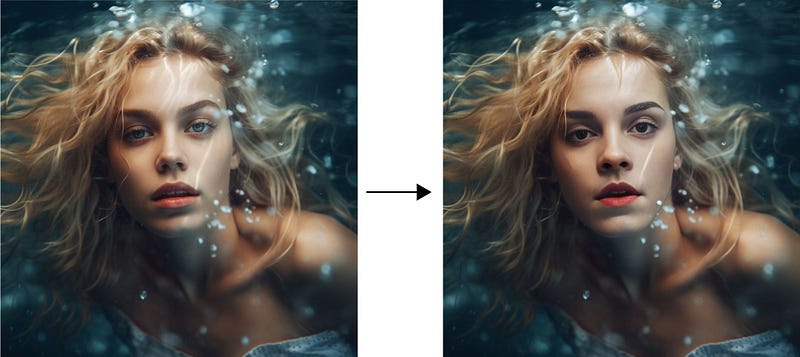
With Insight Face Swap-Bot, you can create a digital likeness of yourself quickly and effortlessly. All it takes is a few simple steps and you’ll be able to have your very own masterpiece in no time!
Get unlimited access to all articles from awesome writers and me on Medium with this link! 💫 Let’s dive right in!
Insight Face
InsightFace is an open-source library for 2D & 3D face analysis. It offers state-of-the-art algorithms for facial recognition, detection and alignment which are designed to optimize performance for both training and deployment purposes. It is free to use!
InsightFaceSwap Discord Bot simplifies the process of swapping faces and makes it a breeze to complete with only a few steps.
Follow this quick guide and prompts if you are new to Mid Journey
Today, I will be walking you through the process of swapping faces in no time! Let’s dive right in!
1. Invite Insight Face Bot
First, you will need to invite Insight Face Bot to your server.
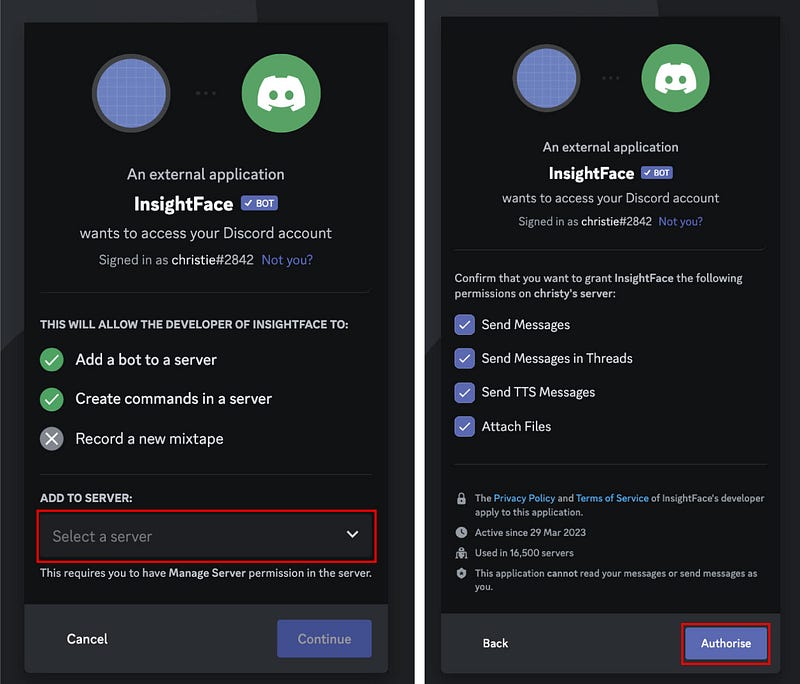
You can create your server in a few simple steps, refer to this post here for detailed instructions.
2. Register the Identity — “/saveid”
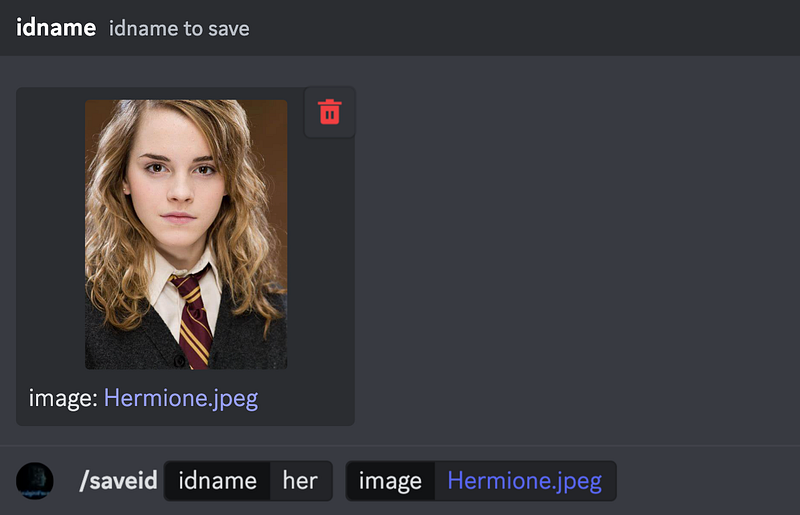
Once you have Midjourney Bot and Insight Face Bot in your server, upload an image and register the Identity with the command— “/saveid” for subsequent facial replacement and editing.
The identity will be used for face swapping.
Your registered name can include any combination of alphabets or numbers and up to 10 characters long.
Note that front-view, high quality, no glasses, no heavy bangs ID photos are preferred
Let’s take a photo of Emma Watson as an example. I am giving the image an id “her”.
3. Create a Portrait
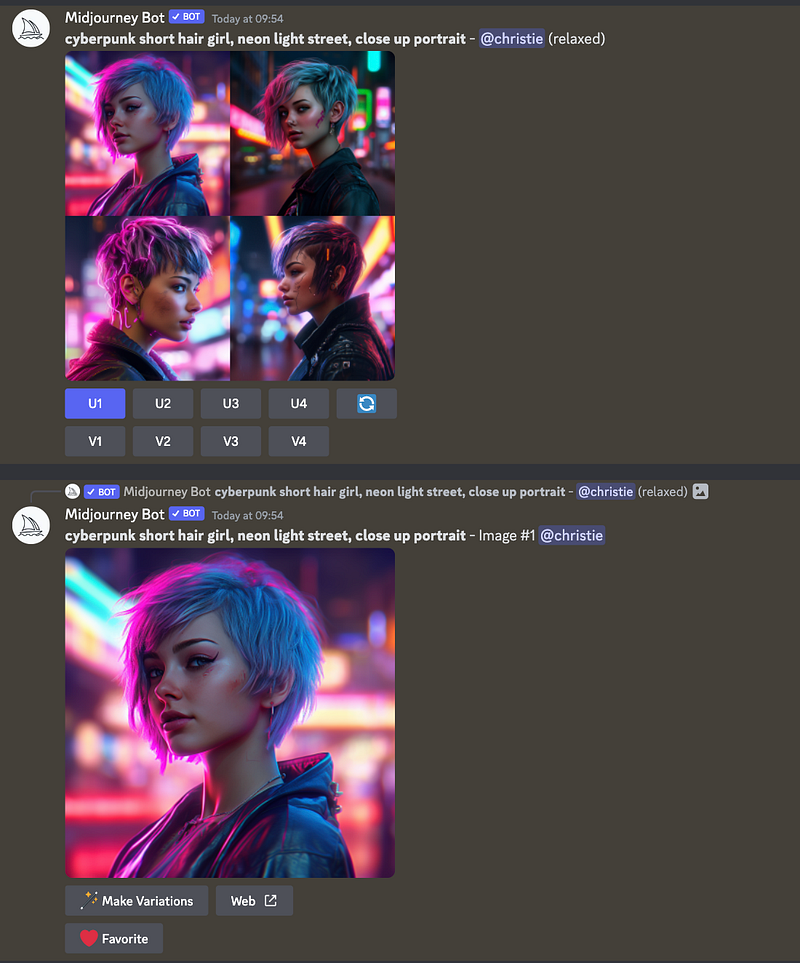
To proceed, create a portrait with Midjourney and pick one that you like to enlarge it with the “U buttons” below.
Here, I picked the first one and upscale it with U1.
4. Use “INSwapper”
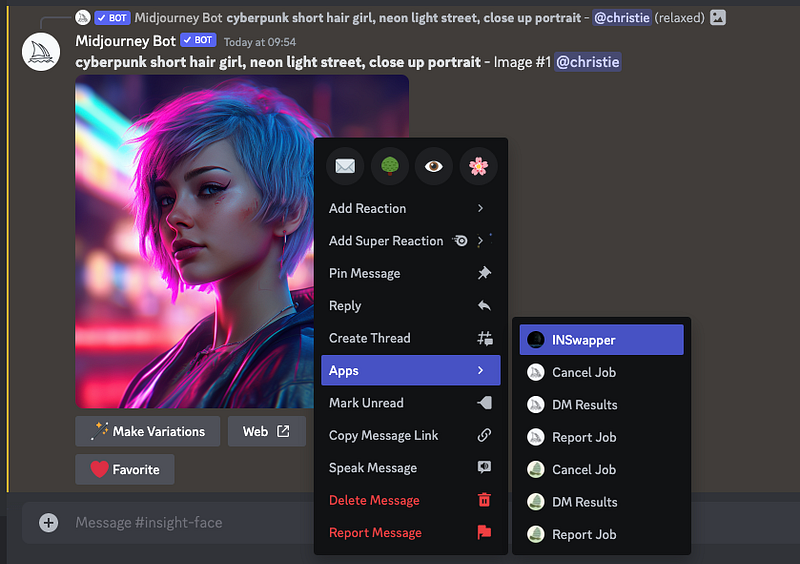
And now, let’s cast the magic! Use the “INSwapper” to quickly generate a portrait.
To use the INSwapper application, right-click on the image, then select “Apps — INSwapper” from the drop-down menu.
Typically, the job is finished swiftly and we can instantly witness the outcome.
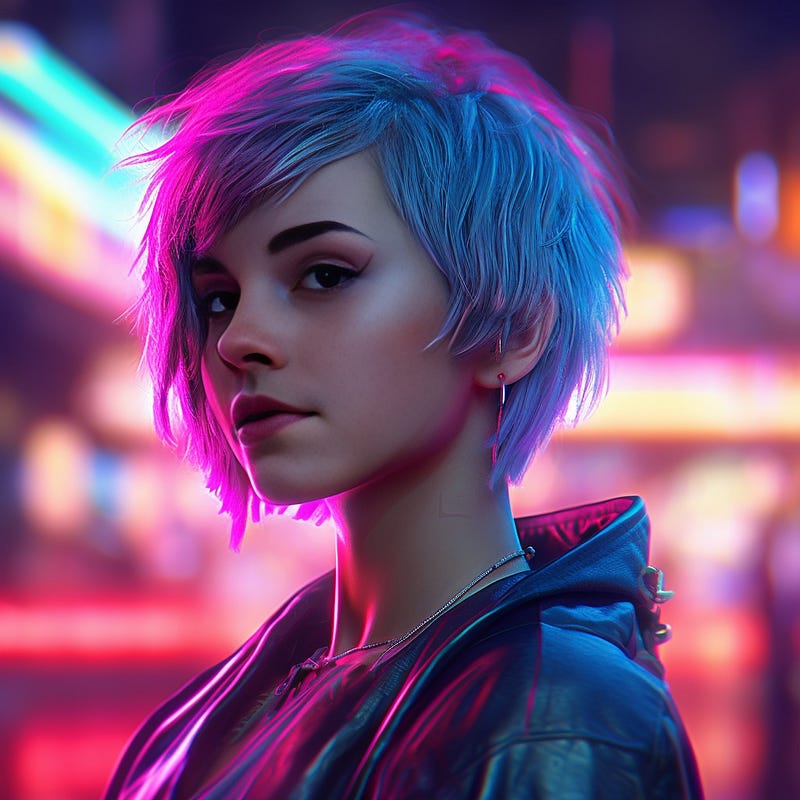
Note that once you have created an identity, it will be automatically set as the default one. You can use “/setid” command to change the default identity name for image generation using the context menu.

5. Use Locally Stored Image
In addition to images created with Midjourney, Insight Face can also process locally stored images through the explicit use of the “/swapid” command.
Input the id name and upload an image.
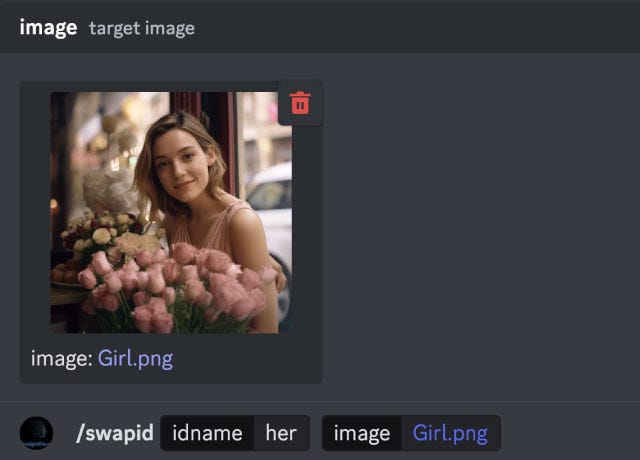
Hit “return” and complete! It is really that simple!
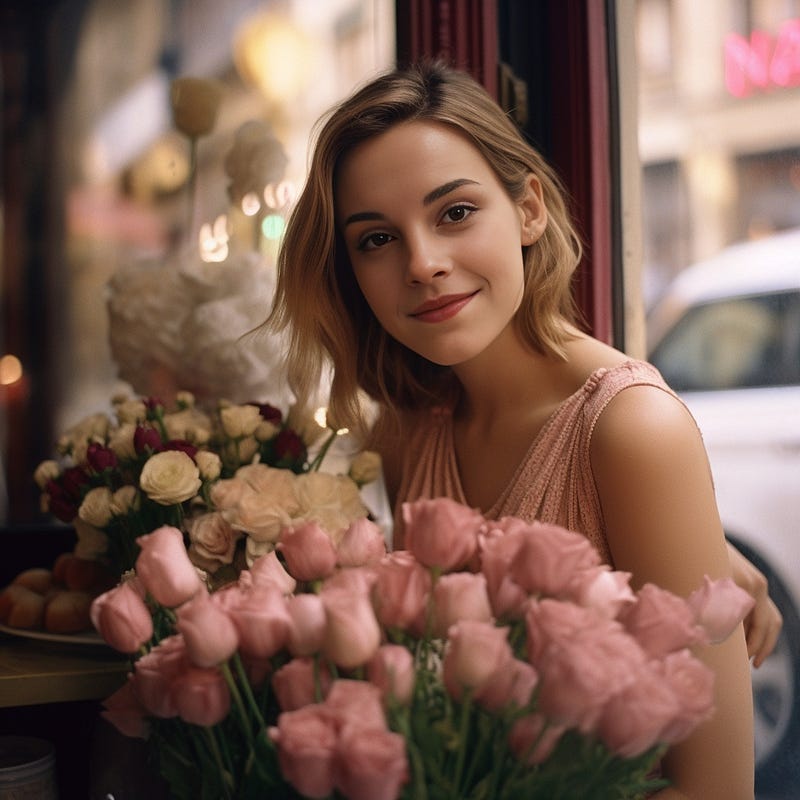
🌟 New Feature — Identity Mixing
They have recently introduced an exciting new feature known as Identity Mixing. With this feature, you can blend multiple IDs using the “+” symbol, resulting in intriguing outcomes such as a combination of two individuals.
Major Commands of Insight Face
- /saveid name upload-ID-image Upload an image and register the ID
- /setid name(s) Easily set the identity name(s) for image generation. You can specify multiple IDs by separating them with “,” or use “+” to link multiple ID names.
- /swapid name(s) upload-ID-image Replace the face with the registered identity name(s) on target image.
- /listid List all registered identity names. You can create up to 20 distinct IDs!
- /delid name Delete specific identity name.
- /delall Delete all registered names
If you want to learn how to create photorealistic images, be sure to check out this article with over 50 prompts
The “INSwapper” feature can also be used on uploaded images within your Discord channel, providing a great deal of convenience.
I hope you enjoy today’s post. Remember that front-view, high quality, no glasses, no heavy bangs ID photos are preferred for face swapping.
Subscription Plan
Exciting update! They’ve introduced a subscription option that permits you to morph up to 4 faces within a single image. The basic plan provides 200 credits per day, while the Pro plan offers 400 credits daily.
Additional benefits the ability to save up to 60 source face identities.
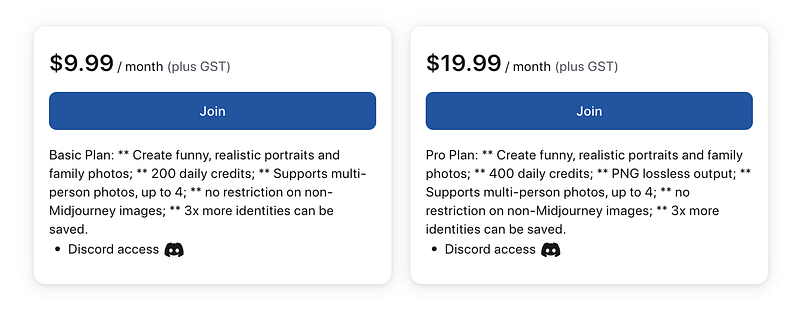
Free Plan is still available with 50 credits per day, 20 source face identities, and allow to Morph 1 face per image.
Head over to their subscription channel on Discord for details!
Extra Tools:
To resize and enlarge images, there are two free image resizers to enhance the quality of your images:
Join me and thousands of other great writers on Medium. Read unlimited content and earn money with your writing. Start today!
I write about tips, tricks and tools of AI tools especially Midjourney that will elevate your work! If you find this article helpful and would like to support me, make sure to:
- 👏🏻 Clap for the story to help this article be featured
- ✨ Follow me on this journey


