
Xcode Build System: Preparation
Learn about the key components that are put into place, and how Xcode Build System lays down the groundwork to ensure a smooth and efficient compilation.
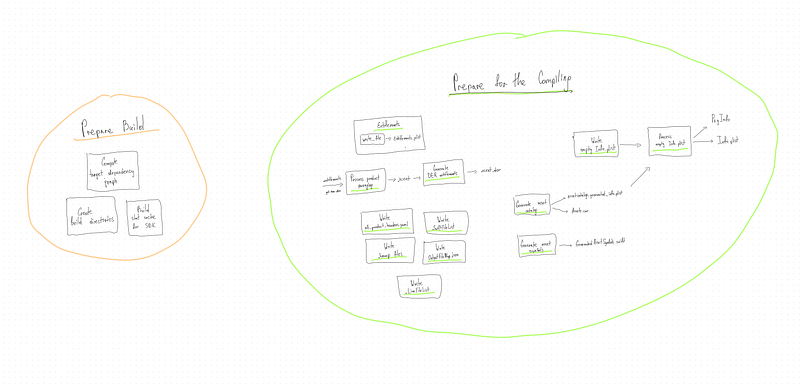
This article is a part of the Xcode Build System: Everything Everywhere All at Once main article.
I recommend starting with the main article to gain context and a complete understanding.
Prepare build
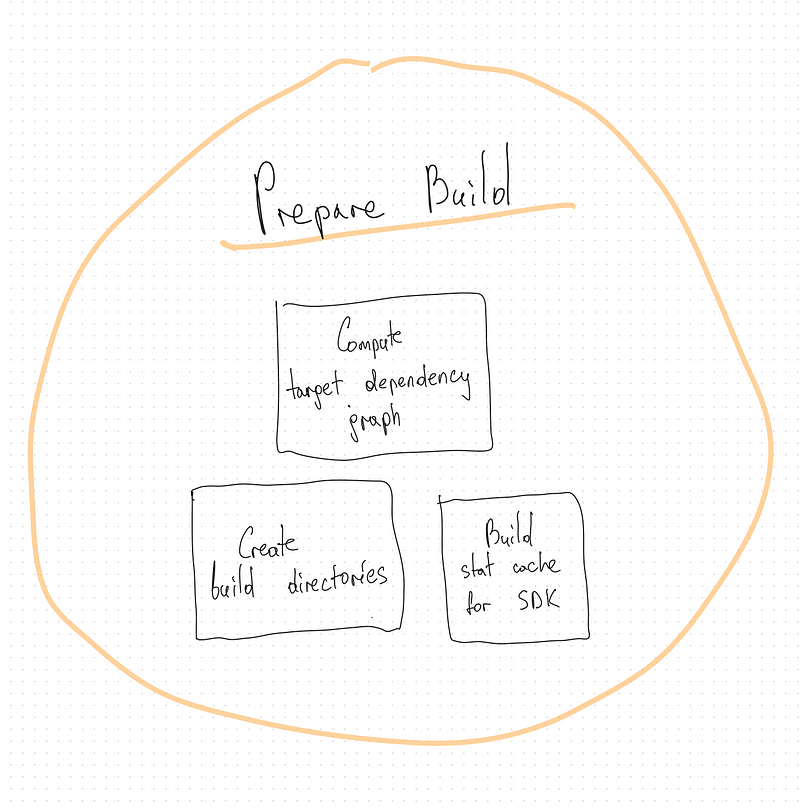
In this section Xcode Build System prepares for the building target by computing target dependencies, creating build directories, and building stat cache for specific SDK.
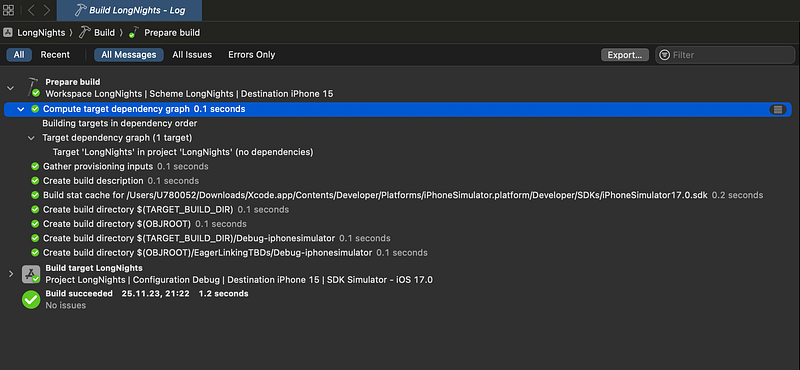
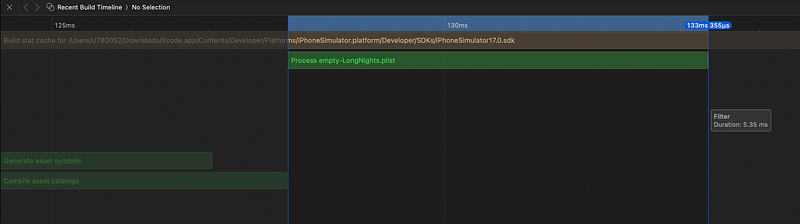
Let’s see the timeline for each task.
Details of the tasks and their command can be seen in the build report.
Compute target dependencies
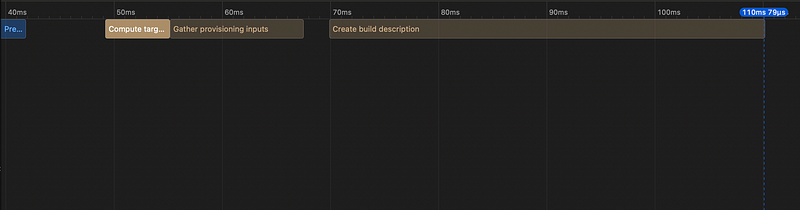
The “Compute target dependencies” phase in an Xcode Build System is one of the early steps in the build process, and its primary purpose is to determine the build dependencies between different targets within your Xcode project.
In Xcode, a “target” is a specific build configuration for a part of your project, such as an app, framework, or unit test suite. Targets can depend on each other, meaning that one target relies on the output (e.g., binary or library) of another target. For example, your main app target may depend on a framework target that contains reusable code.
During this phase, Xcode determines which targets depend on others. It analyzes your project’s settings and configurations to identify these dependencies. This phase figures out the build order for the targets, ensuring that dependencies are built before the targets that rely on them.
Xcode aims to build your project as efficiently as possible. By computing target dependencies upfront, it can parallelize the build process effectively. This means that it can build multiple targets concurrently if they don’t have dependencies on each other, which can significantly reduce build times for complex projects.
Xcode constructs a dependency graph based on the target dependencies it computes. This graph represents the relationships between your project’s targets. Targets that don’t depend on each other can be built simultaneously, improving overall build performance.
In some cases, if a target’s dependencies haven’t changed since the last build, Xcode can use cached build artifacts, skipping the build process for those targets. This optimization further speeds up incremental builds, where only a subset of your project’s code has changed.
The phase also performs basic error checking to ensure that there are no circular dependencies or missing dependencies in your project. Circular dependencies can cause build problems and are usually best avoided.
In summary, the “Compute target dependencies” phase in Xcode is responsible for determining the build order and relationships between the targets in your project. It optimizes the build process by allowing for parallelization, caching, and efficient error checking.
Build stat cache for specific iphone simulator SDK (ClangStatCache)
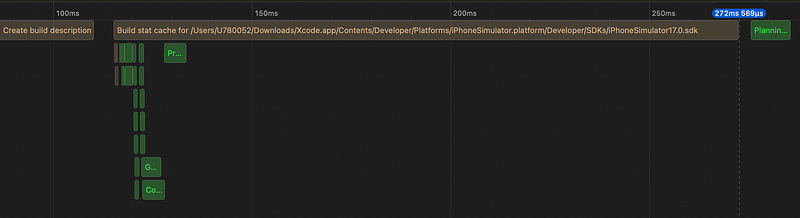
cd ~/LongNights/LongNights.xcodeproj
    clang-stat-cache
    iPhoneSimulator17.0.sdk
    iphonesimulator17.0–21A326-b8e023514627f53f416864ca77108e29.sdkstatcache
The purpose of clang-stat-cache is to manage and query a cache of compiled header files.
By reusing precompiled information stored in the cache, clang-stat-cache helps reduce the time it takes to compile source code. This is especially beneficial in large projects where many source files share common header files.
Create build directory for Products
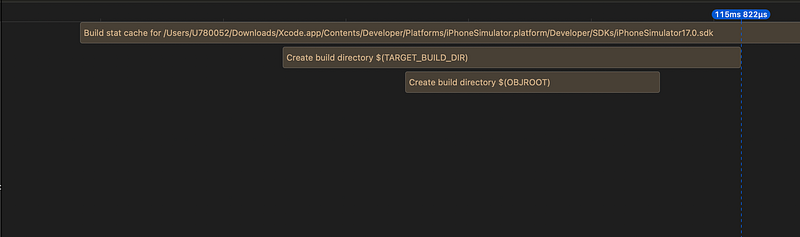
cd ~/LongNights.xcodeproj
    builtin-create-build-directory
       ~/Xcode/DerivedData/.../Build/Products
This directory is where Xcode will organize the build output.
Create build directory for Debug-iphonesimulator
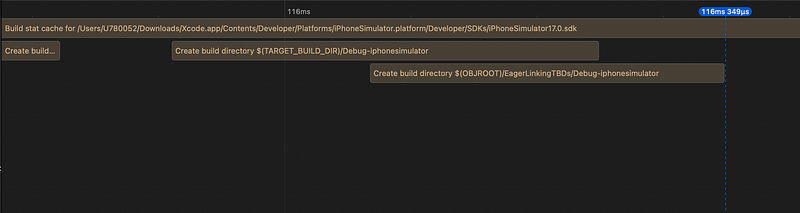
cd ~/LongNights/LongNights.xcodeproj builtin-create-build-directory
   ~/Xcode/DerivedData/.../Build/Products/Debug-iphonesimulator
This directory is where Xcode will organize the build output for the Debug configuration targeting the iPhone Simulator.
Create build directory for EagerLinkingTBDs
cd ~/LongNights/LongNights.xcodeproj
  builtin-create-build-directory
       ~/Xcode/DerivedData/.../Build/Intermediates.noindex/EagerLinkingTBDs/Debug-iphonesimulator
The same as the previous one, but with some differences.
- The inclusion of “Intermediates.noindex” in the build directory path suggests that the directory is intended for storing intermediate build artifacts, which are temporary files generated during the build process.
- The term “EagerLinkingTBDs” could indicate a specific build optimization or configuration related to linking and TBDs (Text-Based Dynamic Libraries).
“Eager Linking” generally refers to a linking strategy where symbols are resolved and linked at build time rather than at runtime. This can lead to faster startup times for the application because some of the work typically done at runtime is moved to the build phase.
TBD files are text-based representations of dynamic libraries. They contain information about the symbols exported by a dynamic library. The information in TBD files is used during the linking process to resolve symbols.
I’ll explain the symbols, and the linking process later in the Xcode Build System: Everything Everywhere All at Once main article.
Prepare for the compiling
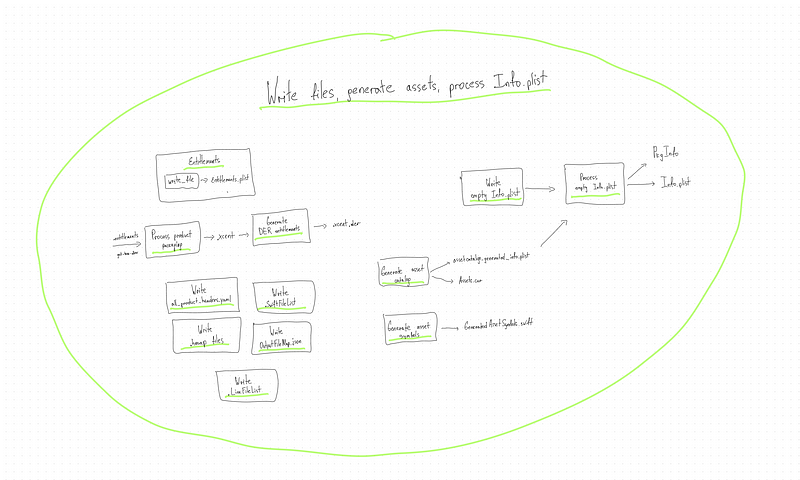
In this section Xcode Build System creates neccessary files, generate asset catalog, asset symbols. and process Info.plist. All of these files neccesary for the next step, which is Compiling.
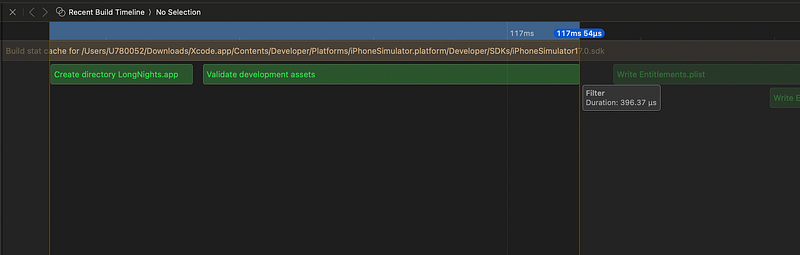
MkDir LongNights.app
cd ~/LongNights
  /bin/mkdir -p
~/Xcode/DerivedData/.../Build/Products/Debug-iphonesimulator/LongNights.appmkdircommand is used to create directory.-p: This option ensures that the command creates parent directories as needed. It avoids an error if the directory already exists. This option ensures that all parent directories leading up toLongNights.app(Debug-iphonesimulator, Products, Build, etc.) are created if they don't already exist. This ensures that the specified path is valid, and it creates any missing directories along the way.
Validate development assets
cd ~/LongNights
  builtin-validate-development-assets
  - validate YES_ERROR ~/LongNights/LongNights/Preview\ Content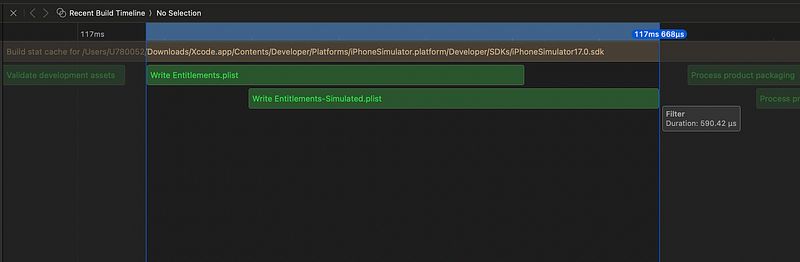
Write auxiliary file (for Entitlements.plist)
cd ~/LongNights write-file
    ~/Xcode/DerivedData/.../Intermediates.noindex/LongNights.build/Debug-iphonesimulator/LongNights.build/DerivedSources/Entitlements.plist
Write auxiliary file (for Entitlements-Simulated.plist)
cd ~/LongNights write-file
    ~/Xcode/DerivedData/.../Intermediates.noindex/LongNights.build/Debug-iphonesimulator/LongNights.build/DerivedSources/Entitlements-Simulated.plist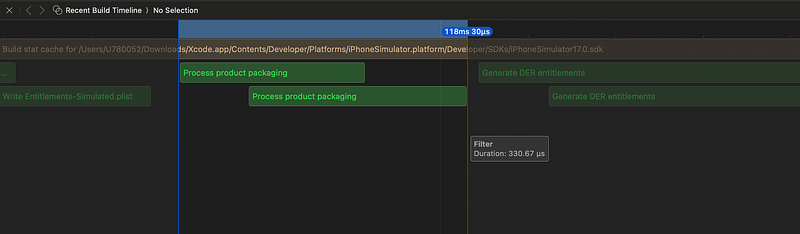
Process product packaging (for LongNights.app.xcent):
cd ~/LongNights Entitlements: {"com.apple.security.get-task-allow" = 1;}
    builtin-productPackagingUtility
        ~/LongNights/LongNights/LongNights.entitlements
    -entitlements
    -format xml
    -o
~/Xcode/DerivedData/.../LongNights.build/LongNights.app.xcent- Entitlements for the app. It includes an entitlement to allow debugging (
com.apple.security.get-task-allow).
In the Apple documentation, it states the following:
The boolean value of get-task-allow determines whether Xcode’s debugger can attach to the app.
But why is it part of com.apple.security?
The get-task-allow entitlement allows other processes or applications to obtain the task port of your app. The task port is a fundamental mechanism in the Mach-O operating system for managing processes. We will talk about Mach-O later, when we touch the linking process.
If another app knows your app’s process ID, it can use the task_for_pid() function to obtain the task port of your app. Having the task port allows the other app to read and write to your app’s memory, potentially allowing for modifications to the behavior of your app. This could include patching, debugging, or injecting code into your app’s process.
If you take a look at how a jailbreak works, you’ll notice one of the first things they do is get
task_for_pid(mach_task_self(),0,&kernel_task);being thatkernel_taskis amach_port_twith value0, so they are able to touch the kernel's memory. (c) amodrono
So during development and debugging, Xcode needs to interact with your app’s memory to inspect variables, set breakpoints, and analyze runtime behavior. This requires the get-task-allow entitlement to be enabled.
For security reasons, when distributing the app to end-users, the get-task-allow entitlement should be disabled. Enabling this entitlement in a distributed app would mean that any other app could potentially obtain the task port of your app and interfere with its behavior.
builtin-productPackagingUtility— This command is the built-in product packaging utility provided by Xcode. It processes the entitlements file (LongNights.entitlements) and generates the output file in XML format at the specified location.
I’ve tried to find this command, but it seems it’s a part of Xcode queue system (XCWorkQueue).
nm .../.../DevToolsCore | grep -i productPackagingUtility
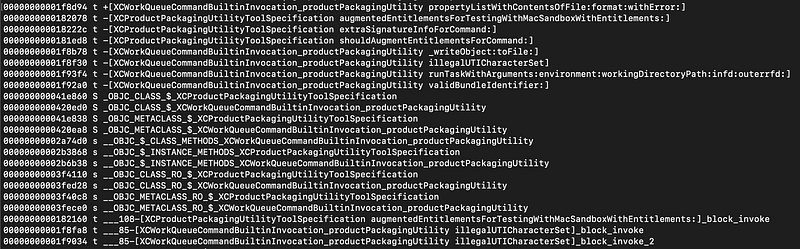
-entitlements -format xml -o: Specifies options for the product packaging utility. It indicates that entitlements are being processed, the output format is XML, and the output file is specified.- The resulting
.xcentfile is often used in the code signing process during app distribution, as it contains information about the app's entitlements.
Process product packaging (for LongNights.app-Simulated.xcent):
Almost the same as previous. Entitlements: { “application-identifier” = “{team id}.{bundle id}”;}.
- The entitlements include an application identifier that uniquely identifies the app. Here team id and bundle id of your account and project.
Generate DER entitlements (for LongNights.app.xcent.der):
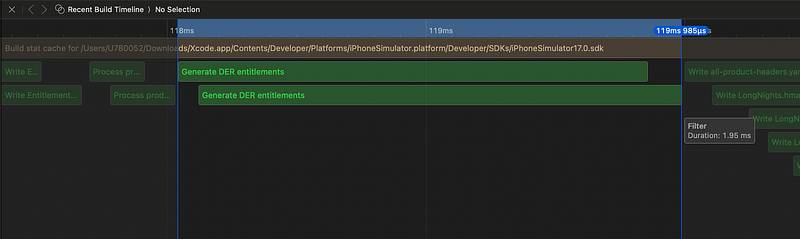
cd ~/LongNights
    /usr/bin/derq query
    -f xml
    -i
        ~/Xcode/DerivedData/.../LongNights.build/LongNights.app.xcent
    -o
        ~/Xcode/DerivedData/.../LongNights.build/LongNights.app.xcent.der
    - raw
It involves querying information about the product packaging DER (Data Encryption Standard) file using the derq command-line tool and generating an output file (.app.xcent.der). The use of DER suggests that this might be related to encoding or decoding data in the DER format, which is commonly used in security-related contexts.
- Executes the
derqcommand-line tool to query information about the product packaging DER file. -f xml: Specifies the format of the output to be XML.-i: Specifies the input file (LongNights.app.xcent) for the query.-o: Specifies the output file (LongNights.app.xcent.der) for the query result.--raw: Specifies that the output should be in raw format.
Generate DER entitlements (for LongNights.app-Simulated.xcent.der — raw):
This is how I see it overall.
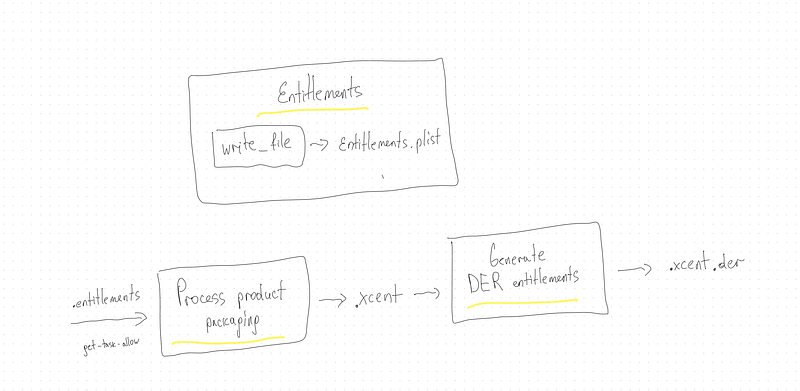
.app.xcent file:
<?xml version="1.0" encoding="UTF-8"?>
<!DOCTYPE plist PUBLIC "-//Apple//DTD PLIST 1.0//EN" "http://www.apple.com/DTDs/PropertyList-1.0.dtd">
<plist version="1.0">
<dict>
        <key>com.apple.security.get-task-allow</key>
        <true/>
</dict>
</plist>
.app-Simulated.xcent file:
<?xml version="1.0" encoding="UTF-8"?>
<!DOCTYPE plist PUBLIC "-//Apple//DTD PLIST 1.0//EN" "http://www.apple.com/DTDs/PropertyList-1.0.dtd">
<plist version="1.0">
<dict>
        <key>application-identifier</key>
        <string>{my team id}.{my bundle id}</string>
</dict>
</plist>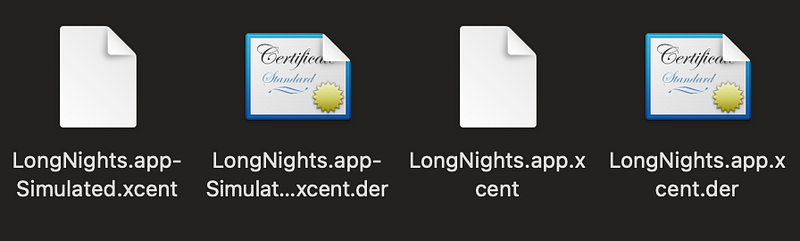
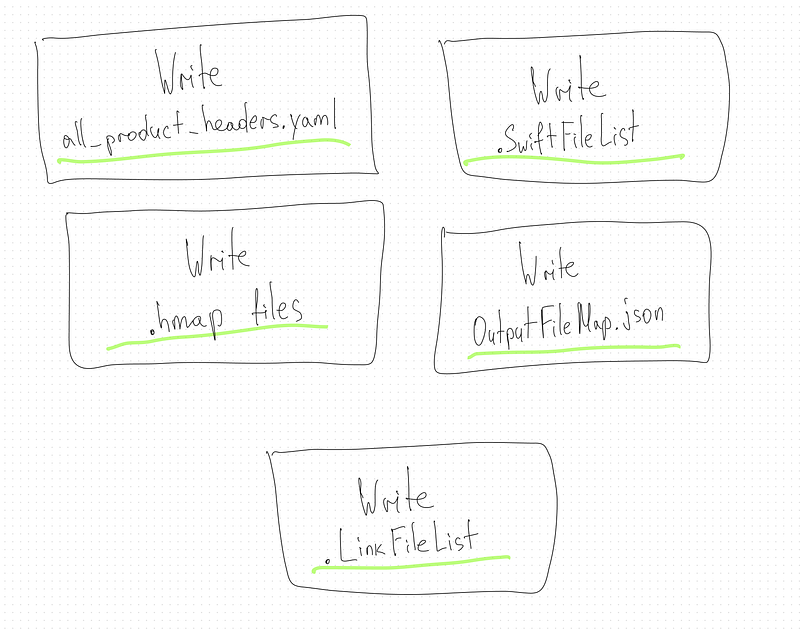
Generating .yaml, .hmap, .json, .SwiftFileList, .LinkFileList using command ‘write-file’
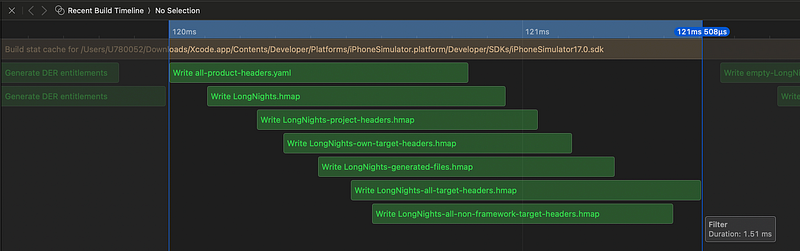
all-product-headers.yaml
This file is used to store configuration settings related to the handling of product headers in the project.
{"case-sensitive":"false","roots":[],"version":0}.hmap files:
hmap stands for “header map”. Xcode uses them to provide the compiler with a mapping of textual include names to actual file paths.
The content of the .hmap file may include information about the relationships between header files and their dependencies, aiding in the compilation process.
They help reduce build times by precomputing header information, managing dependencies, and avoiding redundant work during compilation.
- {target_name}.hmap
It helps Xcode manage dependencies and efficiently include necessary header files during compilation.
- {target_name}-project-headers.hmap
This file includes the headers for the entire project. It consolidates information about headers across multiple targets within the same Xcode project.
- {target_name}-own-target-headers.hmap
This file focuses on the headers owned by the specific target. It includes information about the headers belonging to the target and aids in managing internal dependencies.
- {target_name}-generated-files.hmap
This file is related to headers generated during the build process. It includes information about headers that are dynamically created or modified during the build.
- {target_name}-all-target-headers.hmap
This file consolidates headers from all targets in the project. It provides a unified view of all headers across different targets.
- {target_name}-all-non-framework-target-headers.hmap
This file includes headers from all non-framework targets. It excludes headers from frameworks, providing a specific view of headers for non-framework targets.
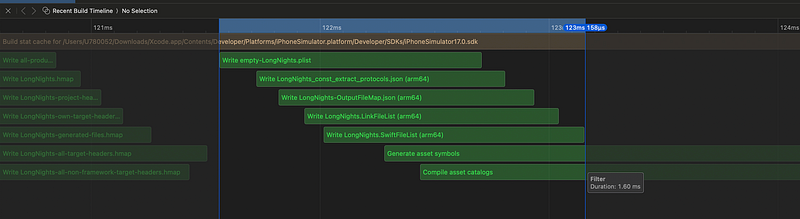
- {target_name}_const_extract_protocols.json
["AppIntent","EntityQuery","AppEntity","TransientEntity","AppEnum","AppShortcutProviding","AppShortcutsProvider","AnyResolverProviding","AppIntentsPackage","DynamicOptionsProvider"]- {target_name}.SwiftFileList
.../LongNights/Filters/FilterSolutions.swift
.../LongNights/ContentView.swift
.../LongNightsApp.swift
.../Xcode/DerivedData/.../Intermediates.noindex/LongNights.build/Debug-iphonesimulator/LongNights.build/DerivedSources/GeneratedAssetSymbols.swift
- {target_name}.LinkFileList
The .LinkFileList file is a text file used in the Xcode build process to specify a list of object files and libraries that should be linked together to create the final executable or library for your project. This file is automatically generated by Xcode as part of the build process and is used to organize and manage the linking stage.
Here’s how the .LinkFileList file works and what it typically contains:
The file includes a list of object files generated from your project’s source code. These object files contain the compiled code for each source file in your project.
The file may also include references to libraries that your project depends on. These libraries could be system libraries or third-party libraries that your project uses. Including them in the link file ensures that the necessary code from these libraries is linked into your final executable or library.
The order of entries in the .LinkFileList file can be important because it determines the order in which object files and libraries are linked together. The linker processes these files and libraries in the order they appear in the list. This can be significant because some libraries may have dependencies on others, and the linker must resolve these dependencies correctly.
Depending on your project’s configuration, the .LinkFileList file may specify dynamic linking or static linking. Dynamic linking means that the final executable or library will depend on shared libraries (dynamic libraries) that are loaded at runtime, while static linking means that all necessary code is included directly in the executable or library.
- {target_name}-OutputFileMap.json
{
  "" : {
    "const-values" : "/path/to/LongNights-master.swiftconstvalues",
    "dependencies" : "/path/to/LongNights-master.d",
    "diagnostics" : "/path/to/LongNights-master.dia",
    "emit-module-dependencies" : "/path/to/LongNights-master-emit-module.d",
    "emit-module-diagnostics" : "/path/to/LongNights-master-emit-module.dia",
    "swift-dependencies" : "/path/to/LongNights-master.swiftdeps"
  },
  ".../LongNights/ContentView.swift" : {
    "index-unit-output-path" : "/LongNights.build/Debug-iphonesimulator/LongNights.build/Objects-normal/arm64/ContentView.o",
    "llvm-bc" : "/path/to/ContentView.bc",
    "object" : "/path/to/ContentView.o"
  },
  ".../LongNights/Filters/FilterSolutions.swift" : {
    "index-unit-output-path" : "/LongNights.build/Debug-iphonesimulator/LongNights.build/Objects-normal/arm64/FilterSolutions.o",
    "llvm-bc" : "/path/to/FilterSolutions.bc",
    "object" : "/path/to/FilterSolutions.o"
  },
  ".../LongNightsApp.swift" : {
    "index-unit-output-path" : "/LongNights.build/Debug-iphonesimulator/LongNights.build/Objects-normal/arm64/LongNightsApp.o",
    "llvm-bc" : "/path/to/LongNightsApp.bc",
    "object" : "/path/to/LongNightsApp.o"
  },
  ".../Intermediates.noindex/LongNights.build/Debug-iphonesimulator/LongNights.build/DerivedSources/GeneratedAssetSymbols.swift" : {
    "index-unit-output-path" : "/LongNights.build/Debug-iphonesimulator/LongNights.build/Objects-normal/arm64/GeneratedAssetSymbols.o",
    "llvm-bc" : "/path/to/GeneratedAssetSymbols.bc",
    "object" : "/path/to/GeneratedAssetSymbols.o"
  }
}
This entry seems to represent the master compilation unit or some overall information about the build process. It contains paths to various output files related to the master compilation.
The term “master compilation” or “master unit” typically refers to the compilation unit that represents the main or central entry point during the compilation process. In the context of Swift or other programming languages, it often refers to the main source file or module that acts as the starting point for building an executable or library.
index-unit-output-path: Path to the index unit output file.llvm-bc: Path to the LLVM Bitcode file.object: Path to the object file.
LLVM Bitcode is an intermediate representation used by the LLVM compiler infrastructure. It serves as a low-level, platform-independent representation of a program’s source code after it has been compiled by a front-end compiler. LLVM Bitcode is designed to be portable across different architectures and can be further optimized or translated into machine code by the LLVM compiler.
LLVM Bitcode is a central part of the LLVM toolchain. It is produced by front-end compilers (such as Clang) and can be consumed by the LLVM optimizer and back-end code generators.
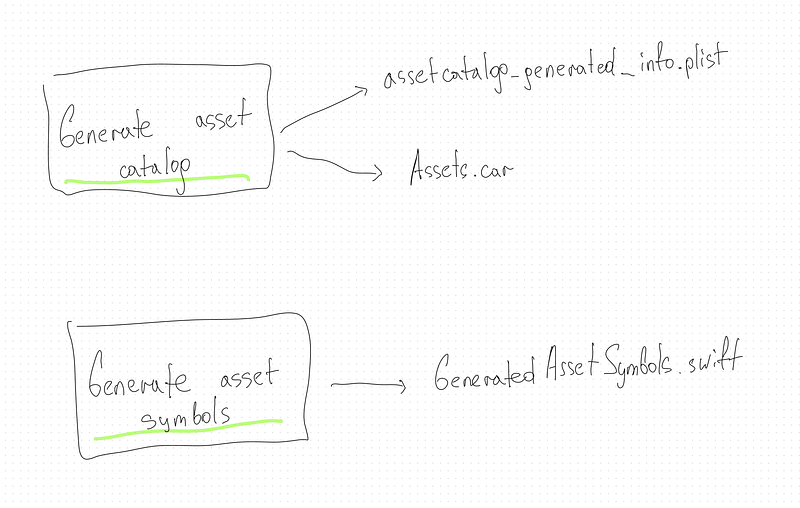
Generate asset symbols and Compile asset catalogs
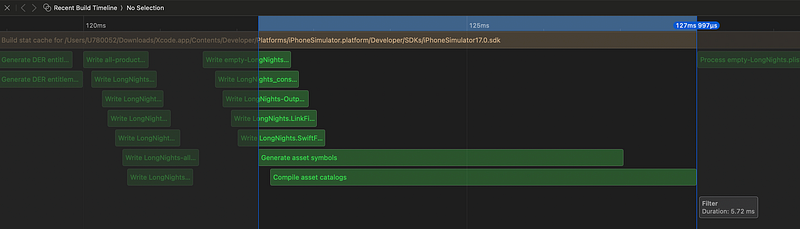
Generate asset symbols (for Assets.xcassets):
cd ~/LongNights ~/Xcode.app/Contents/Developer/usr/bin/actool
    - output-format human-readable-text
    - notices
    - warnings
    - export-dependency-info ~/Xcode/DerivedData/LongNights-exbpdzmtpimctvbptilfftsijotl/Build/Intermediates.noindex/LongNights.build/Debug-iphonesimulator/LongNights.build/assetcatalog_dependencies
    - output-partial-info-plist ~/Xcode/DerivedData/LongNights-exbpdzmtpimctvbptilfftsijotl/Build/Intermediates.noindex/LongNights.build/Debug-iphonesimulator/LongNights.build/assetcatalog_generated_info.plist
    - app-icon AppIcon
    - accent-color AccentColor
    - compress-pngs
    - enable-on-demand-resources YES
    - development-region en
    - target-device iphone
    - target-device ipad
    - minimum-deployment-target 17.0
    - platform iphonesimulator
    - compile
        ~/Xcode/DerivedData/LongNights-exbpdzmtpimctvbptilfftsijotl/Build/Products/Debug-iphonesimulator/LongNights.app
        ~/LongNights/LongNights/Preview\ Content/Preview\ Assets.xcassets
        ~/LongNights/LongNights/Assets.xcassets
    - bundle-identifier {bundle id}
    - generate-swift-asset-symbols
        ~/Xcode/DerivedData/LongNights-exbpdzmtpimctvbptilfftsijotl/Build/Intermediates.noindex/LongNights.build/Debug-iphonesimulator/LongNights.build/DerivedSources/GeneratedAssetSymbols.swift
    - generate-objc-asset-symbols
        ~/Xcode/DerivedData/LongNights-exbpdzmtpimctvbptilfftsijotl/Build/Intermediates.noindex/LongNights.build/Debug-iphonesimulator/LongNights.build/DerivedSources/GeneratedAssetSymbols.h
    - generate-asset-symbol-index
        ~/Xcode/DerivedData/LongNights-exbpdzmtpimctvbptilfftsijotl/Build/Intermediates.noindex/LongNights.build/Debug-iphonesimulator/LongNights.build/DerivedSources/GeneratedAssetSymbols-Index.plist
### Printed as result of the command:
/* com.apple.actool.compilation-results */
~/Xcode/DerivedData/LongNights-exbpdzmtpimctvbptilfftsijotl/Build/Intermediates.noindex/LongNights.build/Debug-iphonesimulator/LongNights.build/DerivedSources/GeneratedAssetSymbols-Index.plist
~/Xcode/DerivedData/LongNights-exbpdzmtpimctvbptilfftsijotl/Build/Intermediates.noindex/LongNights.build/Debug-iphonesimulator/LongNights.build/DerivedSources/GeneratedAssetSymbols.h
~/Xcode/DerivedData/LongNights-exbpdzmtpimctvbptilfftsijotl/Build/Intermediates.noindex/LongNights.build/Debug-iphonesimulator/LongNights.build/DerivedSources/GeneratedAssetSymbols.swiftAsset symbols are used to reference assets in a type-safe manner in your code, especially when working with image asset.
actool: It is used to compile and produce asset catalogs.
--output-format human-readable-text: Output format for errors and warnings.--notices --warnings: Display notices and warnings during the compilation.--export-dependency-info: Export dependency information.--output-partial-info-plist: Output partial information plist.--app-icon,--accent-color,--compress-pngs,--enable-on-demand-resources, etc.: Additional options specifying various settings for asset compilation.--compile: Specifies the output directory for compiled asset catalogs.
This task essentially runs the actool tool to compile the asset catalogs for the specified project, generating Swift and Objective-C files that provide type-safe access to your app's assets. The generated files are then used in your Xcode project for referencing assets programmatically.
GeneratedAssetsSymbols.swift:
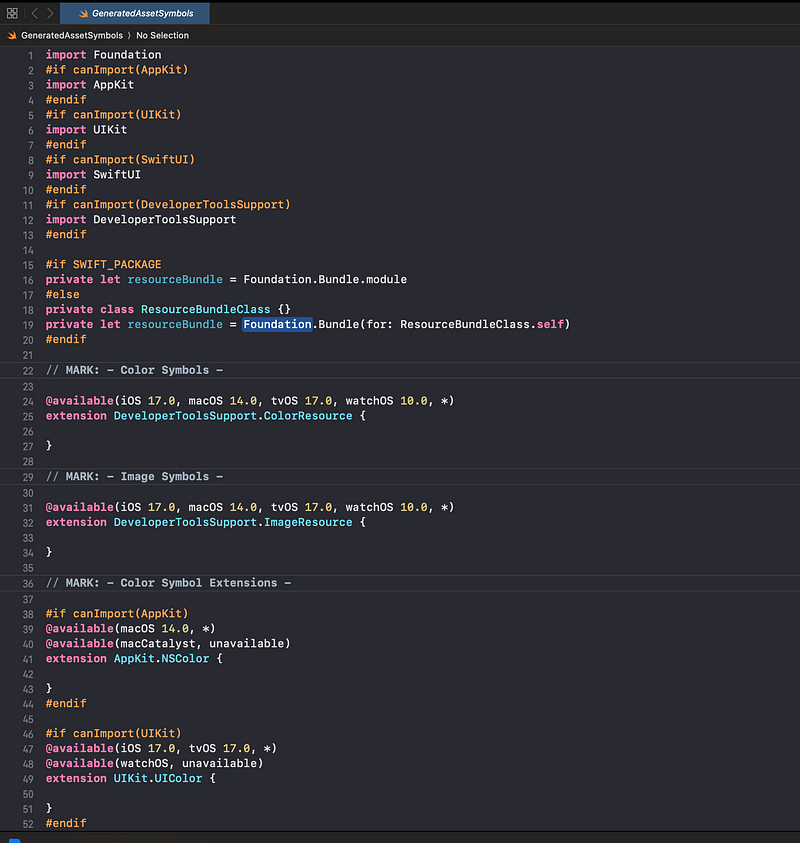
They are empty because this project doesn’t contain any assets.
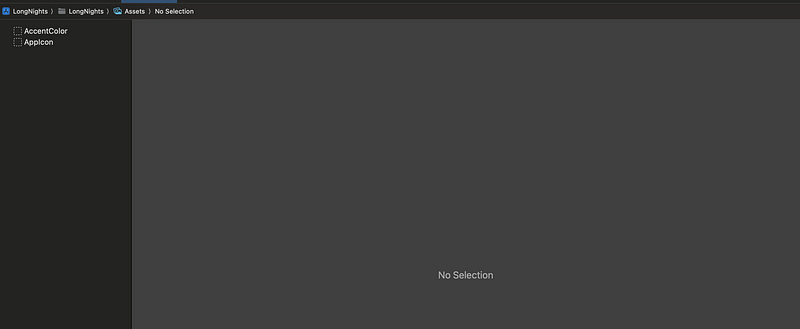
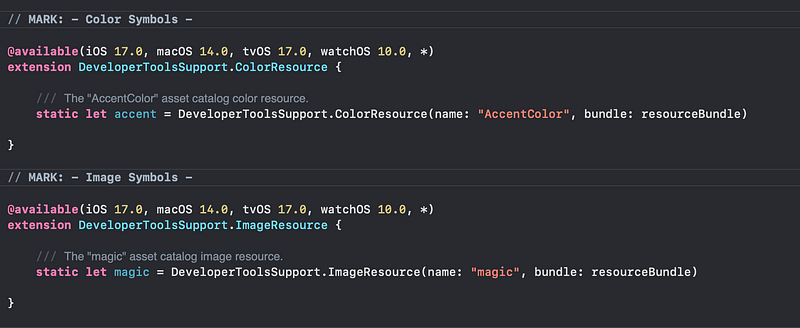
This file will change if I add color and image.
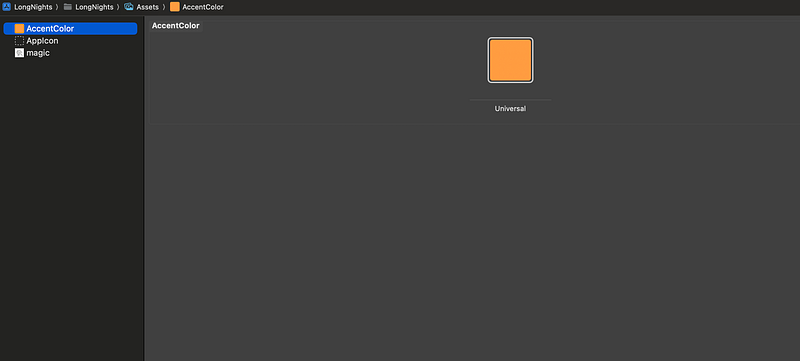
Build it again.
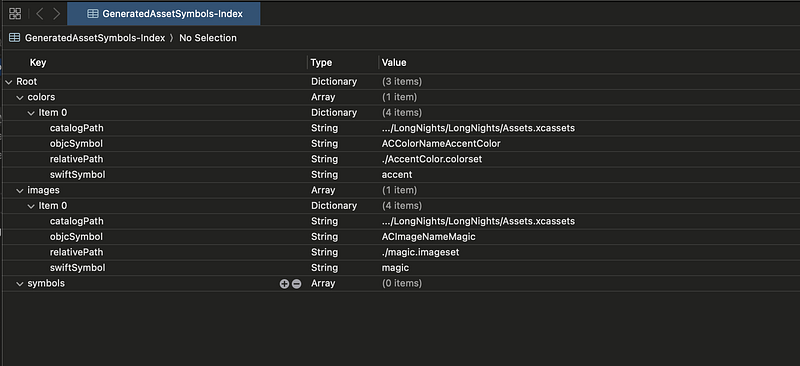
GeneratedAssetSymbols-Index.plist
Compile asset catalog (for Assets.xcassets):
cd ~/LongNights ~/Xcode.app/Contents/Developer/usr/bin/actool
    - output-format human-readable-text
    - notices
    - warnings
    - export-dependency-info
        ~/Xcode/DerivedData/.../Build/Intermediates.noindex/LongNights.build/Debug-iphonesimulator/LongNights.build/assetcatalog_dependencies
    - output-partial-info-plist
        ~/Xcode/DerivedData/.../Build/Intermediates.noindex/LongNights.build/Debug-iphonesimulator/LongNights.build/assetcatalog_generated_info.plist
    - app-icon AppIcon
    - accent-color AccentColor
    - compress-pngs
    - enable-on-demand-resources YES
    - filter-for-thinning-device-configuration iPhone15,4
    - filter-for-device-os-version 17.0.1
    - development-region en
    - target-device iphone
    - target-device ipad
    - minimum-deployment-target 17.0
    - platform iphonesimulator
    - compile
        ~/Xcode/DerivedData/LongNights-exbpdzmtpimctvbptilfftsijotl/Build/Products/Debug-iphonesimulator/LongNights.app
        ~/LongNights/LongNights/Preview\ Content/Preview\ Assets.xcassets
        ~/LongNights/LongNights/Assets.xcassets

### Printed as result of the command:
/* com.apple.actool.compilation-results */
~/Xcode/DerivedData/.../Build/Intermediates.noindex/LongNights.build/Debug-iphonesimulator/LongNights.build/assetcatalog_generated_info.plist
~/Xcode/DerivedData/.../Build/Products/Debug-iphonesimulator/LongNights.app/Assets.car
Various options are provided to the actool command:
--output-format human-readable-text: Output format for errors and warnings.--notices --warnings: Display notices and warnings during the compilation.--export-dependency-info: Export dependency information.--output-partial-info-plist: Output partial information plist.--app-icon,--accent-color,--compress-pngs,--enable-on-demand-resources, etc.: Additional options specifying various settings for asset compilation.--filter-for-thinning-device-configuration iPhone16,1 --filter-for-device-os-version 17.0.1: Filtering options for device configuration.--compile: Specifies the output directory for compiled asset catalogs.
As output we see Assets.car file. It represents a compiled and optimized form of the asset catalog, designed for efficient runtime usage and improved app performance.
- The
Assets.carfile is in a binary format, which is optimized for runtime performance. This binary format allows for quick loading and access to the assets at runtime. - During the build process, Xcode compiles the assets from the asset catalog (
.xcassetsdirectory) into theAssets.carfile. This compilation process involves optimizing images and organizing other assets for efficient use in the app. - The use of a compiled asset catalog provides performance benefits over having loose asset files. It reduces the file size, improves loading times, and allows for efficient runtime access to the required assets.
- The
Assets.carfile may contain device-specific variants of images, providing optimizations for different device resolutions and screen sizes. This helps in delivering high-quality graphics on various iOS devices. - The
Assets.carfile supports app thinning, which allows the App Store to deliver optimized app bundles to different devices. App thinning helps reduce the download size of the app for users. - Both Swift and Objective-C code can easily reference assets in the
Assets.carfile using the appropriate APIs provided by Apple's frameworks. - Asset catalogs support accessibility features, allowing you to provide alternative content for different accessibility settings, such as dynamic type sizes and high contrast modes.
Process Info plist file (for empty-LongNights.plist)
cd ~/LongNights
    builtin-infoPlistUtility
        ~/Xcode/DerivedData/.../Intermediates.noindex/LongNights.build/Debug-iphonesimulator/LongNights.build/empty-LongNights.plist
    -producttype com.apple.product-type.application
    -genpkginfo
        ~/Xcode/DerivedData/.../Debug-iphonesimulator/LongNights.app/PkgInfo
    -expandbuildsettings
    -format binary
    -platform iphonesimulator
    -additionalcontentfile
        ~/Xcode/DerivedData/.../Intermediates.noindex/LongNights.build/Debug-iphonesimulator/LongNights.build/assetcatalog_generated_info.plist
    -o
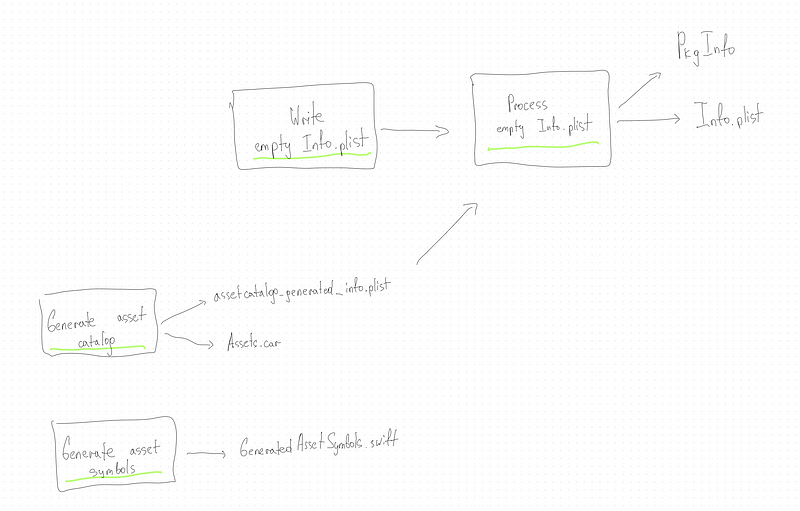
~/Xcode/DerivedData/.../Debug-iphonesimulator/LongNights.app/Info.plistbuiltin-infoPlistUtility: Invokes Xcode's built-in utility for manipulating Info.plist files.- The source Info.plist file is specified as
~/LongNights.build/empty-LongNights.plist. This file may serve as a template or an empty placeholder. -producttype com.apple.product-type.application: Specifies the product type, indicating that this is an application.-genpkginfo ~/LongNights.app/PkgInfo: Generates package information.-expandbuildsettings: Expands build settings, meaning it incorporates any build settings that need to be considered during the processing.-format binary: Specifies the output format as binary.-platform iphonesimulator: Indicates that the target platform is iPhone Simulator.-additionalcontentfile ~/LongNights.build/assetcatalog_generated_info.plist: Includes additional content information from the asset catalog generated info file.-o ~/LongNights.app/Info.plist: Specifies the output path for the processed Info.plist file.
This task ensures that the final Info.plist file contains the necessary configurations and settings for the LongNights app when running on the iPhone Simulator.
You can see that it uses assetcatalog_generated_info.plist that was generated before.
This article is a part of the Xcode Build System: Everything Everywhere All at Once main article, where you can read about Compiling, Linking process.


