
Why the iPad mini Is the Ultimate Note-Taking Device
Goodbye, traditional notebooks!
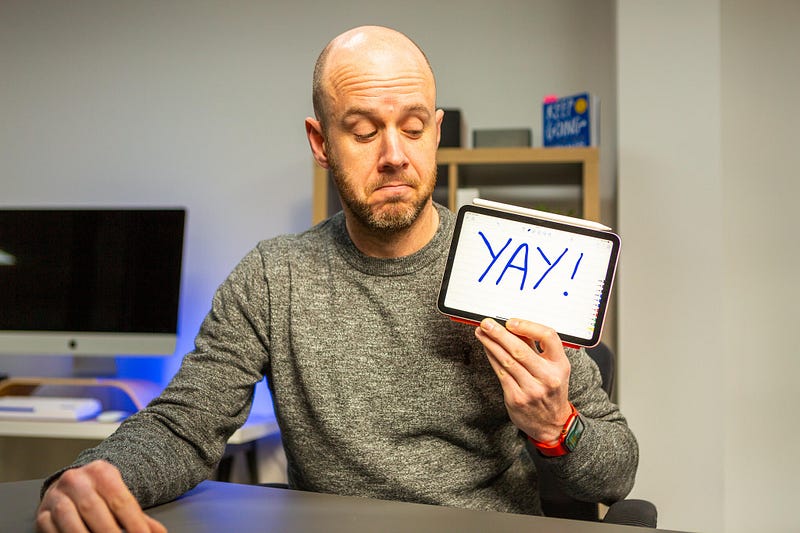
Earlier this month I headed to Canada with far too many iPads.
That was a mistake. But one of the iPads categorically wasn’t a mistake.
In fact (yeah I know — you can hear it rumbling towards your helpless body that’s been tied to the tracks of the Mark Ellis Central Line), it’s the best iPad I’ve ever owned.
There’s quite a simple reason for this, and it lies with the one function for which I was hoping to rely on this recently refreshed, tiny little iPad.
Digital note-taking ain’t for everyone
It’s worth covering this rather large caveat, for starters.
Digital note-taking is an acquired taste. It’s something I’ve toyed with for years, but never quite settled on. For me, gliding either my finger or, more recently, a pretend pencil across a shiny screen isn’t what I’d call tactile.
If your idea of note-taking resides with a lush, thick notebook and perfectly balanced ballpoint pen — or if you simply grab the nearest scrap of paper and any writing implement you can find — the iPad note-taking experience probably isn’t for you.
However, the reason I’ve always been so fascinated with ditching my analogue note-taking tools entirely is because I love the idea of having just one thing on which all of my jottings, scribbles, and promises reside. The fact those notes can then be synchronised across a range of devices is even more comforting for someone who has the worst memory on the planet.
The good news? I think the iPad mini has finally given me the solution I’ve been looking for.
The joy of the Apple Pencil 2
During my Canada trip, I used the iPad mini every single day for taking notes during meetings. It became absolutely invaluable.
However, it would be next to useless in that regard if it wasn’t for the brilliant Apple Pencil 2. Granted, this raises the purchase cost of the already rather expensive iPad mini, but the increase in productivity and utility you get in return makes it entirely worthwhile.
More importantly, I never lost the Apple Pencil 2 once during my trip; it didn’t detach itself from the iPad mini, nor did I inadvertently flick it off while slipping it in and out of my rucksack countless times each day.
The combination of the iPad mini and this wonderful little accessory make it the ideal note-taker for me. But there’s one other piece of this jigsaw that deserves special mention.
My note-taking app of choice
I’m a big fan of Apple Notes, but only for text-based stuff. For no discernible reason, I’m just not particularly bothered about its Apple Pencil support — even with the new Quick Notes feature that came with iPadOS 15.
A few years back, I discovered Notability, by Ginger Labs. This blog post isn’t sponsored by them, either — I just absolutely love their approach to note-taking on the iPad.
The interface is clean, the folder organisation as simple as it should be, and the ability to save favourite pen styles and have them available in an immediately accessible picker anywhere on the screen is a genuine joy.
It’s available for free with a limited set of features (although you’ll miss out on iCloud sync across devices, which is super useful), but there is a paid tier, which is around $14.99 per year. That’s an absolute bargain in my book.
There’s a tonne of note-taking apps on the App Store, but Notability is my default choice, and it’ll take something pretty special to prise me away from it.
Waiting on the Paperlike
So, the combination of the new iPad mini, Apple Pencil 2, and Notability has finally made digital note-taking a reality for me. It doesn’t feel like a fad, or new device syndrome, either; whenever I need to make some notes, I naturally reach for the Apple’s smallest iPad.
There’s just one remaining blot on the landscape, which is the screen (and no, not the jelly scrolling, which is a complete non-issue). As noted at the start of this post, I’ve never been much of a fan of writing on glass, which is why I’m eagerly awaiting the delivery of a Paperlike.
For the uninitiated, Paperlike is a screen protector for iPads that also mimics the feel of paper. The idea is that it both protects your iPad’s retina screen and makes it feel more like you’re writing on a traditional notebook page.
Again, these guys aren’t sponsoring this content, and I have zero idea if I’ll like their product, but I’ve heard good things.
Will it be the final piece of the jigsaw? We’ll see. I’ll return with thoughts on the Paperlike as soon as I have it in my hands, but until then, I would like to confirm that the iPad mini is the digital note-taking king I’d hoped it would be.
Before you go
Join my behind-the-scenes mailing list
If you enjoy my writing, it’s only a snippet of what’s on Medium. I’m a paying member myself and highly recommend joining. Click here to join (a portion of your membership fee will be sent my way and therefore directly support my work!).
Originally published at https://markellisreviews.com on November 5, 2021.


