
Why I Returned to the iPad mini for Note-Taking
Nice try, reMarkable…
Rarely have I seen a product review receive quite so many negative comments as the reMarkable 2.
Ouch. Thanks to an unfathomably mean subscription model and a price point that places it squarely within iPad territory, the reMarkable 2 is a huge miss.
I’m genuinely disappointed by this because it’s actually a wonderful piece of kit. I’ve been using the reMarkable 2 for the last few weeks, and the combination of that wonderfully satisfying screen and paper-thin form factor makes it a brilliant note-taking device.
But it is simply too expensive, and the Connect subscription is terribly ill-considered. Shame.
At least I’ve still got my iPad mini!
These are the reasons why I’ve returned to Apple’s beastly tiny tablet.
Oh, that size and form factor!
As much as I’m fond of the A4-sized reMarkable 2, I’d forgotten just how convenient the iPad mini is for virtually every task. It even slips perfectly into my Inateck tech organiser (complete with Apple Pencil attached).
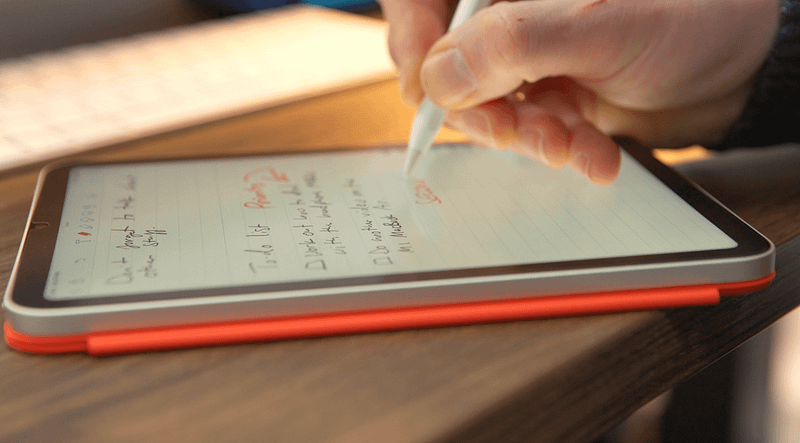
I’ve noted previously that the iPad mini makes such a good note-taking companion because it feels like a digital journal. I love the Leuchtturm1917 paper journal, and the iPad mini almost matches its size, perfectly.
I’ve combined my iPad mini with an official Apple folio case, and even that doesn’t add much weight to it. In fact, I’d argue that it completes the package for anyone who wants to use the iPad mini as a serious note-taking device.
It does it all
I woke up this morning to this tweet from Stephen Robles of AppleInsider fame:
Now, while I wouldn’t personally edit podcasts on my iPad mini (I’m far too old-fashioned and stuck in my ways for that), it’s impossible not to be impressed by what this tiny little thing can do.
I’ve often bemoaned the lack of advancement from Apple when it comes to actually making use of the M1 chip that’s gradually being placed into a growing number of devices within the iPad lineup, and I think the iPad mini illustrates my point. Apple’s tiniest iPad uses the same A15 Bionic chip found in the iPhone 13 line, and it clearly offers more power than most normal users will ever need if Stephen’s podcasting antics are anything to go by.
Although I rarely stray beyond note-taking and content consumption on the iPad mini, I really did miss the do-it-all nature of the iPad mini versus the reMarkable 2.
Paperlike seals the deal
Earlier this year, I finally gave Paperlike a try and it completely transformed my iPad mini experience.
I’ve never been one for screen protectors, but the Paperlike goes beyond that duty. It adds an extremely satisfying layer of resistance to the iPad which — you guessed it — makes it feel far more like writing on real paper.
The reMarkable 2 arguably offers a slightly more paper-ish feel, but that’s to be expected, given the screen technology it uses, and the fact that note-taking is pretty much its only role.
Paperlike is a real gem. I even like how it adds a matte texture and feel to the iPad mini (any fear of diluted colours or screen brightness was unfounded). Without it, I doubt I’d have fallen in love quite so deeply with digital note-taking.
But it’s still missing something…
I’m going to refer to another recent tweet, this time from none other than Casey Neistat.
I couldn’t agree more with Mr Neistat. And while adding a physical keyboard to such a small tablet might seem like an odd request, there’s a compelling reason for it, in my opinion.
I’m not looking to write a novel on the iPad mini. In fact, I’d barely use it to write these blog posts. But being able to simply undertake some basic, incidental typing (emails, tweets — that kinda thing) would be wonderful. In fact, it would be the crowning glory for the best iPad Apple makes.
So, nice try, reMarkable. I’m afraid as much as I admire your hardware, I have to agree with my audience; all roads appear to lead back to the iPad mini for me when it comes to digital note-taking.
Before you go
Join my behind-the-scenes mailing list
If you enjoy my writing, it’s only a snippet of what’s on Medium. I’m a paying member myself and highly recommend joining. Click here to join (a portion of your membership fee will be sent my way and therefore directly support my work!).
This post includes affiliate links
Originally published at https://markellisreviews.com on April 8, 2022.


