
Why a 65% Keyboard Might Be All You Need
When a mini is too small and a full-size too big
I always found that 100% full size keyboards are for accountants only. Sorry beancounters, no offense. They are perfectly fine, but I don’t like the ergonomics of them. That numpad, which I personally never use just offsets my mouse-hand so much, that after extended periods of time using mouse and keyboard my arm get’s tired. I only see a real benefit in that numpad for… accountants. Even for gaming a shorter keyboard is much better.
The smaller the keyboard, the easier it is to center on your desk and the more natural your hands and arms will be positioned. Thus you’re effectively preventing RSI (repetitive strain syndrome), because you don’t have to reach that far to grab your mouse, stressing your muscles and tendons in an awkward way. After all, if you spend hours a day doing a thing, you should make sure you actually enjoy what you are doing (go mechanical) and prevent it from being harmful to your health.
I’ve had a long lasting love for TKL (or 80%) mechanical keyboards. They’re basically just full size keyboards, with the numpad cut off. Lovely. For my writing, text editing and graphics design work I do need dedicated arrow-keys for finetuning, so a mini-layout without arrow-keys was a no-go for me.
65% to the rescue
Since I also don’t really need a dedicated function-key row in my day-to-day work, which consists pretty much of 50% writing and 50% creating brochures and ads, I got another option besides my beloved Ducky One 2 Skyline TKL.
A Ducky One 2 SF. SF of course stands for sixty-five. As shown in the photo below it sports dedicated arrow-keys, RGB-backlight with many fancy effects directly programmable on the mechanical keyboard itself (I prefer subtle white though) and dedicated delete, page-up and page-down keys (labeled in german, the three buttons on the far right). It’s made from the same quality PBT material with double-shot keycaps as the non-backlit Ducky One 2 Skyline TKL I have and love.
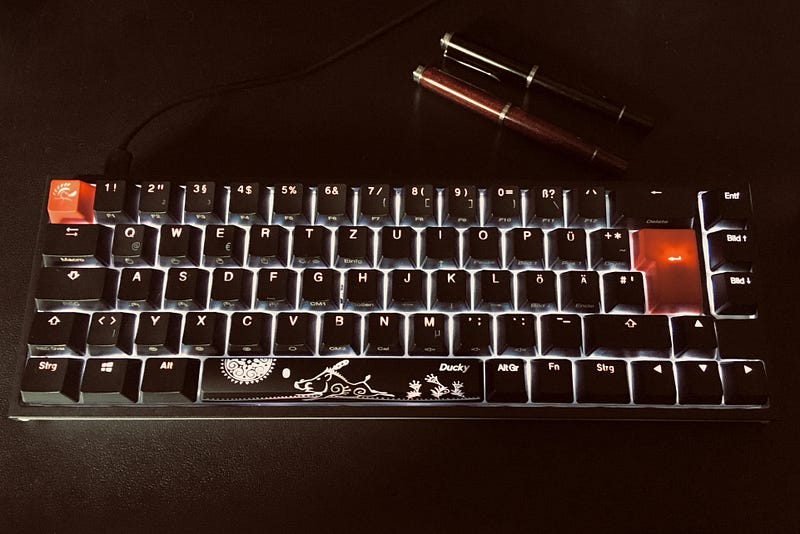
With the SF I can further safe on deskspace and as you can see, the main typing area of the keyboard almost sits perfectly in the middle, with only one key-width worth of extra on the right side. This doesn’t seem like much of a difference to a TKL keyboard, but the ergonomics have improved significantly.
I love it.
It does everything I need it to do as it has the full functionality of a TKL keyboard, even with media keys and special macro functions (which I never use) hidden by two layers of function-key-combinations. Neat.
If you look closely, by using the function-key to access the secondary function of each key (cleverly printed on the front of the keys) I wouldn’t even need the dedicated arrow keys and delete, page-up, page down-keys. I just could use the Fn-key with I, J, K, L for arrows and P, Ü, Ö, Ä (oh the fun german alphabet) for the others. Which is exactly how the Ducky One 2 mini keyboards work. I prefer not using the extra step with the Fn-key though and this was the reason in the first place that I avoided the mini and went for the SF.
Conclusion
The only real downside to this Ducky One 2 SF mechanical keyboard is, that I can only order it with a preset of Cherry MX Switches, whereas I’d prefer Kailh BOX Whites or Jades. My new favorite clicky switch the NK Sherbet is only reserved for custom-built keyboards at this point and pretty hard to get where I live. With my ISO-DE layout I need, I’m out of luck for most custom builds anyways. Oh well, you can’t win them all!
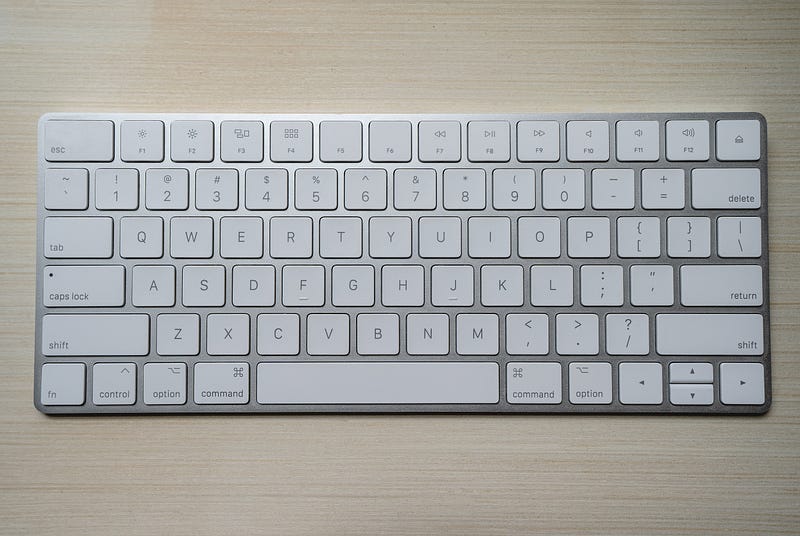
If you’re used to working on an Apple magic keyboard, or most laptop-keyboards really, you’ve been using some sort of 65% layout all the time anyways and might have already enjoyed the ergonomic benefits without much notice, especially when using a trackpad or trackpoint without moving your hands much from the keyboard. The only thing left to do, to further improve your typing experience is: go mechanical.
If you’ve been working on full size, or even TKL keyboards so far and don’t really need the additional keys like the numpad, try downsizing to a 65%. Most likely you will enjoy the improved ergonomics as much as I do! Also when gaming, the desk real estate freed up for your mouse is highly beneficial, especially for flinging your mouse and getting those snap-shots on target.
If I could have one wish from Santa this year, it’d be a Ducky SF full aluminium-chassis with hot-swappable key-switches and backlight (white would suffice).
One can dream.
This article is purely based on my own personal experience and opinion. I’m not associated to any of the presented brands and this article also doesn’t contain any affiliate links. Thank you for reading this far, your support and interest is greatly appreciated. I hope you found some useful information in this piece!


