avatarOskar Tokarski

Free AI web copilot to create summaries, insights and extended knowledge, download it at here

3080

Abstract

ility works best on iPad with Apple Pencil. You can make handwritten notes on different types of paper. It is easy to highlight text, use the lasso tool, or draw some shapes/tables/other annotations. Here are some examples of how do I use Notability for handwritten notes.</p><figure id="3c05"><img src="https://cdn-images-1.readmedium.com/v2/resize:fit:800/1*aE2eIayRxkRKNTk9vi_EgA.jpeg"><figcaption>Source: Notability</figcaption></figure><h2 id="a4dd">Notion</h2><p id="4bfd">Notion is a powerful tool to manage every aspect of life. If you don’t want to fill your notes in an already designed scheme and prefer to create your system of organization, Notion is just for you.</p><p id="78b9">On the left, you can create pages, name them, and choose emoji for them, like ‘University’, ‘Finance’, or ‘Book Club’. Inside these pages it is possible to paste already created template (lots of them) or simply write your text, adding tables, calendars, etc.</p><figure id="1dd5"><img src="https://cdn-images-1.readmedium.com/v2/resize:fit:800/1*3ftQDq4aSMl7lQciLe2dPg.png"><figcaption>notion.so</figcaption></figure><figure id="6133"><img src="https://cdn-images-1.readmedium.com/v2/resize:fit:800/1*cqmvDddso97oF6AkxVNxnw.png"><figcaption>notion.so</figcaption></figure><p id="d7be">You have to choose a system that suits you. Notion can help you tracking your university progress, family plans, e-learning projects, budget, vacation plans. If you need guidance on how to start taking notes in Notion, check Thomas Frank Notion course on SkillShare.com. If you use this link, you’ll get two months Skillshare for free: <a href="https://skl.sh/3210Anc">https://skl.sh/3210Anc</a></p><h2 id="e2cd">Bear</h2><p id="2854">From all apps, in the App Store, I love Bear the most. This beautiful app makes me feel happy whenever I use it. The strongest feature of Bear is its simplicity. Most of the screen is simply a white, warm space on which our notes are created.</p><figure id="e789"><img src="https://cdn-images-1.readmedium.com/v2/resize:fit:800/1*4WK5uEliXU4LTf6Gy7-A9w.png"><figcaption>Source: Bear</figcaption></figure><p id="a763">Above the keyboard that slides out from the bottom is the simple toolbox of available tools. Tools allowing you to add a photo, use the camera, or use an image from our library. Another option is 3 types of headings that will allow you to separate individual parts of the text. You can also draw a line, and classically edit the text — we have bold, italic, strikeout and underline here.</p><figure id="56e0"><img src="https://cdn-images-1.readmedium.com/v2/resize:fit:800/1*lx1V1-p9nAUNulnXVEC8Jg.png"><figcaption>Source: Bear</figcaption></figure><p id="77fb">In Bear, there are two types of numbering: point and number. It is possible also to mark a quote and to code if you’re interested in such stuff. Next is a paperclip, symbolizing the attachment and two arrows that allow you to undo any action or return to the recently introduced changes. What’s awesome in the app — hashtags system. When you tag your notes, #shopping, or #doctor on the

Options

left you can see a list of tags with an unique icon next to it! It saves time, you’ll see. And this is it. Simple as that, Bear.</p><figure id="6108"><img src="https://cdn-images-1.readmedium.com/v2/resize:fit:800/1*T881v9_kB7shiZ1Cx6-qlw.png"><figcaption>Source: Bear</figcaption></figure><h2 id="a19c">Obsidian</h2><blockquote id="a537"><p>A second brain, for you, forever.</p></blockquote><p id="d269">Obsidian works similar to Roam, it’s just offline (private) and free. In Obsidian, making and following [[connections]] is frictionless. Tend to your notes like a gardener; at the end of the day, sit back and marvel at your knowledge graph.</p><figure id="92d2"><img src="https://cdn-images-1.readmedium.com/v2/resize:fit:800/1*Uwv43rM63obvmLaq4ehHRg.png"><figcaption>Source: Obsidian.md</figcaption></figure><p id="aa4d">If you want, you can store your notes online, or have early access to actualizations, but you need to choose a plan for that. All pricing information is here: <a href="https://obsidian.md/pricing">https://obsidian.md/pricing</a>.</p><p id="c532">There’s no reason for paying tons of cash for Roam, just stick to obsidian if you like freedom in your notes, or want to create personalized Lifepedia.</p><div id="c582" class="link-block"> <a href="https://readmedium.com/how-to-build-a-digital-brain-2fba6e196b5"> <div> <div> <h2>How to Build a Digital Brain?</h2> <div><h3>The perfect digital brain app does not exist. But who said we can only use one?</h3></div> <div><p>medium.com</p></div> </div> <div> <div style="background-image: url(https://miro.readmedium.com/v2/resize:fit:320/1*gr89HfLijJMWnCNb3iWL-g.jpeg)"></div> </div> </div> </a> </div><div id="2881" class="link-block"> <a href="https://readmedium.com/6-simple-habits-for-productive-procrastination-5954b6434f6c"> <div> <div> <h2>6 Simple Habits for Productive Procrastination</h2> <div><h3>Stop wasting time and rest productively.</h3></div> <div><p>medium.com</p></div> </div> <div> <div style="background-image: url(https://miro.readmedium.com/v2/resize:fit:320/1*_BFLYUasYrFtybhFIow87w.jpeg)"></div> </div> </div> </a> </div><div id="914d" class="link-block"> <a href="https://readmedium.com/5-steps-to-make-your-morning-productive-e01380d041e2"> <div> <div> <h2>5 Steps to Make Your Morning Productive</h2> <div><h3>Start and end your day with no regrets</h3></div> <div><p>medium.com</p></div> </div> <div> <div style="background-image: url(https://miro.readmedium.com/v2/resize:fit:320/1*mhW-IR7S3z9xkTWPHbY0cg.jpeg)"></div> </div> </div> </a> </div></article></body>

Which App is Best for Taking Notes?

Best note-taking applications in 2020

Photo by Isaac Smith on Unsplash

Taking notes is different for all of us. Many applications on the market are designed to help us creating notes. But to be honest, 4 are worth recommendation — Notability, Notion, Bear, and Obsidian.

If the only function you expect from a note-taking application is to write down a few little things, feel free to skip this article. Apple Notes / whatever Android offers will be just okay for you.

The matter becomes significantly more complicated when we treat the digital notebook as a kind of brain extension, a place where our creativity and organization flows when we type faster than we speak.

If we’re looking for safe alyssum for our thoughts and ideas. A digital memory where everything lands — from shopping lists, through creative thoughts, to important documents, bookmarks, and projects.

Notability

When you open Notability you will see a divided screen — on the left all of your folders, and on the right the notes within those folders displayed. Aside from creating new subjects (folders) for your notes and dividers to separate your subjects, there’s not much to see here. It’s a practical, efficient approach.

Managing documents is a little different than in Good Notes. From the main screen, you’ll create a subject and house all notes within it. It’s really simple and instantaneous. Organizing like that is not required, however, if you want your notes to look good and simple, and you want to have a nice feeling studying them you should try it, especially if you’re trying to keep track of multiple documents at a time.
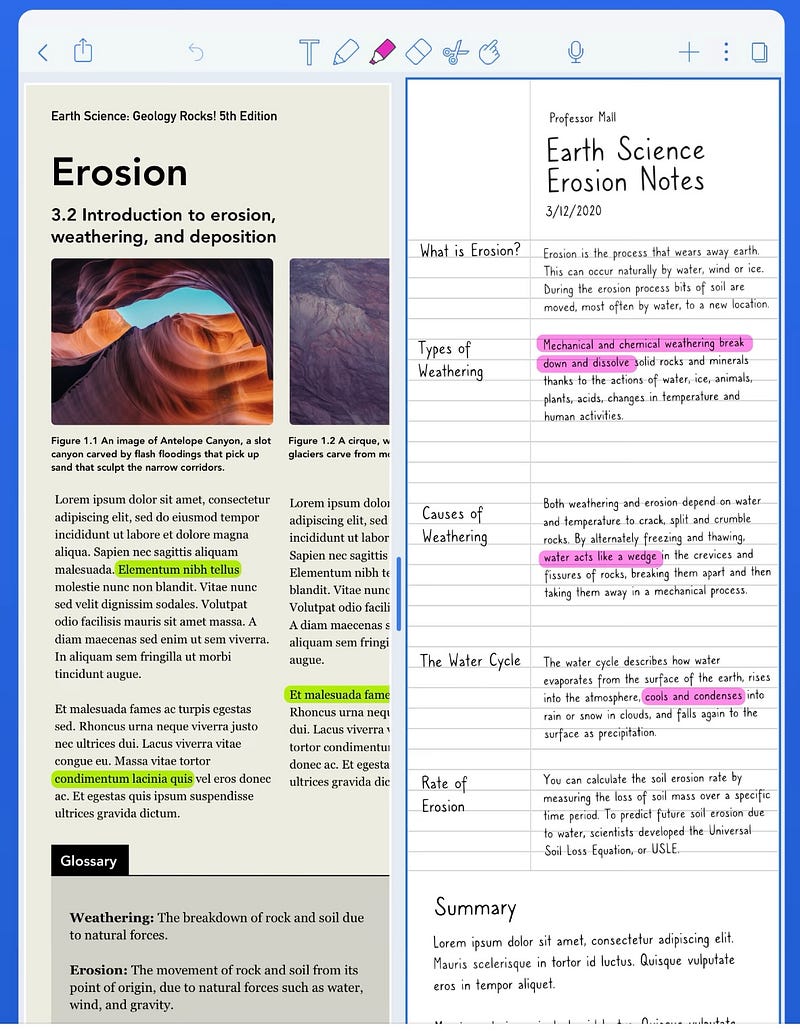
Source: Notability

Notability also offers a unique audio recording option. You won’t find it in Good Notes. When using the app, users can record audio files while taking notes. When playing back audio, Notability will animate when the text was added to the page during the recording so that it’s easy to know what prompted you to write something down.
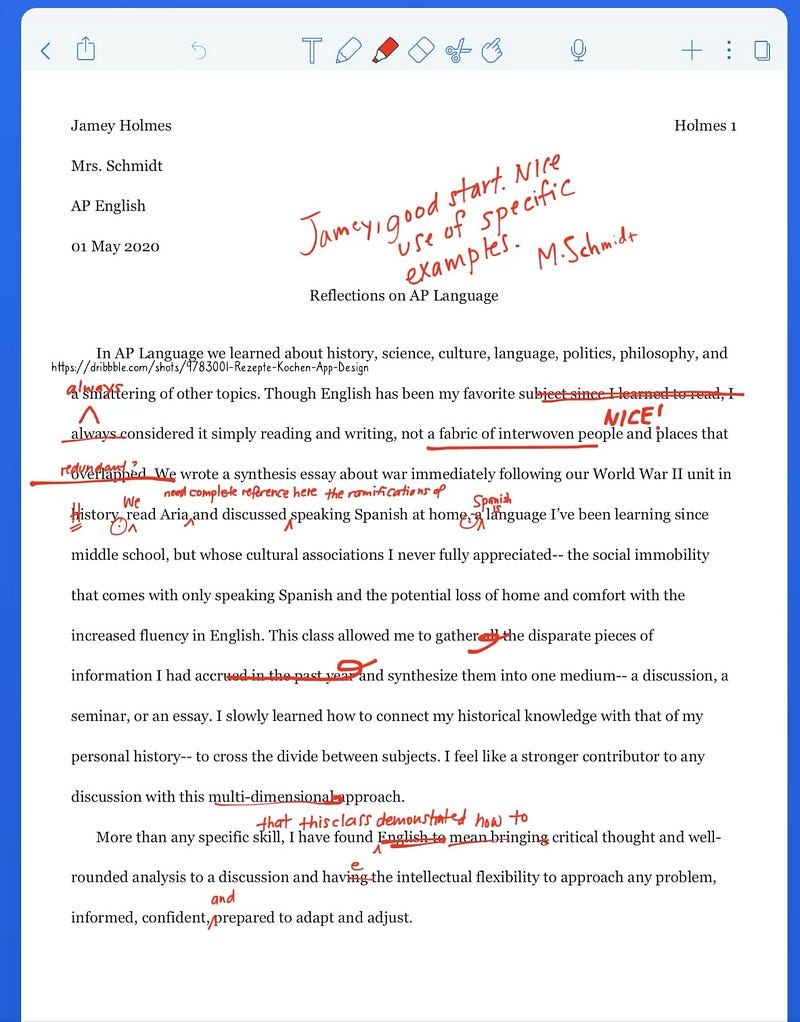
Source: Notability

Notability allows you to store your data on iCloud, but it also allows you to back up files on Dropbox, Google Drive, or One Drive with auto — backup.

Notability works best on iPad with Apple Pencil. You can make handwritten notes on different types of paper. It is easy to highlight text, use the lasso tool, or draw some shapes/tables/other annotations. Here are some examples of how do I use Notability for handwritten notes.
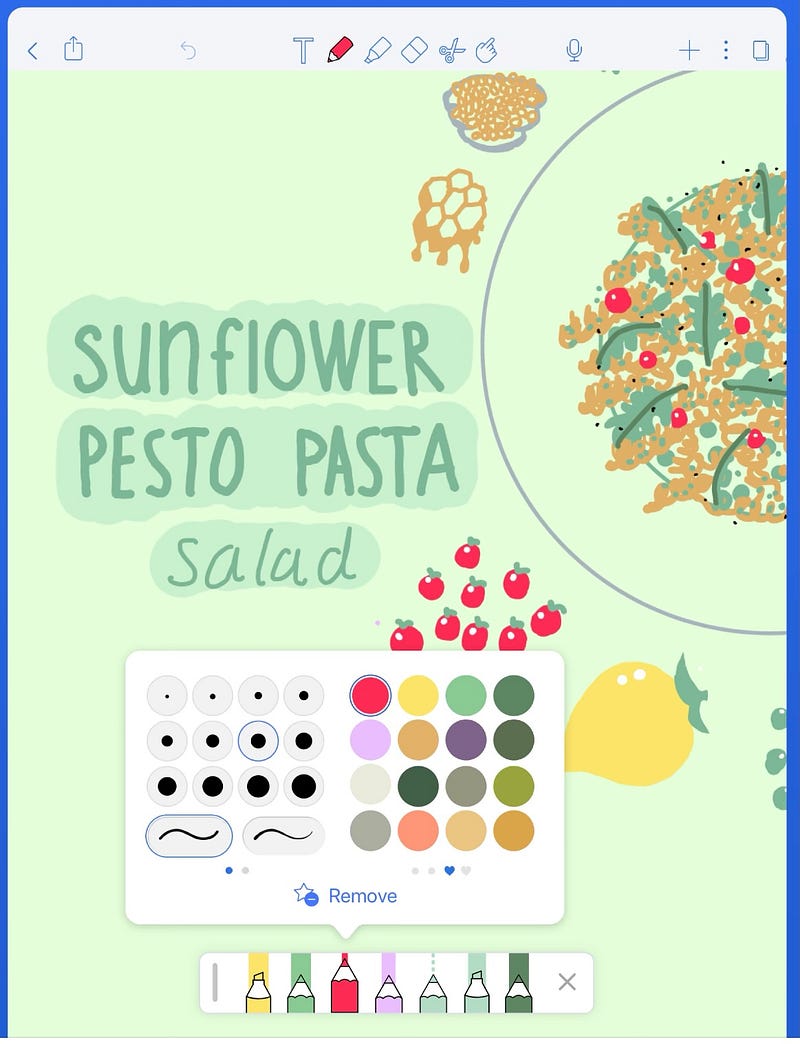
Source: Notability

Notion

Notion is a powerful tool to manage every aspect of life. If you don’t want to fill your notes in an already designed scheme and prefer to create your system of organization, Notion is just for you.

On the left, you can create pages, name them, and choose emoji for them, like ‘University’, ‘Finance’, or ‘Book Club’. Inside these pages it is possible to paste already created template (lots of them) or simply write your text, adding tables, calendars, etc.
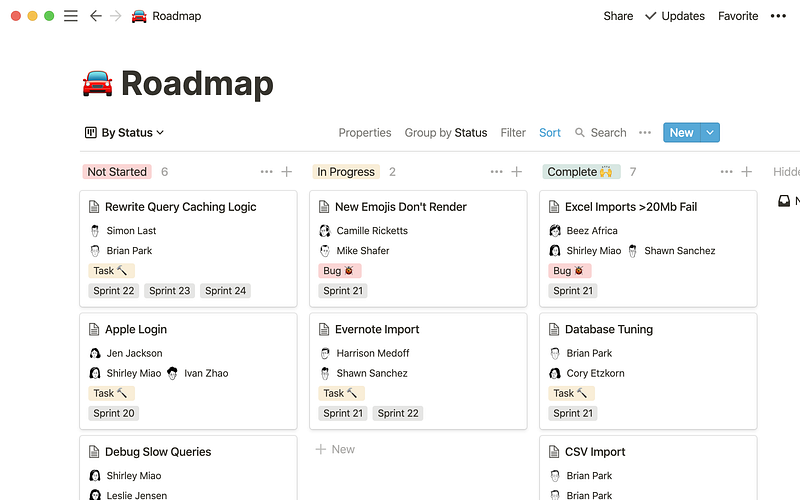
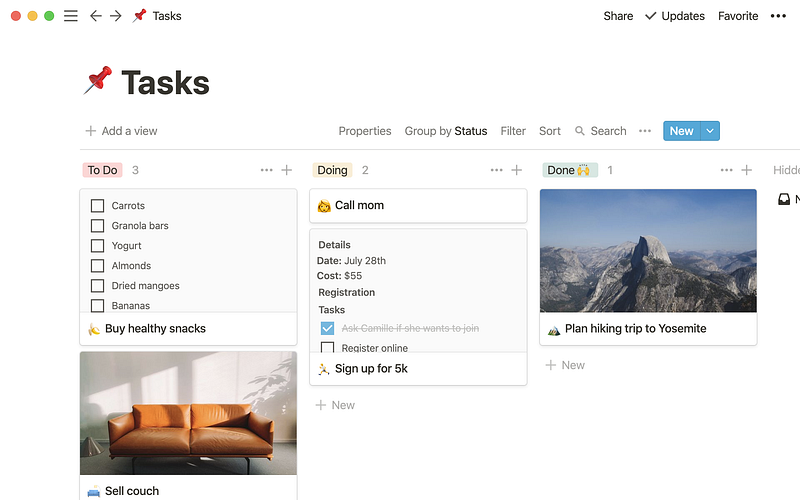
notion.so
notion.so

You have to choose a system that suits you. Notion can help you tracking your university progress, family plans, e-learning projects, budget, vacation plans. If you need guidance on how to start taking notes in Notion, check Thomas Frank Notion course on SkillShare.com. If you use this link, you’ll get two months Skillshare for free: https://skl.sh/3210Anc

Bear

From all apps, in the App Store, I love Bear the most. This beautiful app makes me feel happy whenever I use it. The strongest feature of Bear is its simplicity. Most of the screen is simply a white, warm space on which our notes are created.
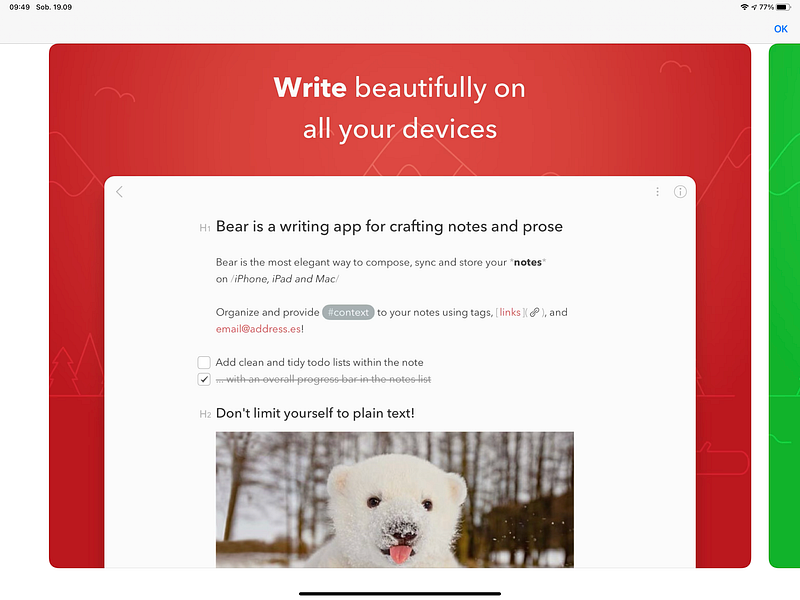
Source: Bear

Above the keyboard that slides out from the bottom is the simple toolbox of available tools. Tools allowing you to add a photo, use the camera, or use an image from our library. Another option is 3 types of headings that will allow you to separate individual parts of the text. You can also draw a line, and classically edit the text — we have bold, italic, strikeout and underline here.
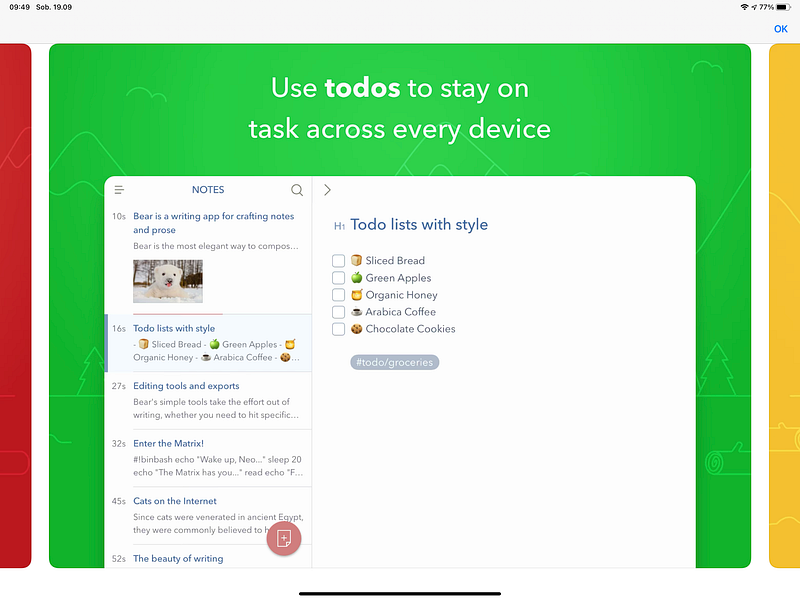
Source: Bear

In Bear, there are two types of numbering: point and number. It is possible also to mark a quote and to code if you’re interested in such stuff. Next is a paperclip, symbolizing the attachment and two arrows that allow you to undo any action or return to the recently introduced changes. What’s awesome in the app — hashtags system. When you tag your notes, #shopping, or #doctor on the left you can see a list of tags with an unique icon next to it! It saves time, you’ll see. And this is it. Simple as that, Bear.
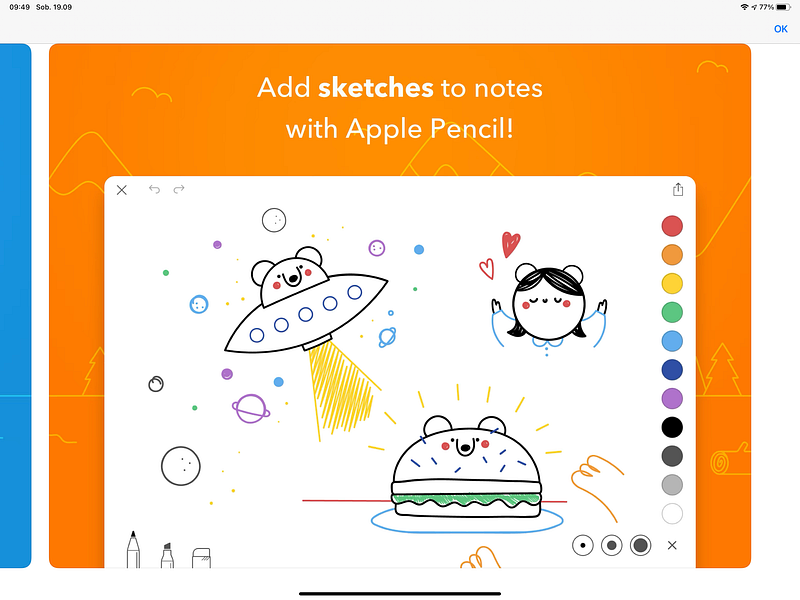
Source: Bear

Obsidian

A second brain, for you, forever.

Obsidian works similar to Roam, it’s just offline (private) and free. In Obsidian, making and following [[connections]] is frictionless. Tend to your notes like a gardener; at the end of the day, sit back and marvel at your knowledge graph.
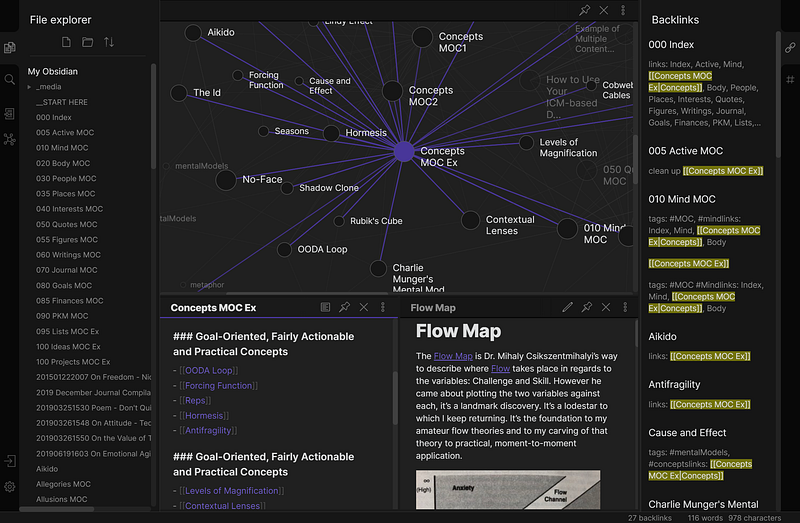
Source: Obsidian.md

If you want, you can store your notes online, or have early access to actualizations, but you need to choose a plan for that. All pricing information is here: https://obsidian.md/pricing.

There’s no reason for paying tons of cash for Roam, just stick to obsidian if you like freedom in your notes, or want to create personalized Lifepedia.

Productivity
Notetaking
Writing
Organization
Creativity
Recommended from ReadMedium