avatarOskar Tokarski

Free AI web copilot to create summaries, insights and extended knowledge, download it at here

2178

Abstract

aily habits, spending time on studying, constant learning new things makes me happy. Makes me feel creative.</p><h2 id="cf9f">My Second Brain</h2><p id="fbcf">My system is based on 4 apps. Imagine them as pillars, that keeping the whole construction — my system. Apps are Notion, Notability, Obsidian, Bear. And here’s how I learned to use them.</p><p id="e783"><b>Notion</b> <i>( MacBook Pro )</i>:</p><ol><li>Life goals — per week/month/year</li><li>Links to frequently using websites</li><li>Daily Checklists:

  • Morning checklist
  • Evening checklist
  • Weekend checklist</li><li>To-Do list — week/month/year</li><li>Productivity calendar — planing content for Blog and Medium</li><li>Patient Card — results, list of examinations, injuries</li><li>University:
  • Syllabus
  • Contact information
  • Tests, examines, results, grades</li><li>Finance:
  • Month budget
  • Spendings
  • Needs and plan to afford them</li><li>Book Club — list of books</li><li>E-Learning base — list of courses I attend</li><li>Books writing details:
  • Writing plan
  • Characters encyclopedia
  • World details
  • Research base</li></ol><p id="ba96"><b>Notability</b> <i>( iPad Pro )</i>:</p><ol><li>Handwritten notes from lectures, all subjects in different folders, sketches, diagrams</li><li>Journal — daily journal that I write about how is my day, what are my plans, why am I happy, etc. All days in different notes, all in the Journal folder</li><li>Notes from E-learning courses (SkillShare, Harvard EdX, and others)</li></ol><p id="225f"><b>Obsidian</b> <i>( MacBook Pro )</i>:</p><ol><li>Morning Journal, Evening Journal — 3 Minutes Journals I write daily. Simple questions, that I ask like what are the three things I learned that day, or how do I feel, etc.</li><li>The base of all media — articles, books, authors, blogs, movies, podcasts, quotes, images — that I met in my life. All knowledge, that I consumed, things I learned connected to the day and author, all in one encyclopedia of media.</li></ol><p id="b54b"><b>Bear</b> <i>(iPhone + MacBook Pro + iPad Pro):</i></p><p id="1a21">1. Daily notes:
  • Groceries list
  • Journal of Dreams</p><p id="29ae">2. Blog articles ideas
  1. Medium artic

Options

les ideas</p><p id="8762">I did it. I created a perfect, personalized second brain. And you can too. Don’t waste money on all these paid $1500+ silly courses, where people will tell you how to live your life. Just sit, check some apps, personalize them, and make your life easier, more productive, and more creative. Create your second brain. Be happy.</p><div id="fa93" class="link-block"> <a href="https://readmedium.com/5-steps-to-make-your-morning-productive-e01380d041e2"> <div> <div> <h2>5 Steps to Make Your Morning Productive</h2> <div><h3>Start and end your day with no regrets</h3></div> <div><p>medium.com</p></div> </div> <div> <div style="background-image: url(https://miro.readmedium.com/v2/resize:fit:320/1*mhW-IR7S3z9xkTWPHbY0cg.jpeg)"></div> </div> </div> </a> </div><div id="bd6c" class="link-block"> <a href="https://readmedium.com/which-app-is-best-for-taking-notes-18c32b345241"> <div> <div> <h2>Which App is Best for Taking Notes?</h2> <div><h3>Best note-taking applications in 2020</h3></div> <div><p>medium.com</p></div> </div> <div> <div style="background-image: url(https://miro.readmedium.com/v2/resize:fit:320/1*oqjsom3C_PMgaKqafrT5IQ.jpeg)"></div> </div> </div> </a> </div><div id="7b69" class="link-block"> <a href="https://readmedium.com/6-simple-habits-for-productive-procrastination-5954b6434f6c"> <div> <div> <h2>6 Simple Habits for Productive Procrastination</h2> <div><h3>Stop wasting time and rest productively.</h3></div> <div><p>medium.com</p></div> </div> <div> <div style="background-image: url(https://miro.readmedium.com/v2/resize:fit:320/1*_BFLYUasYrFtybhFIow87w.jpeg)"></div> </div> </div> </a> </div></article></body>

How to Build a Second Brain?

The perfect digital brain app does not exist. But who said we can only use one? Let me help you to save your best ideas, organize your learning, and expand your creative output.
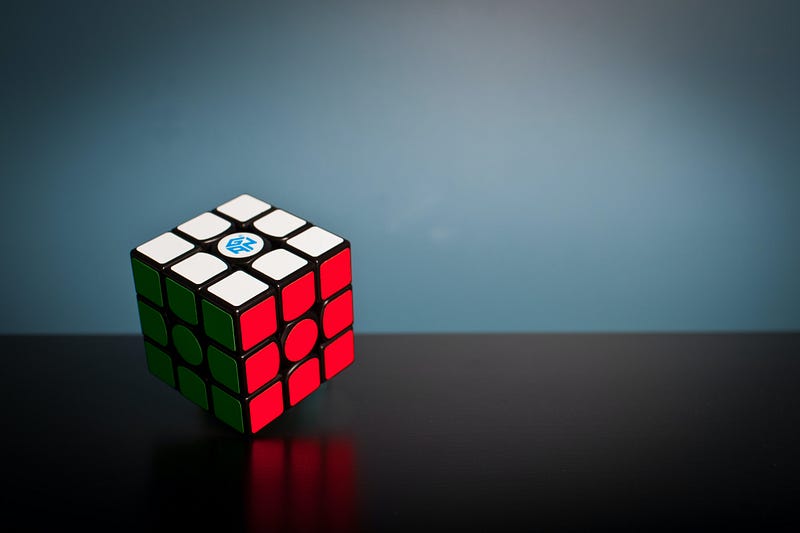
Photo by Olav Ahrens Røtne on Unsplash

There is one certain thing nowadays. Life is complicated, full of responsibilities. Family, work, keeping in touch with our friends — all of this requires our attention. And in the circle of life the faster we go, the more things we miss. How to take care of all aspects of your life without neglecting one? That is why a year ago I decided to build the digital brain, to live my life with no exceptions.

All of these YouTubers you watched, articles you read, they are all about being productive, managing your time efficiently, and doing all the things that you need to. And they are right. To help with that, developers designed apps for us. And in 2020, the number of productivity apps is so big that it is hard to keep on track. At least it was for me, because I was searching for a perfect productivity app for almost a year.

The perfect app — you may ask what I was searching for. Well, I hoped to find the app that makes it possible to organize family, friends, and job-related responsibilities. App in which I can take notes (both handwritten and not), save books I read, movies I saw, connect everything so it would be easy to navigate, control my budget, university — everything. But the fact is — the perfect app doesn’t exist. And like I said, it took me a year to realize that.

Today, I can proudly say, that I’ve my personalised, developed the second brain system. And second brain system connected with daily habits, spending time on studying, constant learning new things makes me happy. Makes me feel creative.

My Second Brain

My system is based on 4 apps. Imagine them as pillars, that keeping the whole construction — my system. Apps are Notion, Notability, Obsidian, Bear. And here’s how I learned to use them.

Notion ( MacBook Pro ):

  1. Life goals — per week/month/year
  2. Links to frequently using websites
  3. Daily Checklists: + Morning checklist + Evening checklist + Weekend checklist
  4. To-Do list — week/month/year
  5. Productivity calendar — planing content for Blog and Medium
  6. Patient Card — results, list of examinations, injuries
  7. University: + Syllabus + Contact information + Tests, examines, results, grades
  8. Finance: + Month budget + Spendings + Needs and plan to afford them
  9. Book Club — list of books
  10. E-Learning base — list of courses I attend
  11. Books writing details: + Writing plan + Characters encyclopedia + World details + Research base

Notability ( iPad Pro ):

  1. Handwritten notes from lectures, all subjects in different folders, sketches, diagrams
  2. Journal — daily journal that I write about how is my day, what are my plans, why am I happy, etc. All days in different notes, all in the Journal folder
  3. Notes from E-learning courses (SkillShare, Harvard EdX, and others)

Obsidian ( MacBook Pro ):

  1. Morning Journal, Evening Journal — 3 Minutes Journals I write daily. Simple questions, that I ask like what are the three things I learned that day, or how do I feel, etc.
  2. The base of all media — articles, books, authors, blogs, movies, podcasts, quotes, images — that I met in my life. All knowledge, that I consumed, things I learned connected to the day and author, all in one encyclopedia of media.

Bear (iPhone + MacBook Pro + iPad Pro):

1. Daily notes: + Groceries list + Journal of Dreams

2. Blog articles ideas 3. Medium articles ideas

I did it. I created a perfect, personalized second brain. And you can too. Don’t waste money on all these paid $1500+ silly courses, where people will tell you how to live your life. Just sit, check some apps, personalize them, and make your life easier, more productive, and more creative. Create your second brain. Be happy.

Productivity
Creativity
Motivation
Second Brain
Innovation
Recommended from ReadMedium