
What’s the Difference Between Synthetic React Events and JavaScript Events?
Understanding the key differences between JavaScript events

What Are JavaScript Events?
JavaScript events are actions or occurrences that happen on web pages. They are an essential part of an interactive user interface. An event takes place when a user clicks a button or moves a mouse. It is also a result when a web page is loaded or unloaded, among many other circumstances.
HTML defines a set of events, and JavaScript uses event handlers to manage these events. React also implements event handlers, such as onClick, onMouseMove, onLoad, onError, etc. React’s event handlers are named with camelCase APIs, while JavaScript event handlers are named with lowercase APIs.
We are going to explain how React handles events and what React events’ capabilities and limitations are.
Event Capturing and Bubbling
There are four event phases defined in JavaScript:
Event.NONE (0): No event is being processed at this time.
Event.CAPTURING_PHASE (1): The event is being propagated through the target’s ancestor objects. This process starts with theWindow, thenDocument, then theHTMLHtmlElement, and so on through the elements until the target's parent is reached. This process is called the capturing phase.
Event.AT_TARGET (2): The event has arrived at the event’s target. This process is called the targeting phase.
Event.BUBBLING_PHASE (3): The event is propagating back up through the target’s ancestors in reverse order, starting with the parent, and eventually reaching the containingWindow. This process is called the bubbling phase.
The last three phrases constitute the event propagation.
In React, the Event variable is defined as follows:
Most times, we use bubbling event handlers, such as onClick, onMouseMove, onLoad, and onError.
Event capturing is useful for event delegation, which is a method that uses a single event-capturing handler at the common ancestor level instead of assigning event handlers to many child elements.
In React, to register an event handler for the capturing phase, simply append Capture to the event name. Equivalently, there are onClickCapture, onMouseMoveCapture, onLoadCapture, and onErrorCapture.
Two event handlers do not have equivalent capturing handlers. They are onMouseEnter and onMouseLeave. This behavior is consistent with JavaScript events.
Let’s create an example to illustrate this concept. Create React App is a convenient way to initiate a React coding environment:
npx create-react-app my-app
cd my-app
npm start
We revise src/App.js as follows:
Run npm start, and we see the following user interface:
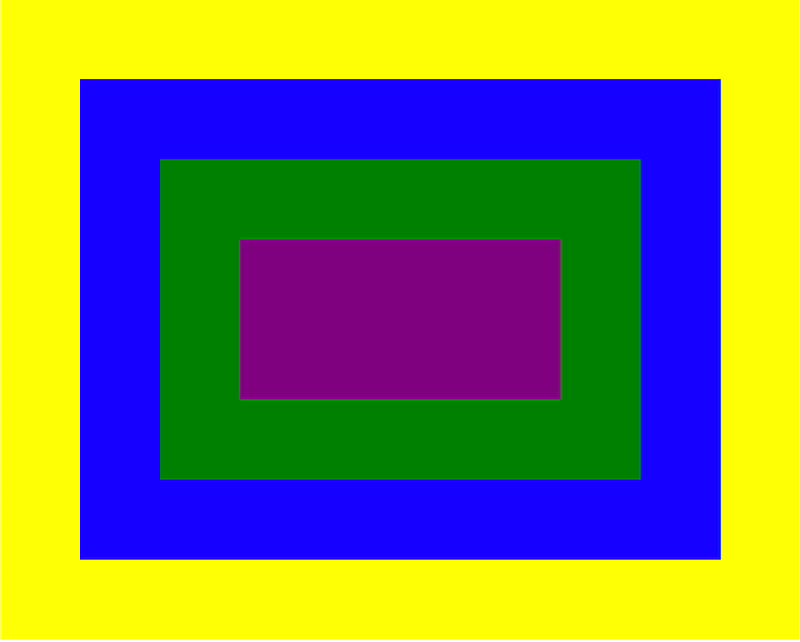
- Clicking on the yellow area, we get these console logs:
captured yellowandclicked yellow. - Clicking on the blue area, we get these console logs:
captured yellow,captured blue,clicked blue, andclicked yellow. - Clicking on the green area, we get these console logs:
captured yellow,captured blue,captured green,clicked green,clicked blue, andclicked yellow. - Clicking on the purple area, we get these console logs:
captured yellow,captured blue,captured green,captured purple,clicked purple,clicked green,clicked blue, andclicked yellow.
React Events Always Bubble
In JavaScript, a few events — such as focus, blur, and change — do not bubble up. However, React’s team decided to make all events bubble, regardless of if it makes sense or not.
The following src/App.js demonstrates that the focus event bubbles:
This code generates the following user interface:
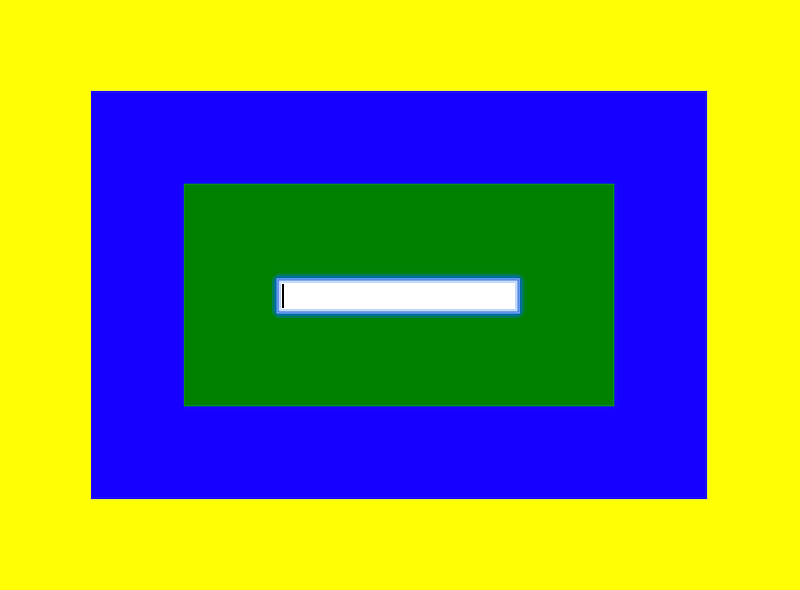
Clicking the input box, we get these console logs: captured yellow, captured blue, captured green, captured input, focused input, focused green, focused blue, and focused yellow.
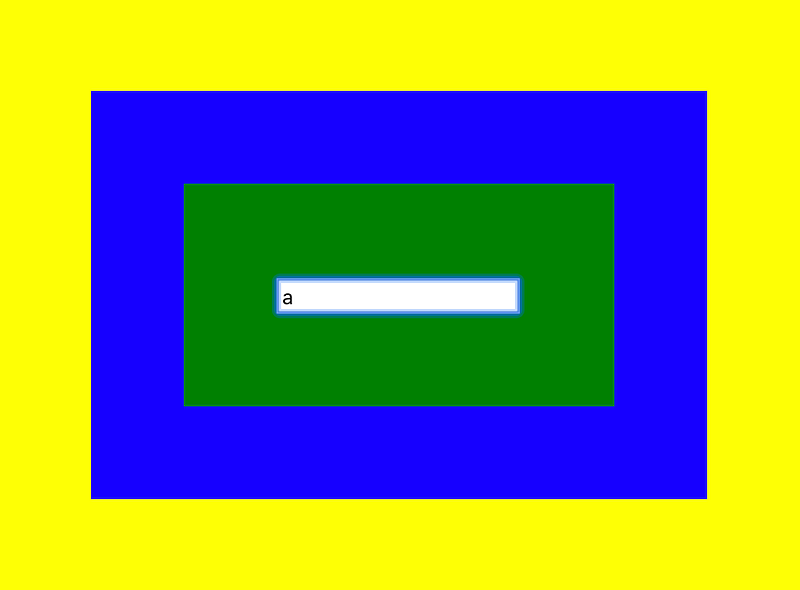
The following src/App.js shows that the change event bubbles:
In the following user interface, when typing “a” in the input box, we get these console logs: captured yellow, captured blue, captured green, captured input, changed input, changed green, changed blue, and changed yellow.
The SyntheticEvent
The following is the Event interface in React:
We revise the previous example in src/App.js to print out the event in line 15:
React 17 removes the “event pooling” optimization from React. If you want to know how it behaves before React 17, continue reading. Otherwise, skip the next section and go directly to Behaviors After React 17 section.
Behaviors Before React 17
Here is the console output:
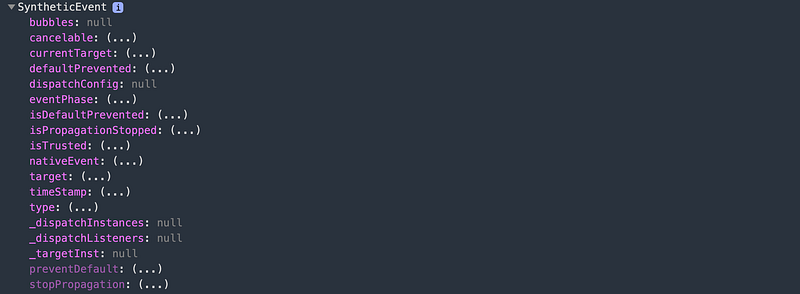
Clicking on the bubbles value, we receive this warning:

What happened?
In React, an event handler is passed with an instance of SyntheticEvent, a cross-browser wrapper around the browser’s native event. It has the same interface as the browser’s native event, including stopPropagation() and preventDefault(). In React, you cannot return false to prevent default behavior. Instead, preventDefault must be called explicitly. The synthetic events work identically across all browsers because they are defined according to the W3C spec.
The SyntheticEvent is pooled. This means that the SyntheticEvent object will be reused and all properties will be nullified after the event callback has been invoked. This behavior is designed for performance reasons. As such, a SyntheticEvent cannot be used in an asynchronous way. Clicking on the console event is accessing it asynchronously.
If you uncomment out line 14, e.persist() will remove the synthetic event from the pool and allow references to the event to be retained by user code. Now SyntheticEvent prints out the event details:
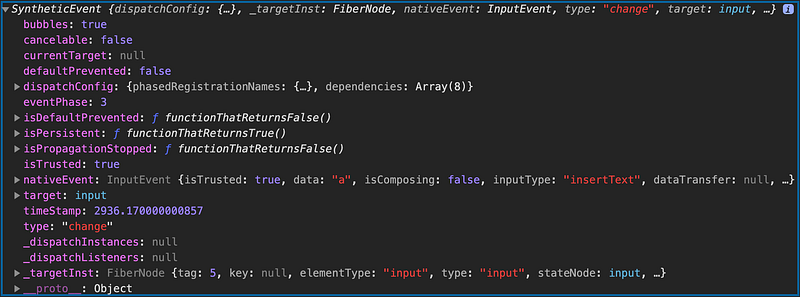
We can see the target is correctly set to input. Uncommenting out line 16 will print out <input> that is wrapped by <div>s.

Behaviors After React 17
e.persist() (Line 14) has no effect after React 17.
Line 15 always shows the correct target, input.
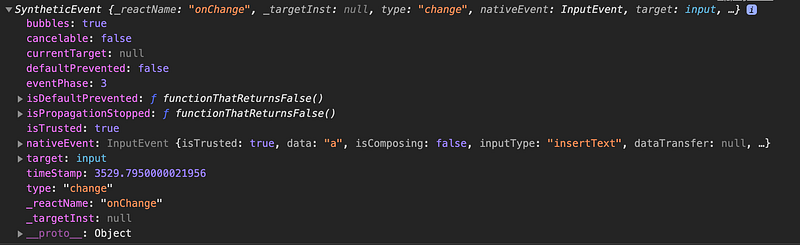
Uncommenting out line 16 will print out <input> only.

Stop Event Propagation
From the Event interface, we see the stopPropagation() method, which is invoked to prevent an event from reaching any objects other than the current object.
The following code in src/App.js stops the event propagation during the capturing phase:
In line 15, the event propagation is stopped at the capturing phase on the blue element. Clicking on the purple area, we get these console logs: captured yellow and captured blue.
The following code in src/App.js stops the event propagation during the bubbling phase:
In line 19, the event propagation is stopped at the bubbling phase on the green element. Clicking on the purple area, we get the following the console logs: captured yellow, captured blue, captured green, captured purple, clicked purple, and clicked green.
React Video Events Match HTML/JavaScript Events
We remove the stopPropagation() method from the code and replace the purple element with a video:
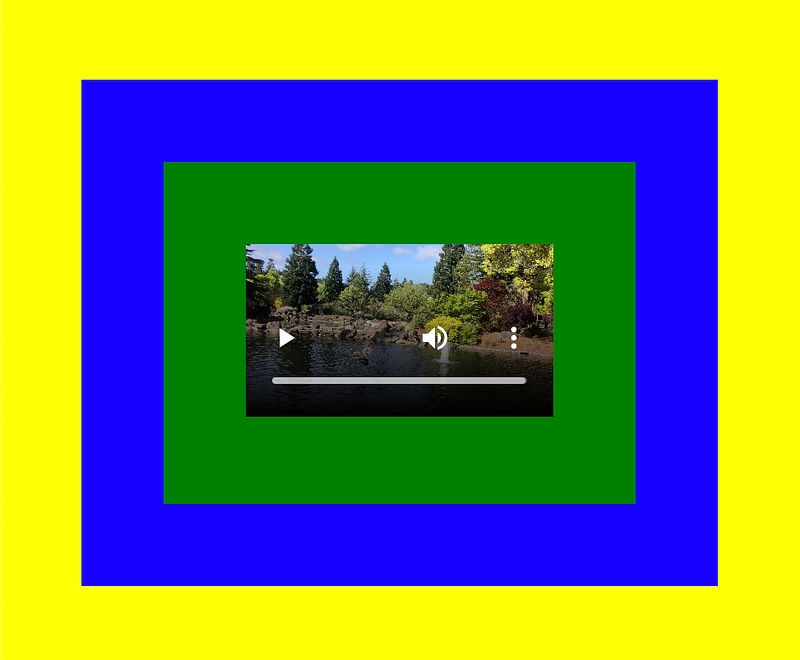
We put a video, IMG_2313.mp4 (line 30), under the public directory. You can use any mp4 file to try out this example.
Here is the revised src/App.js:
Clicking on the video, we get the expected information on the console: captured yellow, captured blue, captured green, captured video, clicked video, clicked green, clicked blue, and clicked yellow.
But if we click the play button or other controls, there are no console messages at all.
It is not that React behaves differently. It is exactly how the video tag works. Clicking on the play button does not trigger the click event, instead it triggers the play or pause event. React events behave the same way as HTML/JavaScript events.
In order to make this example to work, we change the click event to the play event:
Clicking on the play button of the video, we get the expected information on the console: captured yellow, captured blue, captured green, captured video, played video, played green, played blue, and played yellow.
If we uncomment out line 15, , the event propagation is stopped at the capturing phase on the blue element. We get the expected information on the console: captured yellow and captured blue.
Below is another video example using React Player.
Install react-player as a dependency in package.json:
"dependencies": {
  "react-player": "^2.6.0"
}
React Player plays a variety of URLs. In addition to file paths that support video, it also plays media from YouTube, Facebook, Twitch, SoundCloud, Streamable, Vimeo, Wistia, Mixcloud, and DailyMotion. The following is the revised src/App.js that plays the same video in YouTube format (line 22):
Running npm start will show the following user interface:
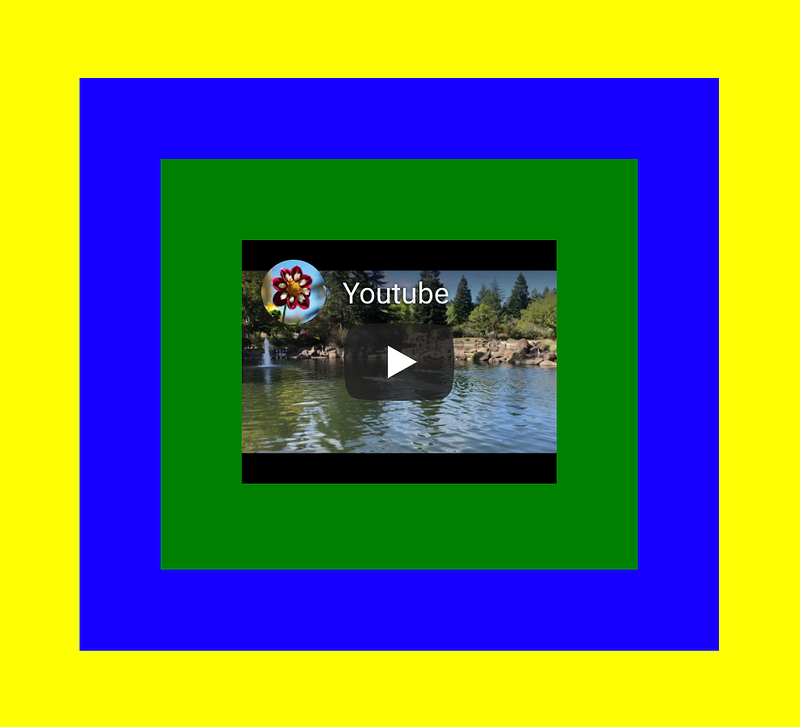
Clicking on the play button of the video, we get one line information on the console: played video.
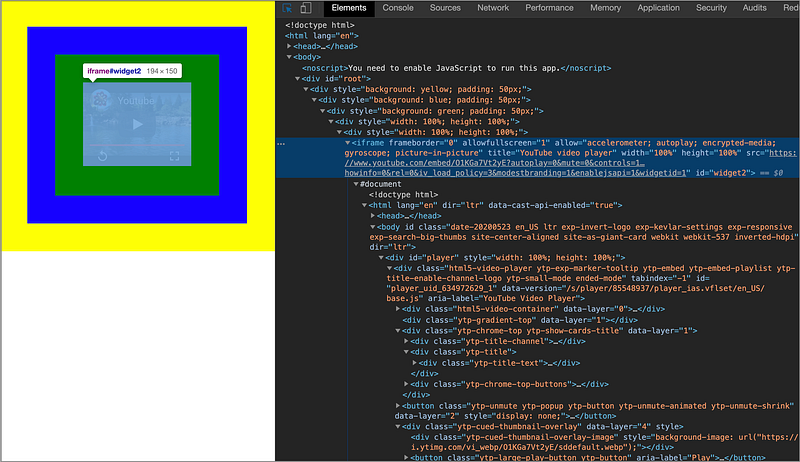
Inspect the elements. We can see that the YouTube player is an iframe. As expected, events from iframes do not get propagated into the outer tree, by design.
Conclusion
React uses a synthetic event system, which is a cross-browser wrapper around the browser’s native event. In most cases, a developer may not notice the differences, but they do exist:
- React synthetic events work identically across browsers.
- React event handlers are named using camelCase.
- React event handlers cannot return
falseto prevent default behavior. - React synthetic events always bubble.
- Before React 17, React synthetic events cannot be used in an asynchronous way unless
e.persist()is called. - React’s synthetic event system for videos works the same way as HTML/JavaScript Events.
Thanks for reading. I hope this was helpful. You can see my other Medium publications here.
Note: Jonathan Ma contributed to part of this article.


