
What is the best IDE for developing in Angular?
The magic of IDEs doesn’t have to just be for back-end development — some of their best efficiency and productivity gains can be had in front-end development. With Angular becoming more and more common as a platform for building mobile and desktop web applications, so have increased the IDE options out there.
This article will dive into a bevy of IDEs — in no particular order — that can be used to developing Angular (or Angular2 or Angular4 or Angular6 or Angular8, etc.) applications, and it will also include a curated group of internet opinions on each.
Angular IDE
- Link
- $29/year; $5/month; 45-day free trial
- Also available as an Eclipse plugin
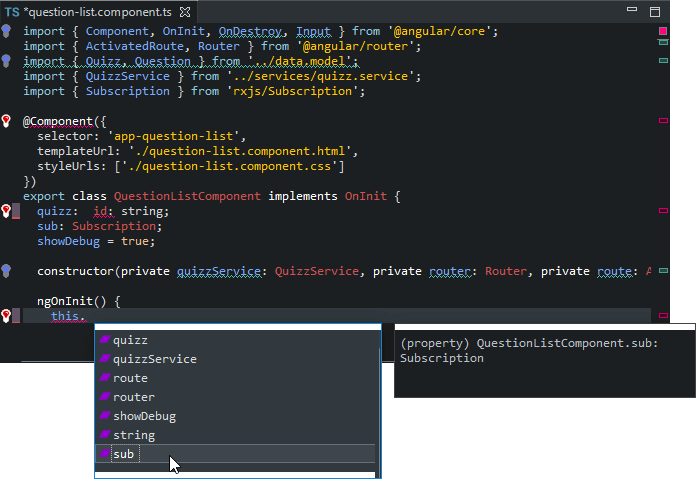
- Real-time validation and display of errors as you type code
- Auto-completion of code across your project
- Syntax-aware source coloring and occurrence highlighting
- Block and full-file formatting with advanced settings
- Validation inside custom Angular attributes
- Detection of misdefined Angular element tags
- Auto-complete for HTML elements
- Auto-complete for TypeScript expressions in templates
- Seamless launching of
ng servefrom the IDE - Display of server build problems alongside the code
- Automatic detection of external
ng serveinvocations - Generate services and components from wizards
- Set breakpoints within TypeScript code
- View and explore variable values
- Inject TypeScript code for evaluation
- Integrated source map support for simple setup
I found AngularIDE to be so much more good and right over the solutions I have tried before. At first, I gave it a try by doing an installation from Eclipse marketplace; in just 5 minutes, I got it downloaded, installed/restarted in Neon and had my first HelloWord project created through AngularIDE wizard and running under nice terminals inside Neon — one for ng-building and the other for ng-running (quite useful as I can see live what is going on when I do changes to my code).
These automation features were exactly was I looking for as to manually setup an Angular-Cli project — in my experience — is the hardest, tedious and longest step to achieve. But the big thing thing happened was when I clicked on ‘Standalone version at Angular IDE’ link above and realized there is a full download for AngularIDE (about 200MB) so I grabbed it and got installed.
It was so nice to my eye in seeing it has a beautiful startup-splash image when loading — instead of the classic Eclipse splash screen — as well as for there are nice Angular2 icons from the IDE shortcut to the wizards (components, class, enums, etc.). Next step, I also created a HelloWorld project here and it also validates, refreshes and runs great!!
— Eligio Merino, Eclipse Marketplace
It’s got amazing template HTML auto-complete and validation, which is what you asked about. But it also has:
TypeScript 2.0 validation and debugging
Integrated usage of the angular-cli for Angular best practices
TypeScript debugging
Set breakpoints within TypeScript code in the Angular IDE
View and explore variable values
Inject TypeScript code for evaluation
HTML Template Intelligence
Validation inside custom Angular 2 attributes
Detection of misdefined NG2 element tags
Auto-complete for HTML elements
Auto-complete for TypeScript expressions in templates
— Todd Williams on Quora
Visual Studio Code (aka VS Code)
- Link
- Free
- Built on open source
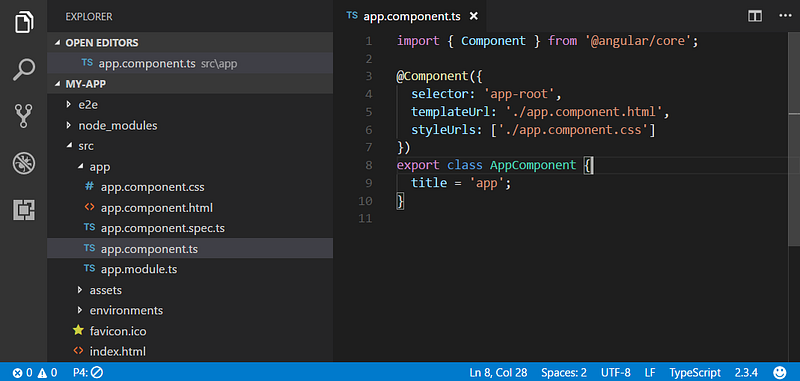
- Syntax highlighting and bracket matching
- IntelliSense support
- Smart completions based on variable types, function definitions, and imported modules
- Go to Definition, Peek Definition
- Git commands built-in
- Huge variety of Angular plug-ins available to download
VSCode plus maybe Angular Files extension and Material Design icon pack
— /u/bbojana on /r/Angular2
vscode for me. If there’s one thing Microsoft knows how to do well, it’s building a good development tool.
— /u/aaaqqq on /r/Angular2
Visual Studio Code has great support for Typescript. I use it for all my Angular2 development.
— /u/springy on /r/Angular2
VSCode for now as well. I am a huge fan of Jetbrains but even in the 2016.2 preview not all issues are fixed. Things like immutable map’s apparently not having a get() function according to webstorm while the tsc compiler has no such problem. Nor does VSCode say its a problem.
As long as these small annoyances remain within the Webstorm 2016.X i will be forced to keep using VSCode simply because i want to be able to rely on the accuracy of my editor. Without also constantly having to look at the CLI if something broke or is not broken while the IDE reports it is.
— /u/schippie on /r/Angular2
VS Code has really good Typescript integration among other things, so you should definitely try it out if you’re working with Angular using TS.
— /u/ds39 on /r/Angular2
I was on Atom for a loooong time and then tried vscode. I just started a new job this week where I code on Angular all day and I found the tools vscode had to be quite amazing, plus the debugging and git out of the box is pretty nice. I’m gonna stick to it for a couple of months for now.
— /u/Lakston on /r/Angular2
Although Visual Studio code is relatively new, it is developed by Miscrosoft, the guys behind developing TypeScript and those working on Angular 2 with Google. This is why it makes sense for Visual Studio code to have great support for TypeScript, which is what Angular is built on, right out of the box. Visual Studio code supports syntax and error highlighting and smart autocomplete for TypeScript.
— Pablo Gamito on Quora
Webstorm
- Link
- $129.00/user for 1st year; $103.00 2nd; $77.00 3rd and onward; free 30-day trial
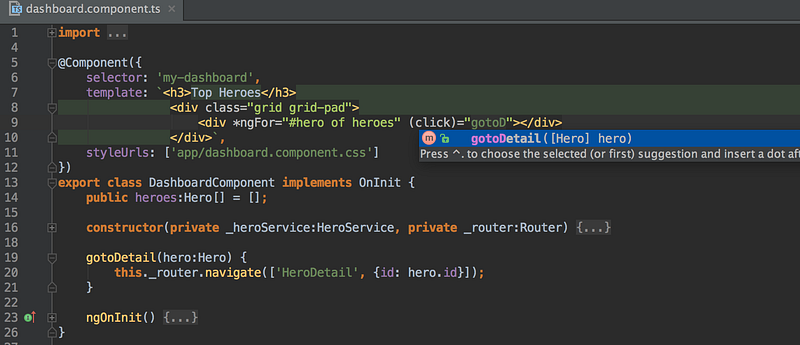
- Hundreds of built-in inspections report any possible issues right as you type and suggest quick-fix options
- Analyzes your project to provide code completion results
- Jump to a method, function or variable definition in just one click, or search for the usages
- Provides a built-in debugger for your client-side code (that works with Chrome)
- Integrates with Karma test runner, Mocha, Jest and Protractor
- Features spy-js, a built-in tool that helps you trace your JavaScript code
- Simple unified UI for running Grunt, Gulp or npm tasks right from the IDE
WebStorm. Very nice integration, good update schedule, great developers, version control such as GitHub. It is sweet. Lots of Angular devs use it. There is also that Microsoft IDE but we don’t talk about it :-)
— /u/jprest1969 on /r/Angular2
I’d love to use Webstorm, but right now I’m trying to keep costs way way down. If it wasn’t an annual payment I’d get it in a heartbeat. I use those tutorials on Udemy to learn new stuff, and it seems like everyone on there uses it. There are lots of neat tricks that I can’t do on Atom that makes me jelly.
— /u/DinGoodman on /r/Angular2
It doesn’t act up. That’s the big thing.
I’m a Java dev most of the time, so I was comparing Webstorm with Eclipse so someone else may be able to answer better for you. I started with Webstorm for Node/Express type stuff and for that the integrated debugger was great. In general it’s fast and has nice IDE options.
For Angular dev it lets you integrate plugins for relatively bleeding edge stuff (like Typecript syntax checking). It also offers some browser extension based integration to use Webstorm at the debugger though I’ve honestly never bothered with it.
It also has nice Git/etc integrations.
Had I started with Angular dev and NOT node dev, I don’t know if I would have spent the money but I have no regrets now that I have. I also dev between a Windows desktop and a Mac laptop and it works nicely across both.
— /u/dweezil22 on /r/Angular2
Just like Visual Studio code, WebStrom comes with TypeScript support right out of the box, with error and synstax highlighting and autocomplete. WebStorm does come with a built-in transpiler, which allows you to compile your TypeScript into pure JavaScript out of the box. WebStorm does have a couple of cool features that other IDEs don’t have, however as opposed to the other editors mentioned, it isn’t free.
— Pablo Gamito on Quora
Atom
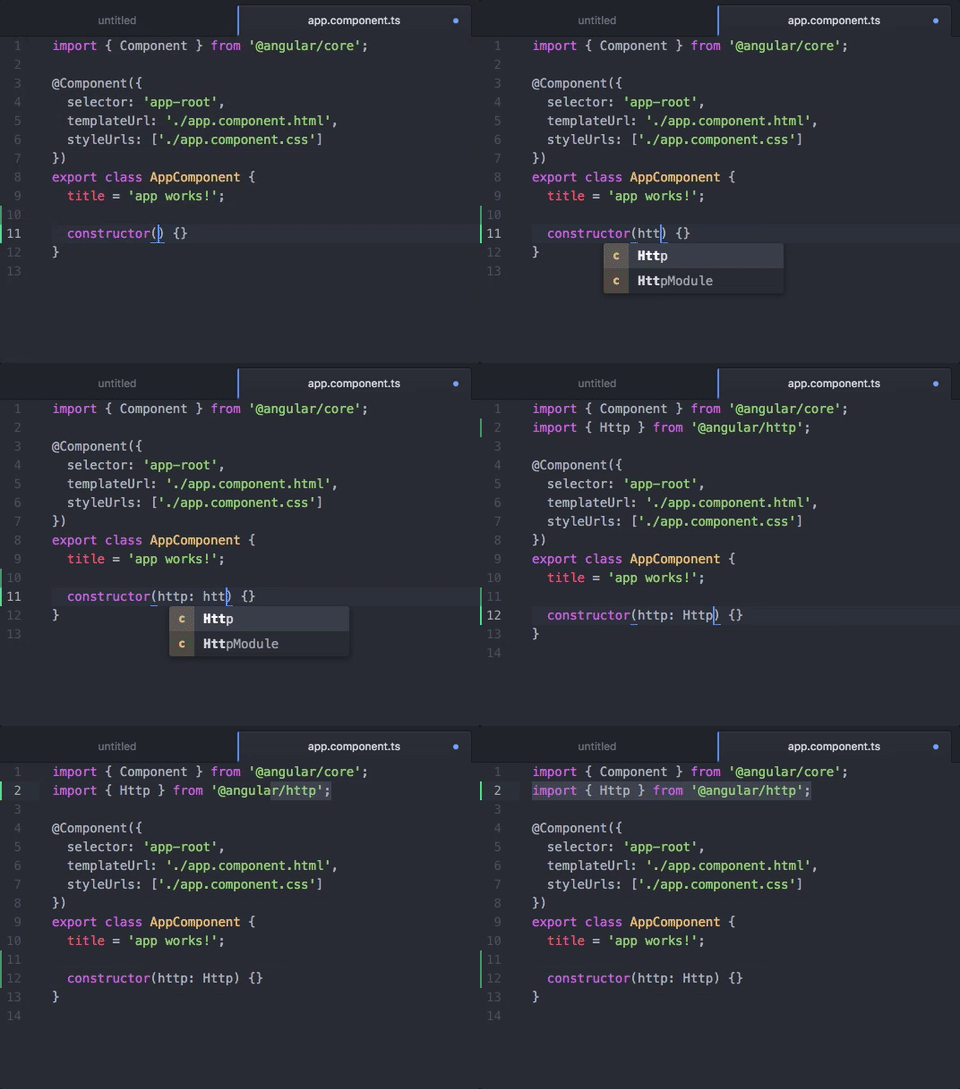
- Free
- Plenty of free Angular plug-ins
- Autocomplete
- Live error analysis
- Type information on hover
- Compile on save
- Project Context Support (
tsconfig.json) - Project Build Support
package.jsonSupport- Goto Declaration
- Find References
- Semantic view
- Block comment and uncomment
- Rename refactoring
- Common Snippets
- Alternative to symbols-view
Atom with atom-typescript (https://atom.io/packages/atom-typescript) is simply the best (my opinion).
— /u/tjoskar on /r/Angular2
Overall, there are many choices out there for editing Angular code, but these ones seem to stand out above the rest. If I missed any, be sure to let me know in the comments below, and I can cite you as a contributor to this article.
Also from cloud native: the gathering: