
What are Accessors, Mutators, and Casting in Laravel? Learn How to Use Them
Introduction to Accessors and Mutators in Laravel Eloquent
Let’s dive into the world of Laravel Eloquent. The Object-Relational Mapping included with the Laravel framework, provides powerful tools for interacting with your database. Now among these features are Accessors, Mutators, and Casting stand out as valuable tools for manipulating data during retrieval and storage processes.
Accessors
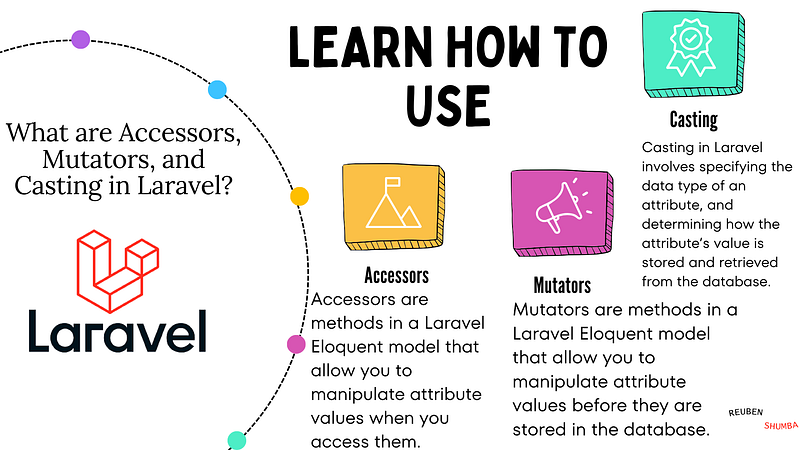
Definition: Accessors are methods in a Laravel Eloquent model that allow you to manipulate attribute values when you access them.
Purpose: Accessors provide a convenient way to format or transform attribute values before they are sent to the application. They are particularly useful when you need to present data differently than it’s stored in the database.
As the name suggests, it is used while accessing something and here something is the attributes (columns in the database) of a model.
Accessor in Laravel transforms an Eloquent attribute value that is been accessed. To create an accessor, there is a method named get{AttributeName}Attribute which returns the expected thing that you want when you access the attribute.
Example 1: Consider a User model with a full_name attribute. You can create an accessor to concatenate the first_name and last_name attributes when accessing full_name.
class User extends Model
{
    public function getFullNameAttribute()
    {
        return $this->first_name . ' ' . $this->last_name;
    }
}
Now, when you access $user->full_name, it will automatically concatenate the first and last names.
$user = User::find(1);
$name = $user->full_name;
Example 2: Enhancing the Created At Attribute
Suppose you have a Comment model with a created_at attribute representing the time a comment was created. Instead of displaying the raw timestamp, you want to present it in a more human-readable form using the Carbon library.
// File: App/Models/Comment.php
namespace App\Models;
use Carbon\Carbon;
use Illuminate\Database\Eloquent\Factories\HasFactory;
use Illuminate\Database\Eloquent\Model;
use Carbon\CarbonInterface;
class Comment extends Model
{
    use HasFactory;
    /**
     * The attributes that are mass assignable.
     *
     * @var array<int, string>
     */
    protected $fillable = [
        'comment',
        'user_id',
        'post_id',
    ];
    /**
     * Get the comment create time in human-readable form.
     *
     * @param datetime $value
     * @return string
     */
    public function getCreatedAtAttribute($value)
    {
        return Carbon::parse($value)->diffForHumans(['syntax' => CarbonInterface::DIFF_ABSOLUTE]);
    }
}
In this example, the getCreatedAtAttribute method is an accessor for the created_at attribute. It uses the Carbon library to parse the raw timestamp and provide a human-readable representation using the diffForHumans method.
Usage: Now, whenever you access the created_at attribute of a Comment instance, it will automatically be formatted in a human-readable form:
$comment = Comment::find(1);
$createdAt = $comment->created_at;
// Output: "6 months ago"By implementing accessors in this way, you can significantly improve the readability of your application, making it more user-friendly and providing a better overall experience.
Mutators
Definition: Mutators are methods in a Laravel Eloquent model that allow you to manipulate attribute values before they are stored in the database.
Purpose: Mutators are handy when you need to perform actions on attribute values before saving them to the database. This could include formatting, hashing, or any other form of transformation.
As the name suggests, they are used to mutate something i.e. they are used to change the attribute before saving to the database.
Mutator in Laravel transforms the Eloquent attribute value when it is being set. To create a mutator, there is a method available in the model named set{AttributeName}Attribute. Whenever the field is being set anywhere it will come through this function and then go to the database.
Example 1: Imagine you want to store email addresses in lowercase. You can create a mutator to ensure the email is always saved in lowercase.
class User extends Model
{
    public function setEmailAttribute($value)
    {
        $this->attributes['email'] = strtolower($value);
    }
}
Now, every time you set the email attribute, it will be automatically converted to lowercase before saving.
Example 2: Modifying the First Name Attribute
Suppose you have a User model with a first_name attribute, and you want to ensure that the first name is always stored in lowercase for consistency.
// File: App/Models/User.php
namespace App\Models;
use Illuminate\Contracts\Auth\MustVerifyEmail;
use Illuminate\Database\Eloquent\Factories\HasFactory;
use Illuminate\Foundation\Auth\User as Authenticatable;
use Illuminate\Notifications\Notifiable;
use Laravel\Sanctum\HasApiTokens;
use Illuminate\Support\Facades\Hash;
class User extends Authenticatable
{
    use HasApiTokens, HasFactory, Notifiable;
    /**
     * The attributes that are mass assignable.
     *
     * @var array<int, string>
     */
    protected $fillable = [
        'first_name',
        'last_name',
        'email',
        'password',
    ];
    /**
     * The attributes that should be hidden for serialization.
     *
     * @var array<int, string>
     */
    protected $hidden = [
        'password',
        'remember_token',
    ];
    /**
     * The attributes that should be cast.
     *
     * @var array<string, string>
     */
    protected $casts = [
        'email_verified_at' => 'datetime',
    ];
    /**
     * Set the user's first name.
     *
     * @param  string  $value
     * @return void
     */
    public function setFirstNameAttribute($value)
    {
        $this->attributes['first_name'] = strtolower($value);
    }
}
In this example, the setFirstNameAttribute method is a mutator for the first_name attribute. It ensures that the first name is stored in lowercase before saving it to the database.
Usage: Now, whenever you create a new user instance, the first_name attribute will be automatically transformed to lowercase:
$user = User::create([
    'first_name' => "MageComp",
    "last_name" => "LLP",
    "email" => "[email protected]",
    "password" => Hash::make("password")
]);
// Output:
// {
// "id":1,
// "first_name":"magecomp", // stored in lowercase
// "last_name":"LLP",
// "email":"[email protected]",
// "email_verified_at":"2023-03-09T10:09:10.000000Z",
// "created_at":"2022-03-09T10:09:10.000000Z",
// "updated_at":"2022-03-09T05:24:33.000000Z"
// }By using mutators in this way, you can maintain consistency in your data storage and improve the overall reliability of your Laravel application.
Understanding Casting in Laravel
Casting in Laravel involves specifying the data type of an attribute, and determining how the attribute’s value is stored and retrieved from the database. Laravel provides various built-in cast types, allowing you to easily work with specific data types.
Step 1: Define Casts in Your Model
In your Eloquent model, you can define the $casts property as an associative array. The keys represent attribute names, and the values represent the desired cast types.
// File: App/Models/Product.php
namespace App\Models;
use Illuminate\Database\Eloquent\Model;
class Product extends Model
{
    protected $casts = [
      'is_featured' => 'boolean',
      'price' => 'decimal:2',
    ];
}
In this example, the is_featured attribute is cast to a boolean type, and the price attribute is cast to a decimal with two decimal places.
Step 2: Usage in Code
With the casts defined, Laravel will automatically handle the casting of attributes when you retrieve or set them.
// Retrieving a product
$product = Product::find(1);

// Using the casted attribute
var_dump($product->is_featured); // Outputs: bool(true)

// Setting and saving a casted attribute
$product->price = 99.99;
$product->save();
In the above code, when you retrieve a product, the is_featured attribute is automatically cast to a boolean, and you can use it as such. Similarly, when you set the price attribute, Laravel ensures it is cast to a decimal with two decimal places before saving it to the database.
By leveraging casting, you make your code more expressive and ensure that the attributes are handled consistently in your application. Laravel’s built-in cast types cover a variety of scenarios, including booleans, integers, decimals, dates, and more, providing a convenient way to manage attribute data types.
Conclusion
Laravel’s accessors, mutators, and casting functionalities are indispensable tools for every laravel developer, providing a seamless way to manipulate and format data within your applications. I personally believe, you have acquired a solid understanding of how to leverage these powerful concepts effectively.
By employing accessors, you can effortlessly transform attribute values during retrieval, enhancing the readability of your code and ensuring consistent data presentation. Mutators empower you to modify attribute values before they are persisted to the database, allowing for standardized data handling.
Additionally, casting plays a pivotal role in specifying attribute data types, ensuring that data is stored and retrieved consistently. Laravel’s built-in cast types simplify the handling of various data scenarios, making your code more expressive and maintainable.
So, dive into your projects with confidence, harness the power of these features, and take your Laravel development to new heights!
Some more interesting topics
Stay tuned!!! I will be back with some more cool Laravel tutorials in the next article. I hope you liked the article. Don’t forget to follow me 😇 and give some claps 👏. And if you have any questions feel free to comment. Thank you.
Thanks a lot for reading till the end. Follow or contact me via: Email: [email protected] Github: https://github.com/reubenshumba LinkedIn: https://www.linkedin.com/in/reuben-shumba-a72aaa157/ BuyMeCoffee: https://www.buymeacoffee.com/reubenshumba REUBEN SHUMBA


