
Using Obsidian for teams and group KM
Obsidian is normally seen as a way to manage your personal life — ie a personal knowledge management (PKM) tool. But what happens when you want to share your thoughts or vault with co-workers? How can we use Obsidian for overall knowledge management while overcoming its focus on PKM?
Personal Knowledge Management (PKM) to Organisational Knowledge Management (OKM)
This isn’t a new problem. All of us probably have a special way we manage knowledge, be it in emails, Confluence, Sharepoint or just notepad, that we then have to transfer to some company system just to accomplish our work. For example, recording your to-do list on a paper calendar then manually entering that info into your team’s Jira.
This paper — Personal Intelligence in Collective Goals (A Bottom-up approach from PKM to OKM) — notes that many different PKMs exist as people create their own processes to get their jobs done, and the OKM can add friction to the process by insisting on a top-down structure that doesn’t reflect how people do their work. The paper ultimately argues that
“If end users have their own means of getting the jobs done to achieve organisational collective goals, then there is a possibility of looking at an organisational knowledge management (OKM) from the bottom-up approach.”
Team KM using Obsidian
A caveat: Obsidian will probably not scale to be the next Confluence and support hundreds of user working on the same information. But it can work for small teams of 3–4 people. This is what you need:
A single source of truth
A key requirement will be having a single source of truth. So you need some way for multiple users to access and edit a vault. Obsidian has multiple solutions for this:
- Obsidian Sync is the official Obsidian solution. You’ll have to create an Obsidian account and pay a monthly subscription. But it’s the most seamless solution and it doesn’t seem to limit how many devices you can connect. (Let me know if you’ve had experience using it?)
- Remotely Save is a community plugin that allows you to host your Vault in the cloud. As a non-techie I found Remotely Save easy to set up and reassuring that I could encrypt the notes stored in Dropbox. Best thing is that Remotely-Save works on both your PC and mobile phone!
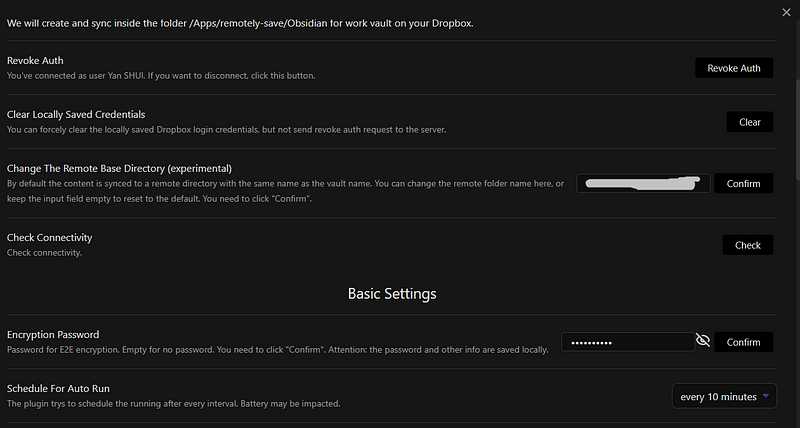
- Git is another community plugin. It seems to work like Remotely Save but doesn’t work on mobile devices and is a bit more complicated to set up — you need to set up a (1)Git, (2) install Github Desktop and then (3) install the community Plugin. This tutorial is really useful for guiding you through the process. Read this to get more information on using Git.
Info management
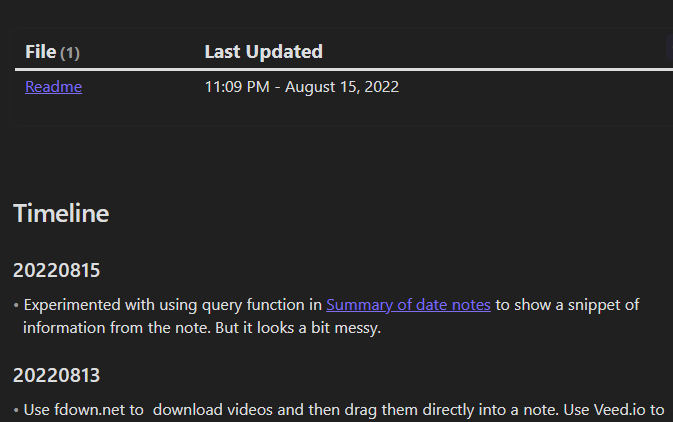
When collaborating with others, situational awareness is almost as important as ease of data entry/sharing. The default notes list can quickly become cluttered, so we use the Dataview plugin and Queries to automatically generate summary notes that instantly bring everyone up to speed. It’s also useful to include a change log, especially when work processes are still being developed. We created and starred these notes for easy access.
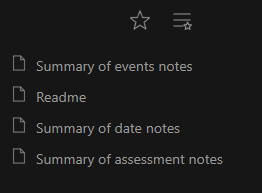
With more users, a common taxonomy becomes more necessary. But as I have noted before, it’s not always easy to predict what tags you will need. We have been using a hybrid system that requires specific tags and links based on objective criteria and permits optional user-defined tags. It seems to be working well so far. Links are mandatory for dates, people and entities. Required tags are:
- #event: Indicates that something has happened
- #idea: For notes recording analysis or personal reaction, usually to an #event
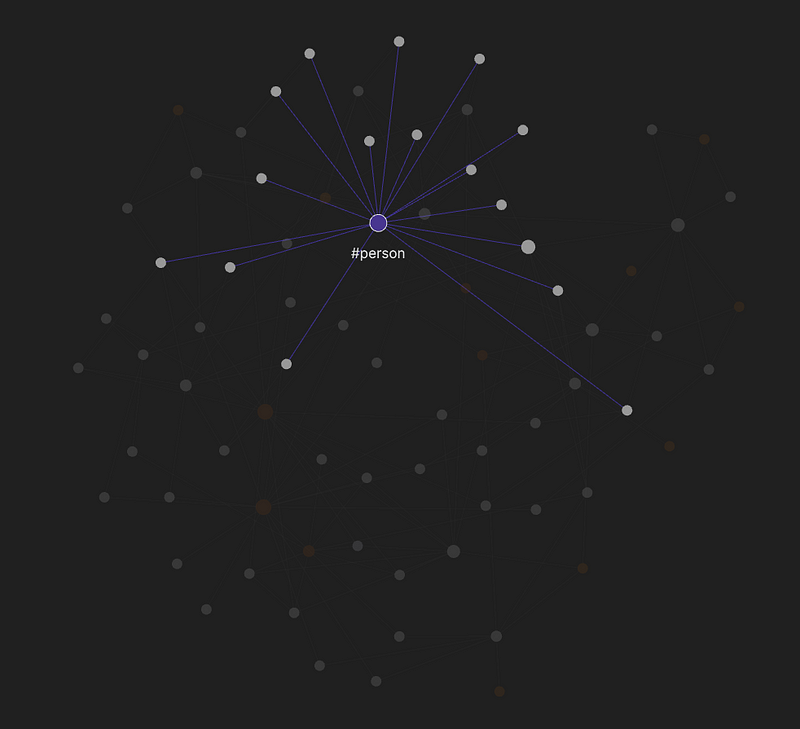
- #date, #person, #entity: For notes about a specific date, person or entity respectively. These notes exist because of the mandatory links mentioned above.
- #quote: For notes that include quotes. Usually an #event note.
Differentiated roles
Expecting everyone to perform the same role in a team is a recipe for confusion. It’s better to clearly state expectations, and in this case, we identified three roles that must exist. And the fact that each Vault can have a different mix of plugins is actually a feature for me, it allows each role-holder to customise their setup!
- Fact-finder: This role is responsible for identifying and monitoring new sources of info, and creating #event notes. Relevant info-processing tools include automated newsfeeds (rss and backlinks.
- Narrator: This person is responsible for coming up with a bigger picture from the #event notes. Plugins like the Graph Analysis and Journey help identify links and tell the story.
- Info manager: This person is responsible for ensuring that the vault’s taxonomy is adhered to and to create and maintain summary notes. Tools to help monitor the health of the vault like Vault Statistics and Dataview are very useful.
What you’ll miss
Obsidian was never designed to be an Enterprise OKM. So there will definitely be things you miss. The chief one we have discovered is that there is no way to tell who made the edits to a note. Which is why we think that Obsidian can be used for collaboration only within a small team that already has a high level of trust.
Take a look at the rest of my articles on Obsidian:
- When you should consider switching to Obsidian
- Obsidian’s Graph Analysis plugin
- Using Obsidian’s Graph View for real
- Obsidian for making sense of things
Tell me in the comments whether you’ve tried Obsidian for your team’s work, or problems you face!


