
Using Git Commands with AWS Code Commit
ACM.261 Setting up git credentials for AWS CodeCommit in the AWS IAM console
Part of my series on Automating Cybersecurity Metrics. Git. Also Deploying a Static Website. The Code.
Free Content on Jobs in Cybersecurity | Sign up for the Email List
In the last post we deployed an AWS CodeCommit get repository with AWS CloudFormation.
In this post I’m going to use typical git commands to test the repository.
Obtain credentials to use the Git repository
I’m not going to get into AWS CodeCommit permissions just yet. For this test, I’m going to use my Sandbox Administrator user who has full access to the SandBox account to test access to the repository we created in the last post.
- Login as the user that wants to access the repository.
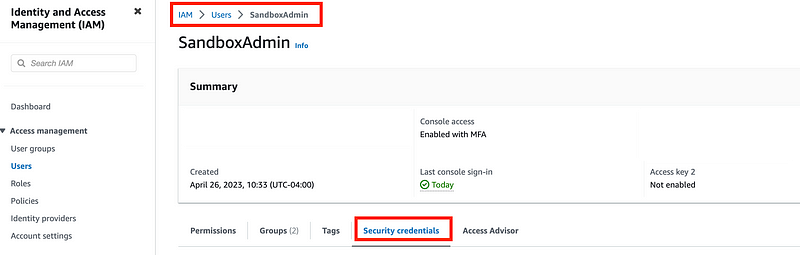
- Navigate to the AWS IAM dashboard.
- Click on Users and then the user for whom you are creating credentials.
- Click On Security Credentials.
Scroll down to the section labeled HTTPS Git credentials for AWS CodeCommit
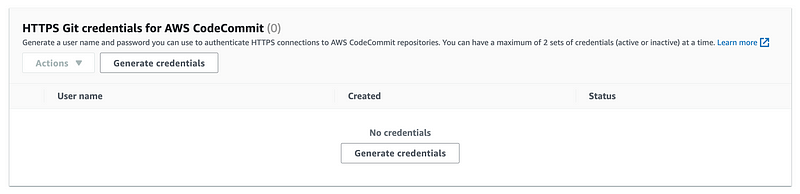
Click GenerateCredentials
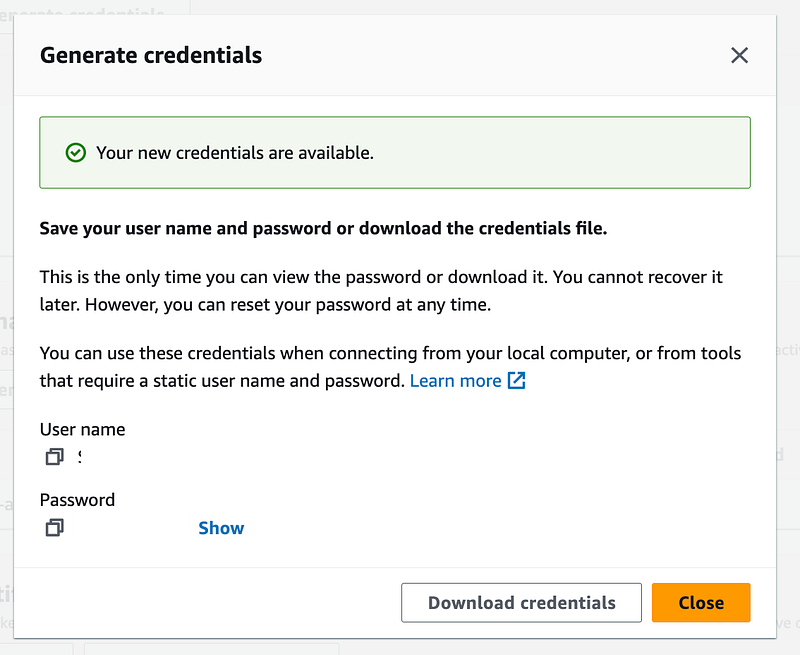
Note that you cannot create your own credentials and that you will only see these credentials here, just like with AWS developer access keys. You’ll need to make a copy of these credentials for future use. I recommend not storing them in plain text on your device. You could at least use a password manager or consider the user-specific secret I created via AWS Secrets Manager in this post:
Anyway once you have a copy of these credentials we can proceed.
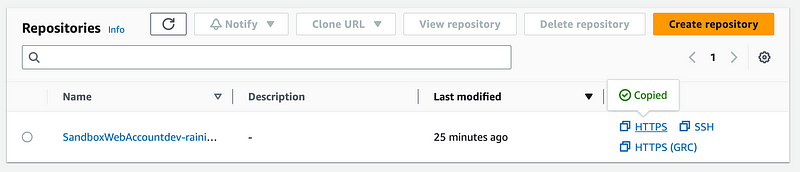
Next obtain the HTTPS clone URL. You can get that from the outputs of the CloudFormation stack we deployed, or head over to CodeCommit in the AWS Console and click on HTTPS next to the repository name in the list of repositories in your account.
I’m going to create a folder for CodeCommit in my code directory so it doesn’t clash with my GitHub repositories that might have the same name.
/home/ec2-user/code/CodeCommit
I’ll move the Git repositories into a Git folder as well and make any necessary code adjustments so that will work.
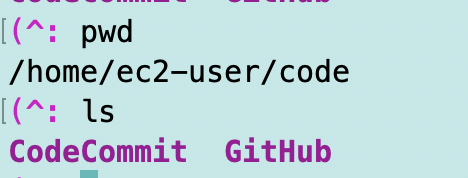
Now we can use the repository just as we would any other repository and clone it to our local directory.
git clone <repo>I’ve changed into the CodeCommit folder I created above and run the command:

I’m going to need to login just as I did with my other git credentials. All the same concerns apply in relation to credential helpers and other mechanisms for caching passwords that I covered in other posts here:
I get this warning:
warning: You appear to have cloned an empty repository.Why yes. Yes, I have. We’ll change that in a bit.
If I run ls I can see the folder:

It is at this point I realize I want a dash after the environment so I’ll fix that before proceeding. But as you can see the standard git commands work.
Change into the directory.
Type the following to list all files including hidden files:
ls -al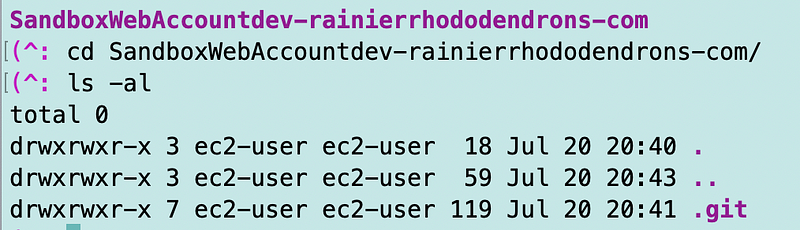
Here you can see there’s a standard hidden .git directory.
AWS CodeCommit is just allowing you to create and manage Git repositories within your AWS account and with AWS tools. But that’s not all. There’s a bit more we can do with AWS CodeCommit. Let’s explore that in the next few posts.
Follow for updates.
Teri Radichel | © 2nd Sight Lab 2023
The best way to support this blog is to sign up for the email list and clap for stories you like. If you are interested in IANS Decision Support services so you can schedule security consulting calls with myself and other IANS faculty, please reach out on LinkedIn via the link below. Thank you!
About Teri Radichel:
~~~~~~~~~~~~~~~~~~~~
Author: Cybersecurity for Executives in the Age of Cloud
Presentations: Presentations by Teri Radichel
Recognition: SANS Difference Makers Award, AWS Security Hero, IANS Faculty
Certifications: SANS
Education: BA Business, Master of Software Engineering, Master of Infosec
Company: Cloud Penetration Tests, Assessments, Training ~ 2nd Sight Lab
Like this story? Use the options below to help me write more!
~~~~~~~~~~~~~~~~~~~~~~~~~~~~~~~~~~~~~~~~~~~~~~~~~~~~~~~~~~~~~
❤️ Clap
❤️ Referrals
❤️ Medium: Teri Radichel
❤️ Email List: Teri Radichel
❤️ Twitter: @teriradichel
❤️ Mastodon: @[email protected]
❤️ Facebook: 2nd Sight Lab
❤️ YouTube: @2ndsightlab
❤️ Buy a Book: Teri Radichel on Amazon
❤️ Request a penetration test, assessment, or training
via LinkedIn: Teri Radichel
❤️ Schedule a consulting call with me through IANS ResearchMy Cybersecurity Book: Cybersecurity for Executives in the Age of Cloud



