
Useful Features in ManyStories — A Review with Recommendations
Although it’s currently in Beta, there are a lot of benefits for readers and writers looking to share content.

Recently I stumbled across Stephen Dalton’s article that provided recommendations on how to give a boost to your Medium income. The title intrigued me, and not because I thought of a potential monetary value (although that’s always nice). Instead, I took the perspective of seeing the opportunity for more readers, reaching a wider audience, and honing my skills in promoting my content in new ways.
One particular part of his article that captured my attention was about ManyStories.
My curiosity about the platform led me to two other great articles by Kelvin Pough giving some recommendations, tips, and insights about it.
ManyStories: 4 tips for making the most out of the site
How does it affect article stats?
medium.com
By this time, I had to take the next step and sign up as a user to see what I was potentially missing out on.
Note: ManyStories is a part of the Penname network and Smedian and Signal. However, in this article, I am only covering ManyStories.
First Impression
At first sight, I was a little confused by what I saw. Like all new things, after spending a little bit of time familiarizing myself with it, it made more sense.
The main page provided me with a few recommended articles to read. After opening one, I was pleased to see a Medium article. However, getting to the end of the article, I felt like giving a generous amount of claps.
However, it sends me directly to the article where I continue to leave claps and not on ManyStories.
At first, I thought this would be annoying. However, I actually don’t tend to mind the redirection anymore.
Sharing Articles
It’s straightforward to share articles, which is the entire purpose of the platform. Under the articles, you’ll see a view count, an option to add to a collection and share.
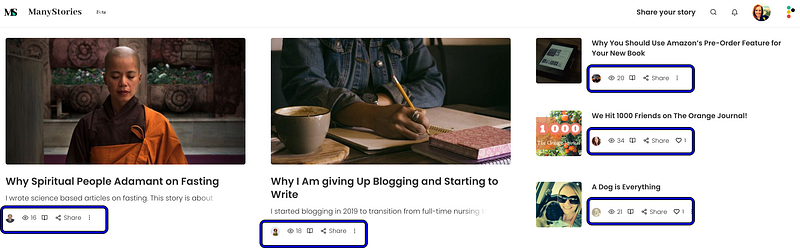
When opting to share an article, the social media options include Facebook, Twitter, LinkedIn, Reddit, Tumblr, or a simple link.
Gaining Followers
So far, it seems really slow to gain followers (at least for me). Despite sharing other stories frequently (not including my own), this has been a trickle at best, but I’m remaining patient.
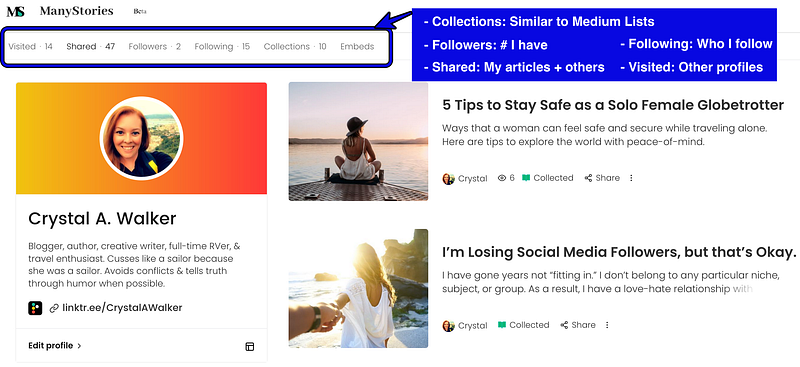
Again, ManyStories is in Beta and gathering lots of new members at an impressive pace. So, I can see the number of followers improving after giving the platform more time, increasing your use, and sharing more articles.
What I Like
Embeds
Holy smokes, Batman, this is a fantastic feature!
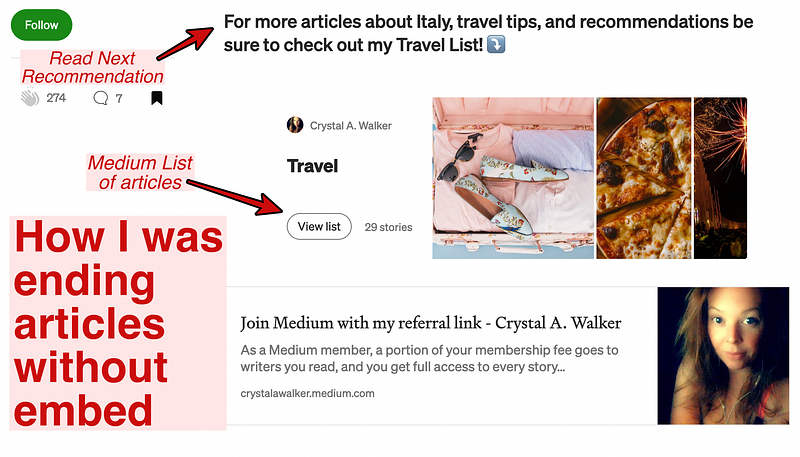
ManyStories gives you an option to add an embed code to your Medium article to direct readers to suggested content. Before, I was pasting Medium Lists hoping someone would want to peruse them. Then, I went back to my old ways and chose 1–2 articles. Unfortunately, that was inefficient and created difficulty for me trying to pick and choose the best ones.
This embedded code is the precise middle ground I’ve been looking for.
Here is an example of how I was ending my Medium articles with recommended reading before:
This is an example of how I end my Medium articles now with ManyStories embedded codes:
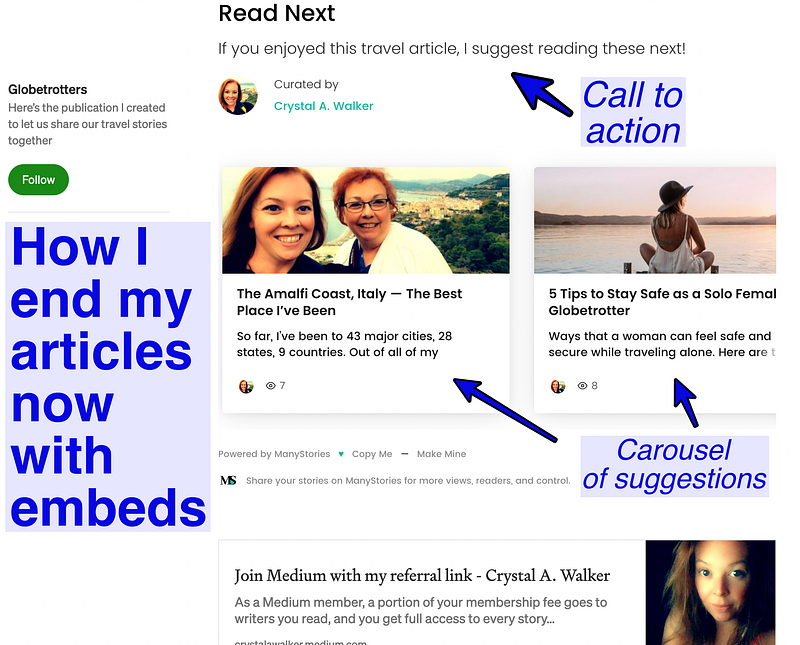
This is aesthetically more pleasing to look at at the bottom of my article, giving me a more professional look. I can also save multiple embed codes to my ManyStories dashboard. With this capability, I can simply go to my “Read Next” code with my carousel of Travel articles if that’s what I want to include.
Right now, I have a “Read More” embed for articles encompassing “Travel,” “RV Life,” “Social Media,” and “Food.” I plan on making a few more since I am 100% loving this feature.
Collections
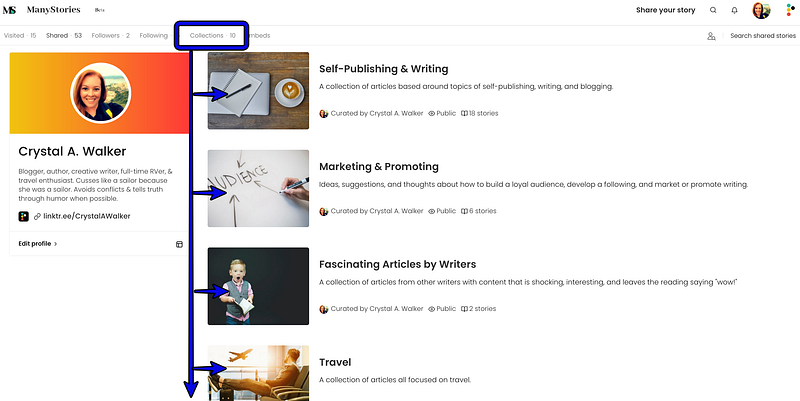
I find this to be similar to Medium’s Lists. As someone with a little OCD, I appreciate any way I can organize content.
Finding Fresh Content
Content on ManyStories is not just from Medium. Don’t get me wrong, I’m a loyal Mediumite. However, it gets frustrating to surf Medium sometimes and see the same frustrating articles over and over and over….
*cough* Like the ones about “How Much I Made This Month”.
Sorry Medium, but seeing that junk repeatedly invading my retinas is making me queasy. I even took fellow writer KL Simmons recommendation in one of my recent articles expressing my frustration to stop clicking those articles. For now, I hope I can starve the Medium monster out, and it’ll get the hint that I don’t want to read that puke anymore.
Right now, I am finding my relief as I surf ManyStories. However, as more people start sharing their articles, I am not sure this will always be the case, but I’m taking the breath of fresh air while I can. In fact, I even stumbled across a few more writers who I follow now on Medium!
Recommendations
Tags
So far, this has been one of the most unsatisfying parts for me when sharing a story. There just doesn’t seem like there are enough tags or ones accurate enough to categorize my article. For example, I do not see any that would pertain to “Food,” “Travel,” “Life Stories,” “Humor,” and more.
Analytics
Who doesn’t like charts, spreadsheets, numbers, and stats? Unfortunately, they seem to be absent from having any presence on the dashboard. So far, the only stat I see is the number of views and shares an article has.
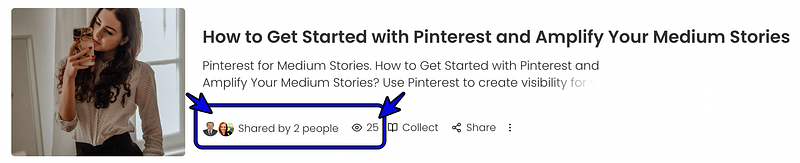
At the time of this writing, I do not see anywhere on our profile or dashboard to see how many shares an article has. Nor is there data indicating an increase in views or reader interests. It would also be helpful if data existed to show if an article has been added to anyone’s collection. Lastly, some stats indicating a trend if an article is shared with one social media platform over another would be insightful.
SEO Data
Pulling accurate SEO descriptions seems to be a hit or miss.
Before sharing one of my articles on ManyStories, I edit its SEO details because ManyStories pulls from the article’s first 140(ish) characters. However, that often has no value in helping my writing appear in search results. Here is an example of an article I shared that the SEO data was not pulled correctly.
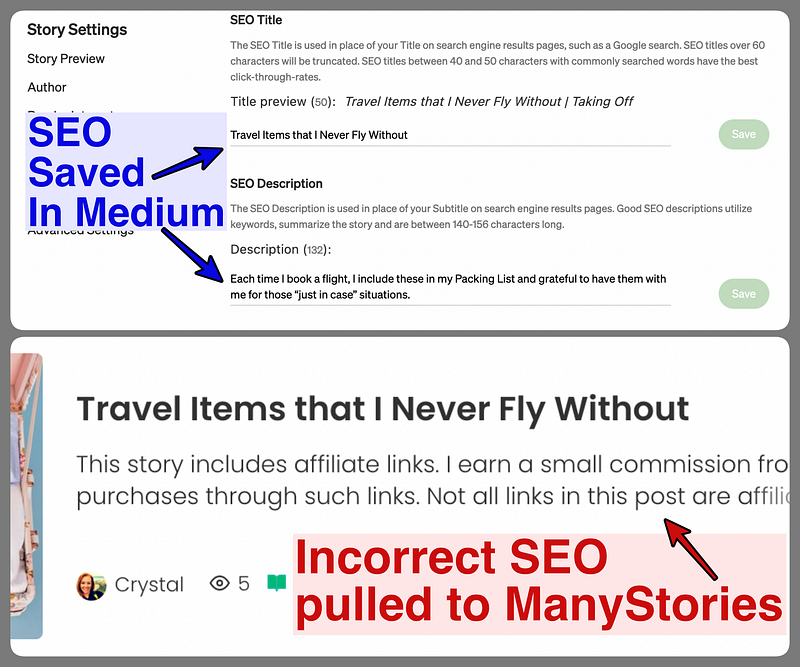
Unfortunately, I do not see an option available to go back and have this fixed, despite hitting the “refetch” button. I’ve also tried to troubleshoot in other ways, including a few minutes between saving my updated SEO in Medium before sharing my article to ManyStories, with about 60/40 success.
Sharing Option
It’d be nice to have an option to share an article with Pinterest as well.
ManyStories Referral Link
After joining and you decide that you want to “Share your story,” you’ll be added to a waitlist.
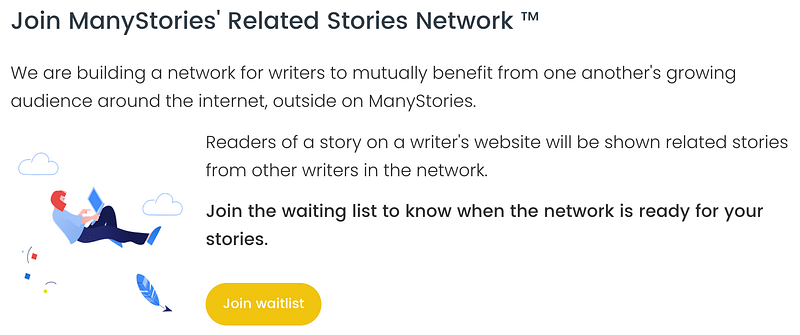
For me, it was not a bad wait and was about 1–2 weeks. However, there does not seem to be any referral link for ManyStories. While the platform is in Beta, there may be an actual technical reason for slowly opening the gates. However, there could be incentives for users and new members to provide/use a referral link.
Phone App
Right now, I do not see an app to use ManyStories on my iPhone (I’m going to go out on a limb and say it is likely the case with Android as well).
I’d be interested in continuing to read, surf, and share content while away from my desk. I am sure others can relate. After all, we live mobile lifestyles, read on the go, and are absorbed in social media! I hope that this is a capability available soon.
The potential is there for ManyStories and can be more of a one-stop-shop to help browse more content, share articles easier, and support other writers. I’m looking forward to see how it evolves as it makes its way through Beta.


