
Use This Checklist Before Hitting ‘Publish’ on Medium
I forgot things before. Now, I don’t. It fits on one printed page.
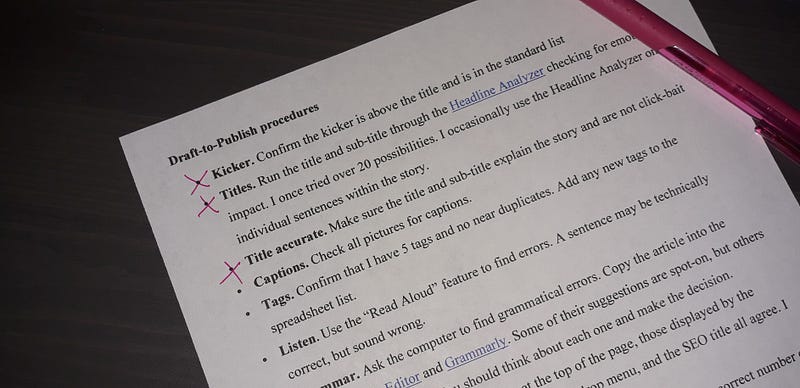
I print my checklist and cross items off, every time, even for this article. You can do the same or make your own list. Last week, I was going to hit the ‘Publish’ button but decided to go through the checklist first. I forgot a heading picture!
This checklist is for Medium. It fits on one printed page. If I’m sending something to a print magazine or publishing a book, I use a different list, but there is one.
I have a tracking spreadsheet listing all of my articles with their title, sub-title, kicker, tags, and SEO description. It also works as a second confirmation.
Draft-to-Publish procedures
- Kicker. Decide whether or not to add a kicker. Confirm it is above the title.
- Titles. Run the title and sub-title through the Headline Analyzer checking for emotional impact. I once tried over 20 possibilities. I occasionally use the Headline Analyzer on individual sentences within the story.
- Title is accurate. Make sure the title and sub-title explain the story and are not click-bait. Scan the paragraphs making sure they relate to the title.
- Case. Confirm that the title is in title case and subtitles are in sentence case. Section headings are in sentence case and in Medium’s Title font.
- Captions. Check all pictures and images for captions.
- Tags. Confirm that I have 5 tags and no near duplicates. Add any new tags to the spreadsheet list.
- Listen. Use the “Read Aloud” feature to find errors. A sentence may be technically correct, but sound wrong.
- Grammar. Ask the computer to find grammatical errors. Copy the article into the Hemmingway Editor and Grammarly. Some of their suggestions are spot-on, but others are weird and wrong. You should think about each one and make the decision.
- All titles agree. Verify that the title at the top of the page, those displayed by the “Change display title/sub-title” option in the drop menu, and the SEO title all agree. I have seen all three be different.
- SEO description. Write the SEO description, making sure it is the correct number of characters.
- Publication. Determine which publication to submit to, if any.
- Friends link. Decide if I want to create a shorter “friends” URL.
- Earnings. Select “Meter my story so it is eligible to earn money” when publishing.
Finally, I add the article to my tracking spreadsheet and hit the publish button.
Once your article is published, open it and make your own backup:
Print a PDF copy and save it in your files
in case someone copies it and you need the dated copy.


