
REFERRAL INCOME TIPS
Understanding Your Referral Link and How to Invite New Readers to Medium!
Do you want an effective way of sharing your referral link in your stories?

Ever since Medium first rolled out the details about the referral compensation program, I’ve been wanting to find a way to promote it more effectively!
Before I share one of the creative practices that I just started using, let me remind you how the Medium referral program works.
It goes a little something like this…
Medium will pay you to help convert new members
Medium is all about bringing in new members who are willing to pay the small monthly $5 fee to join.
We, the existing members are the way they hope to accomplish this. And as a small reward for our efforts, the referring member who is successful, can earn a few dollars in the process.
The way Medium explains it in their official blog post is like this:
“Every time you convert a reader to a paying member, you get half of that reader’s membership fee, net of standard payment processor fees, for as long as they are an active member.
…Readers can sign up on your personalized referrals page.”
About your REFERRAL PAGE:
This is just a simple page that you personalize the wording on, so you can promote the referral link that Medium generates for you.
- Just use the Settings tab that you find in the long drop down menu (by clicking the 3 dots).
- On the Settings page, scroll down to “Audience Development” and look to the right for the words: “Promote Memberships”.
- Clicking there will take you to your referral link, where you can copy the link, plus view what your personal referral page looks like.
Here’s an example of my own referral page:
All I did was insert the referral link just now, and Medium automatically generated this convenient linked image, just like they do for our stories.
Now, here’s a screen shot of what the referral page readers land on will look like:
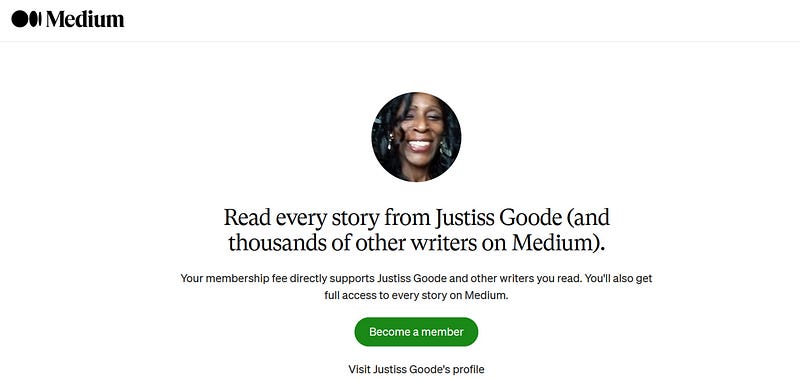
Once you get your referral link, you can start dropping it in your stories, as well as in your social media posts, and other places online.
And when someone decides to finally sign up and become a member, you’ll be the first one to know it.
How to be alerted to newly referred members
When you successfully obtain a newly referred member under your belt, you will know it.
This is what happens:
- You check your stats and click on the “Audience stats” section of your dashboard, on the top right hand side.
- Your dashboard will display just how many referred memberships you’ve acquired.
- Your dashboard will also indicate how much referral income you’ve earned
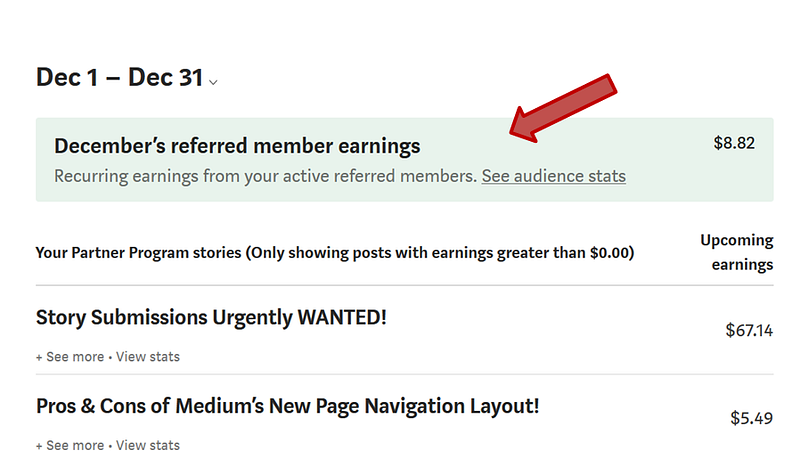
My referral earnings in this screen shot is from the four new Medium members who joined via my referral link.
This is not to brag about my relatively minor accomplishment, this is to show you that taking just a little time and effort to promote your referral link can reap some positive benefits.
So how do you promote your Medium referral link effectively?
One way is the method that I use in my own stories…
How writers promote their referral links
The most common way that writers on Medium typically promote their referral link, is to include a bit of text at the bottom of each story (known as the footer).
Once upon a time, I used to copy and paste a scripted block of text, over and over, whenever I published a story.
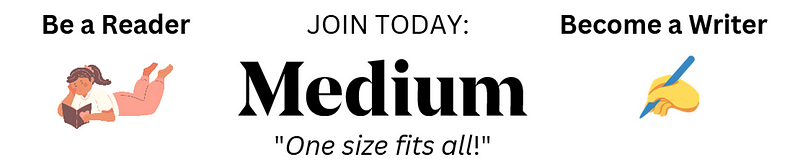
Then later, I decided to create an image that contained the same message that was in the original text.
Now, I currently use this same creative method, although recently, I created a new and fresher image, just like the one you see at the very bottom (following my other examples).
I plan to make this my most used image for 2023, because it promotes more than just my Medium link.
THREE of my referral links are located directly UNDER this particular image, however, the image is still attractive and prominently placed, so readers will stop and notice the message it contains.
Final Thoughts
Make sure to start diligently promoting your referral link, whether you use a simple block of text as a footer, or whether you design a more attractive way to appeal to readers.
This writing advice about using your referral link is important, just like so many other details you need to know about Medium.
So when you see statements like you see below, be sure to visit to get more information. Check it out, so you don’t end up missing out.
In case you’re a little timid about creating a design yourself, feel free to use the following designs that you see below.
Simply be sure to include the Canva Pro image credit for the pics I used in my designs:


Good luck promoting your Medium referral links, and thanks for reading…
Get Canva | Sign Up: Medium | Join Fiverr
💰 CLICK HERE AND LEARN MORE 💰
Did you know I sell digital products:

👉You can become an affiliate for Justiss Goode products on Gumroad
HERE’S ANOTHER WAY TO EARN TOO:



