
Two Easy Ways to Embed Giphy GIFs on Medium
It’s easier than I thought.
After seeing top Medium writers embed gifs in their articles, I knew that I needed to figure out how. Giphy is too easy of a gold mine to ignore, and my personal communication is about 73.427% GIF usage.
In my research, I found this post by Brett Whitmarsh, but it’s from 2017 and is a little out of date.
If you haven’t been introduced to Giphy yet, it’s a large searchable collection of GIFs. Each GIF has multiple tags that make it easier to search. Honestly, Giphy has one of the best search engines.
While the public can upload GIFs, Giphy also pays to produce GIFs that are only available on their site.
What Doesn’t Work
- You may be tempted to right click on the gif, copy link, and put that in your article. You won’t end up with a GIF though, instead, you’ll just end up with a visible URL.
- You can’t embed a GIF in a bulleted or numbered list.
- Embedded GIFs need to be on their own line. This means a line that you can see the “+” button that would allow you to upload an image. A new line that was created by hitting “Shift + Enter” will not properly show the GIF.
How to Embed a Giphy GIF in a Medium Article Using the URL
This is the easiest way.
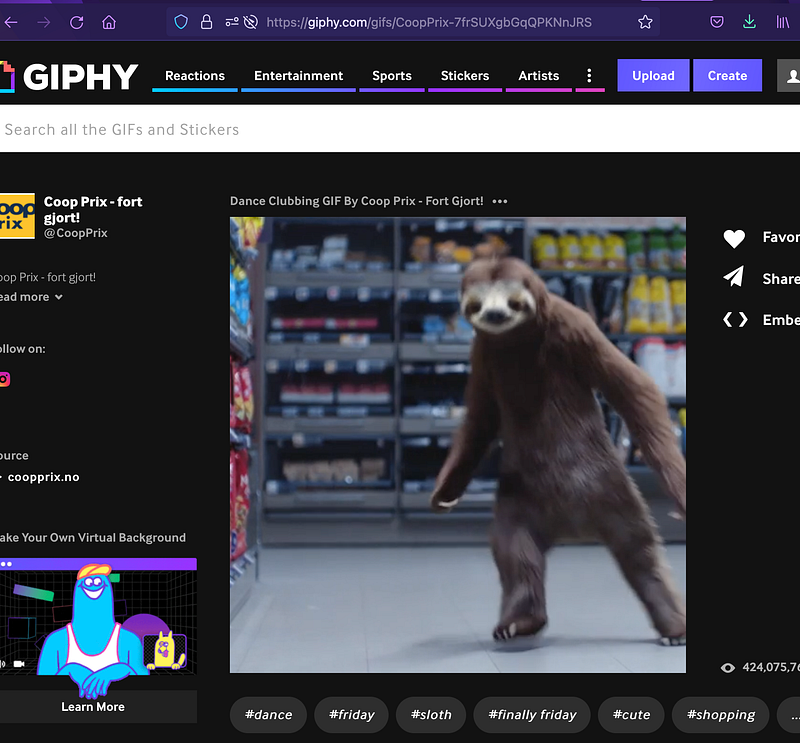
- Find the GIF that you want to use on Giphy.
- The majority of the page should look like the image above.
- Copy the URL for the page from the browser.
- Paste the URL into your Medium draft on a new line. (You should see the “+” button to add an image if you hover over the blank line.)
- Hit ‘enter’ from the end of the line with the URL. (This is an important step. If you past the link, then click elsewhere on the page, a GIF will not appear.)
- Boom. There’s your GIF.
How to Embed a Giphy GIF in a Medium Article Using the Share Button
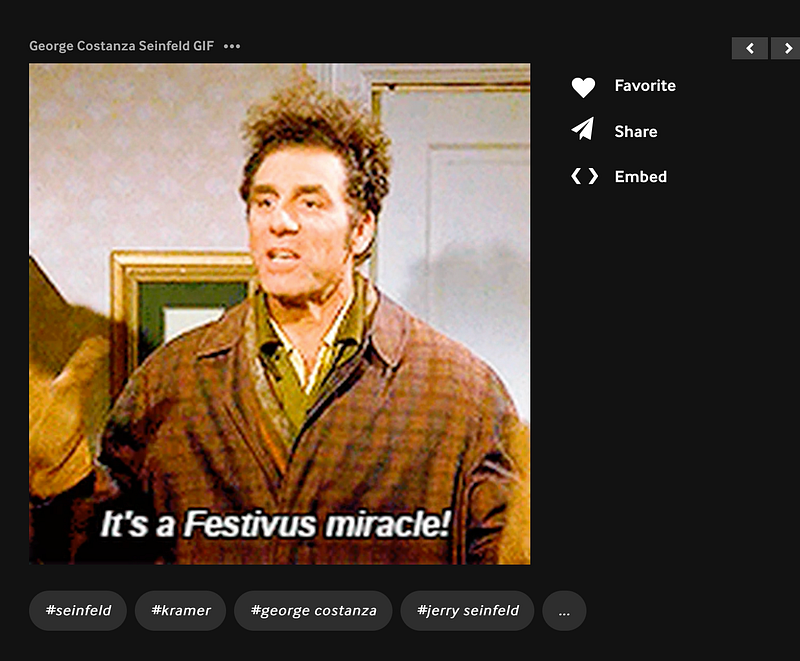
- Find the GIF that you want to use on Giphy.
- The majority of the page should look like the image above.
- Click the ‘Share’ button.
- Click ‘Copy GIF Link”
- Paste the copied link into your Medium draft on a new line.
- Hit ‘enter’ from the end of the line with the URL. (This is an important step. If you past the link, then click elsewhere on the page, a GIF will not appear.)
- Boom. There’s your GIF.
Warning: If the GIF includes music, it will autoplay on repeat for as long as the article is open. There is nothing that would make me click off of an article faster.
Hi future reader. If this article is out of date by the time that you read it, would you mind leaving a comment so that I can update it? I want this article to be as helpful as possible to new and veteran writers.
Not a Medium member? Use this link to join. You’ll get access to more Medium content, and help to support articles like this.
Enjoy this article? Buy me a coffee.


