
Machine Learning Art
Turn your portrait into art with PyTorch
GAN Face Portrait : No-code Workflow Demo
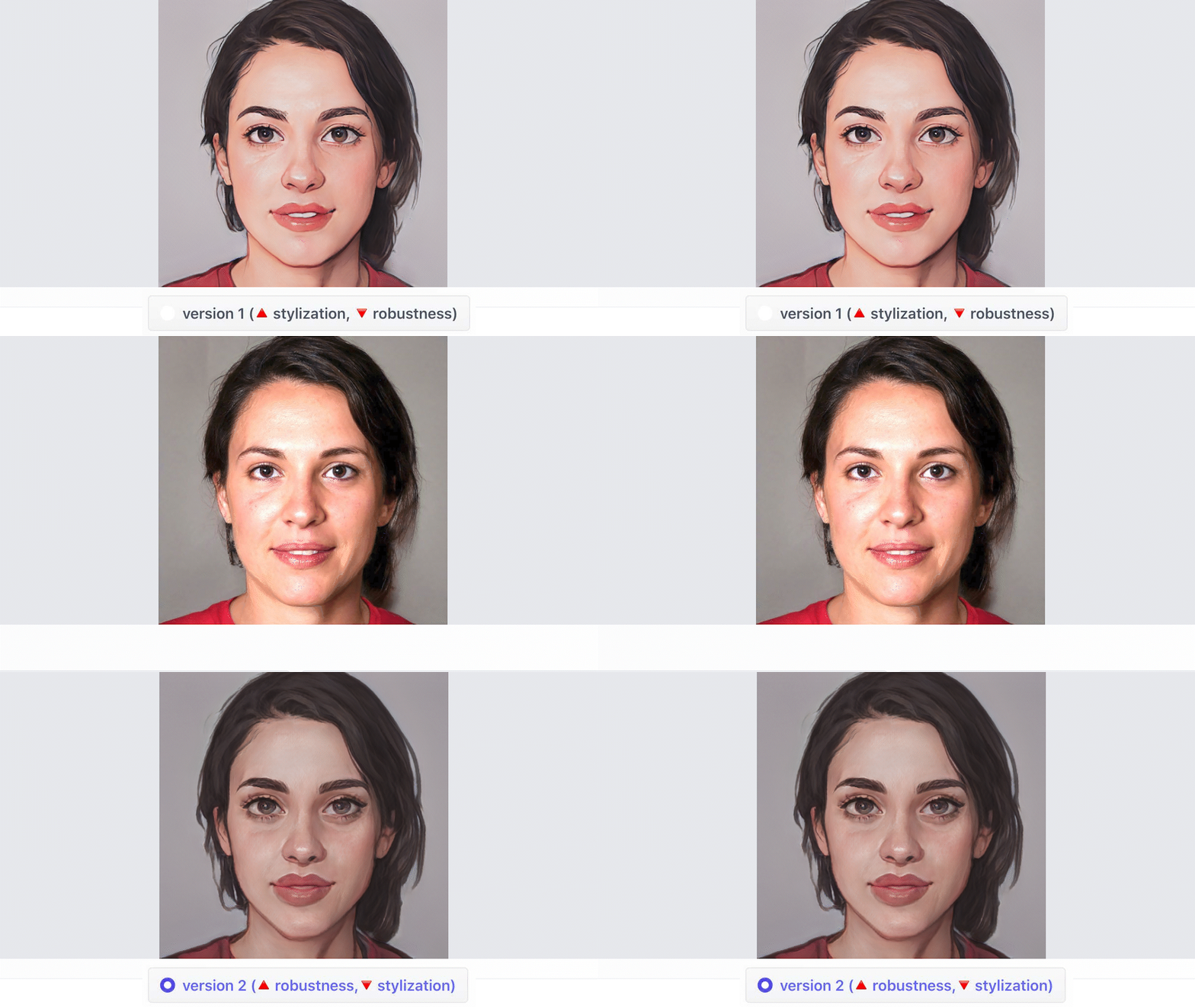
In short, users may use a picture to create a snapshot that seems like a scene from an animation. The AnimeGANv2 method is a one-of-a-kind algorithm that transforms ordinary pictures and portraits into creative anime drawings.
- April 2022 — AI art tools update can be found ➡️ HERE ⬅️
How can I turn my selfies into works of art?
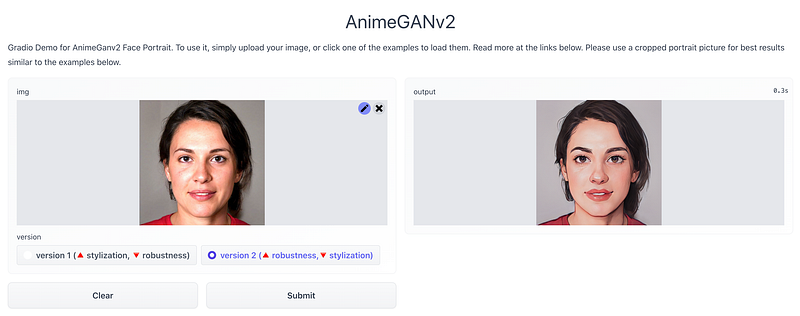
AnimeGanv2 Face Portrait FREE Demo by Ahsen Khaliq. Simply upload your image or choose one of the samples to get started. Click on the links below to learn more. For the best results, use a cropped portrait photo like the ones shown below.
What is the purpose of PyTorch? Over 200 distinct mathematical operations are supported by the PyTorch framework. PyTorch’s popularity continues to grow since it makes creating artificial neural network (ANN) models easier. PyTorch is mostly used in research, data science, and Machine Learning applications .
Try 3 steps with PyTorch by bryandlee:
🔵 Create a new Google Colab note. 🔵 Please provide a picture as an input. 🔵 Run the code below.
from PIL import Image
import torch
import IPython
from IPython.display import display

# https://github.com/bryandlee/animegan2-pytorch
# load models
model_celeba = torch.hub.load("bryandlee/animegan2-pytorch:main", "generator", pretrained="celeba_distill")
model_facev1 = torch.hub.load("bryandlee/animegan2-pytorch:main", "generator", pretrained="face_paint_512_v1")
model_facev2 = torch.hub.load("bryandlee/animegan2-pytorch:main", "generator", pretrained="face_paint_512_v2")
model_paprika = torch.hub.load("bryandlee/animegan2-pytorch:main", "generator", pretrained="paprika")

face2paint = torch.hub.load("bryandlee/animegan2-pytorch:main", "face2paint", size=512)

INPUT_IMG = "sg.jpg" # input_image jpg/png
img = Image.open(INPUT_IMG).convert("RGB")

out_celeba = face2paint(model_celeba, img)
out_facev1 = face2paint(model_facev1, img)
out_facev2 = face2paint(model_facev2, img)
out_paprika = face2paint(model_paprika, img)

# save images
out_celeba.save("out_celeba.jpg")
out_facev1.save("out_facev1.jpg")
out_facev2.save("out_facev2.jpg")
out_paprika.save("out_paprika.jpg")

# display images
display(img)
display(out_celeba)
display(out_facev1)
display(out_facev2)
display(out_paprika)I appreciate you taking the time to read my article. I hope you found it stimulating and that it helped clear up any questions you had about dealing with AnimeGanv2 Face. I’m passionate about generating quality AI art, and I’m grateful there’s such a wide variety of options for acquiring it.

Project Page:
FREE DEMO:
Keywords: computer vision, Artificial Intelligence, Machine Learning, AI art, art, digital art, Manipulate the uploaded image, generative art, pytorch, AnimeGanv2, portrait
I invite you to explore the concept of “AI creativity” by reading and learning from the many articles found on 🔵 MLearning.ai 🟠
- Check out my instagram with new material every week
- If you enjoyed this, follow me on Medium for more
- Want to collaborate? Let’s connect on LinkedIn
- https://linktr.ee/evartology
Data Scientists must think like an artist when finding a solution when creating a piece of code. Artists enjoy working on interesting problems, even if there is no obvious answer.
All our writers (members) receive the opportunity to be promoted on our social media, which increases the popularity of articles published on MLearning.ai


